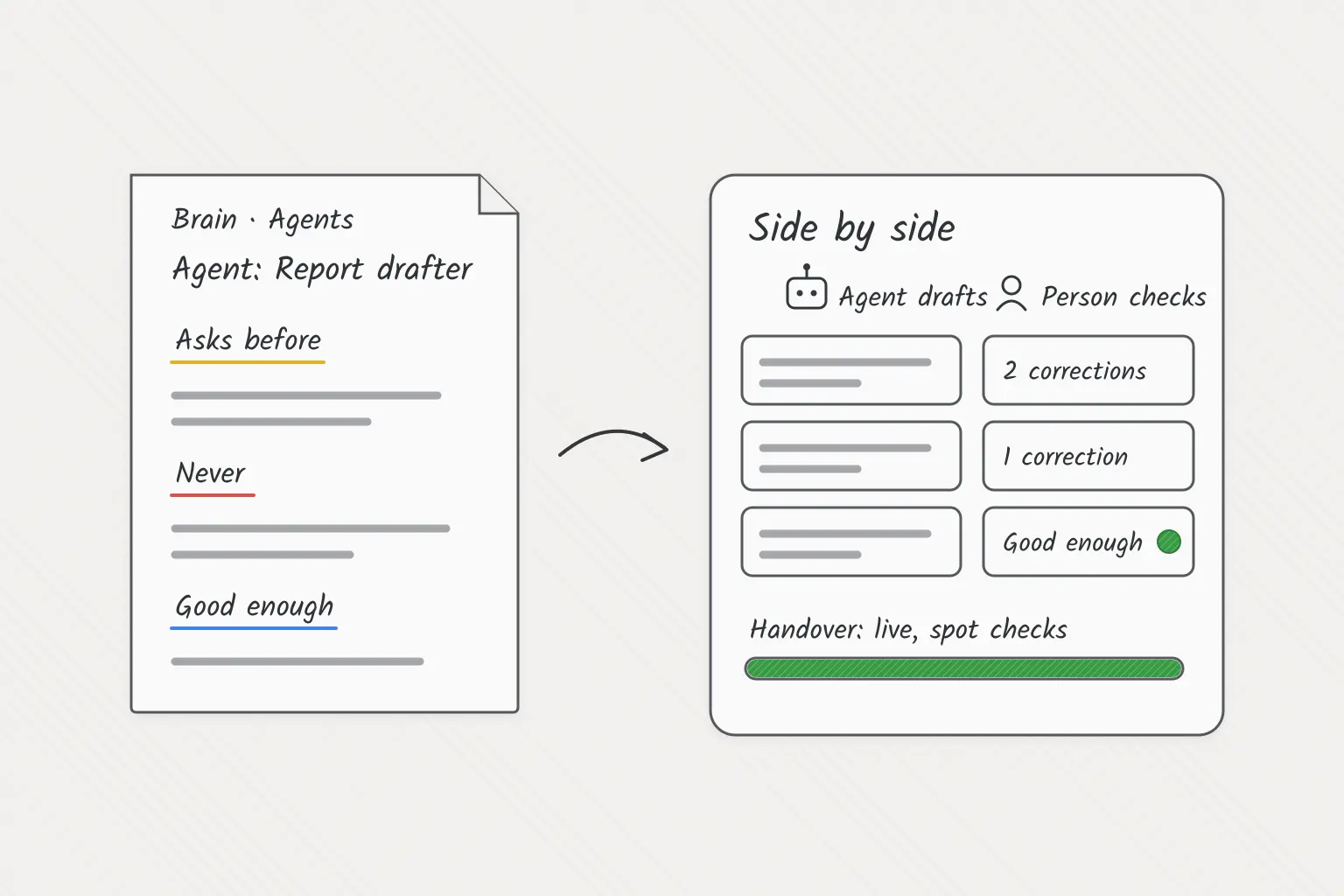
An agent that runs from a prompt in one person's chat is hard to trust. Nobody else knows its rules, a change to the prompt isn't recorded, and when it gets something wrong there is no page to fix. Agents that work alongside a team need what a new colleague needs: a written procedure, an owner, a trial period and regular reviews.
The agent builder is step 6 of the founder pack. It takes every agent from your operating system, puts it on a page in the Brain, and builds the agents one at a time, in the order of your roadmap, with the person who knows each piece of work.
Get the agent builder. The skill is free. It works best in Claude, with Tooling Studio connected.
Read a case study: Nineteen agents on a board, and the two we build first, by Hugo, one of the founders of Tooling Studio.
What each agent gets
| What | Where |
|---|---|
| A page with its job, what starts it, what it reads and writes, and its owner | The Brain, under one page called "Agents" |
| How it does the work, what it may do alone, when it stops to ask and what it never does | The same page |
| How to undo its work and switch it off | The same page |
| A small skill that reads the page before every run | Your assistant |
| Its build tracked as a card, with every correction noted | Your board in Kanban Tasks |
| A review: what it did, what was corrected, hours cost and saved | Drafted by the skill, decided by the owner |
Because the agent reads its page before every run, a change to the page changes the agent on its next run. The team can read what each agent is told to do, and every version is kept with who changed it.
The six steps for each agent
- How the work is done today. The owner walks through two or three recent cases. The exceptions become the moments the agent stops and asks.
- The data. Every input and output, checked with a read from your tools.
- The rules, on the agent's page, with "good enough" agreed before anything runs.
- The skill that runs it, and how it starts. The owner starts it at first, a schedule comes later.
- A test on past cases, then a run next to the person who does the work today, who checks every output.
- The handover, when the owner says it is good enough. Checks drop to spot checks.
An example agent page
From a 60-person SEO and content agency, while its report drafter runs next to one account manager:
| Section | What it says |
|---|---|
| Status | Side by side since 4 Jan 2027, one account manager, 9 clients |
| Owner | Head of analytics |
| Asks before | A number moved more than 30% (asks the analyst), or the client changed their site this month (asks the account manager) |
| Never | Sends anything to a client, or names a cause it can't show in the data |
| Good enough | Every number matches its source, the account manager rewrites at most the "what happened" paragraph, three months in a row |
Read the full example.
Run it
Do setup first, in the same project. Say "Outline my agents": the skill puts every agent from your design in the Brain and tells you which one to build first. Then say "Build agent:" and the agent's name, with its owner in the conversation. In your weekly or monthly review, say "Check on agent:" and the name.
Agents you already run come in too. The skill collects every copy of an agent's rules, from its prompt, its spec and its card, writes one page from what the agent does today, and lists where the copies disagree.
Agent builder questions
How long does an agent take?
About an hour with the owner, then a few weeks next to that person to see whether it is good enough. Two to five agents in the first months is plenty.
Will an agent act on its own?
Only within what its page allows. Anything that reaches a customer, moves money or can't be undone stays a draft that a person approves, unless you decide otherwise and write that on the page.
What is the Brain?
The place for your company's written rules, read by your team and your agents, with every change kept. It is in early access. Until you have it, the skill writes the pages as files and moves them in later.
Which assistants does it work in?
Claude works best. Each agent needs an assistant that can connect to Tooling Studio and your other tools.
Next step
Keep this workflow close to Gmail instead of pushing it into another stack
Tooling Studio is built for teams that already work in Google Workspace and want a lighter execution layer without another bloated platform rollout.