Google Contacts is useful.
It is not a CRM.
That distinction matters because a lot of small teams start in exactly the same place: they already live in Gmail, already store people in Google Contacts, and already know they do not want to jump straight into a heavyweight system like Salesforce.
The instinct is right.
If your work already lives in Google Workspace, starting from Google Contacts is far more natural than forcing the team into a giant platform before they actually need one.
But Google Contacts alone does not tell you:
- who owns the next step
- what stage a relationship is in
- what happened last week
- which company a person belongs to in a shared pipeline
- what follow-up is due next
That is why “Google Contacts CRM” is really about adding the missing layers around Google Contacts, not pretending Google Contacts itself already does the whole job.
This guide explains what that lightweight CRM setup should look like, when it is enough, and when a team should move to something heavier.
In this guide
- what Google Contacts does well and where it stops being a CRM
- when Google Contacts is a strong CRM starting point
- the layers a small team needs to add around contact data
- why visual pipelines make follow-up easier to trust
- when a lightweight Google-native CRM is enough, and when it is not
What Google Contacts does well and where it stops being a CRM
Google Contacts is a good contact layer.
That means it is useful for storing and finding people inside the Google environment your team already uses.
What Google Contacts does well
It works well for:
- storing basic contact information
- surfacing people inside Gmail and Google Workspace
- keeping identity close to the tools your team already uses
- making personal address-book management simple
That is why it is a sensible foundation for a Google-native CRM workflow.
Where Google Contacts stops being a CRM
A CRM needs more than a directory.
It needs to help a team manage relationships over time.
That means adding things Google Contacts does not handle well on its own:
- pipeline stages
- shared visibility
- ownership
- notes and context
- organization-level relationships
- reminders and follow-up timing
- a reliable workflow for moving contacts through a process
This is the core truth small teams need to hear.
Google Contacts can be the starting point.
It is not the full system.
When Google Contacts is a strong CRM starting point for a small team
A Google Contacts CRM setup makes the most sense when a team already works in Gmail all day and wants to stay lightweight.
That usually includes:
- founders doing early sales
- agencies managing prospects and clients
- service businesses
- small sales teams
- ops teams handling relationships through Gmail
- Google Workspace-heavy companies that want a familiar workflow
These teams usually do not need a huge platform right away.
They need:
- a shared view of people and companies
- a simple pipeline
- clearer ownership
- follow-up they can trust
- something that feels close to Gmail, not detached from it
That is exactly the space Tooling Studio’s Sales CRM is built for: a lightweight, Google-Workspace-native CRM centered on shared pipelines, contacts, organizations, and collaboration.
The missing layers: notes, ownership, stages, and shared visibility
To make Google Contacts usable as a CRM, you need a layer around the contacts.
That layer should answer practical questions such as:
- where is this relationship right now?
- who owns it?
- what happened recently?
- what should happen next?
- how does this contact relate to the wider account or organization?
A lightweight CRM usually adds the following:
Notes and context
Teams need a place to store relevant context that is not just sitting in an email thread.
Ownership
A person should own the relationship or the next step, especially once more than one teammate is involved.
Stages
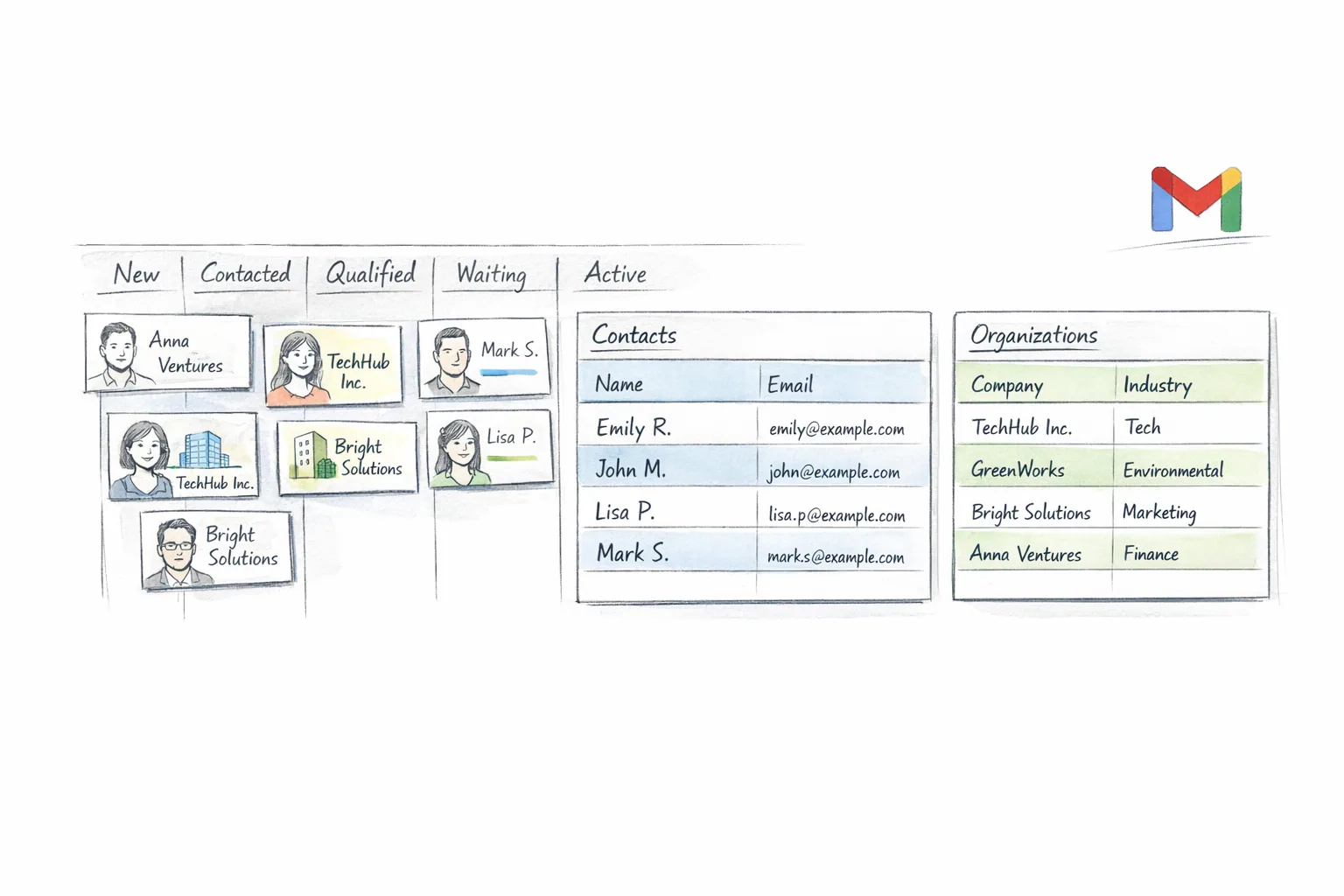
A visual stage model makes follow-up clearer. It gives the team a way to see whether someone is new, active, qualified, waiting, or closed.
Shared visibility
This is what turns a private address book into team workflow. If only one person can see what is happening, it is not much of a CRM.
Enrichment around the contact
Depending on the setup, this can include tags, reminders, custom fields, attachments, or comments. The exact mix matters less than the principle: a CRM needs more working context than a raw contact record provides.
How visual pipelines make follow-up easier to trust
This is one of the biggest upgrades a lightweight CRM gives you.
Once relationships are organized as a visual pipeline, people can see movement instead of guessing at it.
A small-team pipeline might look like this:
- New
- Contacted
- Qualified
- Follow-Up Needed
- Won
- Lost
That is enough for a lot of teams.
The key point is not the exact stages. The key point is that the team can now answer questions like:
- how many contacts still need follow-up?
- which relationships are moving?
- who owns the next step?
- which accounts are active right now?
That is why a board or pipeline view matters so much. It turns relationship management into something visible.
Tooling Studio’s CRM model is built around that simple structure: shared pipelines with stages, plus separate views of contacts, organizations, and deals so users can manage the underlying records as well as the flow.
It is important to keep this honest, though.
A lightweight Google-native CRM is not the same thing as a deeply mature enterprise sales suite. The value is simplicity, familiarity, and shared visibility, not maximal feature sprawl.
How Gmail and contact context work together
A CRM that lives too far from Gmail creates a predictable problem.
Users stop updating it.
That is why Google-native CRM matters. If the team already communicates in Gmail, the CRM should feel like an extension of that environment instead of a disconnected system that demands separate habits.
A Gmail-friendly CRM workflow makes a few things easier:
- looking up contact context while email is still open
- keeping relationship management close to daily communication
- reducing tab switching
- making follow-up more likely to happen on time
Tooling Studio’s broader product philosophy is built around exactly that: stay inside Google Workspace, feel familiar to Gmail users, and avoid bloated extra tooling.
That does not mean every CRM task must happen inside the inbox. Standalone access also matters, especially when you want to review pipelines, browse records, or work away from email. But for a Google Workspace-heavy team, the closer the CRM stays to Gmail, the more likely it is to stay current.
Contacts vs organizations: why both matter
A lot of lightweight systems make this mistake:
they track only people and ignore the company context.
That gets messy fast.
A person rarely exists in isolation. They usually belong to an organization, account, or customer context that matters to the team.
That is why Tooling Studio’s Sales CRM centers on two record types:
- Contacts
- Organizations
This matters because it lets teams separate two different kinds of information:
- what is true about the individual person
- what is true about the company or account
It also makes table overviews much more useful. Tooling Studio now has separate Contacts, Organizations, and Deals views that act more like table views over all records.
For small teams, that is a very practical model. It keeps the CRM understandable while still capturing the account context that simple contact lists usually miss.
What small teams should not expect from a lightweight Google-native CRM
This is where a lot of website copy goes wrong.
A lightweight CRM should not pretend to be something it is not.
If you choose a Google-native CRM because you want simplicity and Gmail fit, do not expect it to immediately match heavyweight enterprise systems in areas like:
- advanced forecasting
- deep reporting layers
- complex deal object models
- enterprise-grade workflow automation
- large-scale multi-team governance
That does not make the lightweight option weak.
It just means the value is different.
The point is to give a small team something they will actually use:
- shared pipelines
- clear follow-up
- visible ownership
- contact and organization structure
- a workflow that feels natural inside Google Workspace
That is often more valuable than a giant CRM that the team resents.
When to stay lightweight and when to move to a heavier CRM
Stay lightweight when:
- the team is still small
- most relationship work happens in Gmail
- you want fast adoption
- you need shared visibility more than enterprise reporting
- you want a simpler, cheaper system that people will actually keep current
Move heavier when:
- the sales org is growing fast
- you need advanced forecasting
- you need highly mature deal forecasting or revenue reporting
- reporting becomes a board-level requirement
- automation and permissions become much more complex
That line is important.
For a lot of teams, the right answer is not “start with Salesforce.” It is “use the lightest CRM that gives real shared control, then move up only when the complexity is earned.”
FAQ
Can Google Contacts work as a CRM?
As a starting point, yes. As a complete CRM by itself, no. It handles contact storage well, but a usable CRM needs ownership, stages, follow-up, shared visibility, and account context around those contacts.
Do I need dedicated deal objects to use a CRM well?
Not always. A lot of small teams can get real value from contacts, organizations, deals, and simple pipeline stages before they need mature forecasting or revenue reporting.
Does CRM enrichment overwrite the original Google Contact?
In many Google-native CRM setups, the CRM layer adds its own fields, tags, notes, stages, or ownership without overwriting the original Google Contact record in the same way. The important idea is that the CRM adds workflow context around the contact.
Why do organizations matter if I already have contacts?
Because a person usually belongs to a company or account that affects how the team manages the relationship. Without organizations, account context gets lost.
Is Gmail enough for managing customer follow-up?
No. Gmail is where communication happens. It is not a reliable shared system for pipeline visibility and follow-up ownership.
When should I move to a heavier CRM like HubSpot or Salesforce?
Move when you genuinely need advanced forecasting, deeper automation, mature reporting, or a more complex sales model. Do not move just because bigger tools exist.
Related reading
- Sales CRM
- Google Workspace Project Management
- Google Workspace Task Management
- How to Upload Contacts to Gmail
- How to Export Contacts from Gmail
- CRM for Google Workspace
- Google Workspace CRM
- CRM for Gmail
- Gmail CRM integration
- How to choose a CRM
Build a lighter CRM around the Google workflow your team already uses
If your team already works in Gmail and Google Workspace, your CRM should not feel like a separate universe.
See Sales CRM to explore Tooling Studio’s Google-native CRM approach built around shared pipelines, contacts, and organizations.
Personal use is free. Team collaboration is $5 per user per month per product.
Next step
Keep this workflow close to Gmail instead of pushing it into another stack
Tooling Studio is built for teams that already work in Google Workspace and want a lighter execution layer without another bloated platform rollout.