Updates for all Tooling Studio products

Stay up to date with the latest improvements, new features, and fixes in Tooling Studio.

New
Tooling Studio
Feature Update

Calendar views, CRM duplicate cleanup, and faster workspace loading

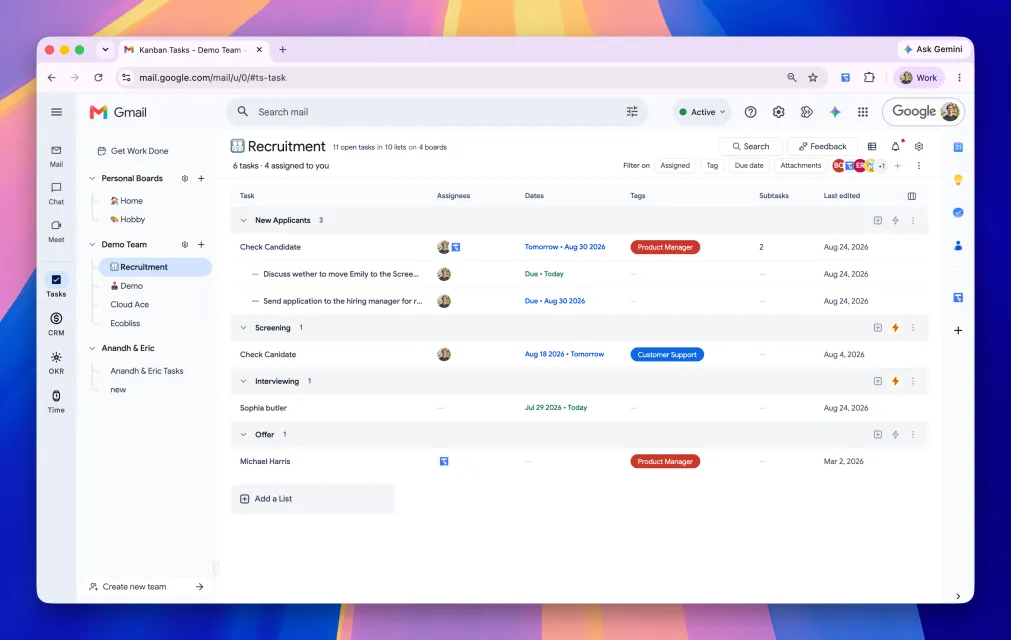
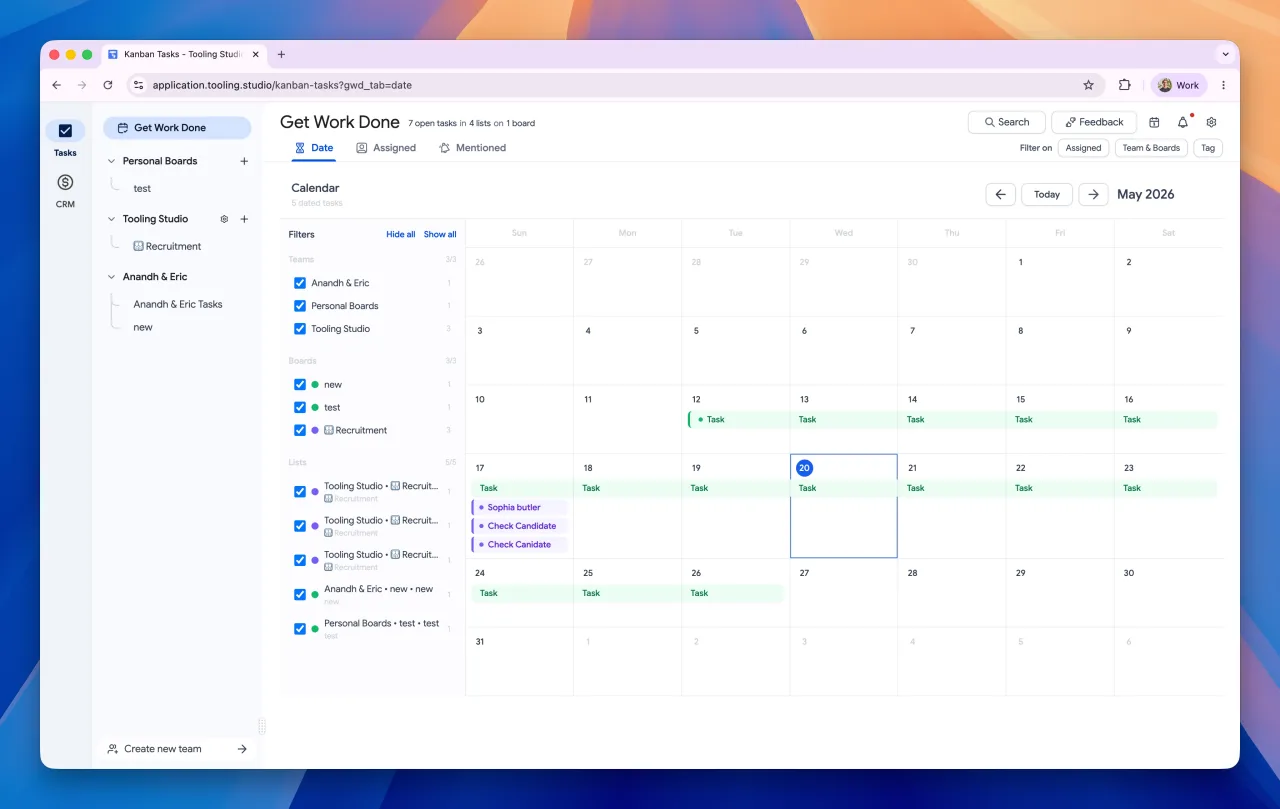
Tooling Studio calendar view showing dated tasks in Get Work Done

This release makes planning, CRM cleanup, and workspace startup smoother across Tooling Studio. You can now review tasks in a calendar view, clean up duplicate CRM records, add list automations, and get into Tasks and CRM faster while sync continues in the background.

What's New

  • Calendar View for Tasks: Kanban boards and Get Work Done now include a calendar view, so dated tasks can be reviewed by month across teams, boards, and lists.
  • CRM Duplicate Review: Contacts and organisations now show potential duplicate matches, with options to merge or ignore individual records or selected batches.
  • List Automations: Board admins can add actions when items enter or leave a list, including setting dates, assigning owners, adding tags, adding checklists, completing tasks, and updating CRM properties.
  • Installable Web App: Tooling Studio can now be installed from Chrome as a standalone app and pinned to the Mac Dock.

Improvements

  • Faster Workspace Startup: Tasks and CRM now use warm local data sooner, so shared workspaces can become usable while broader sync work continues in the background.
  • Better Task Loading: Current board tasks are prioritised first, with wider task data loading after the main view is available.
  • Smarter CRM Cleanup: Duplicate merges keep the richer record where possible and move linked boards, cards, tasks, deals, comments, attachments, tags, owners, relations, and custom property values.
  • Cleaner CRM Cards: Deal cards and linked organisation chips now show organisation favicons where favicon data is available.
  • More Reliable Local Caches: Replicache caches are preserved better across deploys, reducing unnecessary reload work after updates.

Reliability

  • Faster Sync Checks: Task and CRM pulls can now return more quickly when the client already has the latest unchanged sync scope.
  • Better Sync Indexing: Board-scoped task and CRM sync indexing makes pulls more targeted and efficient.
  • Safer Invite Handling: Invite acceptance now joins the right team context more reliably and includes a repair path for board shares missing matching memberships.
  • More Startup Diagnostics: Added more diagnostics around workspace boot, first interaction timing, Replicache scans, sync completion, and transaction handling.
Tooling Studio
Feature Update

More control over CRM views, team access, and task reminders

This release gives teams more control over how they view CRM data, adjust access to shared workspaces, and receive task due date reminders across Tooling Studio.

What's New

  • CRM Column Filtering and Sorting: CRM boards and tables now support more flexible filtering and sorting, making it easier to focus on the right deals, leads, contacts, and organisations.
  • Gantt View in Get Work Done: Get Work Done now supports the Gantt timeline view, so assigned, mentioned, and due tasks can be reviewed in a planning-focused layout.
  • Clearer Member Access Controls: Team admins can now review and adjust product, Kanban board, and CRM pipeline access for each member more easily.
  • Due Date Notifications: Task due date reminders now support both email and in-app notifications.

Improvements

  • Better CRM Filter Controls: CRM filters now support value-based filtering and conditions, with clearer options for different column types.
  • Clearer Assigned User Filters: Assigned-user filters now show names more clearly, making CRM views easier to scan.
  • Cleaner Social Fields: Contact and organisation social fields are easier to work with, including LinkedIn, X, Facebook, Instagram, and WhatsApp.
  • Faster Team Management: Admins can jump to team settings more quickly from Kanban and CRM sidebars.
  • More Flexible Notification Settings: Users can control due date reminder emails and in-app alerts from notification settings.

Reliability

  • More Stable App Switching: Board and CRM data now hydrate more reliably when switching between products and views.
  • Safer Access Updates: Product and board access changes for team members are handled more consistently across Kanban Tasks and Sales CRM.
  • Better CRM Table Performance: Counts, filters, and table interactions are more dependable during daily CRM work.
  • Stronger Login Diagnostics: Login and session routes now have better monitoring, helping us track down redirects, slow routes, and memory spikes faster.
Tooling Studio
Feature Update

Gantt charts, richer CRM fields, and smoother workflows

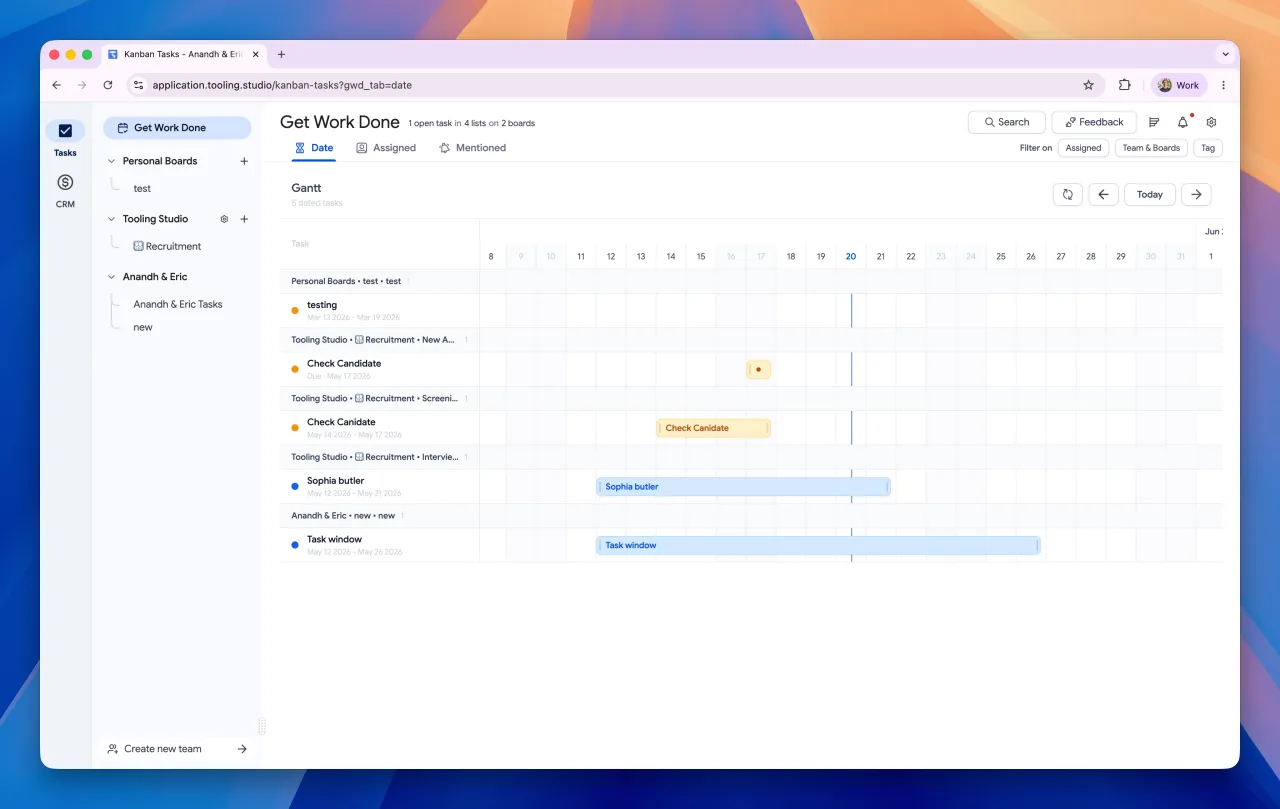
Tooling Studio Gantt view showing dated tasks on a timeline

This release adds a new Gantt view for Kanban Tasks, improves how dates work across tasks, and makes CRM records more useful with better custom properties, contact websites, relationship links, and faster attachment workflows.

See the Gantt charts section on the Kanban Tasks page.

What's New

  • Gantt View for Tasks: Kanban boards now include a Gantt view, giving you a timeline-based way to plan work by start date, due date, or full date range.
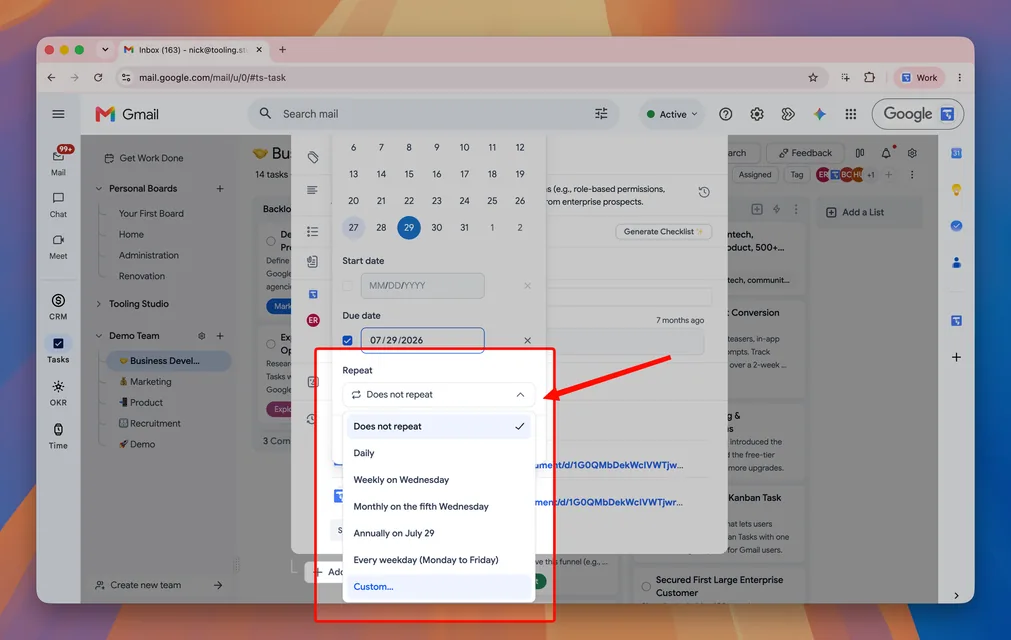
  • Task Start Dates: Tasks can now have both a start date and a due date, making it easier to plan work before it becomes due.
  • Toggle Custom Properties: CRM custom properties now support a dedicated toggle field type for simple yes/no values.
  • Contact Websites: Contacts can now store a website field, useful for personal websites, portfolios, and contact-specific links.
  • Contact-to-Contact Links: Contacts can now be linked to other contacts, making referrals, colleagues, and partner relationships easier to track.
  • Organisation-to-Organisation Links: Organisations can now be connected to other organisations, helping you track parent companies, partners, subsidiaries, and related accounts.
  • Drag-and-Drop Deal Attachments: Files can now be dropped directly onto deal cards, deal table rows, and deal detail views.

Improvements

  • Easier Timeline Editing: In Gantt view, tasks can be moved across the timeline, and date ranges can be adjusted directly from the bar.
  • Better Date Controls: The task date picker now handles start and due dates together and keeps date ranges in a valid order.
  • Smarter Related Record Suggestions: CRM pickers now prioritise related contacts, organisations, and deals using existing links, shared relationships, and business domains.
  • Add and Assign in One Flow: Board admins can now add someone to a board while assigning them to a task or CRM record.
  • Create Boards, Lists, and Stages While Moving Work: Move dialogs now let you create a destination inline before moving a task, list, or CRM card.
  • Better CRM Create Menus: CRM board add menus now avoid showing records already on the board and make it clearer when creating new deals, contacts, or organisations.
  • Better Global CRM Search: Search now includes linked relationship data, contact websites, team context, and more reliable navigation to CRM records.

Reliability

  • More Dependable CRM Syncing: Linked contacts and linked organisations now sync, refresh, delete, export, and appear in read models more consistently.
  • Safer Upload Handling: CRM attachment uploads now use a shared upload flow with clearer validation and more predictable drag-and-drop behavior.
  • Smoother Shared Workspace Actions: Board member loading, role checks, and board access grants now work more consistently across Kanban Tasks and Sales CRM.
  • More Stable Everyday Actions: Assignment notifications, mail errors, CRM push errors, toast messages, task date updates, and revision history empty states now behave more predictably.
Tooling Studio
Feature Update

Team setup and task revision history

This release makes it easier to bring a team into Tooling Studio and gives Kanban Tasks a safer way to review and restore task description changes.

What's New

  • Team Setup After Checkout: New team admins can now finish setup right after payment by naming the team, creating their first Kanban board or CRM pipeline, and inviting teammates.
  • Join Team Flow: Invite links now open a dedicated join page that shows the invited account, team name, and product access before joining.
  • Task Description Revision History: Task descriptions now keep saved versions automatically, so you can review previous edits and restore an earlier version when needed.
  • Richer Task Editor Support: Task descriptions now handle undo and redo, markdown paste, inline code, code blocks, italics, and colored code blocks more smoothly.

Improvements

  • Better Team Invitations: Joining a team now switches you into the right workspace and can take you directly to the shared board or CRM pipeline.
  • Smarter Seat Handling: Accepted team invites now update billing seats for Kanban Tasks and Sales CRM based on the invited product access.
  • Easier Board Sharing: New share hints guide teams toward inviting teammates after creating or setting up shared boards.
  • Cleaner Revision Browsing: Revision history is paginated, keeps the latest 20 saved versions, and groups rapid autosaves so history stays useful.
  • Smoother Restore Flow: Restoring a description version is faster and creates a new saved point without erasing the previous history.

Reliability

  • More Reliable Team Activation: Payment success handling now waits for team activation and lets users retry if Stripe has confirmed payment before Tooling Studio is fully updated.
  • Safer Invite Acceptance: Team invite acceptance now handles retries, already-accepted invites, team switching, and notification cleanup more consistently.
  • Better Editor Stability: The task detail modal and read-only description preview have been adjusted so revision history controls no longer overlap the editor content.
Tooling Studio
Improvement

Smoother sign-in, cleaner navigation, and easier exports

This release focuses on making Tooling Studio feel more dependable across the web app, Chrome extension, and CRM workflows. We tightened the way sign-in, workspace switching, and shared links behave, while adding a simpler way to take your data with you.

What's New

  • CSV Exports for CRM and Tasks: Export contacts, organisations, deals, and task data when you need to review, share, or back up work outside Tooling Studio. We strongly believe your data is your data, and it should be easy to move out whenever you need to.
  • MCP Is Available for Everyone: MCP access is now available to all Tooling Studio users, so supported AI apps can connect to the same workspace where your tasks and CRM work already live.
  • Remembered Workspace Routing: Tooling Studio now does a better job taking you back to the right board, CRM area, or workspace after sign-in, refreshes, and extension handoffs.

Improvements

  • Much Smoother Sign-In: We reworked a large part of the sign-in and session experience so the app is less likely to lose your place or ask you to sign in again unexpectedly.
  • Better Notification Links: Notifications, shared links, and Gmail-created tasks now open more reliably in the right product and workspace.
  • Cleaner Daily Controls: Subtasks can remember their collapsed state per user, export dialogs are easier to close, and list menus feel more polished.

Reliability

  • Stronger Workspace Loading: Switching between apps and teams is more stable, including larger shared workspaces.
  • More Reliable Extension Experience: The Chrome extension recovers better during login, route changes, and embedded CRM or Kanban flows.
  • Cleaner CRM Views: CRM deal overviews, linked records, and app switching have fewer duplicate or stale states.
Tooling Studio
Launch

Sales CRM is out of beta, with MCP access and smarter setup

This release takes Sales CRM out of beta and opens a new way to work with Tooling Studio through MCP, while giving teams more control over the data they track, import, and manage inside Google Workspace.

What's New

  • Sales CRM Is Out of Beta: Sales CRM now feels like a fuller product for day-to-day team use, with contacts, organisations, deals, and shared pipelines working together in one place.
  • MCP Access for AI Apps: You can now connect approved AI apps to Tooling Studio through MCP, so they can help create tasks, update CRM work, and operate within the same workspace you already use.
  • Dedicated Deals Workflows: Deals now have their own board and table flows, making it easier to track value, stages, progress, and follow-up across your pipeline.

Improvements

  • Custom Properties for CRM: Teams can now create and manage shared properties on CRM records, so it is easier to adapt Sales CRM to the fields that matter in your workflow.
  • Smarter Imports: Import flows now do a better job mapping organisations, contacts, deals, and properties, reducing cleanup after bringing data in.
  • Better Pipeline Visibility: Pipeline snapshots, clearer deal views, and safer actions make it easier to understand what is moving and what needs attention.

Reliability

  • Clearer First-Time CRM Experience: New onboarding flows and guided tours help teams get started faster now that Sales CRM has moved beyond beta.
  • More Dependable Shared Workspaces: Team-scoped linking, member access updates, and large-workspace syncing are more stable.
  • Better Everyday CRM Stability: Deal dialogs, table views, and record updates behave more predictably during daily use.
Tooling Studio
Feature Update

Uploads are easier to preview, retry, and manage

This release makes attachments much more useful in day-to-day work, while also smoothing out assignment flows and shared work views across Tooling Studio.

What's New

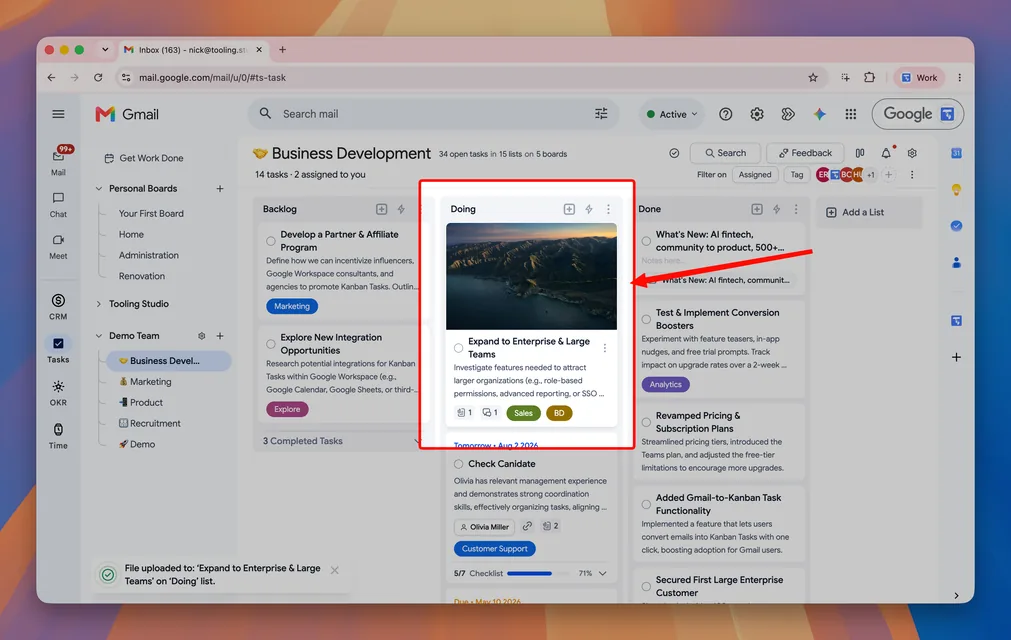
  • Image and Video Thumbnails: Uploaded media now shows as thumbnails, so it is easier to scan files before opening them.
  • In-App Media Preview: Images and videos now open in a built-in preview lightbox instead of sending you out to a new tab.
  • Better Upload Recovery: If an upload fails, you can now retry it or dismiss it more easily.

Improvements

  • Clearer Attachment Cards: Upload progress, dates, and file actions are easier to follow while files are being added and managed.
  • More Reliable Get Work Done Filtering: Assigned and unassigned views now reflect shared workloads more accurately.
  • Smoother Assignment and Linking Flows: Assigning people, linking work, and moving between CRM records and tasks feels more consistent.

Reliability

  • Better Media Handling: Video thumbnails, previews, and downloads behave more predictably than before.
  • Safer Overlay and Escape Handling: Attachment previews and detail views now close more cleanly without interrupting the rest of your workflow.
  • More Stable CRM Refreshing: We fixed a CRM organisation refresh issue that could interrupt work mid-flow.
Tooling Studio
Feature Update

Link tasks with CRM records and move between them faster

This release connects Kanban Tasks and Sales CRM more directly, so it is easier to keep work and customer context together without losing your place.

What's New

  • Link Tasks with Contacts and Organisations: Connect tasks to the right CRM records so related work stays attached to the people and companies it belongs to.
  • Create CRM Records from a Task: If the contact or organisation you need does not exist yet, you can create it directly from the task flow.
  • Faster Linking with Recent Items: Link dialogs now surface recent items first, making repeat actions much quicker.

Improvements

  • Better Linked Record Navigation: Opening linked tasks, contacts, and organisations now takes you to the right place more reliably.
  • Cleaner Linked Item Views: Linked chips, overflow states, and CRM detail layouts are easier to scan and manage.
  • Smoother Task Creation Pickers: Board and list dropdowns now behave more predictably when you switch between them or click outside.

Reliability

  • Better Large Contact Search: Contact search behaves more smoothly when your CRM has a larger list of records.
Tooling Studio
Feature Update

Calendar support, smoother notifications, and better first-time setup

This release makes planning and navigation feel smoother across Tooling Studio, with Google Calendar support, clearer first-time setup, and a round of polish on notifications and mobile menus.

What's New

  • Google Calendar Support: Bring calendars closer to your workflow so planning and follow-up feel more connected inside Tooling Studio.
  • Better First-Time Setup: New users now get a more helpful starting point with clearer onboarding and a better default board setup.
  • More Helpful Starter Content: New boards now feel less empty, so it is easier to understand how Tooling Studio works from the start.

Improvements

  • Smoother Notification Navigation: Going from a notification to the right task or board now feels more reliable.
  • Better Mobile Menus: Task actions, toasts, and menus behave better on smaller screens.
  • Cleaner Editing Experience: Ordered lists and longer content behave more predictably when writing notes and descriptions.
Kanban Tasks
Improvement

A faster, clearer Get Work Done experience

This release improves Get Work Done so it is easier to focus, filter, and move through work across teams and boards.

Get Work Done Improvements

  • Assigned and Mentioned Views: Important work is easier to find, especially when you are juggling tasks across multiple boards.
  • Better Filters: Team, board, and tag filters now make it easier to narrow large workloads without losing context.
  • Clearer Task Context: Board and task details are easier to scan, so you can understand where work belongs at a glance.

Sharing & Navigation

  • Easier Share Links: Sharing tasks, contacts, and organisations is more straightforward.
  • More Stable Navigation: Refreshing, switching tabs, and moving around GWD feels more reliable than before.

Polish & Performance

  • Smoother Layouts: Sidebars, headers, and task views feel cleaner and more consistent.
  • Less Friction in Daily Use: We made a range of smaller fixes to reduce visual glitches and make work feel faster day to day.
Sales CRM
Feature Update

More visibility and control for CRM teams

This release gives teams more ways to organize ownership in Sales CRM and makes records easier to scan and manage.

What's New

  • Assignees in CRM: Assign people to CRM records so ownership is clearer across your pipeline.
  • Assignee Filters: Narrow contacts and organisations by owner to focus on the right work faster.
  • Better Table Visibility: Tags, assignees, and key details are now easier to scan in CRM tables.

Improvements

  • Clearer Record Views: Contact and organisation layouts were improved so important details are easier to find.
  • Stronger Team Flows: Switching between Kanban Tasks and CRM feels more reliable.
  • Better Everyday Reliability: We fixed a range of smaller issues around dialogs, tags, menus, and record management.
Sales CRM
Feature Update

Attachments, activity history, and easier imports

This release makes Sales CRM much more practical for day-to-day team use, with richer records, clearer history, and faster ways to bring data in.

What's New

  • File Attachments: Add files directly to CRM records so important context stays attached to the work.
  • Activity History: See changes around files, board moves, and other key actions more clearly.
  • Mentions in Descriptions: Bring teammates into the conversation without leaving the record.
  • CSV Import: Import contacts and organisations more easily in bulk.

Improvements

  • Created By Visibility: It is easier to see who created a record.
  • Clearer Record Location: CRM items now give better context about where they live in boards and lists.
  • Better Detail Views: We improved layouts and interaction details to make CRM feel more complete and easier to use.
Tooling Studio
Update

A cleaner extension experience and easier team workflows

This release focuses on smoother day-to-day workflows across the extension and shared workspaces.

Extension Improvements

  • Clearer App Separation: Kanban Tasks and Sales CRM now feel more distinct in the extension, making it easier to move between the two experiences.
  • Better Route Handling: Opening the right place from Gmail and other entry points feels more reliable.

Team Workflow Improvements

  • Search Team Members Faster: Finding people in team and assignment flows is now easier.
  • Add Related Records More Easily: When you do not find the contact or organisation you need, you can create it more naturally from the flow you are already in.
  • Faster Setup: Board duplication and other workflow improvements make it easier to get a team up and running.
Sales CRM
Launch

Organisations arrive in Sales CRM

This release expands Sales CRM beyond individual contacts with full support for organisations and linked records.

Organisations in CRM

  • Create and Manage Organisations: Add, edit, and organize organisations directly inside Sales CRM.
  • Link Contacts and Organisations: Keep related records connected so context is easier to follow.
  • Use Organisations on Boards: Organisations can now appear in boards and related CRM workflows.

Better Relationship Management

  • Open Related Records Quickly: Move between contacts and organisations more naturally from detail views and linked chips.
  • Comments and Details for Organisations: Keep notes, conversations, and supporting details attached to the right company record.
  • Support for Multiple Links: Contacts can now be connected to more than one organisation where needed.

Improvements

  • Search and Table Updates: Organisations are easier to find, scan, and work with.
  • Better Follow-Up: Website handling, notifications, and related interactions were improved to reduce friction.
Tooling Studio
Improvement

Smoother sign-in, clearer activity, and broader file support

This release improves some of the everyday details that make Tooling Studio feel easier to trust and easier to use.

What's Improved

  • More Reliable Sign-In: Standalone and embedded login flows now feel smoother and more dependable.
  • Broader File Support: Attachments now support more file types, giving teams more flexibility in the files they keep with their work.
  • Clearer Activity History: File-related activity is easier to understand, so teams have better visibility into what changed.

For Teams

  • Better Ownership Visibility: More areas now show who created a record or action.
  • Stronger Notifications: Team activity and follow-up cues feel more useful and easier to track.
Sales CRM
Announcement

Shared Boards for Teams

This release introduces collaborative boards in Sales CRM, letting entire teams manage leads together inside Google Workspace.

Shared CRM for Teams

  • Real-time Shared Boards: Create a team, invite colleagues, and work on the same Kanban-style pipeline—every change syncs instantly.
  • One-way Google Contacts Import: Pull your contacts from Google Contacts; edits in CRM don’t overwrite the originals. Easily sync it to your shared teams.
  • Notes & Comments: Add context to every lead so the whole team stays on the same page.
  • Simple, Fair Pricing: Personal boards stay free; Shared Boards are included in the new Sales CRM Teams plan at $5 per user/month—matching Kanban Tasks Teams.

Looking Ahead

Historical note: custom fields, organizations, and dedicated deals workflows have since shipped. Advanced forecasting and mature reporting remain separate from the lightweight CRM story.

Sales CRM
Announcement

Sales CRM Beta Launch

This release launches our Sales CRM in Personal Beta, bringing pipelines to your Google Workspace alongside Kanban Tasks.

Sales CRM Personal Beta

  • Google Contacts Sync: One-way import from Google Contacts to populate your CRM in seconds.
  • Visual Pipeline: Drag-and-drop Kanban board for tracking leads and deals.
  • Rich Contact Details: Add notes, comments, activity logs, and basic custom fields.

Availability

  • Personal Beta: Available now for individual use.
  • Teams & Shared Boards: Coming Q2 2025—stay tuned for collaborative features.
Kanban Tasks
Announcement

Improved Checklists

This release brings improved checklist functionality and stability fixes.

Better Checklists

  • Drag-and-Drop Reordering: Easily prioritize sub-tasks by dragging items.
  • Completed Items Auto-Sort: Checked items move to the bottom, keeping active items at the top.
  • Smart Paste: Paste bulleted, numbered, or markdown lists to create separate checklist items.

Bug Fixes & Performance

  • Miscellaneous bug fixes and minor performance improvements for greater stability and reliability.

Looking Ahead

  • Upcoming speed improvements for switching between Tasks, Mail, Chat, and Meet.
  • New third-party integrations coming soon.
  • Historical note: Sales CRM has since launched as a full product.
Kanban Tasks
Announcement

Speed Improvements & CRM Launch

This release makes Kanban Tasks faster than ever and previews our upcoming Sales CRM.

Speed & Performance

  • Significantly improved responsiveness across Tasks, Mail, Chat, and Meet.
  • Smoother, more reliable interactions when switching between features.

Sales CRM Launch

  • Historical note: this update was written before the first Sales CRM launch.
  • Sales CRM has since launched as a full product with contacts, organizations, deals, and shared pipelines.

What's Next

  • Further speed optimizations for even quicker feature switching.
Kanban Tasks
Announcement

Pricing & Search Update

This release simplifies our pricing structure and adds powerful search capabilities.

What's Changed

  • Personal boards are now completely free with unlimited boards, lists, tasks, tags, attachments, and more—no paywalls.
  • Retired multiple premium tiers in favor of a single Premium Teams plan for shared boards and advanced collaboration.
  • New universal search: press Cmd+K (Mac) or Ctrl+K (Windows) to instantly find boards and tasks.
Kanban Tasks
Announcement

Holiday Season Updates in Kanban Tasks

This month’s release focuses on streamlining your workflow with new features, enhanced functionality, and important bug fixes. Let’s explore:

Updates & Improvements

Unique Colors for Tags

Tags now have unique, restricted colors to ensure every tag stands out visually. This improvement enhances clarity and helps you categorize tasks more effectively.

Filtering for Shared Boards

Easily filter tasks on your shared boards! Start with filtering by assignee, and soon, you’ll be able to filter by tags and other options for a more organized view of your team’s tasks.

Seamless Text Copying

Preserve formatting effortlessly! When copying paragraphs from websites or other sources, the cursor will now correctly maintain line breaks, ensuring a clean and accurate paste.

Server Improvements for Stability and Reliability

We’ve upgraded our server architecture to enhance stability and reliability. These improvements ensure faster response times and a smoother real-time experience, especially for teams collaborating across regions. We’re still continuing to improve our servers and hope to share some improvements for multi-region teams soon.

Bug Fixes and Improvements

Team Invites Issue Fixed

Resolved a bug where some users faced issues when inviting team members.

Auto-Save Smoothness Improved

Fixed a flickering issue with the auto-save feature, ensuring a more seamless experience when editing task descriptions.

Additional Fixes:

  • Resolved a bug with pasting text adding unnecessary line breaks.
  • Fixed subtask opening issues in the Get Work Done (GWD) board.
  • Addressed tag-related sequelize errors for better tag management.

Working On

In-App Notifications

A new notification bell is coming soon! You’ll see updates like task assignments, team invites, and comments right within Kanban Tasks. Customize notification settings in a new Notifications tab to choose your own settings.

Streamlined Subscription Management

We’re revamping the subscription workflow for a smoother experience when managing renewals, upgrades, or cancellations. Stay tuned for a more user-friendly process.

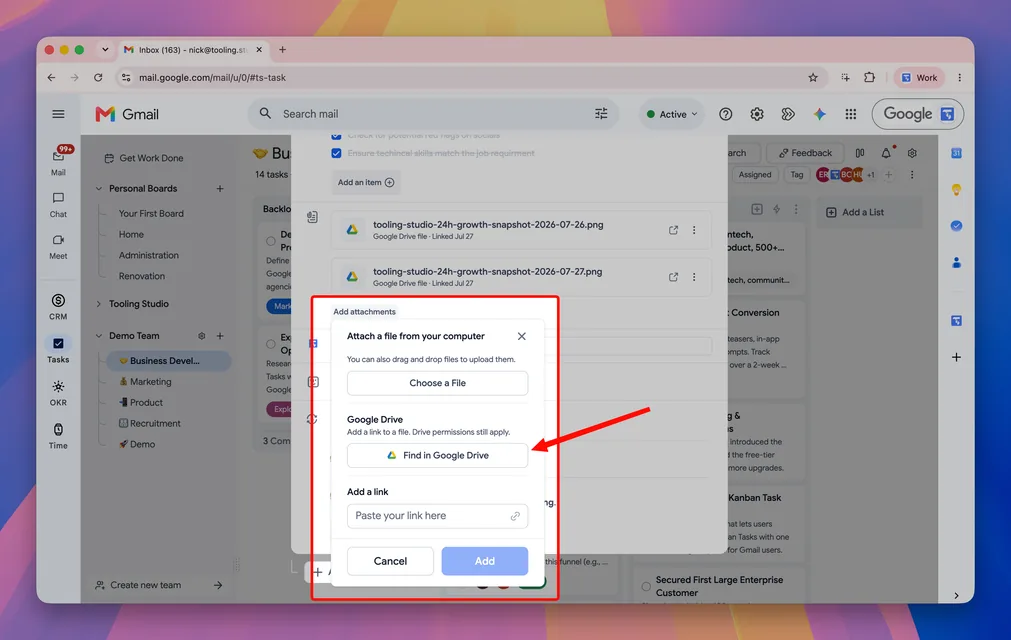
Adding Links as Attachments

Attach not just files, but also links directly to your tasks. Perfect for referencing documents, articles, or any web-based resources alongside your tasks.

Drag-and-Droppable Checklists

Checklists are about to get even better! We’re working on making checklist items drag-and-droppable, giving you more flexibility to organize and prioritize subtasks.

Thanks for being part of the Kanban Tasks community! We’re excited to keep enhancing your Google Workspace experience. Have feedback or feature requests? Let us know—we’d love to hear from you!

Kanban Tasks
Announcement

Latest updates in Kanban Tasks

We're excited to share the latest updates in Kanban Tasks, including new features, improvements, and bug fixes to streamline your experience and make team collaboration even easier.

Updates & Improvements

Auto-Save for Descriptions

Descriptions now auto-save! No need to hit 'Save' after editing. This update ensures your notes and comments are saved automatically, keeping you focused without extra clicks.

Generative AI for Checklists

Kanban Tasks now uses Generative AI to help update your checklists. Based on your task's title and description, the app can suggest checklist items, saving you time on planning and organizing. More is coming soon!

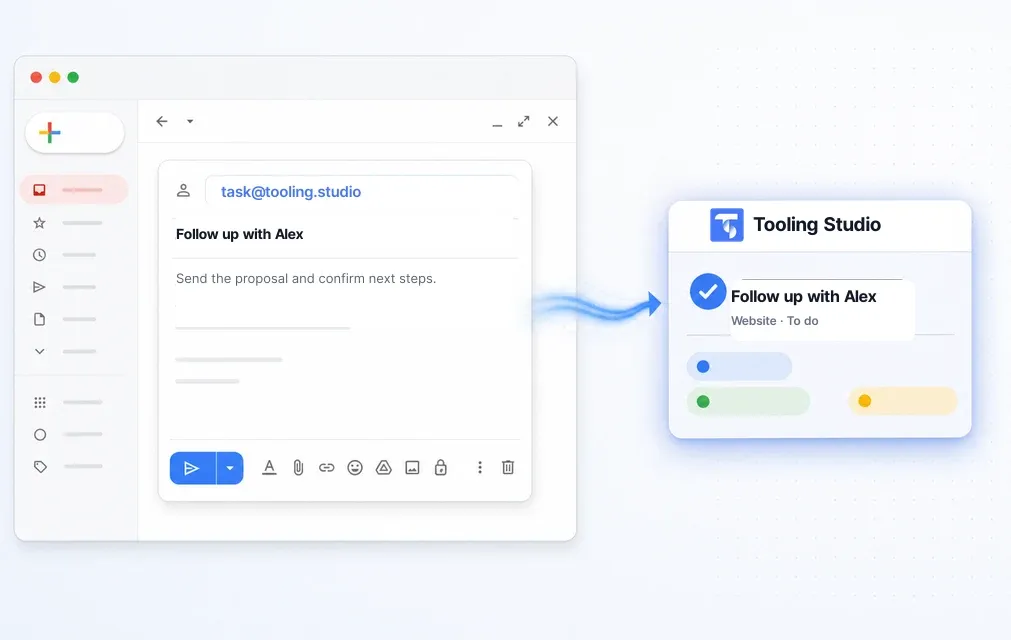
Create Tasks from Emails

Drag-and-drop functionality to add tasks from your Gmail is now even smoother. You can seamlessly add tasks from your email directly to team boards, enhancing your workflow.

Moving Tasks Across Teams

If you're part of multiple teams, you can now move tasks from one team board to another with ease. Tasks are added to the first list in the target team's board, streamlining cross-team task flow.

Improved Sign-In Flow

The login experience for both Kanban Tasks and the Chrome plugin has been refreshed for better usability, including error handling to guide you through any login issues.

User Onboarding Enhancements

New users will now see tooltips on their first board, guiding them through creating tasks and lists, along with drag-and-drop tips to help them get started quickly.

Checklist UX Update

When you hit 'Enter' while creating a checklist item, the next item opens automatically, allowing for faster checklist entry. This lets you build out checklists without breaking your workflow.

Task Reminders Emails

Tagged users now get reminder emails for tasks due today, helping you stay organized on both Personal and Team boards. Emails are sent daily before 8 AM in your own timezone.

Enhanced UI/UX for the 'Get Work Done' Board

Feeling a bit lost with the GWD board on your first login? We've revamped its UI/UX with a new description box that clarifies its purpose and guides you on filling the 'Todo Today' and 'Todo This Week' lists.

Bug Fixes

Drag-and-Drop Performance Fix

Resolved a bug affecting the drag-and-drop functionality for a smoother and more reliable experience.

Checklist Auto-Save

Checklist items now auto-save correctly when clicking outside the item, ensuring no checklist progress is lost.

UI Fix for Task Panel Display

Addressed an issue where the task button panel could sometimes obstruct other interface elements.

Working on:

Boosting Real-Time Performance

Our DevOps team is improving server setup across multiple regions to make Kanban Tasks faster and smoother in real time around the globe 🌎. More news soon!

Board Filtering

We're working on adding the Filter feature so you can filter tasks on your shared boards based on who is assigned to the task. Later on, we'll expand with tags and other filter options.

Thanks for being part of the Kanban Tasks! We're always improving to make task management in Google Workspace better. Have any requests or fixes? Email us!