CRM for AI agents

The Best CRM for Your AI Agents

Tooling Studio Sales CRM gives your AI agents a lightweight CRM they can actually work with. Contacts, organizations, deals, pipelines, notes, tags, comments, owners, attachments, and linked tasks all live in the same Google Workspace-friendly system your team already uses.

  • Find contacts, organizations, deals, notes, and linked tasks
  • Update stages, owners, comments, tags, and follow-up work through MCP
  • Keep the CRM usable for humans while agents handle repeat admin
AI assistant connected to a CRM pipeline with contacts, deals, notes, and follow-up tasks

Built for actual workspace state

Your AI app can inspect the system first, then help move the work.

For humans in Gmail. For agents through MCP.

AI can write a sales email. That is not the hard part.

The hard part is everything that happens after the conversation: finding the right contact, updating the deal stage, adding the call note, assigning the owner, creating the follow-up task, and keeping the CRM clean enough that the next person, or the next agent, can trust it.

Most CRMs were built for humans clicking through screens. That is fine until you ask an AI agent to help. Then the CRM needs to be more than a database.

Sales CRM gives your team that structure without forcing everyone into a huge sales platform. Humans can work close to Gmail and Google Contacts. AI agents can work through Tooling Studio MCP, using the signed-in user's existing Tooling Studio access.
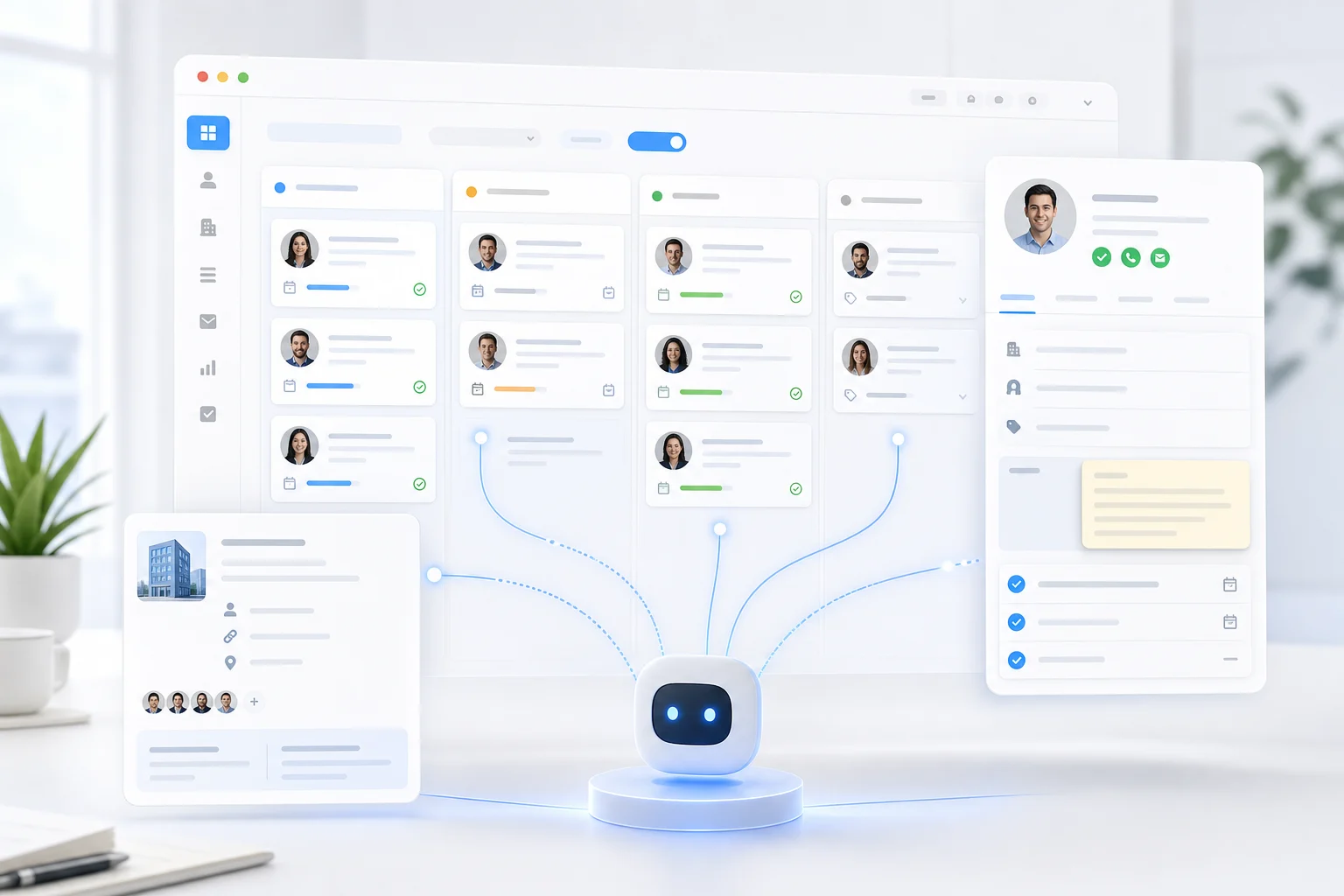
Agent-ready structure

Why AI agents need a real CRM, not another pile of notes

A sales agent is only useful if it can see the state of the relationship. Meeting notes alone are not enough, and a chat thread is not enough.

Contacts

So it can identify the person, not just a name in a prompt.

Organizations

So it understands the account context around the person.

Deals

So opportunity work does not get mixed up with generic contact notes.

Pipelines and stages

So it knows where a relationship is in the process.

Owners

So follow-up has a responsible person.

Notes and comments

So context stays attached to the record.

Tags and custom fields

So records can be organized and filtered without manual cleanup later.

Linked tasks

So CRM follow-up turns into visible execution.

What makes Tooling Studio a strong CRM for AI agents

A clean CRM model your agent can understand

Sales CRM is built around contacts, organizations, deals, and pipelines.

That matters because agents need clear objects. A contact is not the same thing as an organization. A deal is not just a note. A pipeline stage is not a random label.

Gmail-friendly adoption for the humans

A CRM only works if people keep it current.

Tooling Studio is built for teams that already live in Gmail and Google Workspace. Sales context stays close to the conversations your team is already having, which makes it more likely that people actually update the CRM instead of leaving it stale.

MCP access for agent workflows

Tooling Studio MCP gives compatible AI apps a structured way to work with Sales CRM.

Your agent can inspect the workspace it is allowed to see, find the right contact, organization, deal, board, or pipeline stage, and then help with the update you asked for.

Permissions that still belong to the user

An AI connection should not become a back door into the whole company.

Tooling Studio MCP works with the signed-in user's existing Tooling Studio permissions. If the user cannot access a team, pipeline, contact, organization, or deal, the connected AI app should not get extra access just because MCP is enabled.

CRM and tasks can stay connected

Sales follow-up is not only CRM data. It is work.

Tooling Studio connects Sales CRM with Kanban Tasks, so an agent can help turn CRM context into follow-up tasks, due dates, owners, and related work.

Plain-language work

What your AI agent can help with in Sales CRM

Use your AI app like a teammate that can work with structured CRM context.

Find the right CRM record

Ask for the contact, organization, or deal you mean, even when you do not remember the exact wording.

"Find the open deal for Olivia Bennett and show me the latest notes."

"Which organizations have deals in the Qualified stage?"

"Find contacts at Acme that do not have an owner yet."

Create and update contacts, organizations, and deals

Turn rough context into structured records.

"Create a new contact for Maya Chen at Northstar Labs and link her to the organization."

"Create a deal for Northstar Labs, set the value to 12,000, and place it in Qualified."

"Update this contact with the new website and add the tag Partner."

Move deals through the pipeline

Keep the visual pipeline current without dragging every card yourself.

"Move the Northstar Labs deal to Proposal Sent and assign it to Eric."

"Find all deals still in New after last week and move the ones with a booked demo to Qualified."

"Show me deals that look stuck and ask me before changing anything."

Add notes, comments, tags, and context

Make CRM updates happen while the conversation is still fresh.

"Add this call note to Olivia Bennett and tag the deal as Expansion."

"Summarize this meeting note and attach the important follow-up points to the deal."

"Add a comment that we are waiting for legal approval."

Turn CRM context into follow-up work

The best CRM agent does not just update records. It creates the next step.

"Create a follow-up task for Friday, assign it to Jeroen, and link it to the deal."

"For every deal in Proposal Sent, create a reminder task if there is no follow-up planned."

"Add a checklist to the renewal task based on these notes."

Example workflows for an AI-native CRM

After a sales call

Paste the call notes into your AI app and ask it to update the CRM. The agent can find the right contact, add the note, update the deal stage, assign the owner, and create a follow-up task.

After an inbound lead arrives

Ask the agent to create the contact, connect the organization, create the deal, and place it on the right pipeline. Your team gets a clean record instead of another lead sitting in email.

Before a sales meeting

Ask what has changed around a contact, organization, or deal. The agent can look up CRM context and help you prepare from the actual pipeline instead of whatever you remember from last week.

During weekly pipeline cleanup

Ask the agent to find missing owners, empty deal fields, stale stages, duplicate-looking records, or deals without next-step tasks. You stay in control of the decisions.

When CRM work becomes project work

Ask the agent to create linked tasks for follow-up, proposal work, onboarding, handoff, or renewal preparation. Sales CRM tracks the relationship; Kanban Tasks tracks the work needed to move it forward.

Humans stay central

The CRM should not become the work your team avoids

This is where Tooling Studio is deliberately different. A lot of CRM platforms are powerful, but they ask small teams to change too much too quickly.

More objects. More dashboards. More admin. More configuration. More reasons for the team to say, "I'll update it later."

The goal is not to recreate every feature from a heavyweight CRM. The goal is to give humans and agents a CRM simple enough to stay current.

Built for teams like

  • founders doing early sales
  • agencies managing prospects and clients
  • consultants and service businesses
  • small sales teams working mostly in Gmail
  • Google Workspace-heavy teams that want less tab switching
  • teams that need shared visibility before they need enterprise forecasting

Permissions still apply

The connected AI app works within the Tooling Studio access of the signed-in user. It does not get extra workspace visibility just because MCP is enabled.

When Tooling Studio is a great fit

Use Tooling Studio as your CRM for AI agents when you want:

  • a CRM that feels close to Gmail and Google Workspace
  • contacts, organizations, deals, and visual pipelines
  • AI assistance through MCP-compatible apps
  • simple ownership, notes, tags, comments, custom fields, and linked work
  • a lightweight system your team can understand quickly
  • personal use for free and simple paid collaboration for teams

When a heavier CRM may be better

Be honest about the tradeoff. Tooling Studio is not trying to be a giant enterprise CRM.

A heavier CRM may be better when you need mature revenue forecasting, advanced sales reporting, complex territory management, marketing automation at scale, or a deeply customized sales operations machine.

For a lot of teams, that complexity is not earned yet. Start with the lightest CRM that gives your team and your agents real shared control. Move up only when the process genuinely demands it.

MCP setup

How to connect an AI agent to Sales CRM

Tooling Studio MCP is a remote URL-based setup.

  1. 1 Open Tooling Studio.
  2. 2 Go to Settings -> Account -> AI.
  3. 3 Turn on MCP access.
  4. 4 Copy your Tooling Studio MCP URL.
  5. 5 Add that URL to an MCP-compatible AI app using its remote connector or remote server flow.
  6. 6 Sign in with the same Google account you use for Tooling Studio.
  7. 7 Start with a simple request, like finding a contact or checking a pipeline, before asking the agent to make bigger updates.

You can review connected MCP apps, disconnect one app, or turn MCP access off from the same AI settings area.

Read the MCP setup guide

Frequently asked questions.

Give your agents a CRM your team will actually use

A CRM for AI agents should not make your sales process heavier. It should make the useful work easier to keep current: contacts, organizations, deals, notes, owners, stages, and follow-up tasks inside the Google Workspace flow your team already knows.