Jump to
Before you start
Sharing works on boards that belong to a team, not on Personal Boards.
The person must already be on your team. To invite someone new, follow How to add a teammate first.
You need to be a team admin or an admin of the board to add people.
Step 1
Open Share
Open the board and select Share at the top right. The same window also opens right after you create a new team board.

Step 2
Add team members
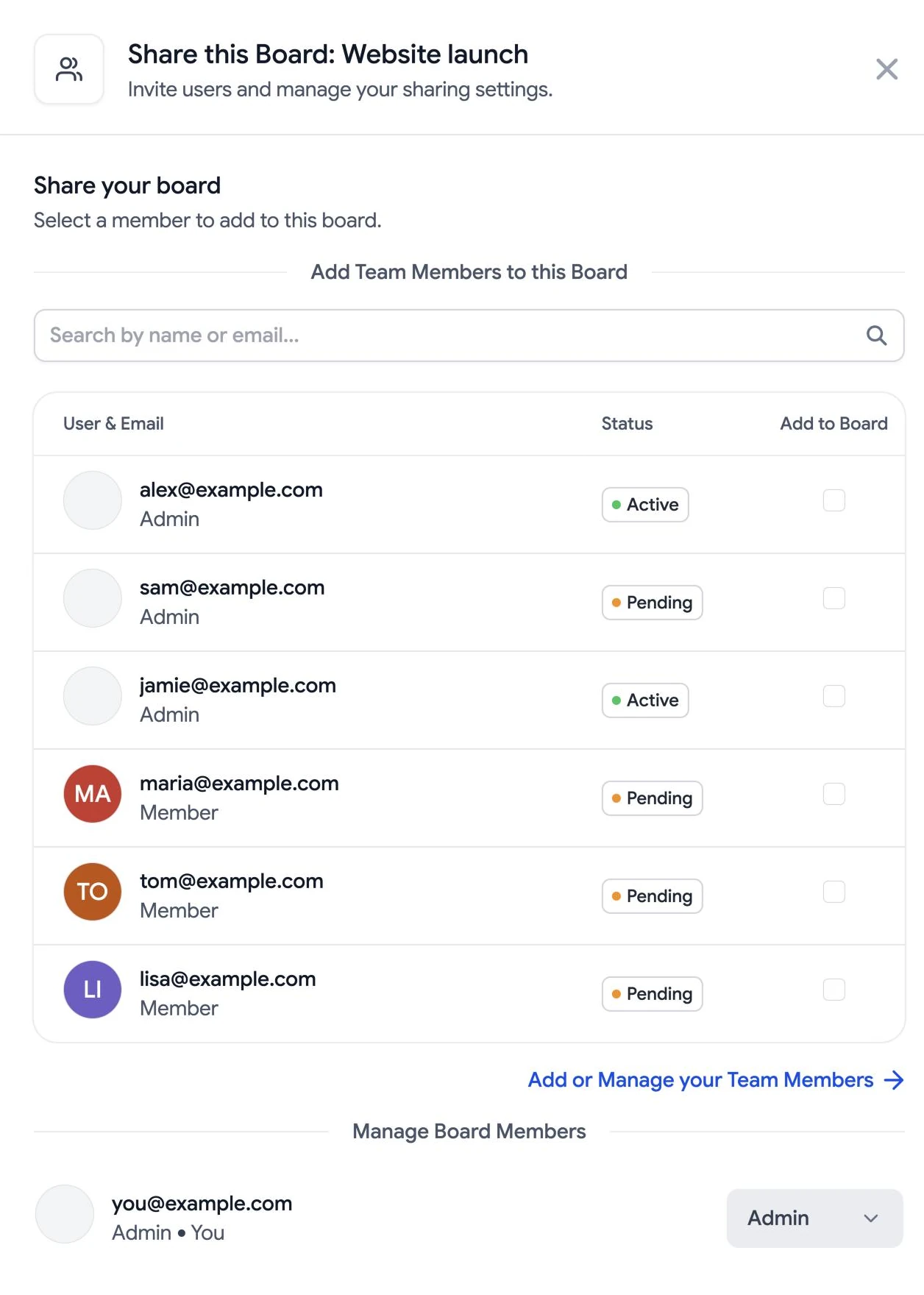
In Share this Board, search by name or email, then tick Add to Board next to each person who should see the board. People marked Pending have been invited to the team but have not joined yet.
Step 3
Set roles or remove access
Under Manage Board Members, use the menu next to a person to make them an admin of the board or a member, or choose Remove from Board. A board admin can manage the board’s members but cannot invite new people to the team.
Step 4
Invite someone new
If the person is not on your team yet, select Add or Manage your Team Members to open team settings and invite them. Once they have joined, add them to the board.
Can’t find someone?
Only team members appear in the list. Invite the person to your team first, then add them to the board. For more help, contact support .