
The 12 Best Online Kanban Board Free Tools for 2026
Discover the top 12 online kanban board free tools to boost your productivity. Compare features for teams, individuals, sales to find perfect fit.
In a fast-paced work environment, managing tasks and projects across scattered spreadsheets, emails, and to-do lists creates friction and wastes valuable time. The Kanban method provides a powerful solution by visualizing your entire workflow, allowing you to track progress, spot bottlenecks, and dramatically improve team efficiency. But with countless tools available, finding the right one is key to unlocking this potential.
This guide cuts through the noise to help you find the perfect online kanban board free for your specific needs. We go beyond generic feature lists to provide a practical comparison of the 12 best options on the market. Whether you're a freelancer managing personal projects, a project manager leading a growing team, or a sales expert looking for a solution that integrates seamlessly with Google Workspace, this resource is for you.
Each entry includes a clear analysis of its free plan limitations, ideal use cases, and honest assessments to help you make an informed decision without spending a dime. We'll explore everything from Trello and Asana to specialized tools like Jira and our own Tooling Studio's Kanban Tasks, complete with screenshots and direct links, so you can quickly find the visual workflow management system that fits your team perfectly.
1. Tooling Studio
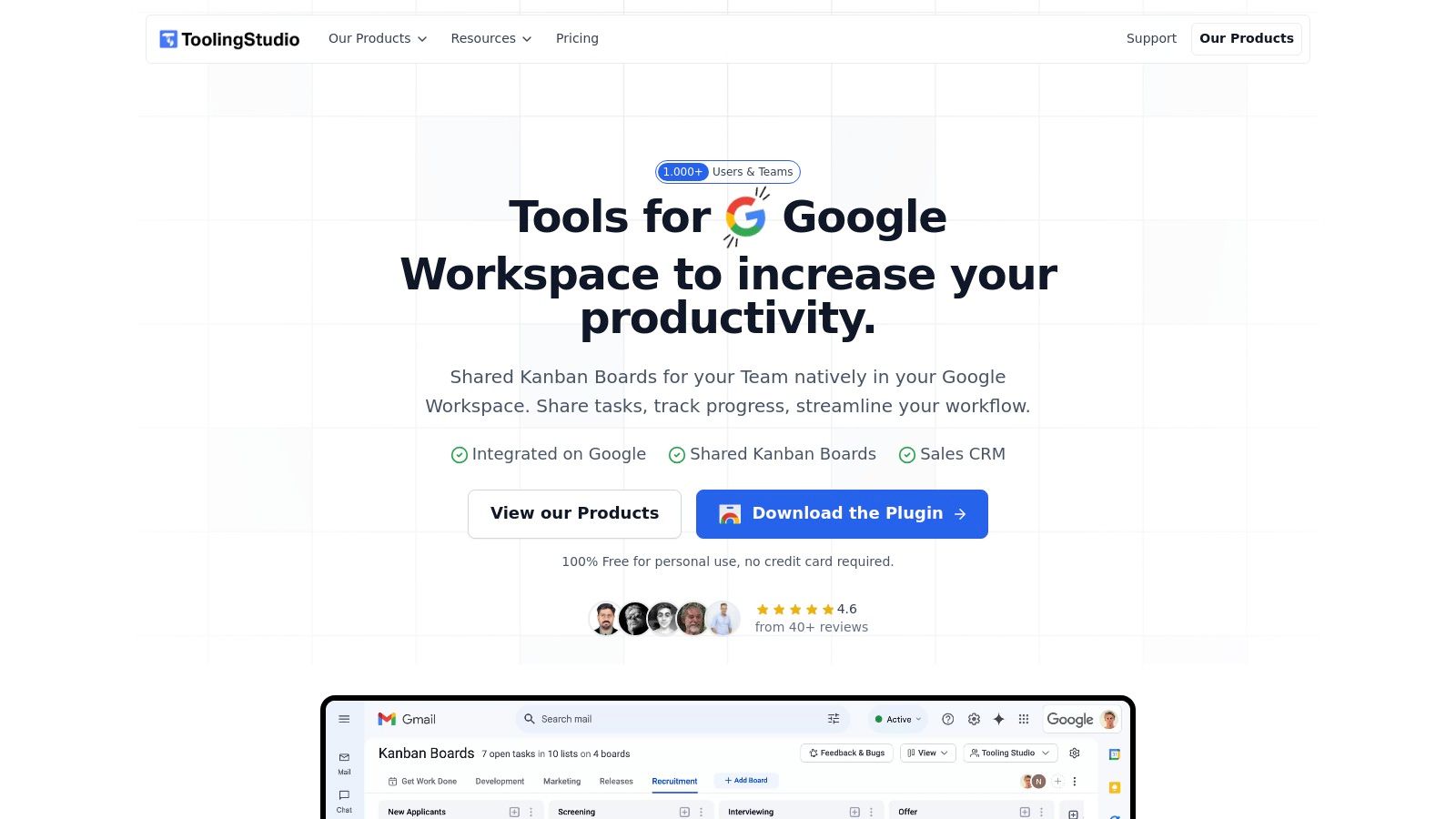
Tooling Studio stands out as a powerful and deeply integrated solution for individuals and teams embedded in the Google Workspace ecosystem. Instead of a separate application, it provides a lightweight Chrome extension that overlays a fully functional Kanban board directly onto Gmail and Google Tasks. This near-native integration allows users to manage projects and workflows without constant context switching, turning their inbox into a centralized command center.
The platform excels at transforming emails into actionable tasks. You can drag and drop messages directly onto your board to create cards, manage priorities across multiple custom boards, and collaborate with teammates in real-time. This approach is ideal for anyone looking to implement a visual task management system with minimal friction and zero data migration, as it syncs directly with your existing Google Tasks. Its design philosophy focuses on maintaining a clean, intuitive UI that feels like a natural extension of the Google environment, which significantly reduces the learning curve.
Key Features and Use Cases
Tooling Studio is particularly effective for those who need a robust online kanban board free for personal use, with a clear and affordable path to scale for team collaboration.
Native Google Workspace Integration: Lives directly inside Gmail and Google Tasks, eliminating the need to switch between apps.
Drag-and-Drop Functionality: Easily convert emails into task cards on your Kanban board.
Free Forever Personal Plan: The core Kanban board functionality is completely free for individuals, with no credit card required to start.
Affordable Team Collaboration: Team features, including real-time board sharing, are available for a low per-user monthly fee.
Pricing and Limitations
The pricing model is straightforward and accessible. The Kanban Tasks tool is free for personal use, while team features are priced at $5 per user/month.
However, potential users should note its current focus. The extension is officially supported only on Google Chrome, and data synchronization is one-way from Google into Tooling Studio due to API limitations. For a more detailed breakdown, you can learn more about creating a Google Kanban board with their tools. Sales CRM is now available alongside Kanban Tasks for Google Workspace teams, while teams needing advanced reporting or native mobile apps should evaluate those requirements separately.
Website: https://tooling.studio
2. Trello
Trello is often the first tool that comes to mind for an online Kanban board, and for good reason. Its intuitive card-and-list interface makes it incredibly easy to get started with visual project management. The free plan is generous, offering unlimited cards, up to 10 boards per Workspace, and 250 Workspace command runs per month for its Butler automation. This makes it a fantastic starting point for individuals and small teams tracking personal projects or simple workflows without a steep learning curve.
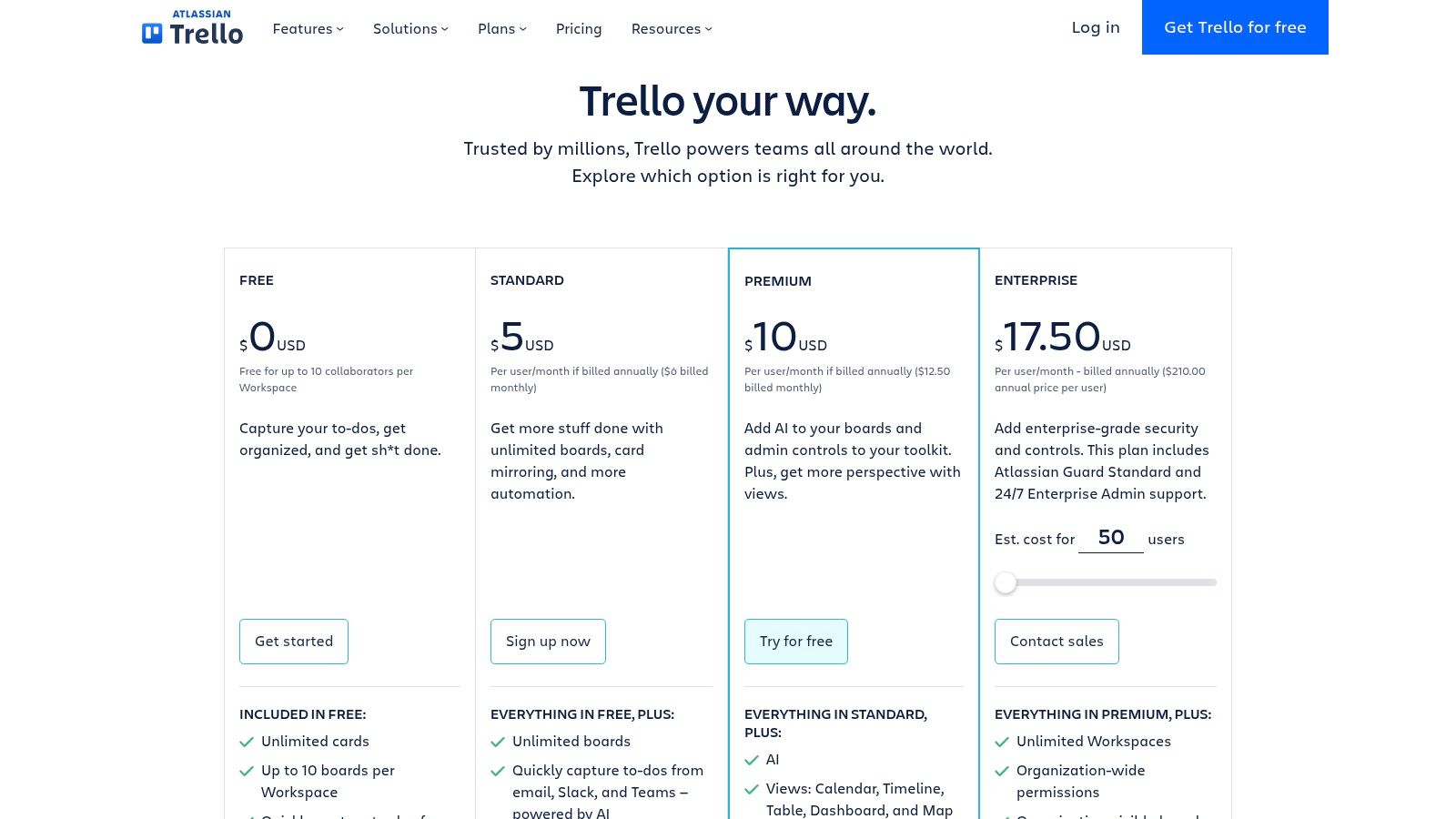
What truly sets Trello apart is its massive ecosystem of "Power-Ups" (integrations) and community-created templates. Even on the free tier, you can add one Power-Up per board, connecting to tools like Google Drive, Slack, or Calendar. However, the free plan limits collaborators to 10 per Workspace and restricts access to advanced views like Timeline or Calendar, which are reserved for paid tiers. For a deeper understanding of Kanban principles that you can apply in Trello, you can find a comprehensive guide on how a kanban board online works.
Key Details & Limitations
| Feature | Details |
|---|---|
| Best For | Individuals, small teams, and anyone prioritizing simplicity and a visual-first approach. |
| Free Plan | Unlimited cards, 10 boards per Workspace, 1 Power-Up per board, 250 Butler automation runs/month. |
| Limitations | The 10-collaborator limit per Workspace can be restrictive. Advanced features and multiple board views require upgrading. |
| Website | Trello Pricing |
3. Jira Software (Atlassian)
Jira is the powerhouse of project management, especially for software development teams. Its free online kanban board is designed with agile methodologies in mind, offering features like Work-In-Progress (WIP) limits, configurable workflows, and robust issue tracking right out of the box. The free plan supports up to 10 users and provides 2 GB of file storage, making it an excellent choice for small, tech-focused teams that need powerful features without an initial investment. It’s built for complexity and traceability from code to deployment.
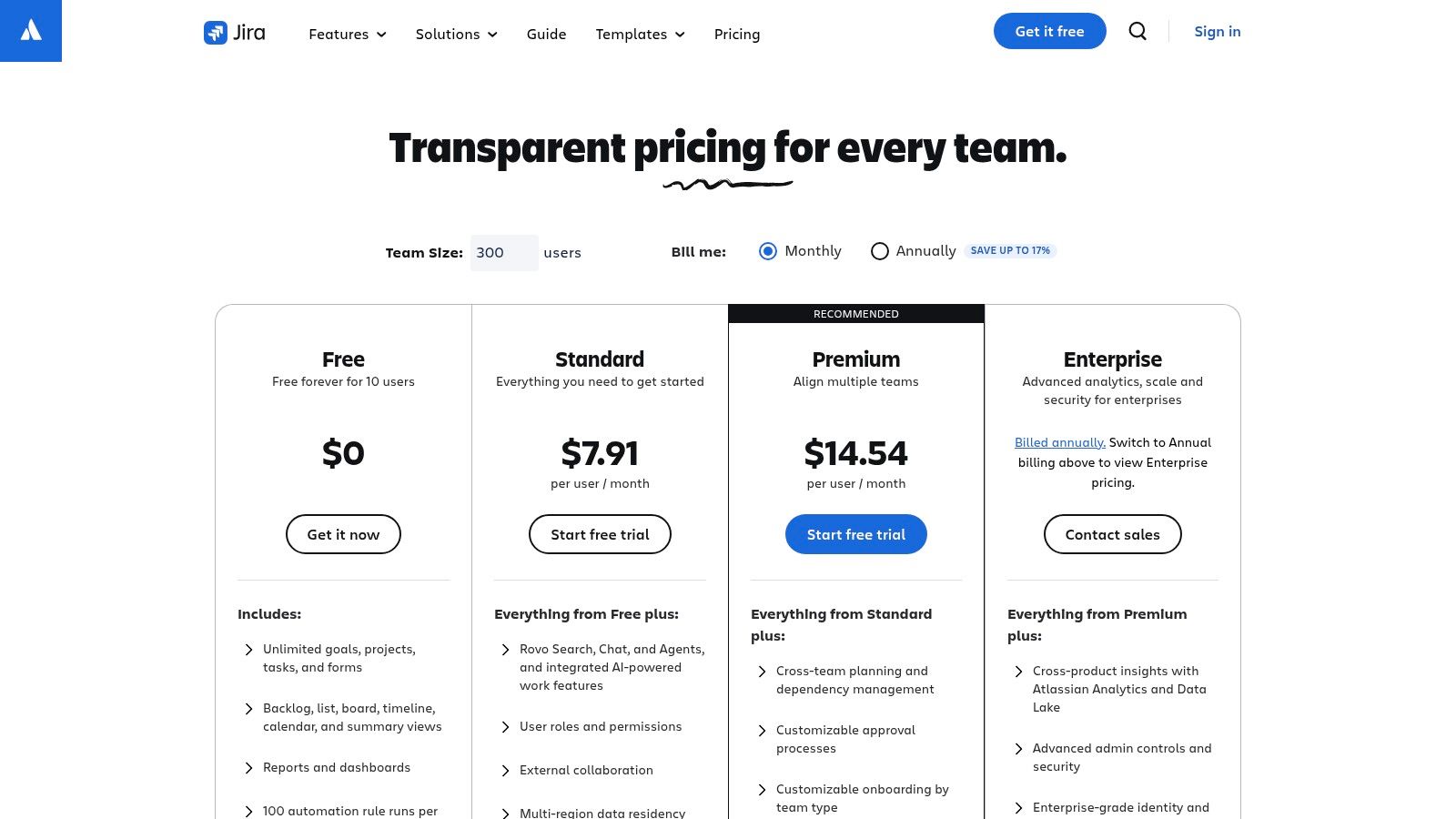
What separates Jira is its deep integration with the developer ecosystem, including Bitbucket and GitHub, and its powerful automation engine. While the learning curve is steeper than simpler tools, its capabilities for creating detailed reports, managing backlogs, and customizing issue types are unparalleled in the free tier. For teams deciding on the right agile framework, understanding the differences can be crucial; you can explore a guide on when to use Kanban vs Scrum to see which fits your workflow best. The platform truly shines for teams that need to manage complex software projects.
Key Details & Limitations
| Feature | Details |
|---|---|
| Best For | Software development teams, agile practitioners, and projects requiring deep integration and traceability. |
| Free Plan | Up to 10 users, unlimited project boards, WIP limits, backlog, automation, and 2 GB storage. |
| Limitations | Can be overly complex for non-technical projects. The 10-user limit is strict, and advanced features require paid plans. |
| Website | Jira Software Pricing |
4. Asana
Asana is a powerful work management platform that goes beyond a simple Kanban board, offering List, Calendar, and Timeline views even in its free tier. This makes it an excellent choice for individuals and small teams who need more than just a visual workflow. The free plan is designed for personal use or simple team projects, providing unlimited tasks, projects, messages, and storage. Its clean user interface and intuitive design ensure a smooth onboarding experience, allowing users to quickly set up and manage their work without needing extensive training.
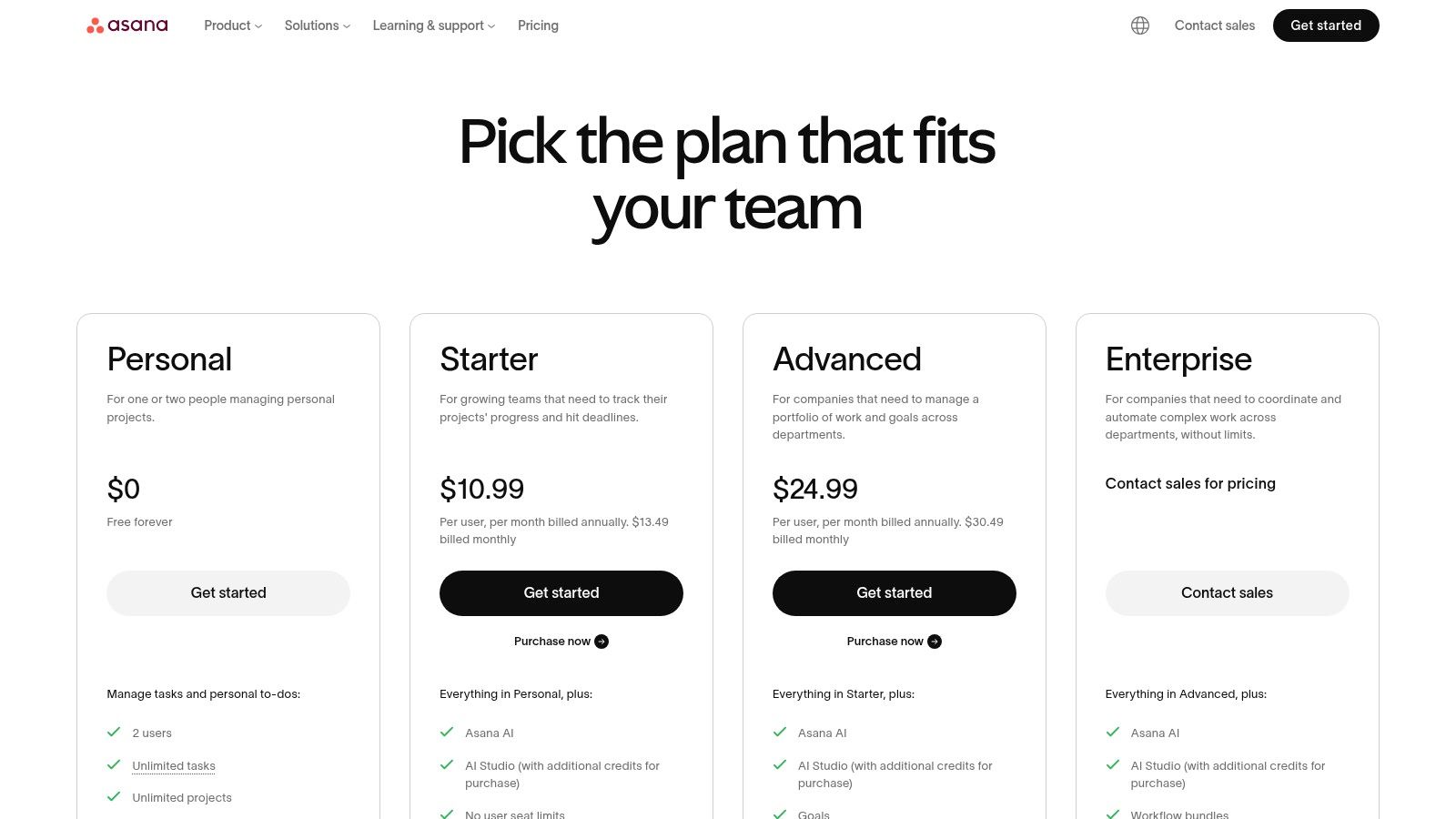
What distinguishes Asana is its flexibility; you can seamlessly switch between a Kanban board view and a traditional to-do list for the same project. This multi-view approach accommodates different working styles within a team. The free plan includes basic integrations with apps like Google Drive and Slack, but its primary limitation is the cap of 15 team members. More advanced features, such as workflow automation, timeline views, custom fields, and detailed reporting, are reserved for paid tiers. For teams that need a free online kanban board free from feature restrictions but might outgrow the basics, Asana offers a clear upgrade path.
Key Details & Limitations
| Feature | Details |
|---|---|
| Best For | Individuals and small teams who need project view flexibility beyond just a Kanban board. |
| Free Plan | Unlimited tasks, projects, and storage; List, Board, and Calendar views; up to 15 team members. |
| Limitations | The 15-member limit is a hard cap. Key automation, reporting, and timeline features require a paid plan. |
| Website | Asana Pricing |
5. ClickUp
ClickUp positions itself as an all-in-one work hub, and its free Kanban board is just one component of a much larger ecosystem. The “Free Forever” plan is exceptionally powerful, providing unlimited tasks and members, making it a strong contender for those who want to consolidate their tools. It offers not just Kanban boards but also lists, integrated docs, whiteboards, and more, all within a single platform. This makes it an ideal online kanban board free solution for individuals or teams looking to manage complex projects without juggling multiple applications.
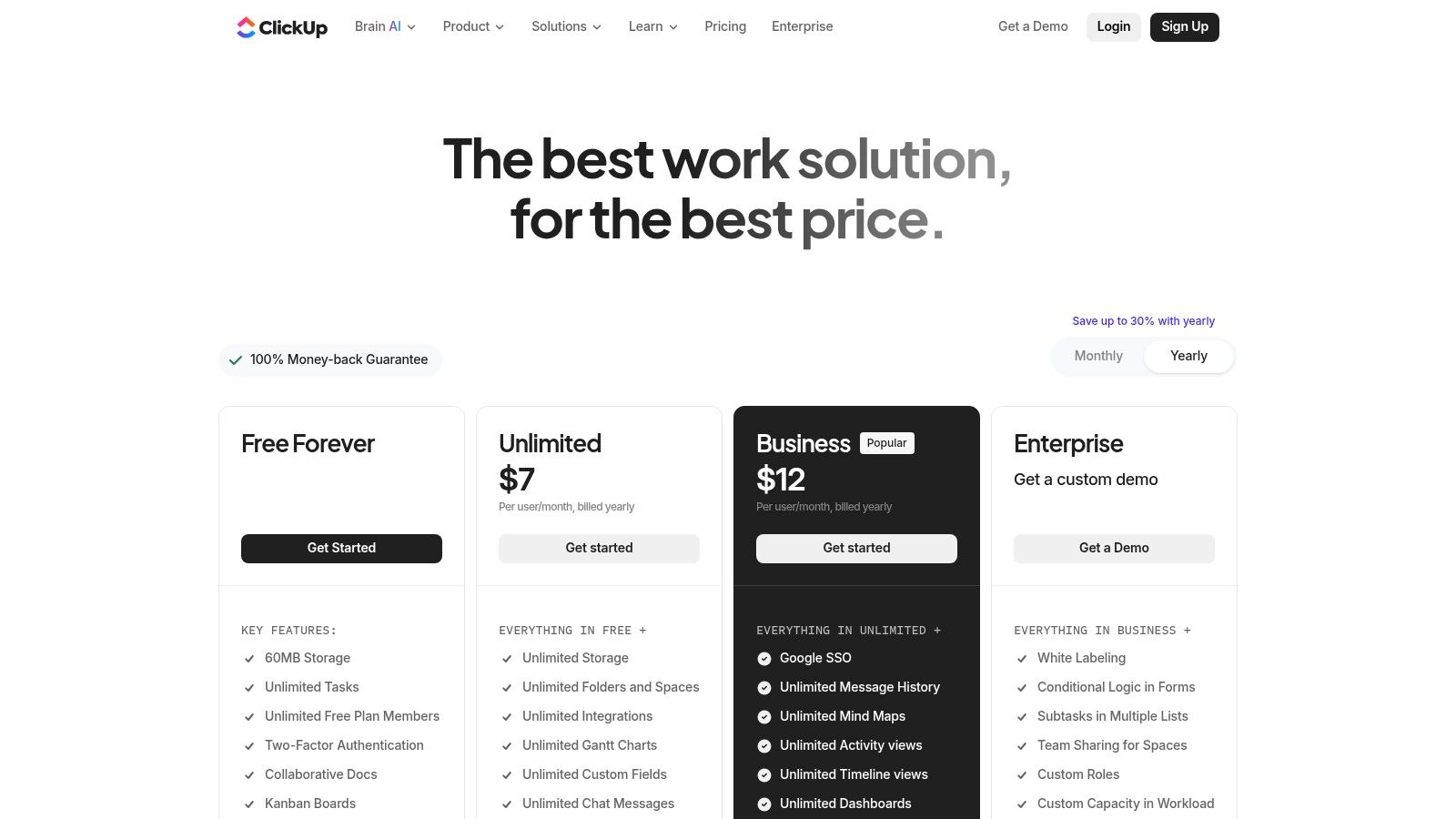
What makes ClickUp stand out is the sheer breadth of features available even on its free tier, including basic custom fields and multiple views like Calendar. However, this feature richness comes with a steeper learning curve compared to simpler tools. The free plan also imposes usage limits on several key features, such as storage (100MB total) and the number of times you can use certain views or custom fields. While generous, these limitations mean it's best suited for those who can work within these caps or plan to upgrade as their needs grow.
Key Details & Limitations
| Feature | Details |
|---|---|
| Best For | Individuals and teams wanting a powerful, all-in-one solution that goes beyond just Kanban. |
| Free Plan | Unlimited tasks, unlimited free plan members, collaborative Docs, 100MB storage. |
| Limitations | The extensive feature set can be overwhelming for new users. Usage and storage limits on the free plan can be restrictive for active teams. |
| Website | ClickUp Pricing |
6. Notion
Notion is more than just an online Kanban board; it's an all-in-one workspace where documents, wikis, and databases converge. Its Kanban functionality comes from the "Board" view of a database, offering unparalleled customization. The free plan is incredibly powerful for individuals, providing unlimited pages and blocks, making it perfect for organizing complex personal projects where tasks are deeply integrated with notes and research. For teams, it’s an excellent choice for creating a central knowledge hub alongside project tracking.
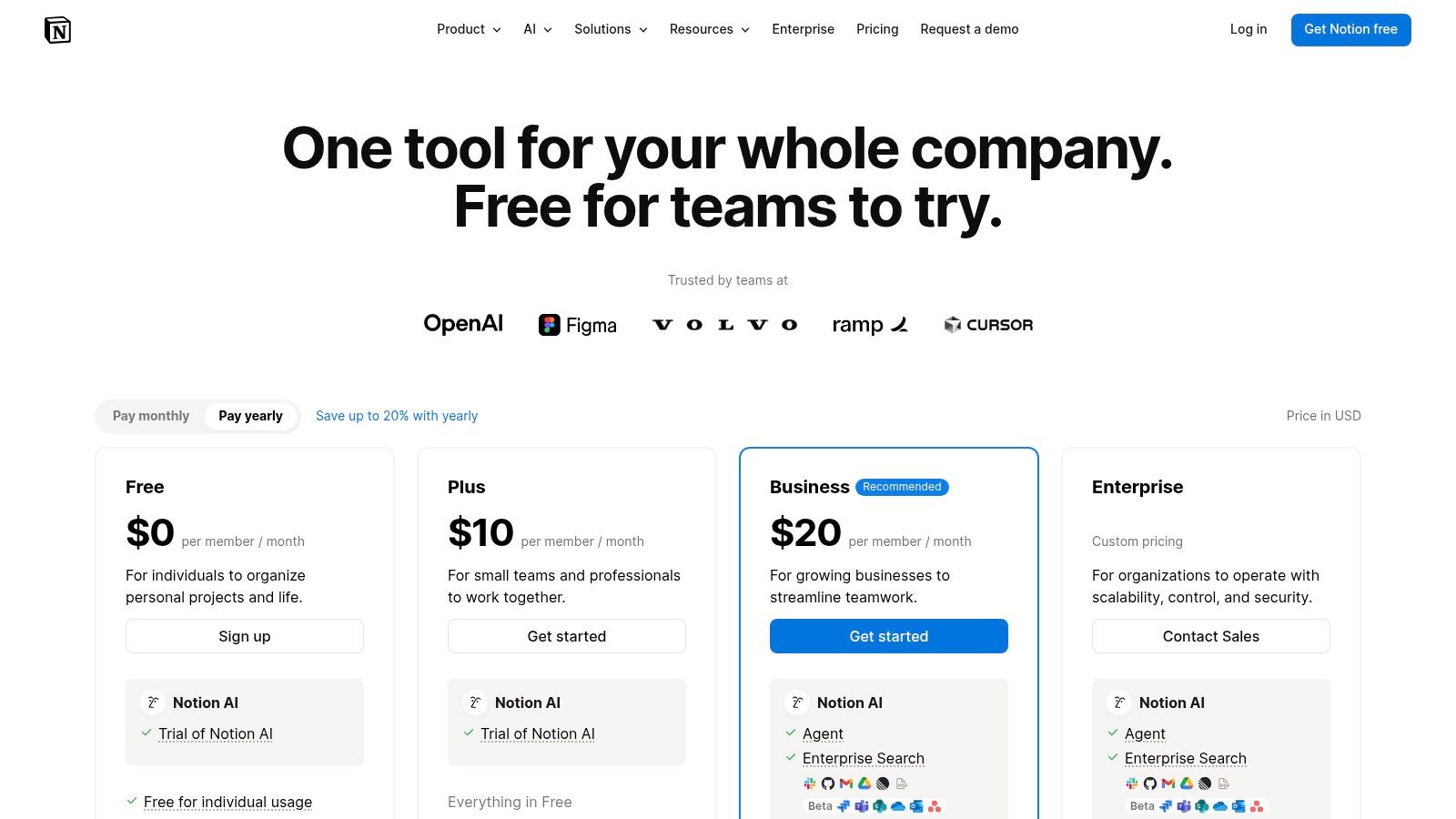
What makes Notion unique is its flexibility. Each card on your board is a full-fledged document, capable of holding subtasks, custom properties, and nested content. This unified approach eliminates the need to switch between a task manager and a separate notes app. However, this power requires some setup discipline to avoid creating a disorganized system. The free plan limits team collaboration by restricting the number of guest editors and has a 5MB file upload limit, which can be a constraint for media-heavy projects.
Key Details & Limitations
| Feature | Details |
|---|---|
| Best For | Individuals and teams who need to tightly integrate project tasks with comprehensive documentation and wikis. |
| Free Plan | Unlimited blocks and pages, real-time collaboration with up to 10 guests, and 5MB file upload limit. |
| Limitations | Team usage is limited on the free plan. The sheer flexibility can be overwhelming and requires a structured setup. |
| Website | Notion Pricing |
7. monday.com
monday.com positions itself as a "Work OS," a platform designed to manage all aspects of work, not just projects. Its online Kanban board is a core feature within a highly polished, colorful, and visually intuitive interface. The free "Individual" plan offers up to 2 seats, 3 boards, and unlimited docs, making it suitable for freelancers or very small teams managing basic tasks. The platform excels with its extensive template library, covering everything from project management to sales and operations.
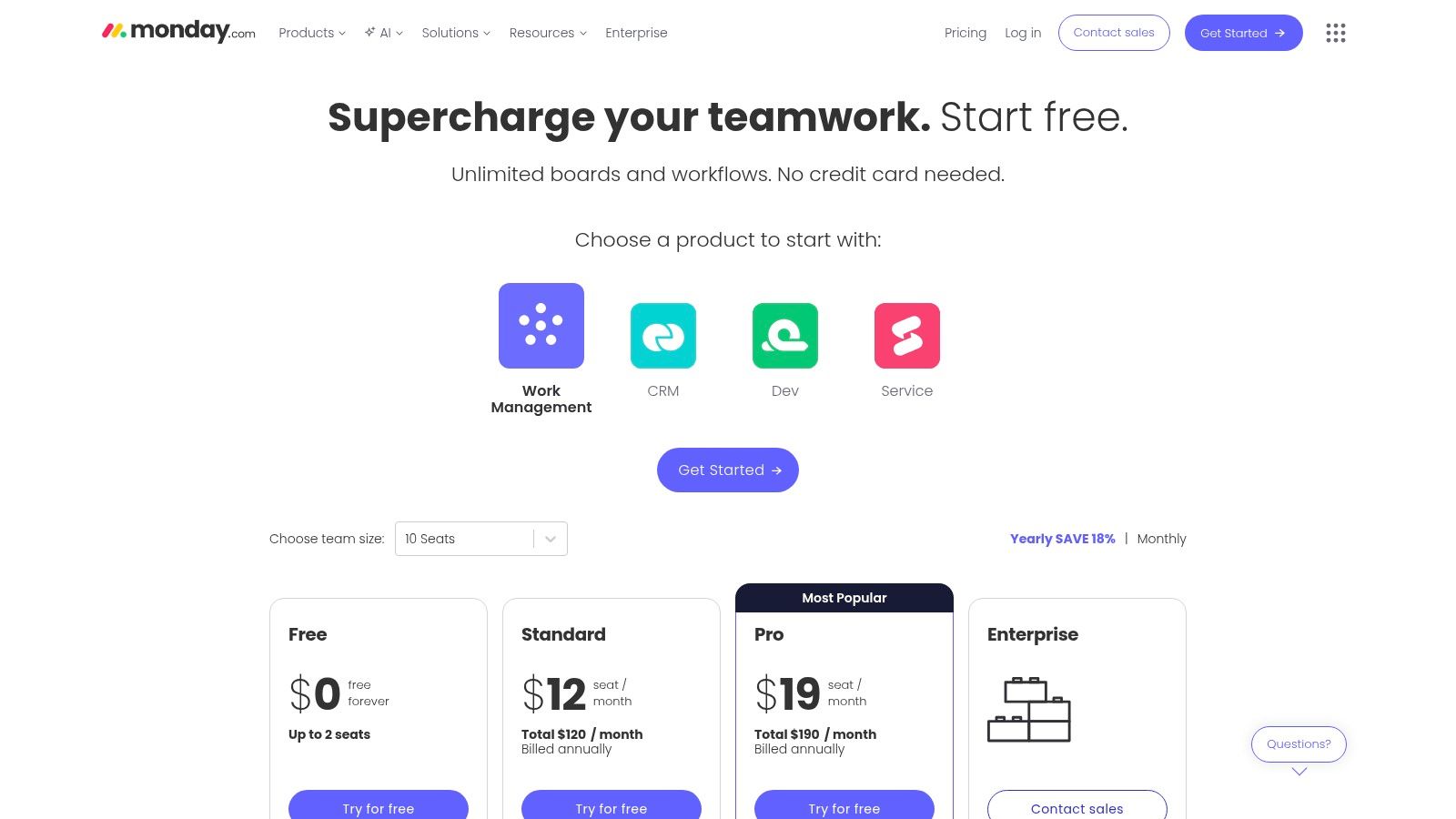
What makes monday.com powerful is its ability to switch between different views like Kanban, Timeline, and Chart without losing data context. While the free plan is quite limited, lacking automations and integrations, it provides a good feel for the platform's core functionality. To understand the full scope of its features, including its project management and CRM capabilities, you can delve deeper into monday.com. Most teams will quickly find the need to upgrade to a paid tier, which often requires a minimum number of seats.
Key Details & Limitations
| Feature | Details |
|---|---|
| Best For | Individuals and pairs needing a beautiful interface for simple task tracking, and teams evaluating the full platform. |
| Free Plan | Up to 2 seats, 3 boards, unlimited docs, and over 20 column types. |
| Limitations | The 2-seat limit is a major constraint. Critical features like automations, integrations, and advanced views are behind a paywall. |
| Website | monday.com Pricing |
8. MeisterTask
MeisterTask offers a beautifully designed, streamlined online Kanban board free of charge, making it an excellent choice for individuals and small teams who value simplicity and data privacy. Its modern interface is clean and fast, ensuring users can get started with their projects with minimal friction. The free "Basic" plan provides the core Kanban experience with up to three projects, unlimited project members, and customizable project boards, which is perfect for managing personal to-do lists or tracking a few small-scale team initiatives.
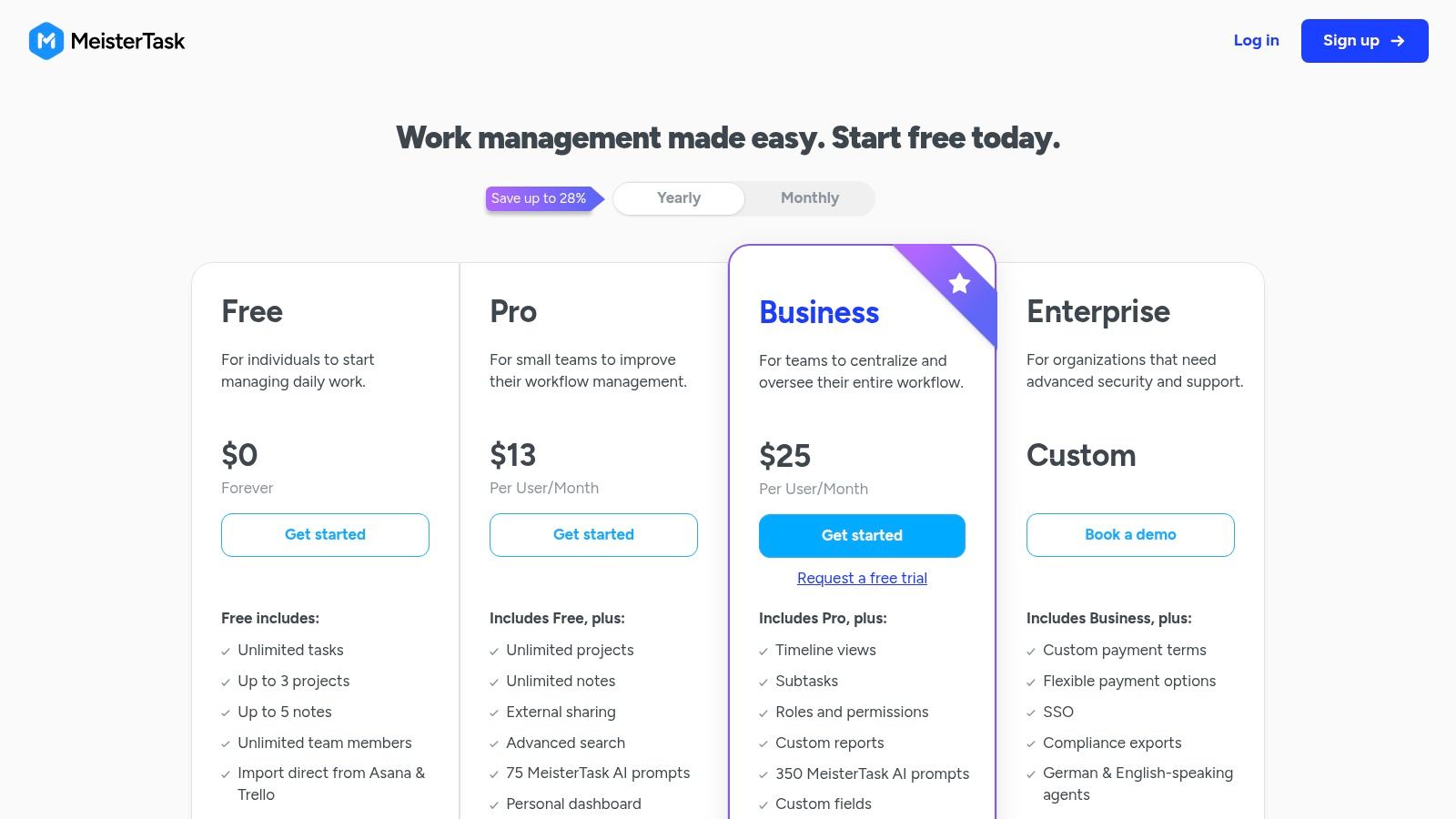
What sets MeisterTask apart is its strong commitment to security and compliance, boasting ISO 27001 certification and adherence to GDPR and CCPA standards. This focus on privacy is a significant advantage for users handling sensitive information. While the free plan is quite capable for basic task management, its limitations become apparent quickly for growing teams. Features like unlimited projects, automations, integrations, and recurring tasks are reserved for the paid Pro and Business tiers, making an upgrade necessary for more complex workflow management.
Key Details & Limitations
| Feature | Details |
|---|---|
| Best For | Individuals and teams prioritizing a clean, modern interface and strong data privacy. |
| Free Plan | Up to 3 projects, unlimited members, customizable boards, and file attachments up to 20 MB per file. |
| Limitations | The 3-project limit is a major constraint. Advanced features like automations, reporting, and unlimited integrations require a paid plan. |
| Website | MeisterTask Pricing |
9. KanbanFlow
KanbanFlow is a purpose-built, lightweight tool that focuses on core Kanban principles like flow and continuous improvement. Its standout feature, even in the free tier, is the integrated Pomodoro timer, making it an excellent choice for individuals and teams who want to bake time tracking and productivity techniques directly into their workflow. The free plan is incredibly generous, offering unlimited boards, tasks, and users, along with the ability to set Work-in-Progress (WIP) limits to prevent bottlenecks.
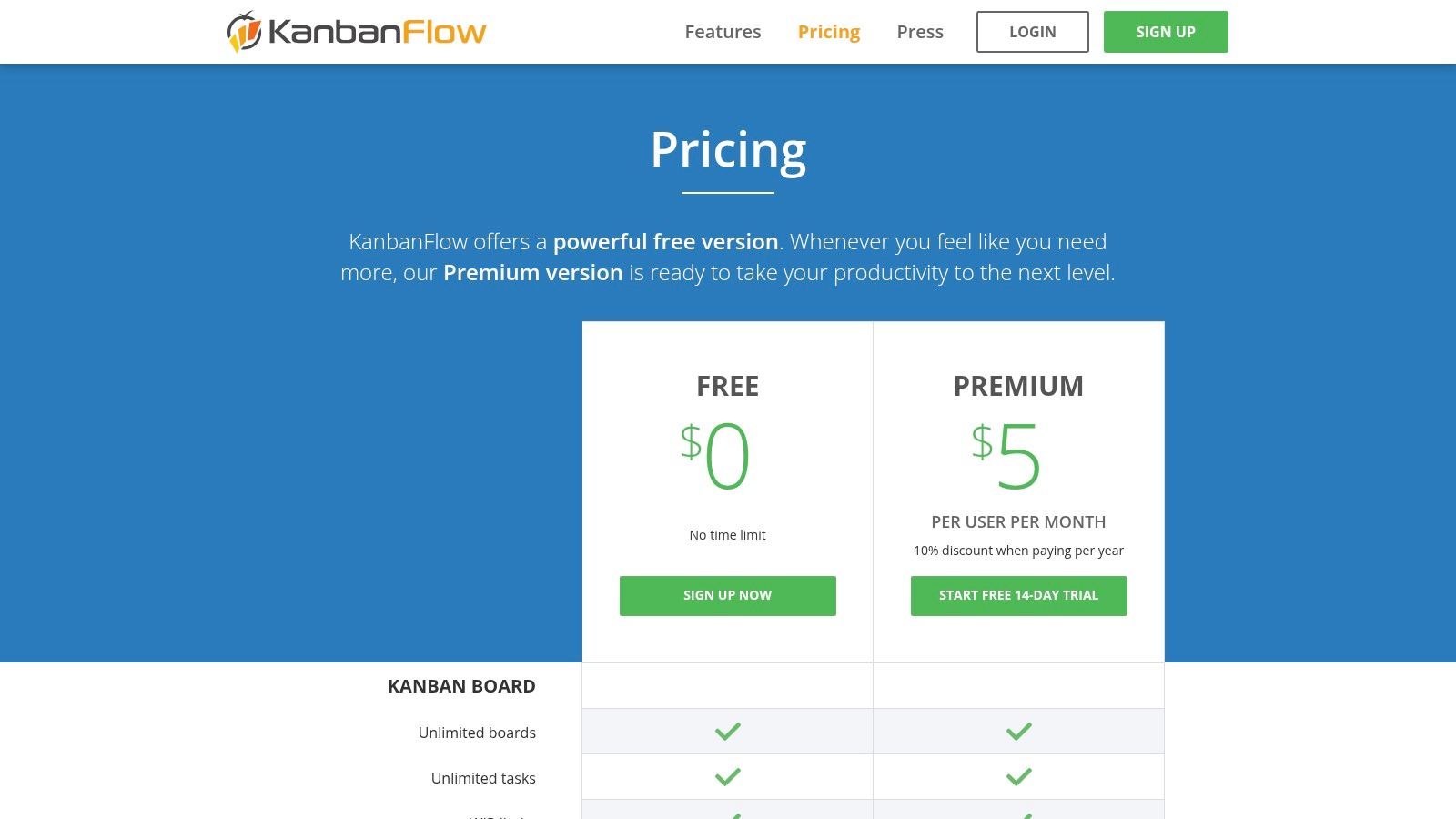
While its user interface is more utilitarian and less flashy than modern competitors, its speed and focus on function over form are what many users appreciate. This makes it a strong contender for anyone looking for a no-frills online kanban board free from unnecessary complexity. The free version provides basic time spent reports, but upgrading to the very affordable premium plan unlocks powerful analytics like cumulative flow and cycle/lead time diagrams, which are crucial for teams serious about optimizing their processes.
Key Details & Limitations
| Feature | Details |
|---|---|
| Best For | Teams and individuals focused on productivity, time tracking, and adhering to strict Kanban principles. |
| Free Plan | Unlimited boards, tasks, and users; WIP limits, subtasks, and a built-in Pomodoro timer. |
| Limitations | The user interface feels dated compared to others. The free plan lacks advanced analytics and integrations. |
| Website | KanbanFlow Pricing |
10. Taiga
Taiga is an open-source project management platform designed for agile teams, offering strong support for both Kanban and Scrum methodologies. Its main appeal lies in its flexibility: you can use their hosted cloud service, which includes a free tier, or download the software and host it yourself for complete control and no user limits. The free hosted plan is best for small, open-source projects, as it allows only one private project with up to five members and has a 300MB storage cap.
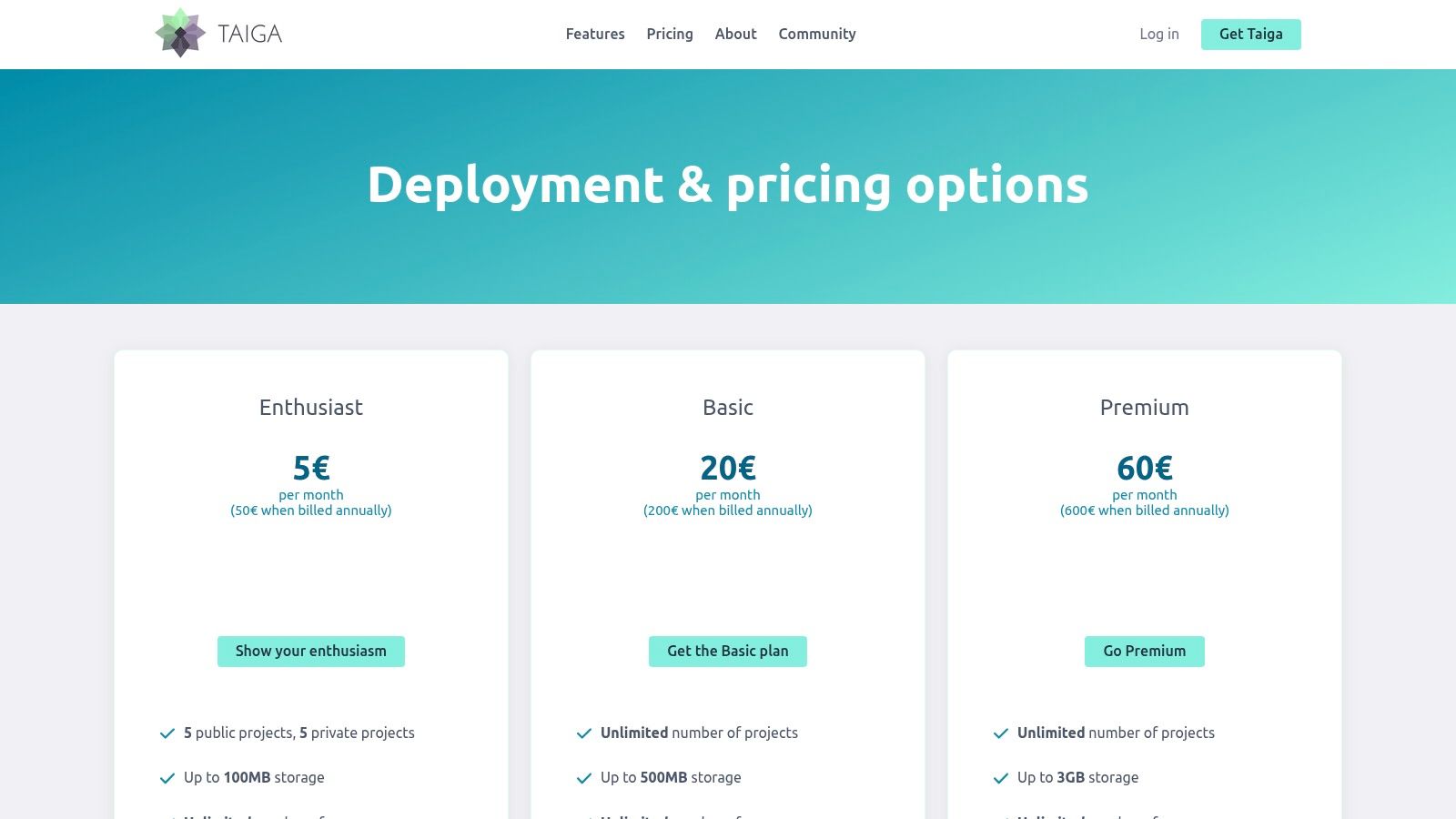
What sets Taiga apart is its commitment to the open-source model, providing a powerful, full-featured online kanban board free of charge for teams willing to manage their own infrastructure. The user interface is clean and focuses on agile principles like user stories, epics, and backlogs. While its integration ecosystem isn't as vast as commercial giants like Trello, it provides a robust, no-cost alternative for development teams or organizations that prioritize data sovereignty and customization over a wide array of third-party app connections.
Key Details & Limitations
| Feature | Details |
|---|---|
| Best For | Agile development teams, open-source projects, and organizations wanting a self-hosted solution. |
| Free Plan | 1 private project (up to 5 members), unlimited public projects, 300MB storage on hosted plan. The self-hosted version is entirely free with no limits. |
| Limitations | The free hosted plan is very restrictive on private projects and storage. Self-hosting requires technical expertise to set up and maintain. |
| Website | Taiga Pricing |
11. Airtable
Airtable is much more than a simple task manager; it's a powerful relational database platform that happens to feature an excellent online kanban board free view. Its core strength lies in its ability to manage complex information that needs to be visualized in multiple ways, including grids, calendars, and galleries. The free plan is quite functional, offering unlimited bases (databases), up to 1,000 records per base, and 1GB of attachment space, making it ideal for projects where tasks are linked to a richer set of data.
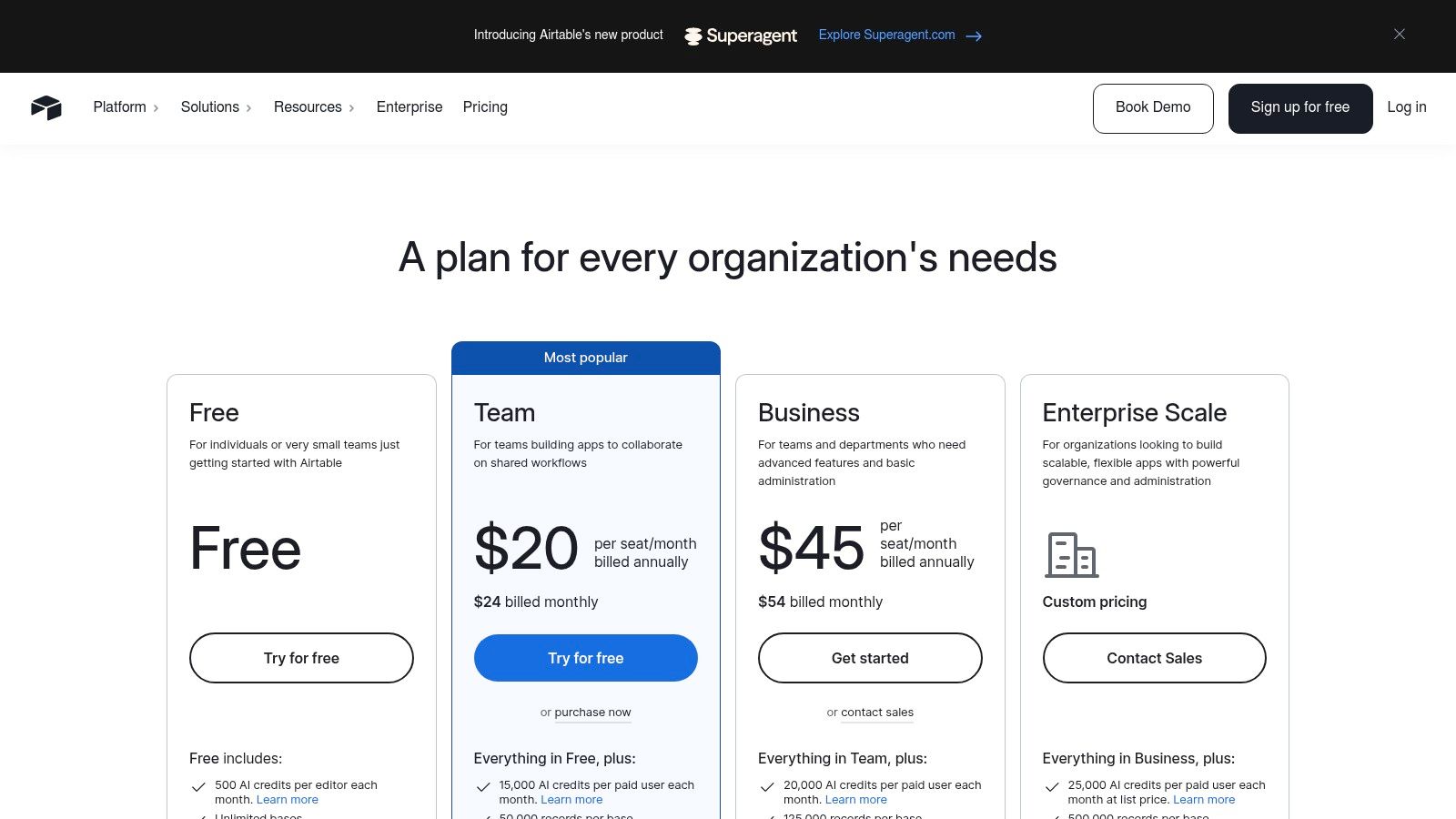
What makes Airtable unique is its flexibility. You can build anything from a simple content calendar to a lightweight CRM, with the Kanban view serving as your workflow visualization tool. The free plan also includes automations (100 runs/month) and access to its extensive marketplace of extensions. However, the learning curve is steeper than a dedicated Kanban tool, and the free plan's record and attachment limits can be quickly reached on data-heavy projects, pushing you toward a paid tier for more advanced features and higher capacities.
Key Details & Limitations
| Feature | Details |
|---|---|
| Best For | Teams needing a Kanban board integrated with a powerful, flexible database for managing complex data. |
| Free Plan | Unlimited bases, 1,000 records/base, 1GB of attachments per base, 100 automation runs/month, 5 editors. |
| Limitations | Record and attachment limits can be restrictive. Can feel overly complex for simple task management. |
| Website | Airtable Pricing |
12. GitHub Projects (within GitHub)
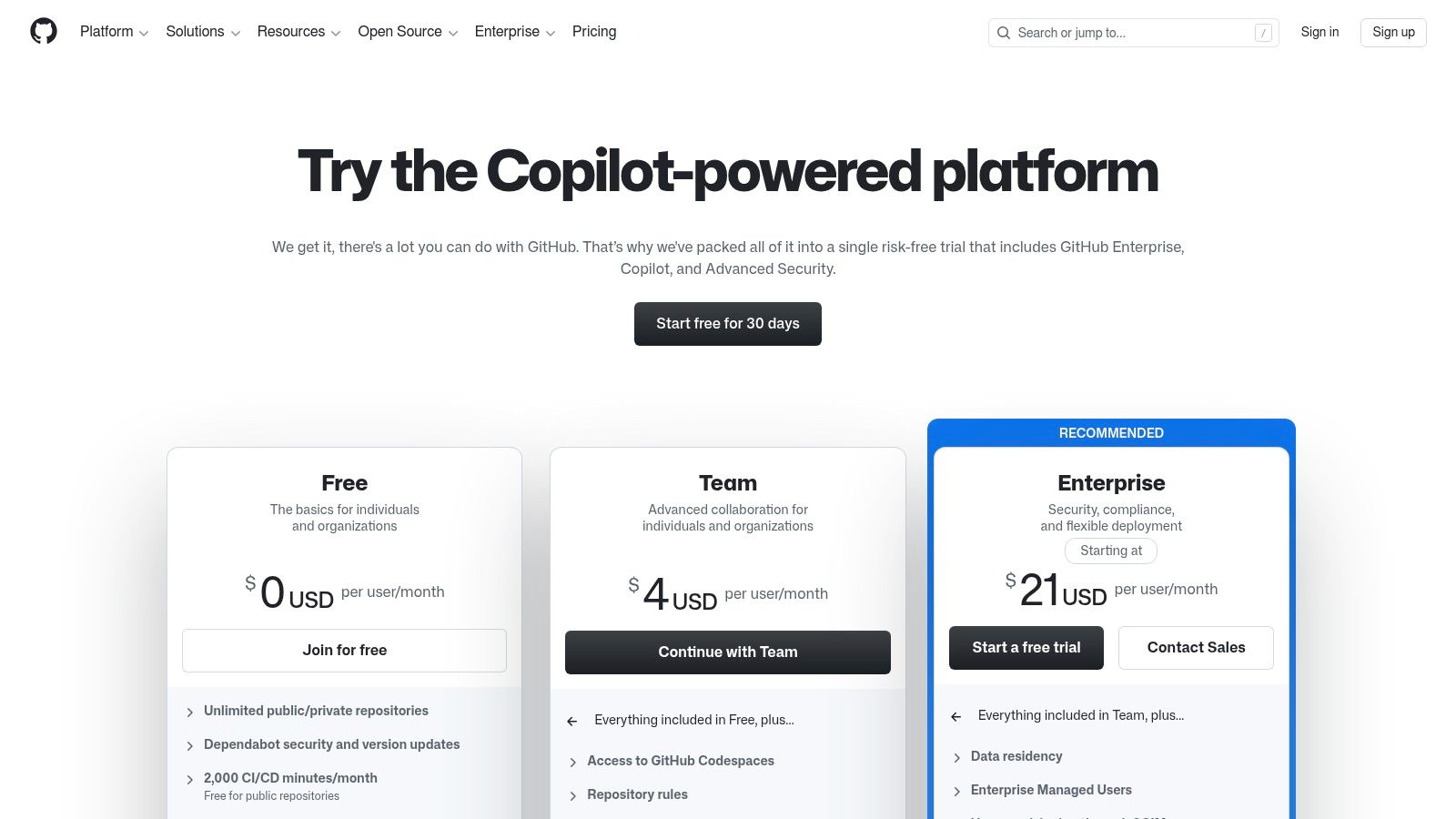
For software development teams already living inside GitHub, GitHub Projects is the most logical choice for an online Kanban board. It’s not a separate application but a feature built directly into the GitHub ecosystem, transforming issues and pull requests into cards on a project board. This native integration is its greatest strength, as it allows developers to track work seamlessly alongside their code, commits, and continuous integration pipelines without ever leaving the platform. The free plan is fully featured for individuals and public projects.
What makes GitHub Projects unique is its deep, contextual link to the development lifecycle. You can automate card movements based on pull request status changes using GitHub Actions, providing a true single source of truth for a project's progress. While it's an unparalleled tool for developer-centric workflows, its specialized nature makes it less intuitive for non-technical teams like marketing or sales, who might find the interface and terminology foreign. Advanced features for enterprise-level security and control are reserved for paid tiers.
Key Details & Limitations
| Feature | Details |
|---|---|
| Best For | Software development teams who want project management deeply integrated with their codebase. |
| Free Plan | Unlimited public/private repositories, unlimited collaborators, and 2,000 GitHub Actions minutes/month. |
| Limitations | The interface is heavily developer-focused and can be intimidating for non-technical users. Advanced security and compliance features require paid plans. |
| Website | GitHub Pricing |
Free Online Kanban Boards. 12-Tool Comparison
| Product | Core features | Quality (★) | Price / Value (💰) | Target (👥) | Unique selling points (✨) |
|---|---|---|---|---|---|
| 🏆 Tooling Studio | Embedded Kanban in Gmail & Google Tasks, Sales CRM, real‑time boards, drag‑and‑drop | 4.6/5 ★★★★☆ (40+ reviews) | 💰 Free forever (personal); Team $5/user/mo or $50/user/yr; 30‑day guarantee | 👥 Individuals, small teams, sales reps in Google Workspace | ✨ Native Google Workspace embed, low context‑switching, lightweight + secure |
| Trello | Visual boards, lists & cards, checklists, attachments, power‑ups | ★★★★☆ Popular, easy to learn | 💰 Free tier; paid plans unlock more power‑ups & automation | 👥 Small teams, individuals, general PM | ✨ Vast templates & third‑party integrations |
| Jira Software | Kanban & Scrum boards, workflows, backlogs, reporting | ★★★★☆ Enterprise/dev grade | 💰 Free for small teams; paid per‑user tiers for advanced features | 👥 Software engineering teams | ✨ Deep code/CI integrations, WIP limits, advanced traceability |
| Asana | Board/List/Timeline views, tasks & subtasks, mobile apps | ★★★★☆ Clean UX, easy onboarding | 💰 Free basic; paid for automations & reporting | 👥 Cross‑functional business teams, PMs | ✨ Multi‑view flexibility for project planning |
| ClickUp | Kanban, Lists, Docs, Whiteboards, goals & automations | ★★★★☆ Feature‑rich all‑in‑one | 💰 Generous free plan; paid unlocks advanced features | 👥 Teams wanting a single app for work | ✨ Integrated docs + tasks, many views & customizations |
| Notion | Docs + databases with Board (Kanban) view, custom properties | ★★★★☆ Highly customizable workspace | 💰 Strong free for individuals; paid for team collaboration | 👥 Teams needing docs/wiki + tasks | ✨ Unified wiki & task DBs, flexible templates |
| monday.com | Kanban, timelines, dashboards, automations & templates | ★★★★☆ Polished UI, visual reporting | 💰 Free for individuals; teams typically on paid tiers | 👥 Cross‑department workflows, ops teams | ✨ Rich templates & dashboard reporting |
| MeisterTask | Streamlined Kanban, templates, recurring tasks, automations | ★★★★ Simple, privacy‑focused | 💰 Free limited; paid for unlimited projects & automations | 👥 Small teams valuing privacy & simplicity | ✨ ISO 27001, GDPR/CCPA compliance |
| KanbanFlow | Lightweight Kanban, WIP limits, Pomodoro timer, analytics | ★★★★☆ Purpose‑built for flow | 💰 Free tier; low‑cost premium for extra features | 👥 Individuals, flow‑focused teams | ✨ Built‑in Pomodoro + cycle/lead‑time reports |
| Taiga | Kanban & Scrum boards, epics, user stories; open‑source | ★★★★☆ Open‑source transparency | 💰 Free self‑host; paid hosted plans available | 👥 Open‑source supporters, self‑hosting teams | ✨ Self‑host option, flat hosted pricing available |
| Airtable | Relational tables with Kanban, Grid & Calendar views | ★★★★☆ Flexible & scalable | 💰 Free with record/attachment limits; paid by capacity | 👥 Data‑rich workflows, ops & internal apps | ✨ Database power + Kanban views, interfaces & automations |
| GitHub Projects | Kanban boards tied to Issues & PRs, automations via Actions | ★★★★☆ Ideal for dev workflows | 💰 Included in GitHub Free; enterprise tiers add controls | 👥 Developer teams using GitHub | ✨ Native link to commits, PRs & CI/CD (GitHub Actions) |
From Chaos to Clarity: Putting Your Free Kanban Board to Work
Visualizing your work is the first, and most crucial, step toward a more organized, productive, and less stressful professional life. Throughout this guide, we've explored a diverse landscape of the best online kanban board free tools available, each offering a unique pathway from overwhelming chaos to streamlined clarity. The key takeaway is that there is no single "best" board for everyone; the ideal solution depends entirely on your specific context, team size, and existing workflows.
We've seen how tools like Trello and MeisterTask excel with their simplicity and intuitive design, making them perfect entry points for individuals or small teams just starting with Kanban. For those in specialized fields, platforms like Jira Software and GitHub Projects provide the deep, focused functionality required for complex software development cycles, offering unparalleled integration with developer ecosystems. Meanwhile, flexible powerhouses such as Notion, ClickUp, and Airtable have demonstrated that a Kanban view can be just one component of a much larger, fully customized operational hub.
How to Choose Your Ideal Kanban Board
Making the right choice can feel daunting, but it simplifies when you focus on your core needs. Before committing, even to a free plan, consider these critical factors:
Your Primary Ecosystem: Where does your team spend most of its time? For the millions of teams operating within Google Workspace, a native solution like Tooling Studio’s Kanban Tasks offers an unmatched advantage by eliminating disruptive context switching. If your work revolves around code, GitHub Projects is a natural fit.
Scalability and Growth: Consider the limitations of the free plan. A tool like Asana or monday.com offers a robust free tier that can serve a small team well, but it's important to understand the pricing and feature gates you’ll encounter as your team or project complexity grows.
Use Case Specificity: Are you managing a sales pipeline, a content calendar, or a software sprint? A general-purpose tool might work, but a specialized board or a highly customizable one like Airtable could provide more targeted value and a higher return on your time investment.
Implementation: The Key to Success
Simply choosing an online kanban board free tool isn't enough. Successful implementation is what truly transforms productivity. Start small by mapping out a single, simple workflow. Involve your team in defining the stages (columns) and what a "card" represents. The most important part is consistency; encourage daily check-ins and regular use to build the habit. Remember, the goal isn't to perfectly replicate a textbook Kanban system from day one, but to create a visual language that your team understands and finds useful. Iterate, adapt, and let the board evolve with your projects. Ultimately, the right Kanban board is the one that gets used, bringing visibility and order to your most important work.
Ready to stop switching tabs and start managing tasks directly where you work? Tooling Studio offers a powerful Kanban board that lives inside your Gmail and Google Workspace, turning your inbox into an organized command center. Explore how our seamless integration can streamline your workflow by contacting us today.
 Download our Plugin