
AI Agents Need Boundaries Before They Need More Freedom
AI can make CRM work faster, but without structure it creates mess. Learn how prompts, examples, validation, permissions, and Tooling Studio MCP help keep AI useful and reliable.
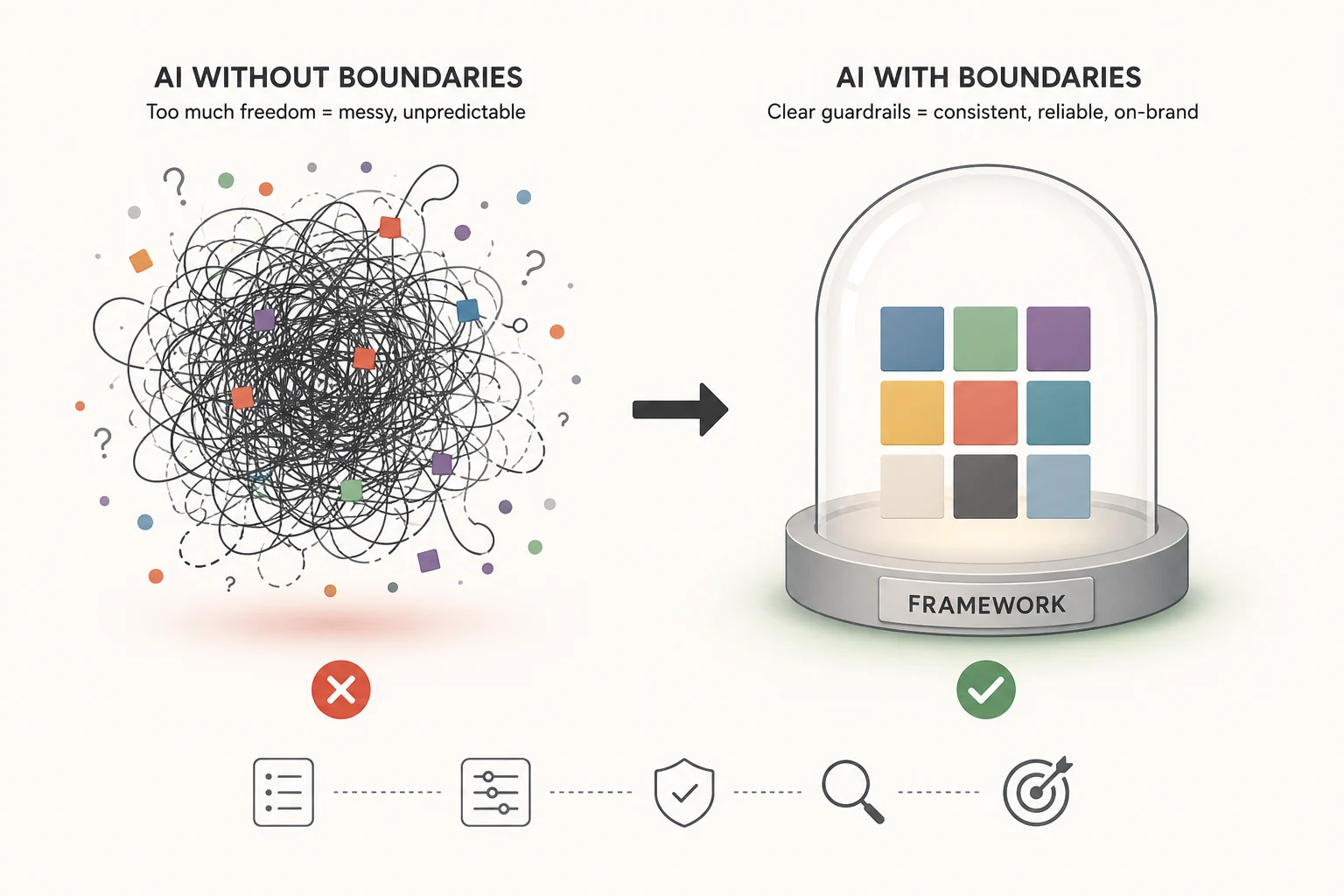
AI is very good at going broad.
Give it a few meeting notes, a handful of email threads, a CRM export, and a vague instruction like “update the CRM,” and it will usually produce something. Sometimes that something is useful. Sometimes it is a confident pile of duplicated contacts, half-true notes, unclear follow-ups, and deal stages that look more certain than they really are.
That is the problem with using AI for customer work. The output often looks polished before the underlying work is actually clean.
For writing, that means a draft needs editing. Annoying, but manageable.
For CRM, that means the system of record starts drifting. That is worse. Once bad CRM data looks official, the team starts making decisions from it.
The answer is not to avoid AI. The answer is to give AI the same thing a good teammate needs: context, rules, examples, ownership, and a clear way to check the work before it becomes truth.
Quick answer: AI needs a framework, not unlimited freedom
AI works better in CRM when it is bounded by a framework.
That framework should define:
- what data the AI may use
- which CRM records it should inspect first
- how it should match contacts, organizations, deals, and tasks
- which updates are safe
- which updates need human review
- what good output looks like
- how the work should be validated
This is where Tooling Studio MCP fits. Tooling Studio MCP connects compatible AI apps to the same Tasks and CRM workspace your team already uses, so the AI can search, read, create, update, move, tag, comment, assign, and link work with real workspace context instead of relying on pasted snippets. It also stays within the connected user’s existing Tooling Studio permissions, which matters once AI can take action instead of only write suggestions. (Tooling Studio)
MCP is useful because it gives AI a structured connection to external systems. The official MCP docs describe it as an open-source standard for connecting AI applications to data sources, tools, and workflows. (Model Context Protocol)
But MCP alone is not the whole answer.
MCP gives the AI access to the right workspace. Your prompts, examples, permissions, and validation rules decide whether it uses that access well.
Where AI starts to make a mess
Most teams first use AI for CRM in the obvious way.
They paste in a call transcript and ask for a summary. They paste in an email thread and ask for a follow-up. They paste in a list of leads and ask for segmentation. That is useful because it removes manual work.
The problem starts when those outputs need to become CRM state.
A summary is not the same as a CRM update.
A suggested next step is not the same as an assigned task.
A guessed company name is not the same as a verified organization record.
A polite “sounds like they are interested” is not the same as moving a deal to Qualified.
AI tends to fill gaps. That can be helpful in a draft. It is dangerous in a CRM.
If the model does not know which contact is correct, it may still choose one. If the meeting note mentions a company but not the legal entity, it may still create an organization. If the transcript sounds positive, it may move a deal too far. If several records look similar, it may update the wrong one.
That is how AI makes work feel faster while quietly making the CRM less reliable.
Other people writing about AI agents are landing on the same pattern: the issue is not just model quality. It is system design. OpenAI’s agent guidance recommends well-defined tools, clear structured instructions, guardrails, and human-in-the-loop controls for higher-risk actions. (OpenAI) StackAI makes a similar point from a production angle: hallucinations are often caused by weak grounding, unconstrained tool use, and missing validation, not just “bad prompting.” (StackAI)
The real risk is not bad text. It is bad state.
Bad AI writing is visible. You read it and notice it feels wrong.
Bad CRM state is harder to spot.
A contact gets created twice. A company name gets standardized incorrectly. A deal stage moves too early. A note says “budget confirmed” when the call only said “budget still being discussed.” A follow-up task is created but assigned to the wrong person.
Individually, these look small. Together, they create CRM fog.
The team then starts asking questions the CRM should be able to answer:
Who owns this lead?
Which deal is actually active?
What did we promise last time?
Which contacts need follow-up this week?
What changed after the last demo?
Those are exactly the questions a CRM should make easier. Tooling Studio’s Gmail CRM guide frames the same issue clearly: Gmail is a strong communication layer, but a weak system of record once a team needs shared ownership, deal stages, notes, and reliable follow-up visibility. (Tooling Studio)
AI makes that more important, not less.
If your CRM is already loose, AI will not magically clean it up. It will scale the looseness.
Guardrails are not just safety rules
When people hear “AI guardrails,” they often think about blocking dangerous content.
That is part of it, but it is too narrow for CRM work.
For CRM, guardrails are operational rules. They tell the AI:
- when to read
- when to recommend
- when to draft
- when to update
- when to stop
- when to ask a human
That distinction matters because AI agents do not only generate text. Once connected to tools, they can change records.
CMSWire describes this difference well: guardrails often control what AI says, while permission rules control what AI can do. Once an AI agent can access business systems, the important question becomes whether its authority matches the risk of the action. (CMSWire.com)
That is the right mental model for CRM.
Reading a contact is low-risk.
Adding a note may be low-risk if the note is clearly sourced.
Creating a follow-up task is usually safe.
Moving a deal to Closed Won is not something an AI should do casually.
Changing the deal owner, value, or stage should require more confidence than summarizing a call.
Deleting or overwriting CRM history should generally be out of bounds.
The goal is not to make AI timid. The goal is to make it useful without making it reckless.
Prompts are part of the framework, not the whole framework
A better prompt helps. It does not solve everything.
OpenAI’s prompt engineering guide describes prompting as the process of writing effective instructions so the model consistently meets requirements, and recommends tests and evaluation suites as prompts become more complex. (OpenAI Developers) Anthropic’s prompting guidance makes the same practical point from another angle: be clear and direct, give context, use examples, and structure prompts so the model can tell instructions, context, and input apart. (Claude)
For CRM, that means a good prompt should not only say:
“Update the CRM from these notes.”
It should say:
“Inspect the CRM first. Match the right contact by email, company, and deal context. Do not create duplicates. Only update fields supported by the source. Ask before changing deal stage, owner, value, or status. Return a list of proposed changes before making important updates.”
That is not fancy prompt engineering. It is normal operating procedure written down clearly enough for AI to follow.
The useful framework: context, constraints, examples, validation
A practical AI CRM framework has four layers.
1. Context: give AI the real workspace
AI performs better when it can inspect the real system instead of working from pasted fragments.
In Tooling Studio, that means contacts, organizations, deals, pipeline stages, notes, owners, tags, comments, and linked follow-up tasks. Tooling Studio Sales CRM is built around structured CRM records, and MCP gives compatible AI apps a way to work from that CRM context instead of guessing from a chat transcript. (Tooling Studio)
That context matters because CRM work is relational.
A contact belongs to an organization. A deal belongs to a pipeline. A note belongs to a record. A follow-up belongs to a person. A task may need to stay linked to a CRM record.
If the AI cannot see that structure, it is basically writing sticky notes.
2. Constraints: define what the AI may do
Good constraints are specific.
Bad constraint:
“Be careful.”
Better constraint:
“Do not create a new contact if a contact with the same email already exists. Do not move a deal stage unless the source explicitly supports the change. Do not overwrite existing notes. Add a new dated note instead.”
The AI should know the difference between low-risk and high-risk actions.
Low-risk:
- find records
- summarize records
- list stale deals
- draft follow-ups
- suggest cleanup
- create a task for review
Medium-risk:
- add a note
- add a tag
- create a new contact
- create a follow-up task
- update a missing field with source evidence
High-risk:
- move a deal stage
- mark a deal Won or Lost
- change owner
- change deal value
- merge or delete records
- overwrite previous CRM notes
Low-risk actions can often be automated. Medium-risk actions should be visible. High-risk actions should be approved.
3. Examples: show what good looks like
AI responds better when it has examples.
That matters for CRM because “clean” is not universal. Your team needs to decide what a good note, task, tag, stage change, and handoff summary look like.
For example, a good CRM note might follow this structure:
[Date] [Source] [Summary] [Evidence] [Next step] [Owner]
A bad CRM note is vague:
“Good call. Interested. Follow up later.”
A better CRM note is specific:
“2026-06-23 demo call. Koen wants a cleaner way to keep CRM context updated from meeting notes and email without letting AI create duplicate or messy records. Next step: send MCP prompt framework examples. Owner: Hugo.”
This seems boring. That is the point.
The boring format is what makes the CRM useful later.
4. Validation: check before CRM state changes
Validation is where many AI workflows are still weak.
A good AI CRM workflow should ask:
- Did we match the right record?
- Is the update supported by source context?
- Are there possible duplicates?
- Is the deal stage change justified?
- Is a human approval needed?
- Did the AI create a task when follow-up is required?
- Is the output easy for the team to scan?
Weaviate’s writing on enterprise AI makes a useful distinction here: guardrails enforce constraints in real time, while evals measure behavior with scoring, assertions, and traces so teams can improve based on evidence. (Weaviate) Anthropic also frames evals as tests: give the AI an input, then apply grading logic to measure success. (Anthropic)
For CRM, that means you can test the agent on real examples:
- messy meeting note
- duplicate contact
- ambiguous company name
- deal that sounds positive but is not qualified
- email thread with no clear next step
- customer record with stale owner
- transcript with conflicting information
The question is not “did the AI write something nice?”
The question is “did it keep the CRM clean?”
How Tooling Studio MCP keeps AI closer to reality
Tooling Studio MCP is useful because it changes the workflow from copy-paste to inspect-and-act.
Without MCP, the user often has to:
- Open Gmail, CRM, notes, or a meeting transcript.
- Copy context into an AI app.
- Ask for a summary or update.
- Open the CRM manually.
- Find the right contact, organization, deal, or task.
- Paste the output back.
- Clean up the formatting.
- Fix anything the AI misunderstood.
That is not automation. That is assisted admin.
With Tooling Studio MCP, the AI app can work with the actual Tasks and CRM workspace it is allowed to access. It can find records, match the right contact or deal, and help create, update, move, tag, comment, assign, or link work in context. Tooling Studio also notes that MCP access stays off until the user enables it, and connected apps can later be disconnected or MCP can be turned off again. (Tooling Studio)
That control matters.
AI should not get a magical admin pass. It should work inside the same workspace rules your team already uses.
Tooling Studio’s own MCP page says this directly: MCP can save clicks, but important actions still need judgment, and it cannot bypass permissions, magically know ambiguous records, or guarantee perfect results every time. (Tooling Studio)
That is the honest version of AI automation.
Useful. Powerful. Still bounded.
A practical CRM prompt framework for Tooling Studio MCP
Use this structure when asking an AI app connected through Tooling Studio MCP to manage CRM work.
The reusable operating prompt
You are my CRM operations assistant for Tooling Studio Sales CRM and Kanban Tasks through Tooling Studio MCP.

Goal:
Keep CRM data clean, useful, source-grounded, and easy for the team to act on.

Default workflow:
1. Inspect the relevant Tooling Studio CRM records before suggesting or making changes.
2. Match records using stable identifiers first: email address, company domain, organization name, deal name, pipeline, owner, and recent notes.
3. If multiple records match, stop and ask me to choose. Do not guess.
4. Prefer updating existing records over creating new records.
5. Never invent missing CRM fields. If the source does not support a value, leave it blank or mark it as unknown.
6. Add new dated notes instead of overwriting historical notes.
7. Create follow-up tasks only when there is a clear next action, owner, and timing.
8. For important changes, show proposed updates first and ask for approval.

Allowed without approval:
- Search CRM records
- Summarize contacts, organizations, deals, notes, and tasks
- Identify duplicates or stale records
- Draft follow-up messages
- Suggest tags, notes, and tasks

Allowed with approval:
- Create contacts, organizations, or deals
- Add CRM notes
- Add or remove tags
- Create follow-up tasks
- Move records between pipeline stages
- Assign or reassign owners
- Change deal value, status, or priority

Never do:
- Delete records
- Merge records
- Mark deals Won or Lost
- Overwrite existing notes
- Add unsupported facts
- Update high-impact fields without showing evidence first

Output format:
- Found records
- Relevant source evidence
- Proposed CRM updates
- Proposed follow-up tasks
- Ambiguities or risks
- Approval needed
This prompt does two important things.
First, it narrows the AI’s behavior.
Second, it makes ambiguity visible.
That is what keeps AI from turning a messy input into a messy CRM.
Custom prompts for CRM management with Tooling Studio MCP
These prompts are written for an AI app that can connect to Tooling Studio through MCP. Replace the placeholders with your own pipeline, owner names, meeting notes, or email context.
1. Daily CRM cleanup prompt
Use this at the start of the day.
Review my Tooling Studio Sales CRM for today.

Focus on:
- deals with no next follow-up task
- contacts with recent notes but no owner
- deals that have not moved stage in the last 14 days
- records with missing organization, email, or owner
- duplicate-looking contacts or organizations

Do not make changes yet.

Return:
1. Top 10 cleanup issues
2. Why each issue matters
3. Recommended fix
4. Whether the fix is safe to apply automatically or needs approval
5. Suggested follow-up tasks to create in Kanban Tasks
2. Demo call to CRM update prompt
Use this after a sales call or product demo.
Use the notes below to update Tooling Studio Sales CRM.

Before changing anything:
1. Find the matching contact, organization, and deal.
2. Check whether there are duplicate-looking records.
3. Confirm which pipeline and stage the deal currently uses.
4. Show me the proposed update first.

Rules:
- Add a dated note with the source: "Demo call notes".
- Do not move the deal stage unless the notes clearly support it.
- Do not mark anything Won or Lost.
- Create a follow-up task only if the next step is clear.
- If the owner is unclear, ask me.

Meeting notes:
[PASTE NOTES HERE]

Return:
- Matched CRM records
- Proposed note
- Proposed stage change, if any
- Proposed follow-up task
- Questions before updating
3. Email thread to CRM prompt
Use this when a lead or customer email should become structured CRM context.
Turn this email thread into clean CRM context in Tooling Studio.

Workflow:
1. Find the existing contact by email address.
2. If no contact exists, suggest creating one but do not create it yet.
3. Find or suggest the organization using the email domain and signature.
4. Find any related open deal.
5. Extract only factual CRM-relevant information from the email.
6. Suggest a concise CRM note.
7. Suggest one follow-up task if needed.

Do not:
- Guess missing job titles
- Guess company size
- Create duplicate contacts
- Move deal stages without explicit evidence
- Treat polite interest as qualification

Email thread:
[PASTE EMAIL THREAD HERE]

Return:
- Existing records found
- Missing records
- Proposed note
- Proposed task
- Approval needed
4. Pipeline movement prompt
Use this when you want AI to help update deal stages without making reckless moves.
Review whether this deal should move stage in Tooling Studio Sales CRM.

Deal:
[DEAL NAME OR CONTACT NAME]

Current context:
[PASTE CALL NOTES, EMAIL SUMMARY, OR INTERNAL NOTE]

Stage movement rules:
- Move to Qualified only if there is a clear problem, fit, and next step.
- Move to Proposal only if a proposal was requested or agreed as the next step.
- Move to Negotiation only if pricing, scope, contract, or decision terms are actively being discussed.
- Move to Won only after explicit confirmation.
- Move to Lost only after explicit rejection, no-fit decision, or confirmed inactivity rule.

Do not update the CRM yet.

Return:
1. Current stage
2. Recommended stage
3. Evidence for the recommendation
4. Counter-evidence or uncertainty
5. Suggested CRM note
6. Whether approval is required
5. Follow-up task creation prompt
Use this to stop follow-ups from disappearing after calls.
Find CRM records in Tooling Studio that need follow-up tasks.

Scope:
- Pipeline: [PIPELINE NAME]
- Owner: [OWNER NAME OR "all owners"]
- Time window: [THIS WEEK / NEXT 7 DAYS / CUSTOM RANGE]

Look for:
- notes that mention "follow up", "send", "share", "intro", "proposal", "check back", or a date
- deals with no upcoming task
- contacts recently updated but not assigned a next action

For each recommended task:
- Link it to the relevant CRM record where possible
- Use a clear task title
- Suggest one owner
- Suggest a due date only when supported by the context
- Keep the task description short

Do not create tasks yet.

Return:
- CRM record
- Reason follow-up is needed
- Suggested task title
- Suggested owner
- Suggested due date
- Confidence level
6. Duplicate contact cleanup prompt
Use this before merging or deleting anything. The AI should only identify and recommend.
Find possible duplicate contacts and organizations in Tooling Studio Sales CRM.

Match using:
- exact email
- similar email
- same company domain
- similar contact name
- same organization
- overlapping notes or deals

Do not merge, delete, or overwrite records.

Return:
1. Possible duplicate groups
2. Why they look duplicated
3. Which record appears most complete
4. What information should be preserved from each record
5. Recommended human review action
6. Risk level: low, medium, or high
7. Weekly pipeline review prompt
Use this for founder-led or small-team sales reviews.
Prepare a weekly pipeline review from Tooling Studio Sales CRM.

Scope:
- Pipeline: [PIPELINE NAME]
- Period: [LAST 7 DAYS / THIS MONTH / CUSTOM RANGE]

Review:
- new deals created
- deals moved forward
- deals stuck without next steps
- contacts added without organization
- deals without owners
- deals with stale notes
- follow-up tasks due or overdue
- high-priority opportunities

Do not make CRM changes.

Return:
1. Executive summary
2. Pipeline health
3. Deals needing attention
4. Missing data that blocks visibility
5. Suggested cleanup actions
6. Suggested follow-up tasks
7. Questions for the team
8. CRM note formatting prompt
Use this to standardize notes across the team.
Rewrite the following raw note into a clean Tooling Studio CRM note.

Rules:
- Keep it factual
- Do not add information that is not present
- Use short paragraphs
- Include next step only if clear
- Include owner only if clear
- Include source and date
- Flag missing information instead of guessing

Format:
[Date] [Source]
Summary:
Decision / signal:
Next step:
Owner:
Open questions:

Raw note:
[PASTE RAW NOTE HERE]
9. CRM validation prompt
Use this as a second-pass checker before applying AI-generated CRM updates.
Validate the following proposed CRM updates before they are applied in Tooling Studio.

Check for:
- unsupported claims
- duplicate record risk
- wrong contact, organization, or deal match
- overconfident stage movement
- missing owner
- missing next step
- vague notes
- fields that should require human approval
- tasks without clear due date evidence

Proposed updates:
[PASTE PROPOSED UPDATES]

Return:
1. Safe to apply
2. Needs human approval
3. Should not apply
4. Missing evidence
5. Cleaner version of the update
10. Prompt improvement prompt
Use this to keep improving the CRM agent itself.
Review the last CRM workflow we ran through Tooling Studio MCP.

Evaluate:
- Did we match the right records?
- Did we avoid duplicates?
- Did we avoid unsupported fields?
- Were notes clear and useful?
- Were follow-up tasks actionable?
- Did any action need approval earlier?
- What instruction should we add to our CRM operating prompt?

Return:
1. What worked
2. What failed or was risky
3. Prompt rule to add
4. Example of a better future output
5. Test case we should use next time
The “good examples” your AI needs
A good AI CRM setup should include examples. Not hundreds. A handful is enough.
Good CRM note example
2026-06-23 — Demo call notes

Summary:
Koen wants to use AI to keep CRM records updated from demo calls, email threads, and internal notes without creating a messy system of record.

Signal:
Strong interest in using Tooling Studio MCP as a bounded workflow layer, not as a fully autonomous black box.

Next step:
Send example CRM prompts and validation framework.

Owner:
Hugo
Bad CRM note example
Good call. Interested in AI CRM. Follow up.
The bad note is not wrong. It is just not useful.
The good note gives the team context, signal, next step, and ownership.
That is what AI should be trained to produce.
The simple test: can a teammate trust the output tomorrow?
A good AI CRM workflow should pass a simple test.
Can a teammate open the CRM tomorrow and understand what happened without asking the original person?
If the answer is no, the AI did not finish the job.
It may have summarized the call. It may have created a note. It may have drafted a follow-up. But it did not make the CRM cleaner.
The goal is not to create more AI output.
The goal is to reduce the amount of unclear work in the system.
That means every AI-assisted CRM update should make at least one of these things clearer:
- who the person is
- which organization they belong to
- what deal or opportunity exists
- what stage the relationship is in
- what happened last
- what should happen next
- who owns it
- when it should happen
If the AI cannot improve one of those things, it should not update the CRM.
Start narrow before going autonomous
The safest way to use AI in CRM is not to start with “manage my entire pipeline.”
Start with one narrow workflow.
For example:
- create follow-up tasks from demo notes
- find stale deals without next steps
- summarize a contact before a call
- suggest CRM cleanup issues every Friday
- draft notes from meeting transcripts but require approval before saving
- detect duplicate contacts without merging them
Then test it.
Use five real examples. Include messy ones. Include edge cases. Include a duplicate record. Include an ambiguous stage change. Include a call where the prospect sounded positive but never agreed to a next step.
That is where you learn whether your prompt is good enough.
If the AI performs well, expand the workflow. If it makes a mess, tighten the rules.
The boring rollout is usually the one that survives.
Why this matters for small Google Workspace teams
Small teams do not usually fail because they lack CRM features.
They fail because the CRM becomes too much work to maintain.
Someone forgets to add the note. Someone owns the follow-up in their head. Someone updates the spreadsheet but not the CRM. Someone has the latest context buried in Gmail. Then the team stops trusting the system.
Tooling Studio is built around a simpler idea: keep CRM and task work close to where the team already works in Google Workspace. Sales CRM gives teams contacts, organizations, deals, notes, tags, custom fields, owners, and follow-up work without forcing a heavy CRM rollout. MCP extends that idea by letting compatible AI apps work with that structure. (Tooling Studio) (Tooling Studio)
That is the right place for AI.
Not floating above the workflow.
Not generating isolated summaries.
Working with the actual records, tasks, stages, notes, and follow-ups the team already needs to keep current.
AI does not need a cage. It needs a leash.
A cage makes AI useless.
Unlimited freedom makes AI messy.
A leash gives it room to help while keeping it close to the real workflow.
For CRM, that leash is made of:
- structured CRM objects
- clear prompts
- real workspace context
- scoped permissions
- examples of good output
- approval rules for risky actions
- validation before changes become permanent
That is how AI becomes useful in day-to-day customer work.
Not by asking it to “be smarter.”
By giving it less room to make a mess.
FAQ
Can AI fully manage our CRM?
Not safely from day one. Start with narrow workflows like summaries, stale-record detection, follow-up task suggestions, and CRM note drafting. Move toward more automation only after the workflow performs well on real examples.
What should AI be allowed to update automatically?
Low-risk updates are the best starting point: summaries, suggested notes, tags, and follow-up task drafts. Anything that changes deal stage, owner, value, Won/Lost status, or customer history should be reviewed first.
Does MCP mean the AI gets access to everything?
No. Tooling Studio MCP works through the connected user’s existing Tooling Studio permissions. It does not grant extra admin access, and MCP access must be enabled before an external AI app can connect. (Tooling Studio)
Why not just write better prompts?
Better prompts help, but CRM reliability needs more than instructions. It needs source grounding, structured records, permission rules, validation, and review for high-risk changes.
What is the best first workflow to try?
Start with “find records that need follow-up.” It is useful, low-risk, and easy to validate. The AI can inspect CRM records, suggest missing next steps, and create follow-up tasks after approval.
Start with one safe workflow
If your team already works in Gmail and Google Workspace, Tooling Studio gives you a lightweight CRM and task workflow that stays close to the work. With Tooling Studio MCP, compatible AI apps can help manage that work from real CRM and task context instead of another copied summary. Open Tooling Studio, connect MCP when you are ready, and start with one safe workflow before expanding.
Manage contacts, deals, and follow-ups inside Google Workspace
Tooling Studio Sales CRM gives Gmail and Google Contacts teams a lightweight pipeline: contacts, organizations, deals, notes, tags, custom fields, owners, and shared follow-up work without a heavy CRM rollout.