
How to Manage Sales Leads Inside Google Workspace
How to manage sales leads without leaving your inbox. Our guide shows how to build a powerful sales pipeline directly within Google Workspace.
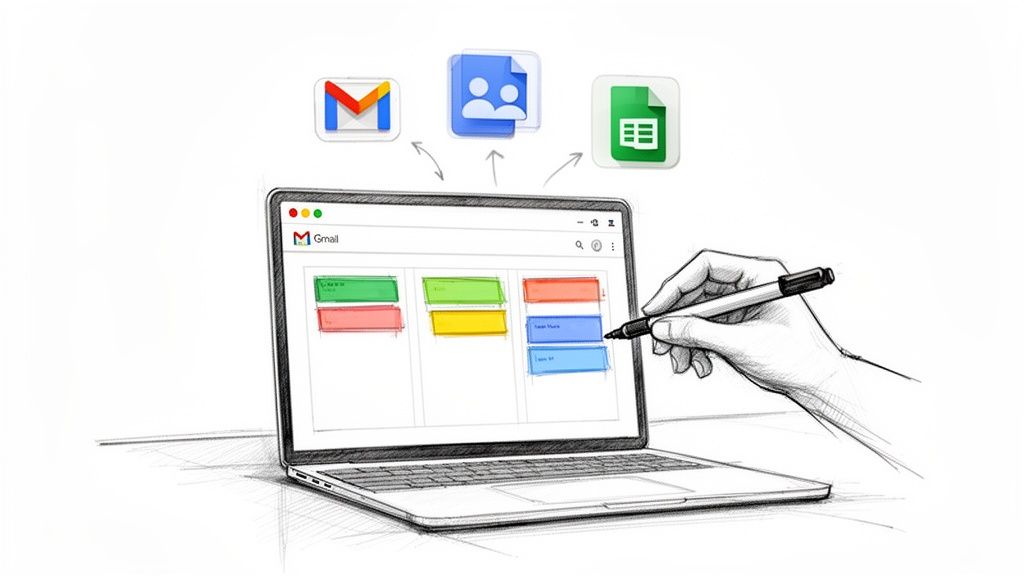
A solid sales process boils down to three key things: capturing every single inquiry, figuring out who's a serious buyer, and guiding them through your pipeline. The best way to do this is to build that process right into the tools you already use every day. You shouldn't have to constantly jump between different apps and spreadsheets just to keep track of your leads.
The Modern Way to Manage Leads in Google Workspace
If you're like most sales pros, you practically live in your inbox. The last thing you need is another complicated CRM to learn and manage. Trying to juggle leads between Gmail, a separate task list, and a messy spreadsheet is a surefire way to let opportunities slip through the cracks.
When your process is that disjointed, information gets lost, follow-ups are forgotten, and it’s impossible to get a clear picture of where each prospect is in the sales cycle. This isn't just inefficient. It actively sabotages your sales efforts.
The smarter solution is to manage your leads where the conversations are already happening: inside Google Workspace. By combining the tools you use constantly, like Gmail and Google Contacts, with some lightweight extensions, you can create a powerful, unified sales workflow. This approach turns your inbox into the command center for your entire sales operation.
Understanding the Core Workflow
The whole idea is to create a seamless journey for your leads, from their first email to the final handshake, without you ever having to leave your Google ecosystem. It’s a simple but effective three-stage process.
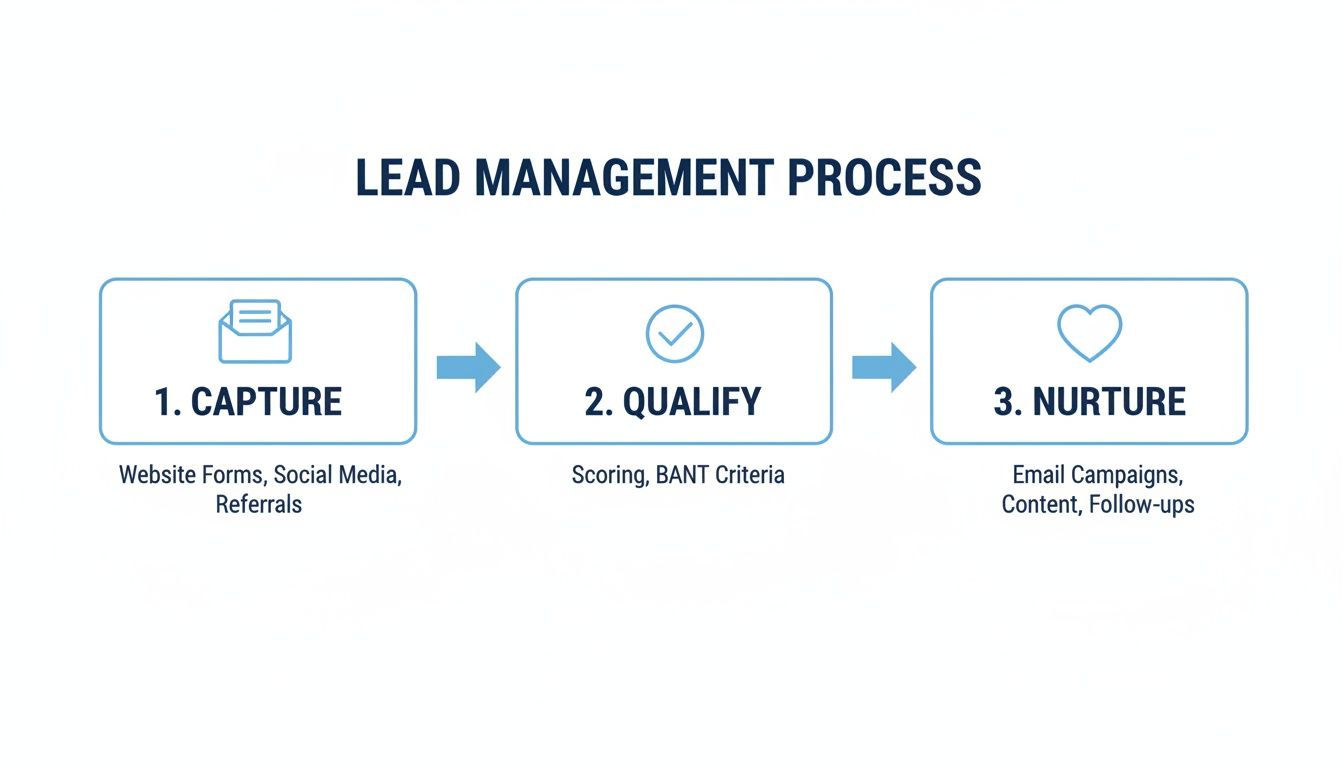
This visual shows a fundamental truth: successful selling depends on a clear, repeatable system for moving prospects from casual interest to real engagement.
Bringing your lead management into Google Workspace gives you some serious advantages over using separate, disconnected systems:
No More App Juggling: Keeping everything in one place means less time wasted switching between tabs and more time actually selling.
One Place for Everything: All lead info, communication history, and task statuses live in one central spot, accessible to the whole team.
Never Miss a Follow-Up: With visual reminders and tasks tied directly to your emails, no lead gets forgotten.
Work Smarter, Not Harder: You can automate simple tasks and get a clear view of your pipeline, letting you handle more leads with less effort.
A well-oiled lead management process is a game-changer because it forces you to focus your energy on the prospects most likely to convert. In fact, businesses that get lead nurturing right generate 50% more sales-ready leads at a 33% lower cost.
To bring this modern approach to life, here’s a quick look at how the key stages play out using your Google tools.
Key Lead Management Stages in Google Workspace
This table gives you a high-level overview of the unified sales process, showing how a lead moves from initial contact to a closed deal, all within the Google ecosystem you already know.
| Stage | Primary Tool | Key Action |
|---|---|---|
| Lead Capture | Gmail + Forms | Automatically capture inquiries from your website or inbox. |
| Qualification & Scoring | Sheets + Kanban Tasks | Analyze lead data and score them based on predefined criteria. |
| Pipeline Management | Kanban Tasks | Move qualified leads through visual stages (e.g., New, Contacted, Proposal). |
| Assignment & Follow-up | Gmail + Tasks | Assign leads to team members and set reminders for follow-up actions. |
| Nurturing & Engagement | Gmail Templates | Send personalized, automated email sequences to nurture prospects. |
| Reporting & Analytics | Google Sheets | Track key metrics like conversion rates and sales cycle length. |
By connecting these familiar tools, you're not just organizing your work; you're building a scalable sales machine directly inside your workspace.
Of course, choosing the right lead management software is crucial. While big, standalone platforms have their place, an integrated solution built for Google Workspace feels much more natural for teams who are already deep in that ecosystem. This guide will walk you through building that exact system, step by step.
Centralize Your Lead Capture and Qualification
Managing sales leads has to start at square one, the moment an inquiry hits your inbox. If you don't have a solid system for catching and organizing those first contacts, you're building your whole sales process on a shaky foundation. Opportunities get missed, follow-ups are forgotten, and your pipeline becomes a source of stress, not a clear path to revenue.
The first move is to turn your Gmail from a chaotic mess into an organized lead-capture machine. Stop relying on memory or just starring important emails. It's time to build a system that ensures no potential customer ever slips through the cracks.
Automating Lead Intake with Gmail Filters
Your inbox is a firehose of information. Valuable leads can easily get buried under newsletters, internal memos, and random updates. The trick is to automatically isolate and tag inquiries the second they land. This is where Gmail's filters and labels become your best friend.
Think about where your leads come from. A "Contact Us" form on your website? Do they often use specific words like "quote," "demo," or "pricing"? Use these patterns to build smart filters that do the heavy lifting for you.
For example, you could create a filter that automatically slaps a bright, can't-miss label like "🔥 New Lead" on any email from your website's contact form. This one simple action instantly pulls prospects out from all the noise.
Here’s a practical setup to get you going:
Create a "New Lead" label: This is the holding pen for all incoming inquiries before they get qualified.
Set up filters: Base your filters on the
From:email address (like[email protected]), subject line keywords (like "New Inquiry"), or even words in the body.Apply the label automatically: Tell the filter to apply your "New Lead" label. You could even have it "Skip the Inbox" so all leads are neatly filed away, ready for you to review.
This kind of automated triage makes sure every potential deal is captured and accounted for, all without you having to lift a finger.
Defining Your Lead Qualification Criteria
Once you have a steady stream of labeled leads, the next critical step is qualification. Let's be real: not every inquiry is a winner. Some are ready to buy today, while others are just kicking the tires. Wasting your time on unqualified prospects is one of the biggest productivity killers for any sales team. Qualification is the art of separating the hot leads from the merely curious.
To do this right, you need a clear set of criteria. What actually makes someone a "good fit" for your business? This isn't about guesswork; it's about defining the DNA of your ideal customer.
Qualification isn’t about rejecting people; it's about focusing your finite energy where it will have the greatest impact. A lead becomes a Sales Qualified Lead (SQL) when they are ready to engage with your sales team, signaling a high probability of conversion.
Consider these common qualification factors:
Budget: Can they actually afford your product or service?
Authority: Are you talking to a decision-maker, or just someone doing initial research?
Need: Do they have a real problem that your solution can actually solve?
Timeline: Are they looking to buy soon, or are they on a six-month research mission?
For a much deeper look at this, check out our detailed guide on how to qualify sales leads. Creating a simple checklist based on these factors will dramatically improve the quality of prospects flowing into your pipeline.
From Google Sheets to an Integrated CRM
Lots of small teams get their start tracking qualified leads in a shared Google Sheet. It’s a simple, collaborative way to log contact info, qualification notes, and current status. A basic sheet might have columns for Name, Company, Contact Info, Lead Source, and Status.
And while a spreadsheet is a decent first step, it gets messy fast as your lead volume grows. Manual data entry is a time-suck and a recipe for typos. This is where an integrated tool that hooks directly into Google Contacts becomes an absolute game-changer.
By using a tool that lives right inside your workspace, you can turn a qualified lead in Gmail into a contact record and a pipeline card in a single click. No more mind-numbing copy-pasting. You get a single source of truth for all customer info and lay the foundation for a visual, manageable sales pipeline right where you already do all your work.
Build a Visual Sales Pipeline Right in Your Inbox
Once you’ve nailed down how you capture and qualify leads, it’s time to get them into a living, breathing workflow. Let's be honest, spreadsheets and email labels can only get you so far before things start falling through the cracks. To really know where every deal stands with just a glance, you need a proper sales pipeline, and the best ones live right where the conversations happen: your inbox.
Imagine opening Gmail and seeing your entire sales process laid out visually. No more frantic searches through old emails or cross-referencing a clunky spreadsheet just to figure out what's next. That’s the real power of a Kanban-style pipeline. It's a simple idea that completely changes how you manage your leads.
Designing Your Pipeline Stages
First things first: you need to define the stages of your pipeline. Think of these as the major milestones on the journey from "curious prospect" to "happy customer." The key is to map out a logical flow that actually mirrors how your team sells.
Don't overcomplicate it. A clean, simple pipeline is always better than one with a dozen stages nobody understands. For most businesses, a solid starting point looks something like this:
New Lead: This is the front door. Every qualified lead you've identified lands here, ready for that first touch.
Contacted: You've sent the email or made the call. Moving a lead here is a clear signal that the ball is rolling.
Meeting Scheduled: This is a big win. The prospect has agreed to a demo, consultation, or discovery call.
Proposal Sent: After a great meeting, you've sent over the quote or proposal. Now the negotiation begins.
Closed Won / Closed Lost: The finish line. This gives you a clear end to the process and helps you track win rates over time.
This structure gives you instant clarity. You can immediately see how many deals are in each stage, spot potential bottlenecks, and know exactly which opportunities need your attention right now.
Bringing Your Pipeline to Life in Gmail
With your stages mapped out, you can build this system directly inside your workspace. Using a tool like Tooling Studio's Kanban Tasks, you can create a shared board that blends right into Gmail. Any email from a lead can be instantly converted into a card, which you can then just drag and drop between your stages.
The real magic of a visual pipeline isn't just about being organized—it's about creating momentum. Physically dragging a card from "Contacted" to "Meeting Scheduled" gives you and your team a small psychological win that is incredibly motivating.
Here’s what that actually looks like. This board is built right into the familiar Google interface, keeping everything in one place.
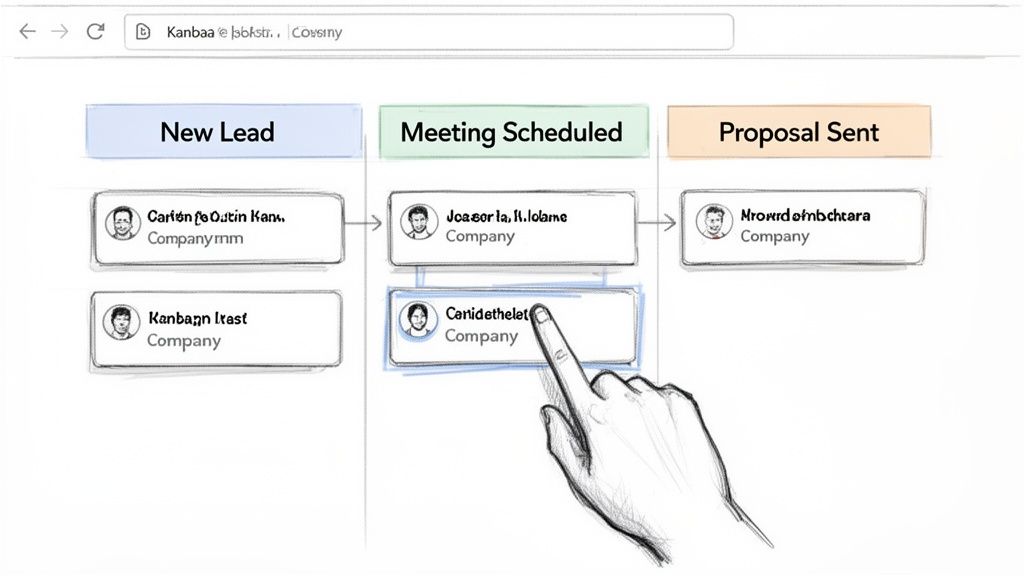
As you can see, each card is a lead, and the columns clearly show their progress. It makes managing your sales flow incredibly intuitive, all without ever having to leave your inbox.
A Practical Scenario for a Small Team
Let’s imagine a small marketing agency with a three-person sales team. They used to get dozens of leads every week, and tracking who was talking to whom was a total nightmare of forwarded emails and Slack messages.
By setting up a visual pipeline in their shared Gmail inbox, their entire workflow is transformed:
Lead Arrival: A hot inquiry comes in from their website form. The team lead quickly qualifies it and turns that email into a card in the "New Lead" column.
Assignment: She assigns the lead to a sales rep directly on the card, which sends an instant notification. The card now shows the rep's profile picture, so there's zero confusion about who owns the lead.
Progression: The rep makes contact and moves the card to "Contacted." After a great call, he drags it over to "Meeting Scheduled" and adds the meeting date right on the card as a deadline.
Collaboration: Before sending the proposal, the rep needs a pricing check. He @mentions a senior strategist in a comment on the card, keeping the conversation tied directly to the lead's email thread.
This simple system wipes out the confusion and ensures nothing ever gets missed. The team lead can see the entire pipeline at a glance, reassigning leads to balance workloads or jumping in to help where needed. It provides the structure of a CRM without the hefty price tag or complexity.
If you want to build this for yourself, you can learn more about creating a Google Kanban board. By visualizing your sales process, you turn a chaotic inbox into a well-oiled sales engine.
Automate Follow-Ups to Nurture More Leads
Let's be honest, consistent and timely follow-up is often the single thing that separates a closed deal from a missed opportunity. Once you've captured and qualified a lead, the real work begins—building trust and showing your value. This is exactly where so many sales processes break down. Manually following up is tedious, easy to forget, and just doesn't scale.
The good news? You can set up simple but incredibly powerful automations right inside Google Workspace to make sure no lead ever goes cold again.
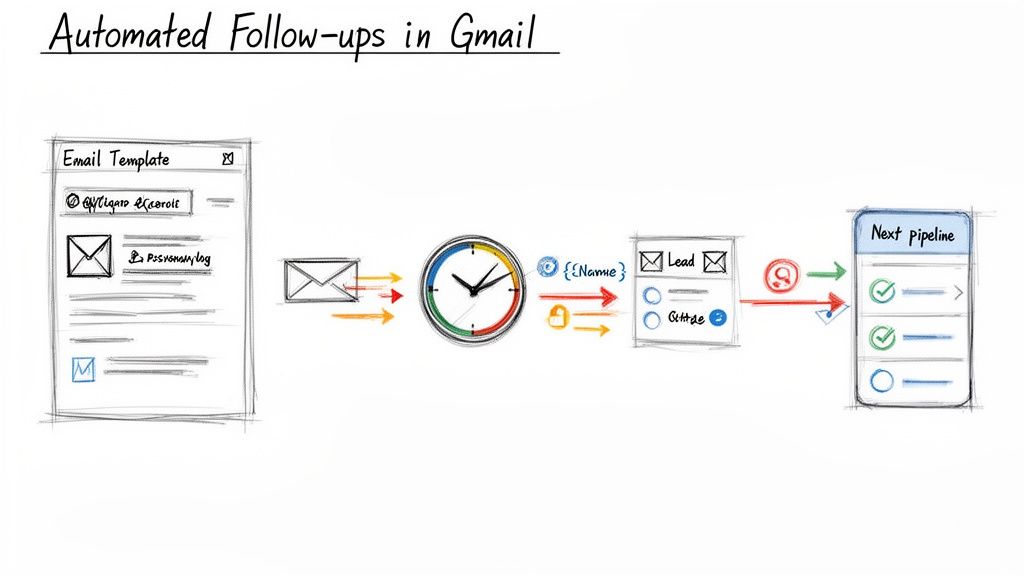
The idea isn't to replace the human touch, but to amplify it. Automation handles the routine check-ins, freeing you up to focus on the high-value conversations that actually close deals. It’s like having a tireless assistant who ensures you have a persistent, professional presence, keeping you top-of-mind without burning you out.
Crafting Your Follow-Up Sequences
Before you can automate a single thing, you need a playbook. What do you want to say, and when? Think through the common touchpoints in your sales cycle and draft a series of emails for each scenario. Instead of reinventing the wheel every single time, you'll have a set of proven, pre-written templates ready to deploy.
Every sales pro should have these essentials in their arsenal:
The Instant "Thank You": Fire this off the second a lead submits a form. It confirms you got their info and tells them what to expect next.
The "Checking In" Nudge: A polite, value-first email sent a few days after your initial contact if you haven't heard back. This is a great place to share a relevant case study or a helpful blog post.
The Post-Meeting Recap: Send this a few hours after a demo or discovery call to summarize the key points you discussed and nail down the next steps.
The "Proposal Sent" Alert: A quick heads-up letting them know the proposal they're waiting for has landed in their inbox. It prompts them to take a look and schedule a follow-up.
Gmail’s built-in templates feature is your best friend here. You can save these messages and pop them into a new email with just a couple of clicks, saving you a massive amount of time each month.
A well-oiled nurturing system isn't just a nice-to-have; it's a game-changer. Responding to a lead within five minutes can boost contact rates by a mind-boggling 900%. That stat alone shows why an efficient, automated system is so critical for keeping momentum.
Companies that get this right generate 50% more sales-ready leads at a 33% lower cost. Even better, those nurtured leads often make 47% larger purchases because you've spent time building a solid foundation of trust.
Connecting Automation to Your Visual Pipeline
This is where the magic really happens. Your automations shouldn't live on an island; they should be triggered by the actions you take in your visual pipeline. When you drag a lead's card from one stage to the next, it should automatically kick off the right communication.
Picture this workflow:
Lead Arrives: A new lead card pops into your "New Lead" column.
Initial Contact: You send your first outreach email and drag the card to the "Contacted" column. That simple move can automatically schedule your "Checking In" nudge to send in three days if you don't get a reply.
Meeting Booked: Once a meeting is on the calendar, you move the card to "Meeting Scheduled." This could trigger an automated reminder email to the prospect 24 hours before the call.
Proposal Stage: After your meeting, dragging the card to "Proposal Sent" can launch a series of follow-ups designed to answer common questions and guide them toward a decision.
You've just created a seamless, proactive nurturing machine. You're no longer just reacting to what's in your inbox; you're orchestrating a thoughtful journey for every prospect. For more strategies on this, be sure to read our detailed guide on automating email follow-ups.
By tying your communication directly to your pipeline stages, you build a scalable and effective system for how to manage sales leads, making sure every prospect gets the right message at the perfect time.
Measure and Optimize Your Sales Process
You can't improve what you don't measure. A well-designed sales process feels good, but data is what tells you if it’s actually working. Without tracking key metrics, you’re just flying blind, relying on gut feelings to make critical decisions.
To really get a handle on managing sales leads, you have to move from guesswork to a data-driven strategy. This means picking out the key performance indicators (KPIs) that truly reveal the health of your pipeline and show you exactly where to focus. The end game is a continuous improvement loop where insights drive action.
Identifying Your Most Important Sales Metrics
Before you can spot the logjams, you need to know what to look for. While you could track dozens of metrics, a few core KPIs give you the clearest picture of your sales performance, especially when managing everything inside Google Workspace.
Start by zeroing in on these essentials:
Lead Conversion Rate: This is the big one. What percentage of your leads actually become paying customers? It's the ultimate report card on your sales efforts.
Sales Cycle Length: How long does it take, on average, to turn a new lead into a closed deal? A long cycle might mean there’s friction somewhere in your process or you need to qualify leads better upfront.
Stage Conversion Rate: This metric is your secret weapon for finding where deals are stalling. It tracks the percentage of leads moving from one pipeline stage to the next (e.g., from "Meeting Scheduled" to "Proposal Sent").
Lead Source Effectiveness: Where are your best leads coming from? By tracking this, you can double down on the channels that deliver quality prospects and pull back on the ones that don’t.
By consistently monitoring these metrics, you can transform your sales process from a series of hopeful actions into a predictable engine for growth. Knowing your numbers is the first step toward scaling your success.
Spotting Bottlenecks in Your Visual Pipeline
Once your KPIs are defined, your Kanban board becomes more than just a to-do list—it's an analytical tool. The beauty of a visual pipeline is how easy it makes spotting problems before they blow up.
Just look for a column where lead cards are piling up. Is your "Proposal Sent" stage overflowing with deals that aren't moving? That’s a classic bottleneck. It tells you something is breaking down at that specific point. Maybe your proposals aren't compelling, your pricing is confusing, or your follow-up game is weak.
When you find a bottleneck, you can start asking the right questions:
Why are leads getting stuck right here?
What's different about the deals that do move forward from this stage?
Can we improve our communication or resources to help leads get past this point?
For example, a low conversion rate from "Contacted" to "Meeting Scheduled" is a clear signal that your initial outreach isn't hitting the mark. That's an actionable insight. You can immediately start testing new email subject lines, refining your value proposition, or trying different calls-to-action.
Creating a Continuous Improvement Loop
Gathering data is only half the battle. The real magic happens when you use those insights to refine your process. This is where the alignment between sales and marketing becomes non-negotiable. It’s a fact that organizations with tightly aligned sales and marketing teams generate 32% more revenue. This synergy is critical, especially when you consider that roughly 60% of B2B leads aren't properly qualified.
To truly optimize, you need to implement effective strategies for lead conversion that turn those prospects into paying customers. It’s all about using your data to make smarter decisions, quarter after quarter.
Set a regular rhythm, maybe monthly or quarterly, to review your metrics as a team. Celebrate what's working and brainstorm fixes for the areas that are lagging. By making data analysis a routine part of your sales culture, you build a system that gets smarter and more efficient all on its own.
Got Questions About Managing Leads in Google Workspace?
Even with a solid playbook, trying a new way to handle sales leads is bound to bring up a few questions. Shifting your process into a familiar place like Google Workspace is pretty straightforward, but it always helps to tackle the common worries right out of the gate.
Here are the most common questions we get, with clear answers to help you build your system with confidence.
Can I Really Manage a Full Sales Pipeline Using Only Google Workspace?
You absolutely can. For a lot of small businesses, freelancers, and growing teams, a big-name CRM is just overkill. It comes with a steep learning curve, a hefty price tag, and a mountain of features you’ll probably never touch. The truth is, the best sales process is the one your team actually uses.
By combining the tools you already have - like Gmail, Google Contacts, and Google Tasks - with a few lightweight extensions, you can build a powerful, visual system without all the usual cost and complexity.
This approach has some serious perks:
No More App Hopping: Your pipeline lives right in your inbox, so you can stop jumping back and forth between different programs. It saves a surprising amount of time and mental energy.
Your Team Will Actually Use It: Everyone is already in Gmail all day. When your sales process is part of that natural workflow, they're far more likely to stick with it.
It’s Way More Affordable: You get to skip the expensive monthly subscriptions that come with complex CRM software. It's a budget-friendly solution that can grow with you.
Everything stays inside the secure Google ecosystem you already know and trust. You get to build a process that fits your workflow, not the other way around.
What Are the First Steps to Set Up a Lead Management System in Gmail?
The trick is to start simple and add layers as you go. Trying to roll out a complex, multi-stage system overnight is a recipe for disaster. Instead, just focus on getting the foundation right first.
Here’s a practical way to get started:
Create Your Core Labels: Start with a handful of Gmail labels for your main sales stages. Keep it simple: New Lead, Contacted, Meeting Scheduled, and Proposal Sent is a great starting point.
Automate Lead Capture: Next, set up a few basic filters to automatically tag incoming inquiries with your "New Lead" label. You can filter by the sender (like your website's contact form) or by keywords in the subject line like "quote" or "demo request."
Add a Visual Tool: Once new leads are being sorted automatically, bring in a visual tool like a Kanban board. This turns your flat labels into interactive columns where you can see every lead’s status at a glance and drag them from one stage to the next.
This step-by-step approach lets you build a solid system without getting overwhelmed.
How Do I Get My Team to Follow This Process Consistently?
Consistency comes down to two things: making it easy and making it clear. If a process is confusing or feels like extra work, people will find a way around it. The best way to get everyone on board is to make the system visual, collaborative, and built right into the tools they already use.
A shared Kanban board inside Gmail is the secret sauce for team consistency. When everyone can see the status of every lead in real time, it creates a powerful sense of shared ownership and accountability.
This makes following the process feel natural because it solves more problems than it creates. Team members can assign leads, leave notes right on a lead’s card, and set due dates that sync with their Google Tasks—all without ever leaving their inbox.
When the right way to manage leads is also the easiest way, consistency just happens. It stops being a mandate and starts being a genuinely helpful tool that makes everyone’s job easier.
Ready to stop juggling apps and build a visual sales pipeline right inside your inbox? Tooling Studio offers lightweight extensions that turn Gmail into a powerful, collaborative workspace. Discover how our Kanban Tasks and Sales CRM tools can help you manage your leads more effectively.
 Download our Plugin