
Finding the Top CRM Software for Small Business
Discover the top CRM software for small businesses with this guide. We compare features, pricing, and integrations to help you choose the best.
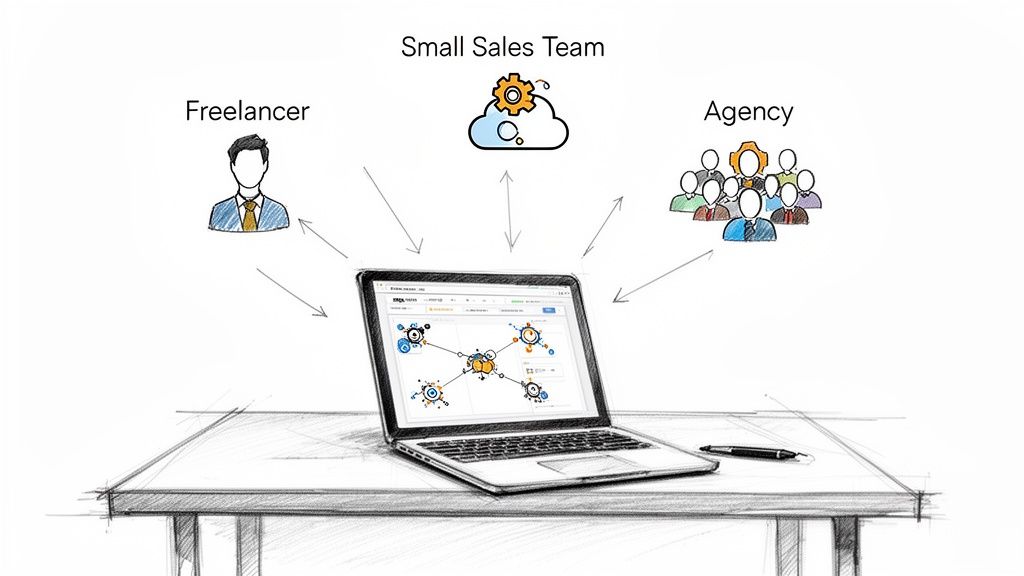
The right CRM software for a small business needs to be more than just powerful. It has to be simple and affordable. For most small teams, the best choice is a tool that nails the fundamentals: strong contact management, a clear way to track your sales pipeline, and easy integration with the tools you already use, like Google Workspace. The goal is to get rid of complexity so you can focus on what matters: building relationships.
Why a CRM Is No Longer Optional for Small Businesses
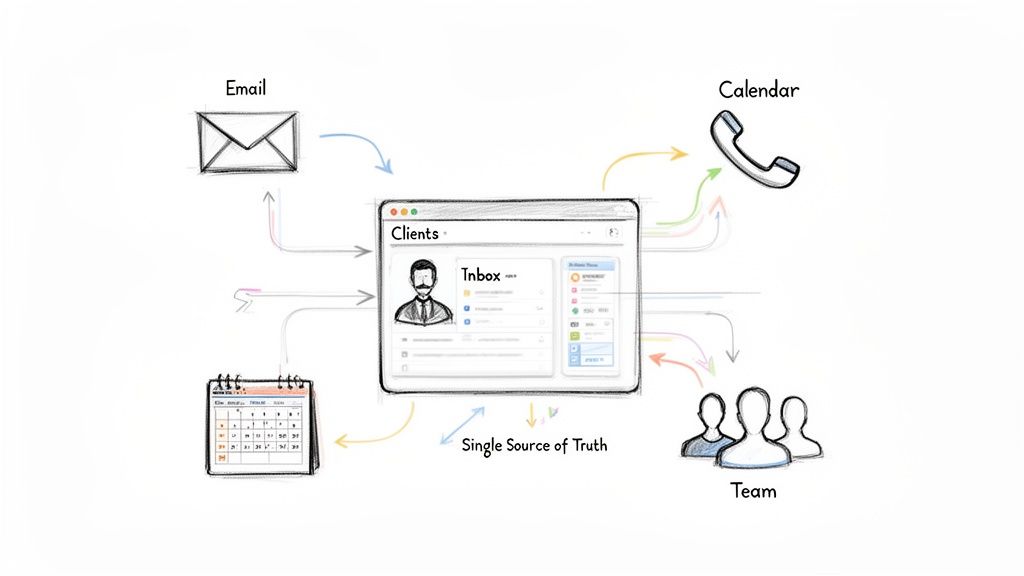
Let's be honest. Trying to manage customer relationships with spreadsheets, sticky notes, and your own memory just doesn't work anymore. As a small business, every single lead and interaction is critical. When your data is all over the place, opportunities inevitably get lost in the shuffle. A Customer Relationship Management (CRM) system isn't just a nice-to-have; it's a core tool for survival and growth.
At its heart, a CRM gives you a single source of truth for all your client data. It brings every email, phone call, meeting note, and deal stage into one organized place. That shift from scattered information to a unified database is what lets your team make smarter, data-driven decisions on the fly.
Today's lightweight CRMs are built for the way small teams operate - fast and lean. They take the tedious administrative work off your plate, like data entry and follow-up reminders, freeing up your team to focus on activities that actually bring in revenue.
The Real Market Drivers for CRM Adoption
The boom in CRM adoption among small businesses isn't just a trend; it's a direct response to what the market demands. To compete, you have to be efficient. A CRM provides the structure to operate like a much bigger company without all the overhead.
The numbers tell the story. The Small Business CRM Software market is on track to hit $7.18 million in 2025 and is projected to more than double to $14.72 million by 2033. This isn't just hypothetical growth; 65% of businesses adopt a CRM within their first five years because they see it as a key driver for growth. You can dive deeper into CRM statistics and their impact if you're curious.
This trend brings up a critical point for any small business owner.
Choosing the right CRM isn’t about finding the platform with the most features. It's about identifying the specific features that solve your biggest problems and seamlessly integrate into your daily workflow, especially within ecosystems like Google Workspace.
Moving Beyond Features to Solve Core Problems
A truly effective CRM for a small business should solve tangible problems, not add another layer of complexity to your day. Before you even start comparing software, you need to get clear on what challenges you're trying to fix.
Here are the main problems a well-chosen CRM solves:
Disorganized Customer Data: It centralizes everything covering contact info, communication history, sales progress—so valuable details don't get lost in someone's inbox or a forgotten spreadsheet.
Inconsistent Follow-Up: With automation and task management, no lead falls through the cracks. It helps standardize the follow-up process for everyone on the team.
Lack of Sales Visibility: A visual sales pipeline gives you a clear, real-time look at all your deals. This makes it so much easier to forecast revenue and spot bottlenecks before they become major issues.
Wasted Time on Manual Tasks: By automating data entry and routine emails, a CRM frees up your team to focus their energy on building relationships and closing deals.
Ultimately, the best CRM is the one your team will actually use. An overly complicated system just creates friction and resistance, which defeats the entire purpose. The goal is to find a tool that enhances the way you already work, not one that forces you to completely reinvent your processes. This practical, problem-solving mindset is what will guide our evaluation throughout this guide.
How to Evaluate CRM Software for Your Business Needs
Picking the right CRM for your small business can feel like navigating a maze. With endless feature lists and confusing pricing tiers, it’s all too easy to get stuck in "analysis paralysis" or, even worse, commit to a tool that just adds more busywork to your day.
To make a decision you won't regret, you need a simple, practical framework. Forget the marketing hype. Let's cut through the noise and focus on the five pillars that actually matter for your team. This isn't just about what a CRM can do, but what it will do for your business, day in and day out.
Pillar 1: Pricing and Scalability
For a small business, the budget is king. Hidden fees, confusing per-user costs, and surprise charges for "premium" features can quickly turn an affordable CRM into a financial headache. Your goal is to find a tool with a transparent pricing model that grows with you, not ahead of you.
Before you commit, ask yourself these questions:
Is the price tag all-inclusive? Scour the pricing page for add-on costs. Will you have to pay extra for API access, essential integrations, or more contacts? Be wary of anything that isn't clearly stated upfront.
How does the cost scale? Do the math. What will your bill look like when your team grows from two people to five, or even ten? A low entry price is tempting, but a steep jump for each new user can become a real problem down the line.
Is there a free trial or a free-forever plan? This is non-negotiable. You need to get your hands on the software to see if it feels intuitive and plays nicely with the tools you already use.
Pillar 2: Core Features You Will Actually Use
Let's be honest. Most CRMs are bloated with advanced features that sound impressive but are total overkill for a small business. Don't get distracted by the bells and whistles. Instead, focus on the two fundamentals that deliver 80% of the value: solid contact management and a clear pipeline view.
A CRM’s real power for a small business lies in its ability to centralize contact data and provide a clear, visual overview of your sales process. If a platform doesn’t excel at these two functions, its flashy extra features won’t matter.
Your core feature checklist should be dead simple:
Centralized Contact Management: Can you see a complete history of every interaction—emails, notes, meetings, and tasks—all in one place for every contact? If not, it's not a real CRM.
Visual Sales Pipeline: Does the software offer an intuitive, drag-and-drop pipeline to track deals from one stage to the next? This is the key to forecasting sales and spotting bottlenecks before they become major issues.
Pillar 3: Ease of Use and Team Onboarding
The most powerful CRM on the market is completely useless if your team won't use it. Complicated interfaces and steep learning curves are the fastest way to kill adoption and waste your investment. The best CRM is the one that just clicks with your team from day one.
A clean, user-friendly design is everything. Look for a simple layout, clear navigation, and a system that lets you do common things—like adding a note or updating a deal—in just a few clicks. If your team can get up and running with minimal training, you’ll start seeing a return on your investment almost immediately.
Pillar 4: Integration With Your Existing Workflow
Your CRM shouldn't be another software island. It needs to connect seamlessly with the tools your team lives in every day. For most small businesses, that means a deep, meaningful integration with Google Workspace.
To see just how powerful this can be, you can explore our deep dive on the best CRM that works with Google Workspace.
A great integration is more than just syncing contacts. It's about managing your pipeline directly from Gmail, logging emails automatically, and scheduling meetings without ever leaving your inbox. This kind of tight-knit connection removes friction and makes the CRM a natural part of your team's daily routine, not another chore.
Pillar 5: Customization and Future Growth
Finally, think about where your business is headed. The CRM you pick today needs to be able to support you as you evolve. You don’t need a complex, enterprise-level system right now, but you do need a platform with enough flexibility to adapt to your changing processes.
Look for simple but powerful customization options. Can you create custom fields to track the specific data that matters to your industry? Can you build out different sales pipelines for new products or services? A platform that offers this kind of straightforward flexibility will provide lasting value, helping you avoid the painful process of migrating to a new system in a year or two.
A Head-to-Head Comparison of Leading Small Business CRMs
Okay, you've got your evaluation framework. Now it's time to put some of the top small business CRMs to the test. Instead of drowning you in a sea of feature lists, this comparison cuts straight to the practical differences that actually matter for small teams.
We’ll look at three well-known platforms: HubSpot, Zoho CRM, and monday.com, and see how they stack up against a different breed of tool: the deeply integrated Google Workspace CRM. This isn't about finding one "best" CRM; it's about finding the best fit for how your business really operates.
HubSpot: Your All-in-One Growth Platform
HubSpot is usually the first name people think of, and for good reason. Its free CRM is incredibly generous, giving you powerful tools for managing contacts and deals that can carry a small business for a long time before you even think about paying.
But where HubSpot really shines is in its interconnected "Hubs" for marketing, sales, and customer service. If your business is built on inbound marketing—drawing customers in with blogs, SEO, and social media—HubSpot is in a league of its own. It creates a smooth journey from a lead captured on your website, through an email nurturing campaign, and right into your sales pipeline.
Here's a look at HubSpot's clean dashboard, designed to bring all your sales and marketing efforts into one place.
The screenshot shows just how well HubSpot pulls different business functions into a single view, making it a top contender for teams that want everything under one roof.
Key Differentiator: While other CRMs treat marketing tools like an afterthought, marketing automation is in HubSpot’s DNA. It’s the go-to CRM for small business owners who see content and email as their main engine for growth.
That all-in-one approach can be a double-edged sword, though. As you grow and need more advanced features, the price can climb fast, especially once you add more people or upgrade to higher tiers.
Zoho CRM: The Comprehensive Business Suite
Zoho CRM is a seriously compelling alternative, especially for businesses that need more than just sales and marketing tools. It's one piece of the enormous Zoho ecosystem, which includes everything from accounting software (Zoho Books) to project management (Zoho Projects).
This makes Zoho a fantastic choice if you're looking to build out a fully integrated operational stack without breaking the bank. The per-user pricing is typically more affordable than HubSpot, and the feature list you get at every tier is packed. Even at lower price points, you’ll find advanced analytics, process management, and deep customization options.
The tradeoff? It can be complex. With so many features and settings, Zoho can feel less intuitive than HubSpot right out of the box, and the learning curve is definitely steeper. It takes more initial setup to get it running just right, but your reward is a system that can be tailored to manage almost any part of your business.
monday.com: The Visual Workflow Manager
Unlike traditional CRMs, monday.com started life as a work management platform. Its power comes from its super visual and flexible interface, which uses customizable boards to manage just about any workflow you can imagine—from sales pipelines and project plans to marketing campaigns and client onboarding.
This makes monday.com an amazing choice for project-driven teams like creative agencies, consultants, or service businesses. If your sales process is tightly linked to project delivery, monday.com lets you manage the entire client lifecycle in one spot. You can drag a deal from "Prospect" to "Won," then seamlessly convert it into a project board for your team to execute, all without switching tools.
The platform's visual design is its biggest win. The drag-and-drop interface and bright, colorful status columns make it dead simple to see exactly where everything stands. However, for a team with a more traditional, high-volume sales process, it might feel like it's missing some of the specialized sales automation features you’d find in a dedicated CRM like HubSpot or Zoho.
The Integrated Google Workspace Alternative
For a lot of small teams, the biggest productivity killer isn't a lack of features. It's context switching. Jumping between your inbox, your calendar, and a separate CRM tab just breaks your flow and adds friction to your day. This is where a lightweight CRM that lives inside Google Workspace becomes a game-changer.
These tools, usually Chrome extensions, embed CRM functionality right into your Gmail. This approach has some killer advantages:
Zero Learning Curve: Your interface is the inbox you already know and love, which slashes onboarding time.
Ultimate Efficiency: You can manage contacts, update deals, and track your entire communication history without ever leaving Gmail.
Cost-Effectiveness: They're typically much cheaper, since they're building on the ecosystem you already pay for and use every day.
This kind of solution is perfect for solopreneurs, freelancers, and small sales teams who care more about speed and simplicity than having a million features they’ll never use. To learn more about this approach, check out our guide on finding a great CRM integrated with Gmail and see if it’s the right fit for your workflow.
At-a-Glance CRM Comparison for Small Business Teams
To make the choice a bit clearer, I've put together a simple table that breaks down the core differences between these platforms. It's designed to help you quickly see which one aligns best with your team's needs.
| CRM Solution | Ideal For | Starting Price (Per User/Month) | Key Google Workspace Integration | Primary Strength |
|---|---|---|---|---|
| HubSpot CRM | Businesses focused on inbound marketing and sales alignment. | Free plan available; paid plans start around $20. | Strong sync with Gmail and Google Calendar for logging emails and meetings. | Best-in-class marketing automation and a user-friendly interface. |
| Zoho CRM | Businesses needing a powerful, all-in-one suite to run multiple operations affordably. | Free plan available; paid plans start around $20. | Deep integration across the entire Zoho suite and Google Workspace. | Unbeatable value for a comprehensive and highly customizable feature set. |
| monday.com | Project-driven teams and service businesses that need to manage the full client lifecycle. | Starts at $15 (minimum 3 users). | Syncs with Google Calendar and allows embedding of Google Docs/Sheets. | Highly visual, flexible, and customizable workflow management. |
| Integrated CRM | Teams that live in Google Workspace and prioritize speed and efficiency over feature depth. | Varies, but often starts lower than traditional CRMs. | Native embedding directly within the Gmail and Google Contacts interface. | Eliminates context switching and offers unparalleled ease of use. |
Ultimately, the right tool depends entirely on your team's workflow. A marketing-heavy team will love HubSpot, a budget-conscious business needing an all-in-one solution will lean toward Zoho, and a project-based agency will find a perfect match in monday.com. And for those who just want to stay in their inbox, an integrated CRM is the clear winner.
Choosing the Right CRM for Your Specific Business Scenario
It's one thing to compare feature lists on a website, but the real test of a CRM is how it actually fits into your day-to-day grind. A platform that's a perfect match for one business can feel like a clunky, over-engineered headache for another. The best choice always boils down to your team's size, your daily workflow, and what you're really trying to accomplish.
To get past the theory and into a practical decision, let's walk through three common scenarios I see all the time. Each has its own unique pressures and priorities, meaning each needs a different kind of tool to succeed. Match the right tool to the job, and you’ll actually see a return on your investment.
This decision tree can help you visualize where you fall.
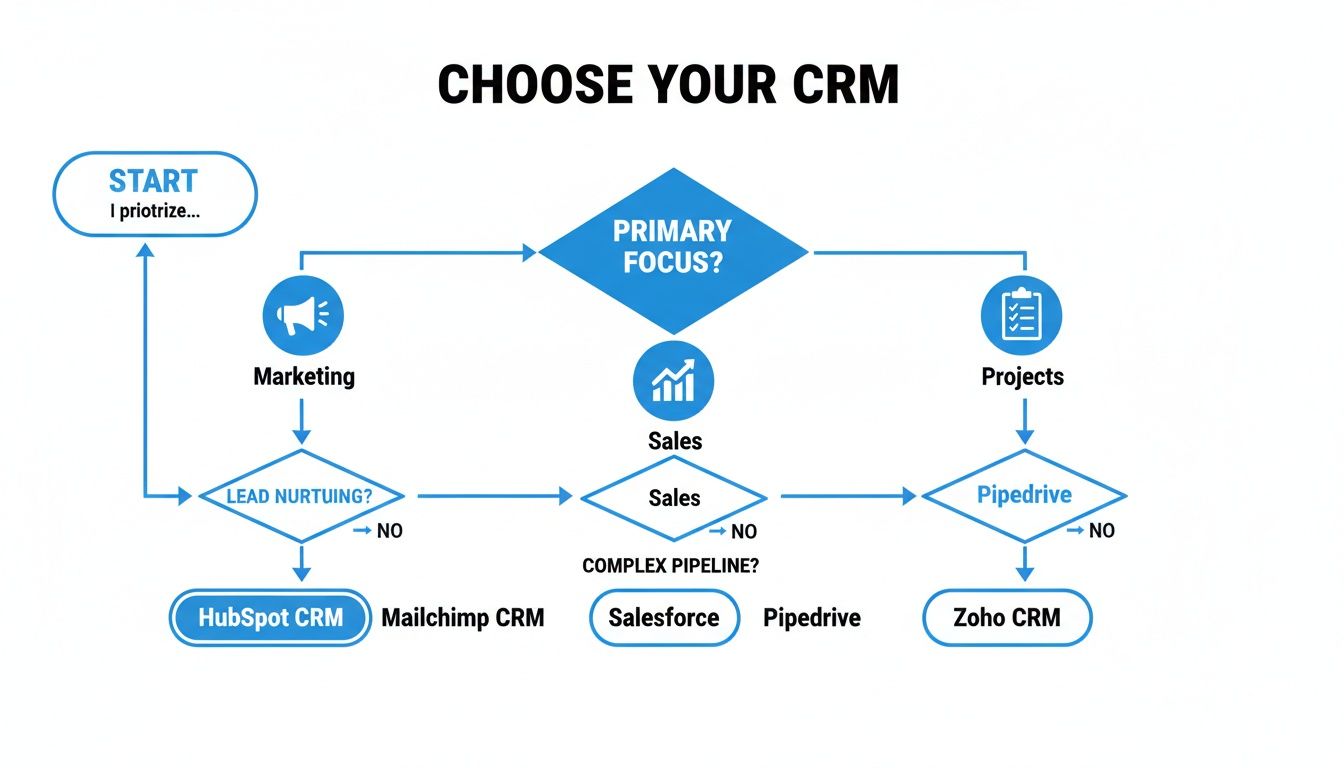
As you can see, your core focus—whether it’s marketing, sales, or project delivery—points you toward very different types of CRMs.
Scenario 1: The Solopreneur in Gmail
The solo freelancer or consultant practically lives in their inbox. Their entire business revolves around client emails, tracking a few high-value deals, and keeping notes from falling through the cracks. The biggest risk isn't managing a huge pipeline, but simply forgetting a critical follow-up.
For this person, every click counts. A big, traditional CRM is just overkill. It creates more admin work than it solves. The goal is to add just enough structure without slowing things down.
Top Recommendation: An Integrated Google Workspace CRM
A lightweight CRM that works as a Chrome extension right inside Gmail is the hands-down winner here. It completely cuts out the productivity-killing tab-switching. With a tool like this, the solopreneur can:
Manage Deals from the Inbox: Update a deal’s stage, scribble a note, or set a reminder without ever leaving the email thread.
Keep a Simple Pipeline: See their handful of deals on a clean Kanban board that sits right beside their messages.
Avoid Feature Bloat: Pay for what they actually need—contact history and deal tracking—not a bunch of complex marketing automation they'll never touch.
An integrated CRM turns your familiar Gmail interface into a focused command center. It gets that a solopreneur needs speed and simplicity, making it the smartest and most cost-effective option.
Scenario 2: The Growing Sales Team of 2-5 Reps
Once you’ve got a small team of 2-5 reps, the game changes completely. The focus snaps from individual hustle to team collaboration and visibility. Now, the sales manager or owner needs a bird's-eye view of the entire pipeline to forecast revenue and know who needs coaching.
Suddenly, consistency is king. The team needs one standard way to log calls, update deals, and hand off leads. This is the point where spreadsheets officially break, creating data silos that make teamwork impossible.
Top Recommendation: HubSpot CRM
HubSpot's free and starter plans feel like they were designed for this exact moment. It gives a growing team the structure it needs without a steep learning curve, which is critical when everyone is already busy.
With HubSpot, a small sales team can:
Collaborate on a Shared Pipeline: Everyone works from the same visual pipeline, giving the manager an instant, real-time look at every deal in motion.
Automate Simple Follow-Ups: Set up basic email sequences to make sure every new lead gets a timely, consistent touchpoint.
Track Team Performance: Use the built-in dashboards to watch key metrics like how fast deals are closing and which reps are hitting their numbers.
Scenario 3: The Project-Based Creative Agency
For a creative agency, design firm, or consultancy, winning the deal is just the beginning. The real work starts after the contract is signed. For these businesses, the client lifecycle is a seamless blend of sales and project delivery, and the handoff between those two phases is where things often go wrong.
This kind of business doesn't just need a sales pipeline. They need a single source of truth that connects client acquisition all the way through to project completion.
Top Recommendation: monday.com
While it's not a "CRM" in the classic sense, monday.com nails the workflow that project-driven businesses depend on. Its visual, flexible "work OS" is perfect for managing the entire client journey from start to finish, all in one place.
An agency using monday.com can:
Create a Unified Workflow: A client can move from a "Sales Pipeline" board to a "Client Onboarding" board and then to a "Live Projects" board with just a drag-and-drop.
Improve Team Collaboration: The sales team and the delivery team can see everything—from the initial proposal to the final deliverables—killing miscommunication before it starts.
Visualize Everything: The colorful, customizable boards give you an immediate, at-a-glance status update on every single client and project.
When a Lightweight Integrated CRM Is the Smarter Choice
Standalone, feature-rich CRMs are powerful, but they have a dirty little secret: for small teams, they often kill productivity with context switching. Constantly bouncing between your email, calendar, and a separate CRM platform shatters your focus and bleeds away valuable time. This is exactly where a different breed of tool—the lightweight integrated CRM becomes the smarter choice.
These CRMs, usually delivered as simple Chrome extensions, live directly inside the apps you already use all day, every day, like Google Workspace. Instead of being another software island you have to swim to, the CRM is just there, woven right into your workflow. It creates a seamless experience that completely changes how you manage customer relationships.
The biggest win here is the almost non-existent learning curve. When your CRM operates within the familiar confines of Gmail, there’s no new dashboard to master or complex menu to memorize. Your team can manage contacts, update deals, and track communications without ever leaving their inbox, which means faster adoption and an immediate boost in productivity.
The Power of Eliminating Friction
The real magic of an integrated CRM is its ability to strip away friction from your daily grind. Every little action, from logging a new lead to updating a deal stage, happens in the moment, right where the conversation is taking place.
Think about these core advantages:
Native Gmail and Google Contacts Synergy: Contact info and communication history automatically pop up right next to your emails. This gives you instant context for every conversation, no digging required.
Reduced Subscription Costs: These tools build on top of the Google Workspace ecosystem you're already paying for. That means you get powerful features at a fraction of the cost of those big, all-in-one platforms.
Avoiding Feature Bloat: You get the essentials you actually need—contact management, pipeline tracking, and task reminders—without the overwhelming complexity of enterprise-grade software.
For many small businesses, a full-blown CRM is just overkill. Sometimes, a more targeted solution like one of the many specialized loyalty applications for small businesses is a better fit for nurturing existing customer relationships without the baggage of a sales pipeline.
Who Benefits Most from an Integrated CRM
This stripped-down approach isn't a silver bullet for everyone, but for certain types of businesses, it's undeniably the most efficient way to work. If your team fits any of these descriptions, an integrated CRM should be at the top of your evaluation list.
This model is perfect for teams that value speed and efficiency above all else. For small teams hungry for a unified task and sales pipeline, plugging CRM extensions into their workflow can boost productivity by 34% and shave 5-10 hours off their weekly workload. It effectively turns a familiar tool like Gmail into a command center for sales.
The best CRM is the one your team actually uses. By meeting your team where they already work—their inbox—an integrated solution removes the single biggest barrier to adoption. It transforms CRM from a chore into a natural part of the workflow.
Ultimately, this approach is a perfect match for:
Teams Living in Google Workspace: If your entire operation runs on Gmail, Google Calendar, and Google Contacts, an integrated CRM will feel less like a new tool and more like a natural upgrade.
Businesses Prioritizing Speed Over Complexity: For solopreneurs, freelancers, and small sales teams, the ability to manage deals without clicking away from an email is a massive competitive edge.
Sales Reps Needing In-the-Moment Tools: It empowers reps to update their pipeline the second they get a client email. This ensures your data is always accurate without adding a bunch of tedious admin work later.
Your Step-by-Step Plan for a Smooth CRM Rollout
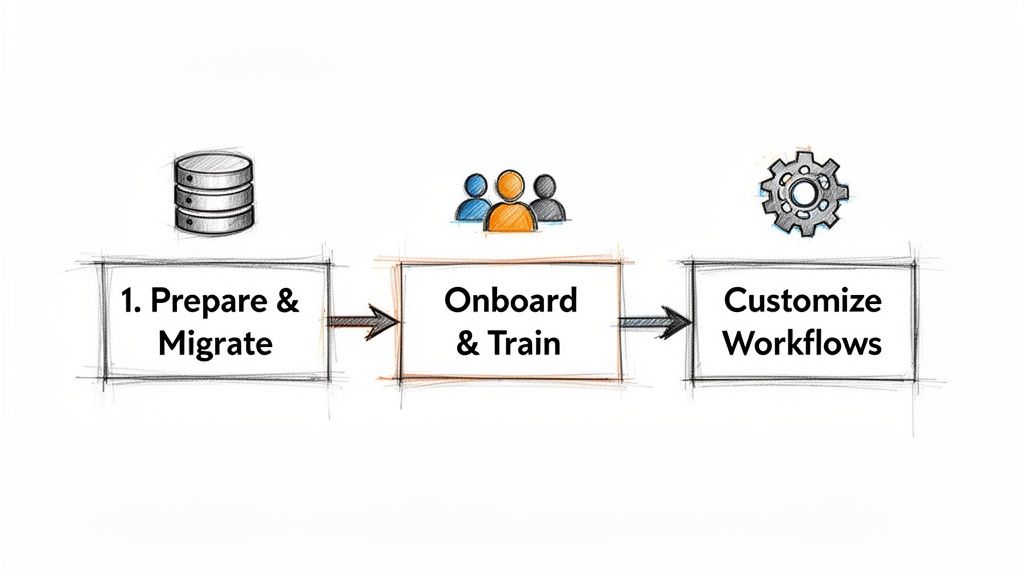
Choosing the right CRM for your small business is a huge first step, but the real magic happens during implementation. A smart, phased rollout takes the mystery out of the transition, keeps disruptions to a minimum, and gets your team seeing the benefits right away.
Let’s break the process down into three manageable stages.
Stage 1: Prepare and Migrate Your Data
Let’s be honest: your CRM is only as good as the data you put into it. Before you even think about importing anything, take the time to clean up your existing contact lists. This is a non-negotiable step that prevents a cluttered system and ensures your team actually trusts the tool from day one.
Start by exporting all your contacts, deals, and notes from spreadsheets or your old system. From there, your mission is to hunt down and merge duplicate entries, fix outdated information, and standardize the formatting for things like names and addresses. Once your data is sparkling clean, you can confidently import it into the new CRM, mapping the old fields to their new homes.
Stage 2: Onboard and Train Your Team
Team adoption will make or break your CRM's success. You can't just hand over a login and hope for the best. A structured onboarding session is essential for building confidence and showing everyone how this new tool will genuinely make their jobs easier.
Keep your training plan simple and focused:
Set Up User Roles: Define permissions for each person. This ensures team members only see the information they need to do their job, which keeps things clean and secure.
Run a Practical Session: Host a quick, hands-on training that walks through the core daily tasks. Think creating a contact, updating a deal, or logging a call.
Establish a Champion: Pick one person to be the go-to expert for questions. Having an internal resource encourages peer-to-peer learning and takes the pressure off you.
A successful CRM launch isn’t about mastering every single feature on day one. It’s about getting your team comfortable with the 20% of functions they'll use 80% of the time. Keep that initial training laser-focused on these core workflows.
Stage 3: Customize Your Core Workflows
With clean data in the system and a trained team ready to go, the final step is to mold the CRM to fit your business like a glove. This is where you turn a generic piece of software into your central command center for all things customer-related.
Start with the absolute basics: build out your main sales pipeline. Create stages that mirror how you actually sell, from "New Lead" to "Proposal Sent" and "Deal Won." Next, create a few task templates for common follow-ups. This standardizes your team’s approach and saves a ton of time.
This phased approach guarantees a much smoother transition, leading to faster adoption and a quicker return on your investment. For a deeper dive into getting clients comfortable with new systems, check out our guide on customer onboarding best practices.
Your Top Questions About Small Business CRMs, Answered
Picking the right CRM for your small business can feel like a big decision, and it’s natural to have questions. Here are some straightforward answers to the questions we hear most often, so you can move forward feeling confident.
How Much Should a Small Business Actually Pay for a CRM?
The price tag on CRMs can be all over the place, but you don't need to break the bank. Many of the best options have free-forever plans that cover the essentials, like managing contacts and tracking deals.
When you're ready to upgrade, paid plans typically start around $15-$25 per user each month. The real trick is to find a tool with transparent pricing that grows with you—don't get stuck paying for a bunch of enterprise features you’ll never touch.
Is Setting Up a New CRM a Huge Hassle?
It really isn't anymore. Long gone are the days of clunky, complicated software rollouts. Modern CRMs are built for people who don't have an IT department on speed dial.
Most platforms will walk you through importing your contacts directly from a spreadsheet or your Google Contacts. Getting the basics in place—like defining your sales stages and inviting your team—can honestly be done in under an hour. You can be up and running fast, without derailing your whole workflow.
Ready to manage your sales pipeline right from Gmail? Our Sales CRM syncs with Google Contacts, adds instant structure, and requires zero setup hassle. Try it free today on Tooling Studio.
Manage contacts, deals, and follow-ups inside Google Workspace
Tooling Studio Sales CRM gives Gmail and Google Contacts teams a lightweight pipeline: contacts, organizations, deals, notes, tags, custom fields, owners, and shared follow-up work without a heavy CRM rollout.