
How to Qualify Sales Leads Without Leaving Google Workspace
Discover how to qualify sales leads using a proven framework inside Google Workspace. Build an ICP, score leads, streamline sales process.
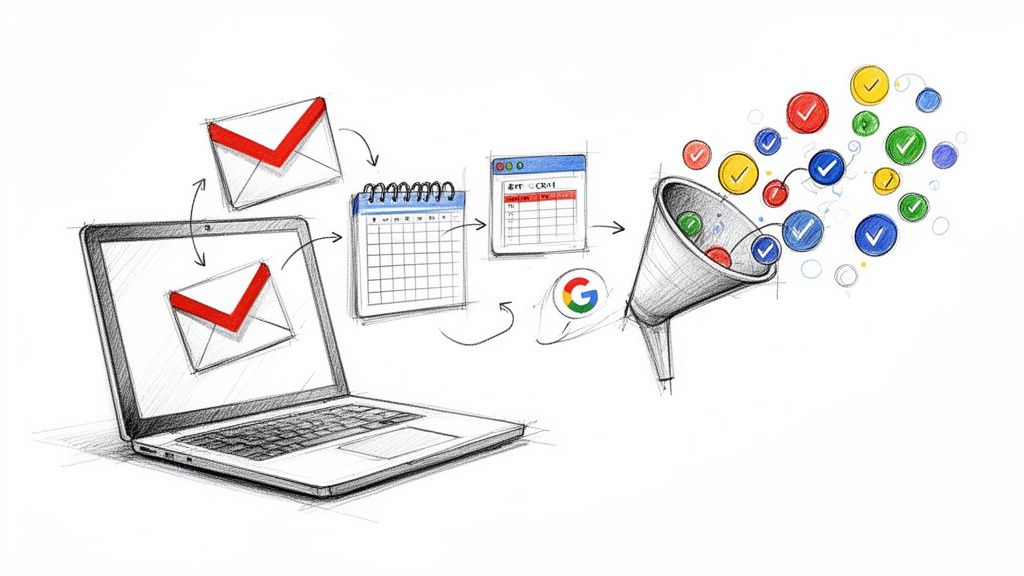
Qualifying a sales lead isn't just about checking boxes; it's about filtering your raw list of contacts to find the people who are actually likely to buy. It's the critical step that separates high-potential opportunities from all the surrounding noise.
This process means using a solid framework to figure out a lead's budget, authority, need, and timeline. The goal? To make sure your sales team is spending their energy on deals that have a real shot at closing.
Why Your Sales Team Is Chasing Ghosts
Let’s be honest, a lot of sales pipelines are haunted. They’re full of "ghost leads". Those contacts who grabbed a whitepaper or sat through a webinar but have absolutely no real intention of buying anything. Ever.
Without a qualification process, your sales team ends up spending countless hours chasing these phantoms. They send follow-up emails into the void and make calls that go straight to voicemail.
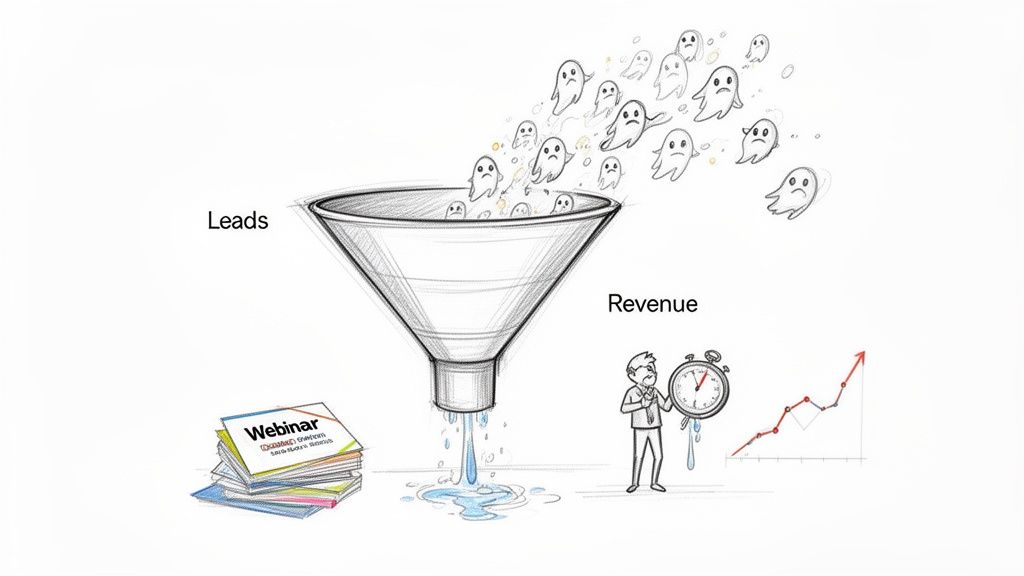
This isn't just inefficient. It's a direct hit to your revenue and team morale. When reps are drowning in low-quality leads, their focus shatters, and the truly valuable opportunities inevitably slip through the cracks.
I've seen this happen countless times with SaaS companies that get flooded with webinar sign-ups. They get a huge influx of contacts but can't find the handful of people who are genuinely ready for a demo. The result is a leaky sales funnel where potential customers are lost simply because effort was pointed in the wrong direction.
The Real Cost of Unqualified Leads
The fallout from a poorly managed pipeline is pretty staggering. Research shows that an astounding 79% of marketing-generated leads never convert into sales, usually because they were never a good fit in the first place.
Worse yet, sales teams often don't even follow up on most of the leads they're given. This huge disconnect between marketing and sales creates a massive revenue leak, with your team burning resources on prospects who were never going to become customers anyway.
Lead qualification is the filter that turns a chaotic list of contacts into a predictable revenue engine. It’s the difference between hoping for sales and building a system that consistently delivers them.
Without a clear system, your reps are left guessing which leads to prioritize. This leads directly to frustration and missed targets.
By putting a simple qualification framework in place, you give them the power to focus their expertise where it truly matters. You might also want to check out our guide on how to track sales leads effectively with the tools you already have. This simple shift from chasing quantity to focusing on quality is the first real step toward building a sales operation that actually works.
Crafting Your Ideal Customer Profile
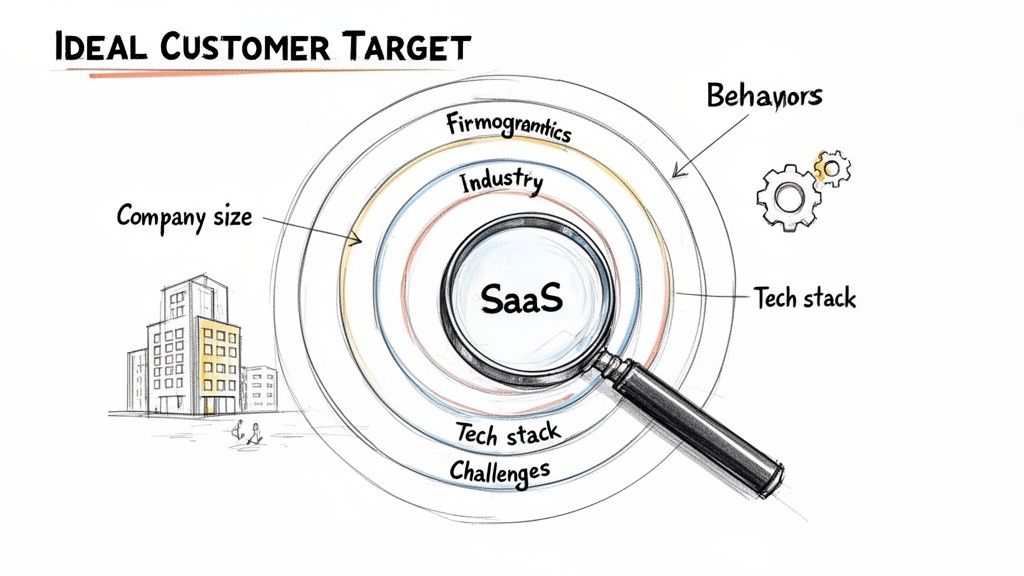
Before you can even think about qualifying leads, you have to know exactly who you're looking for. This is where your Ideal Customer Profile (ICP) comes into play. Forget vague personas, an ICP is a sharp, data-backed blueprint of the perfect company that will get the most value out of what you offer.
Think of it as a highly specific filter for your sales funnel. It lets your team instantly spot a high-potential account in a sea of inbound noise. Without one, you’re basically flying blind and hoping you stumble upon the right opportunities.
Digging Into Your Existing Data
Your best source of truth for building an ICP is right under your nose: your happiest, most successful customers. These are the clients with high satisfaction rates and low churn, the ones who are using your product to its fullest potential. They are the template for who you should be targeting next.
Start by pulling together the key data points on these top-tier accounts. You’re looking for the common threads that tie them all together. This isn't about guesswork; it's about finding concrete, repeatable patterns that scream "good fit."
Your ICP is a living document, not a static portrait. As your product evolves and you learn more from your customers, your definition of "ideal" will sharpen. Revisit and refine it quarterly to keep your sales efforts perfectly aligned.
By grounding your profile in real-world success, you create a powerful tool that helps your entire team focus their energy where it will make the biggest impact. This is a non-negotiable first step in learning how to qualify sales leads effectively.
Defining Key Firmographic and Behavioral Traits
Once you have your list of best-fit customers, it's time to break down what they have in common. I like to focus on two main categories: who they are (firmographics) and how they operate (behaviors).
For a SaaS tool like ours, that breakdown might look something like this:
Industry: Technology, specifically B2B SaaS or digital marketing agencies. These industries feel the pain of disjointed workflows and need better collaboration tools.
Company Size: Companies with 15 to 100 employees. This is the sweet spot—large enough to need a formal process but still agile enough to adopt a new tool without months of red tape.
Tech Stack: They already live and breathe in Google Workspace. This is a deal-breaker for us since our tool integrates directly with Gmail and Google Tasks.
Identified Pain Point: They openly complain about a lack of project visibility or struggle to manage tasks spread across a dozen different apps.
This level of detail turns your ICP from an abstract idea into a practical checklist. When a new lead from a 50-person B2B SaaS company that uses Google Workspace comes in, your sales rep knows immediately that it's a conversation worth having.
Building A Simple and Effective Lead Scoring Model
Once you have a crystal clear picture of your ideal customer, the next step is separating the high-potential leads from the rest of the pack using cold, hard data. This is where lead scoring comes into play. Think of it as a simple system that turns gut feelings into objective numbers, helping your sales team focus their energy where it actually counts.
Forget about complex algorithms and machine learning for a minute. You can build an incredibly effective lead scoring model by focusing on just two core components:
Firmographic Fit: How closely does this lead match your Ideal Customer Profile? This is all about the basics: their job title, the industry they're in, and their company size.
Behavioral Signals: What actions has the lead taken that scream "I'm interested"? This could be anything from them checking out your pricing page to watching a full product demo.
By assigning simple point values to these attributes and actions, you create a clear hierarchy that tells your reps exactly who they should be calling first.
Assigning Scores to Firmographics and Behaviors
Let's walk through a real-world example. Imagine we're building a scoring model for our own SaaS tool, which integrates with Google Workspace. Our main goal is to find leads who not only fit our ICP but are also actively showing signs they're ready to buy.
Why is this so important? Because thorough lead qualification can skyrocket conversion rates from a dismal 11% for unqualified prospects to an impressive 40%, that's a nearly 4x improvement. It's the difference between handing your sales team a scattergun and giving them a sniper rifle. Even better, intent-driven qualification, using signals like webinar attendance, delivers 2-3x higher conversions and can slash sales cycles by 40%. You can dig into more of these lead qualification statistics on landbase.com.
So, what does a simple scoring system look like in practice? Here's a sample model we might use.
Sample Lead Scoring Model for a SaaS Tool
This table breaks down how you can assign points to different lead attributes and behaviors to help prioritize your sales team's efforts.
| Scoring Category | Criteria / Action | Points Assigned |
|---|---|---|
| Firmographic Fit | Job Title is 'Director' or 'Manager' | +10 |
| Company Size is 15-100 employees | +15 | |
| Industry is B2B SaaS or Marketing | +10 | |
| Behavioral Signals | Visited the Pricing Page | +15 |
| Watched a Product Demo Video | +20 | |
| Downloaded a Case Study | +10 | |
| Attended a Webinar | +25 |
In this scenario, a Marketing Director from a 50-person SaaS company who attended your webinar and also watched the product demo would rack up a score of 70 points (10 + 15 + 10 + 25 + 20). This score immediately flags them as a high-priority lead who needs a follow-up, stat. This is no longer a random name on a list; it's a qualified prospect showing clear intent.
Setting Your Qualification Threshold
Once you have your points system figured out, the final piece of the puzzle is deciding what makes a lead "sales-ready." This is your qualification threshold—the score a lead has to hit before they get passed over to the sales team for a call.
For example, you might set up a few simple tiers:
70+ Points (Hot Lead): These are your Sales Qualified Leads (SQLs). They perfectly match your ICP and have shown strong buying intent. Your team should be contacting them within 24 hours.
40-69 Points (Warm Lead): These leads are definitely promising but might need a little more nurturing. You could add them to an automated email sequence that provides more value before a sales rep reaches out.
Below 40 Points (Cold Lead): These contacts just don't meet the minimum criteria for sales outreach right now. Keep them in your general marketing database for newsletters and see if they warm up over time.
The key is to start simple. You don't need dozens of criteria to get this off the ground. Just pick a few high-impact firmographic and behavioral signals, assign some points, and set a threshold. You can always refine and add more complexity later as you gather more data on which leads actually end up converting.
You've done the hard work. Your lead scoring model and ICP have filtered the noise and pointed you toward the right people. Now comes the fun part: talking to them.
This is where you shift from analyzing data to building a real dialogue. It's time to use proven qualification frameworks not as rigid scripts, but as conversational guides to see if there's a real opportunity. Frameworks like BANT and MEDDIC are classics for a reason, they help you uncover the essential information you need. The real skill is weaving these concepts into a natural discovery call, rather than just running down a checklist.
Turning Frameworks into Conversations
Look, nobody wants to be interrogated. The goal of a discovery call is to genuinely understand a prospect's world, their challenges, and their goals. Instead of a blunt question like, "Do you have the budget for this?" you can gently explore the financial impact of their problem. That small shift turns a qualification call into a valuable consultation.
Let's break down how to adapt the classic BANT framework for a modern, more human approach.
Budget: Forget asking about their funds directly. That can put people on the defensive. Instead, try asking, "What's the financial impact of this problem on your business today?" or "Have you allocated funds for solving similar challenges in the past?" This gets to the heart of their financial readiness without making them feel like they're in an audit.
Authority: A simple "Are you the decision-maker?" is a dead end. It’s often more complex than that. A much better question is, "Who else on your team is typically involved in evaluating new tools like this?" This helps you map out the entire decision-making unit without stepping on any toes.
Need: This is where you can really shine and build rapport. Go deeper than the surface-level problem with questions like, "If you could wave a magic wand and fix one thing about your current workflow, what would it be?" Or, to create some urgency, "What happens if you don't solve this problem in the next six months?"
Timeline: A direct "When do you want to buy?" can feel pushy and transactional. Frame it differently. Try, "What's driving the need to find a solution right now?" This uncovers any internal deadlines or compelling events that are naturally pushing them toward a purchase.
Uncovering Deeper Needs with MEDDIC
For those bigger, more complex enterprise deals, a framework like MEDDIC gives you a much more detailed roadmap. It pushes you beyond the basics to understand the true business implications of a sale. MEDDIC is all about understanding the Metrics, identifying the Economic Buyer, and, crucially, finding a Champion within their organization who will fight for your solution.
Think of these frameworks as a compass, not a GPS. They provide direction for your conversations, helping you listen for key signals that indicate a strong fit. The best sales reps I know use them to guide their curiosity, not to restrict their questions.
Let's say you're exploring the Identify Pain part of the process, and you discover the prospect is already using a competitor's tool. Don't panic. This is an opportunity.
A great discovery question here would be, "That's a great tool. What's the one thing about it that still creates friction for your team?" This question validates their current choice while gently probing for weaknesses that your product can solve.
This kind of strategic questioning is what separates average reps from top performers. To really sharpen your team's approach, you should also learn how to optimize your sales process for better overall efficiency. It's all about qualifying leads by uncovering the specific, quantifiable pain that drives a real purchasing decision.
How to Qualify Sales Leads Directly in Google Workspace
All the theory and frameworks in the world are great, but the real challenge is putting them into practice. Who wants to add another complicated app to their team's already crowded tech stack?
The good news is you can build a surprisingly effective lead qualification workflow using the Google Workspace tools you already use every day. This keeps your process lightweight and centered inside the one place your team spends most of its time anyway: Gmail.
Imagine a new lead inquiry lands in your inbox. Instead of the usual copy-paste routine into a separate CRM, you can just update their Google Contact card with custom fields. Think lead score, company size, industry—whatever matters to you. From there, you add them as a task to a shared Kanban board that visualizes your entire sales pipeline.
This simple flowchart shows how frameworks like BANT and MEDDIC fit into the picture, guiding a lead from an initial sniff test to a fully qualified opportunity.
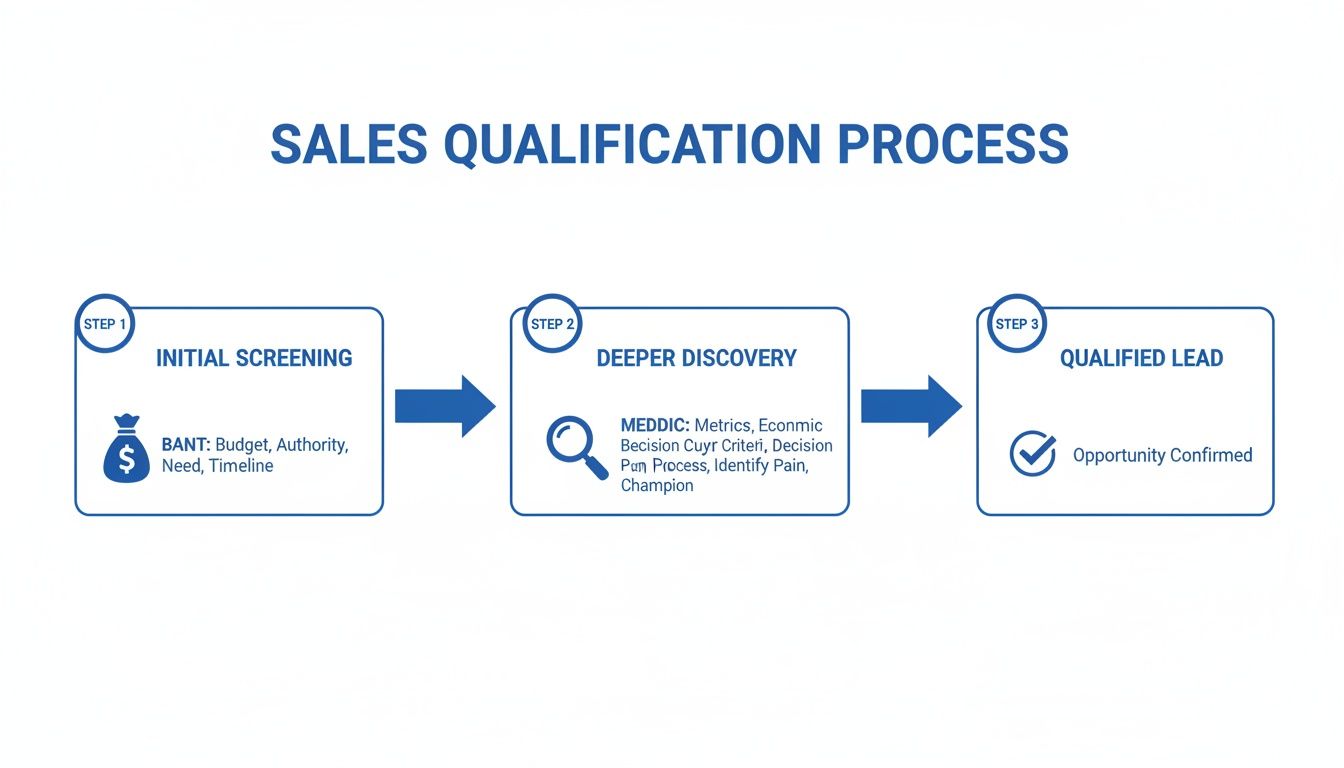
You can see the progression here—moving from a basic screening with BANT to a much deeper, more strategic discovery phase using MEDDIC. It’s a natural evolution in the sales conversation.
A Tangible Google Workspace Workflow
Bringing this system to life is simpler than you might think. For sales teams trying to qualify leads efficiently without leaving their inbox, understanding the nuances of a Salesforce Gmail integration can be incredibly powerful, but you can build a solid foundation with just the native tools.
Here’s what that looks like in action:
Lead Arrives in Gmail: A prospect fills out your website form, and the notification email hits your inbox.
Create and Enrich the Contact: Pop open your Google Contacts side panel. Create a new contact for them and start using custom fields to add their lead score and key ICP data.
Add to a Shared Kanban Board: Using a tool that plugs into Google Tasks, create a new task for this lead and drop it onto a shared Kanban board under the "New Leads" column.
The beauty of this approach is its simplicity. By managing your pipeline right inside Gmail, you kill the friction that causes reps to stop updating a traditional CRM. It’s all right there, in context, where the conversations are actually happening.
As your sales rep engages with the lead, they just drag the card through the different stages of your pipeline. That could be from ‘Attempting Contact’ to ‘Qualifying,’ and finally over to ‘Demo Booked.’ You can find more detail on building this out in our guide to creating a CRM inside Gmail.
Visualizing Your Sales Pipeline
This method transforms an abstract sales process into a tangible, visual workflow that your team will actually use because it lives where they work. Each card represents a lead, and the columns show the stages of your qualification process, giving your whole team instant visibility.
Common Questions About Lead Qualification
Even with a solid framework in place, a few questions always seem to pop up once a team gets serious about qualifying leads. Let's dig into some of the most common hurdles you might run into as you start filtering your sales pipeline more effectively.
What Is the Difference Between an MQL and an SQL?
This is a classic, and getting it right is non-negotiable.
Think of it this way: a Marketing Qualified Lead (MQL) is someone who’s raised their hand. They've shown some interest based on what marketing is doing—maybe they downloaded a whitepaper or signed up for a webinar. They're curious, but that's all we know for sure.
An SQL (Sales Qualified Lead), on the other hand, is an MQL that your sales team has actually talked to and confirmed is the real deal. They have a legitimate business need, the budget to solve it, and the intent to make a purchase. Your entire qualification process is the bridge that turns a curious MQL into a high-potential SQL.
The handoff from MQL to SQL is where most sales funnels break. A clear, agreed-upon definition between marketing and sales is the glue that holds your revenue engine together.
Without this clarity, marketing ends up celebrating vanity metrics while the sales team drowns in a pipeline full of leads going nowhere.
How Often Should We Update Our Lead Scoring Model?
Your lead scoring model is not a "set it and forget it" kind of thing. It’s a living document that needs to evolve right alongside your business. A great rhythm to get into is reviewing and tweaking your model quarterly.
When you do your review, don't just glance at it, really dive into your recent wins and losses.
Analyze Your Wins: Did your highest-scoring leads actually close? What did they have in common? Maybe you'll find that everyone who closed came from a specific industry or asked about a certain feature.
Examine Your Losses: What about the deals you thought were a sure thing but fell through? Dig into the why.
Look for Surprises: Did any low-scoring leads sneak through and become amazing customers? This is gold. It often points to a flaw in your current scoring or a new customer profile you hadn't considered.
Use these insights to adjust point values, add new criteria, or get rid of old ones. This regular maintenance is what makes your model smarter and more accurate over time.
Is a Formal Qualification Process Necessary for a Small Team?
Yes, absolutely. In fact, you could argue it’s more critical for a small team than a huge enterprise.
When you're a small crew, every single minute and every conversation counts. You simply don't have the luxury of wasting precious time chasing leads that were never going to convert anyway. A simple, formal process forces your team’s limited bandwidth to be laser-focused on opportunities with the highest chance of closing.
This isn't just about being more efficient; it's about directly accelerating your revenue by making every single sales activity matter.
Ready to stop chasing ghosts and start qualifying leads right where you work? Tooling Studio is building a lightweight Sales CRM that lives inside Google Workspace, turning your Gmail into a powerful, collaborative sales machine.
 Download our Plugin