
The 12 Best Kanban Board Software Solutions for 2026
Discover the best kanban board software for project management. Our 2026 guide reviews 12 top tools, comparing features, pricing, and integrations.
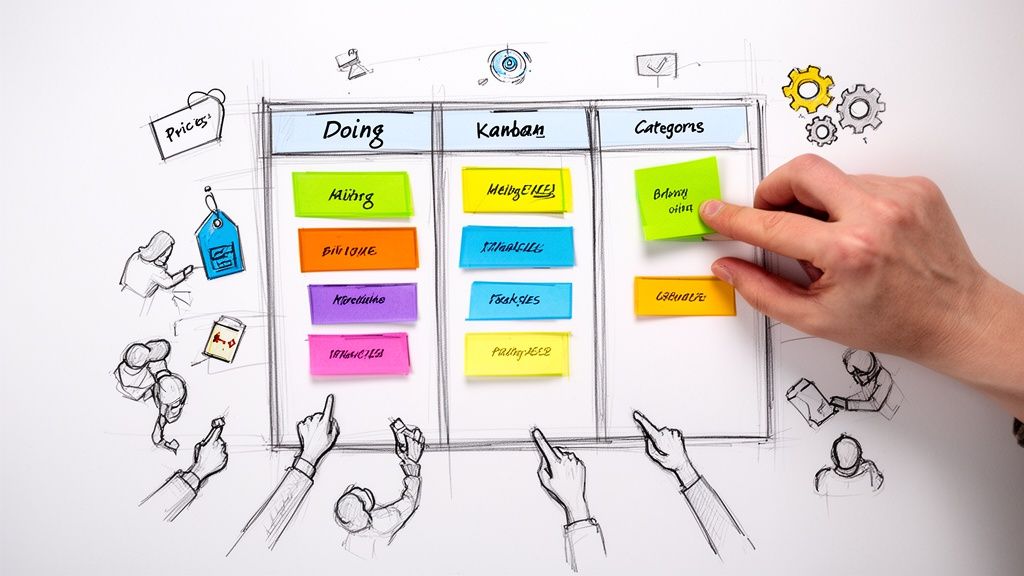
In today's fast-paced work environment, managing tasks, projects, and deadlines can feel like a constant battle against chaos. The key to winning isn't working harder, but smarter, by visualizing your workflow. Kanban, a methodology born from lean manufacturing, offers a simple yet powerful framework for seeing work in progress, identifying bottlenecks, and ensuring a smooth flow from 'To Do' to 'Done.' Modern kanban board software digitizes this process, providing teams with a shared, interactive space to track progress and collaborate effectively. Without the right tool, projects can easily become disorganized, leading to missed deadlines and unclear responsibilities.
This guide dives deep into the top 12 kanban board software solutions available today. We move beyond generic feature lists to provide in-depth analysis, focusing on real-world use cases, integration strengths (especially with Google Workspace), and honest limitations. You will find detailed reviews, screenshots, and direct links for each platform to help you make an informed decision. Whether you're a project manager in a large enterprise, a small business owner, or a freelancer organizing personal tasks, this resource is designed to help you find the perfect software to bring clarity and control to your projects.
1. Tooling Studio
Best For: Individuals and teams deeply embedded in Google Workspace who want to manage tasks and projects directly within Gmail.
Tooling Studio stands out as a powerful and uniquely integrated kanban board software solution, delivered as a lightweight Chrome extension. Its primary strength is its ability to overlay a fully functional Kanban board directly inside the Gmail and Google Tasks interface. This eliminates the constant app-switching that plagues many teams, keeping workflows centralized where communication already happens. Users can transform emails into tasks with a simple drag-and-drop action, organize them across customizable boards and lists, and collaborate in real-time without ever leaving their inbox.
The user experience feels remarkably native to Google Workspace, ensuring a minimal learning curve. This tight integration is a significant advantage for project managers and teams aiming to boost productivity by reducing context switching. The platform is actively developed based on user feedback, with a clear roadmap that includes a standalone app and enhanced CRM features. For a practical look at how these boards function, you can see a detailed example of a kanban board in action on their blog.
Key Features & Considerations
- Direct Google Workspace Integration: Operates inside Gmail, syncing with Google Tasks and Contacts to create a unified workspace.
- Real-Time Collaboration: Shared boards update instantly, allowing teams to track progress, set priorities, and manage dependencies together.
- Intuitive UI: A clean, drag-and-drop interface that mirrors Google’s design ethos.
- Pricing: A generous free-forever plan for personal use is available, with team plans starting at a very competitive US $5 per user/month.
While its dependency on Chrome is a current limitation for users on other browsers or mobile, its focused approach on solving a core workflow problem for the massive Google Workspace user base makes it a standout choice. The ongoing development and strong user ratings suggest a promising future for this innovative tool.
2. Trello
Trello is often the first tool teams think of when considering kanban board software, and for good reason. Its visual, card-based interface is incredibly intuitive, making it a fantastic entry point for individuals and teams new to the Kanban methodology. The core experience revolves around dragging and dropping cards across lists on a board, which simplifies workflow tracking for everything from content calendars to software development sprints.
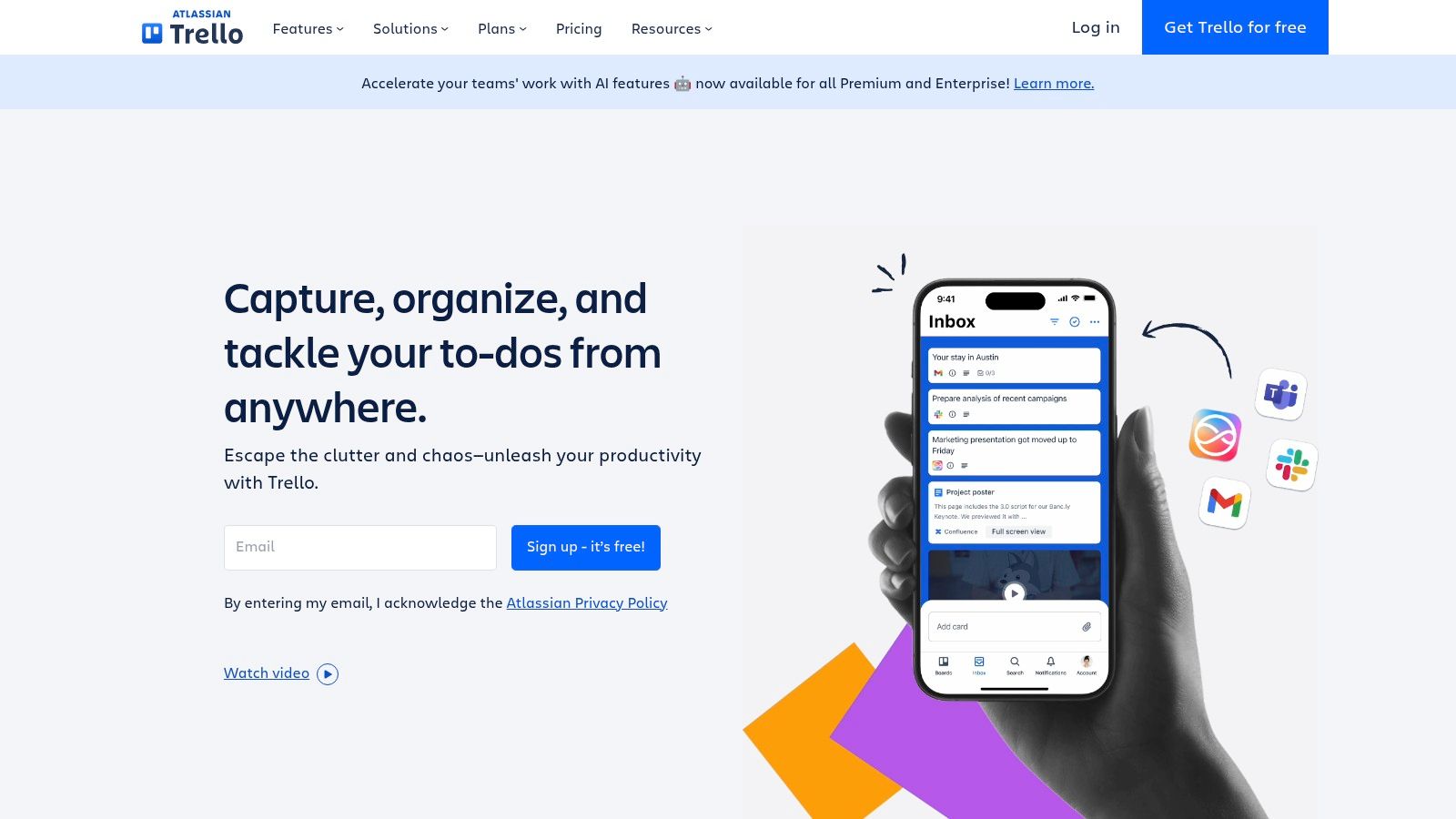
What sets Trello apart is its simplicity combined with powerful extensibility through "Power-Ups." These add-ons connect your boards to other tools like Google Drive, Slack, and Jira, embedding their functionality directly into Trello cards. Its built-in automation, Butler, handles repetitive tasks like moving cards or assigning members, saving significant time.
Key Features & Use Case
Trello’s free plan is one of the most generous available, offering unlimited cards and up to 10 boards per workspace, making it ideal for personal projects or small teams. Paid plans unlock advanced features like Timeline, Calendar, and Dashboard views, which are essential for more complex project oversight.
- Best For: Teams needing a simple, highly visual, and easily adoptable task management tool.
- Pros: Extremely fast learning curve, robust free tier, and a vast ecosystem of Power-Ups.
- Cons: Lacks advanced reporting and portfolio management features out-of-the-box; managing many boards can become disorganized without strict governance.
Website: https://trello.com
3. Jira Software (Atlassian)
Jira Software is a powerhouse in the agile project management space, often considered the standard for software development teams using kanban board software. Its strength lies in its profound customizability, allowing teams to build highly specific workflows that precisely match their development, testing, and release cycles. Unlike simpler tools, Jira is built to handle complexity, offering advanced features like backlog grooming, epic and story management, and detailed reporting out-of-the-box.
What truly sets Jira apart is its deep integration with the developer ecosystem. It connects seamlessly with tools like Bitbucket, GitHub, and Jenkins, providing unparalleled traceability from code commit to ticket resolution. Its powerful automation engine and extensive marketplace of apps allow teams to extend its functionality even further, including options for integrating with Google Workspace. For those interested, exploring how a kanban board for Google can be achieved through such platforms is worthwhile.
Key Features & Use Case
Jira offers a free plan for up to 10 users, which is surprisingly robust for small development teams. Paid plans unlock advanced roadmaps, enterprise-grade permissions, and unlimited storage, making it scalable for any organization size. The platform provides both cloud and self-managed Data Center options for teams with specific security or compliance requirements.
- Best For: Software development and technical teams that require a powerful, configurable, and scalable agile tool.
- Pros: Extremely flexible for complex processes, strong enterprise security and compliance, and a vast marketplace of apps.
- Cons: Steeper learning curve than lightweight tools; can create administrative overhead for non-technical teams if highly customized.
Website: https://www.atlassian.com/software/jira
4. Asana
Asana extends beyond a simple kanban board software into a full-fledged work management platform. It empowers teams to orchestrate work across entire organizations, from daily tasks to strategic initiatives. Its standout feature is the seamless ability to switch between multiple project views, including Board (Kanban), List, Timeline (Gantt), and Calendar, allowing team members to work in the format that suits them best without disrupting the overall project structure.
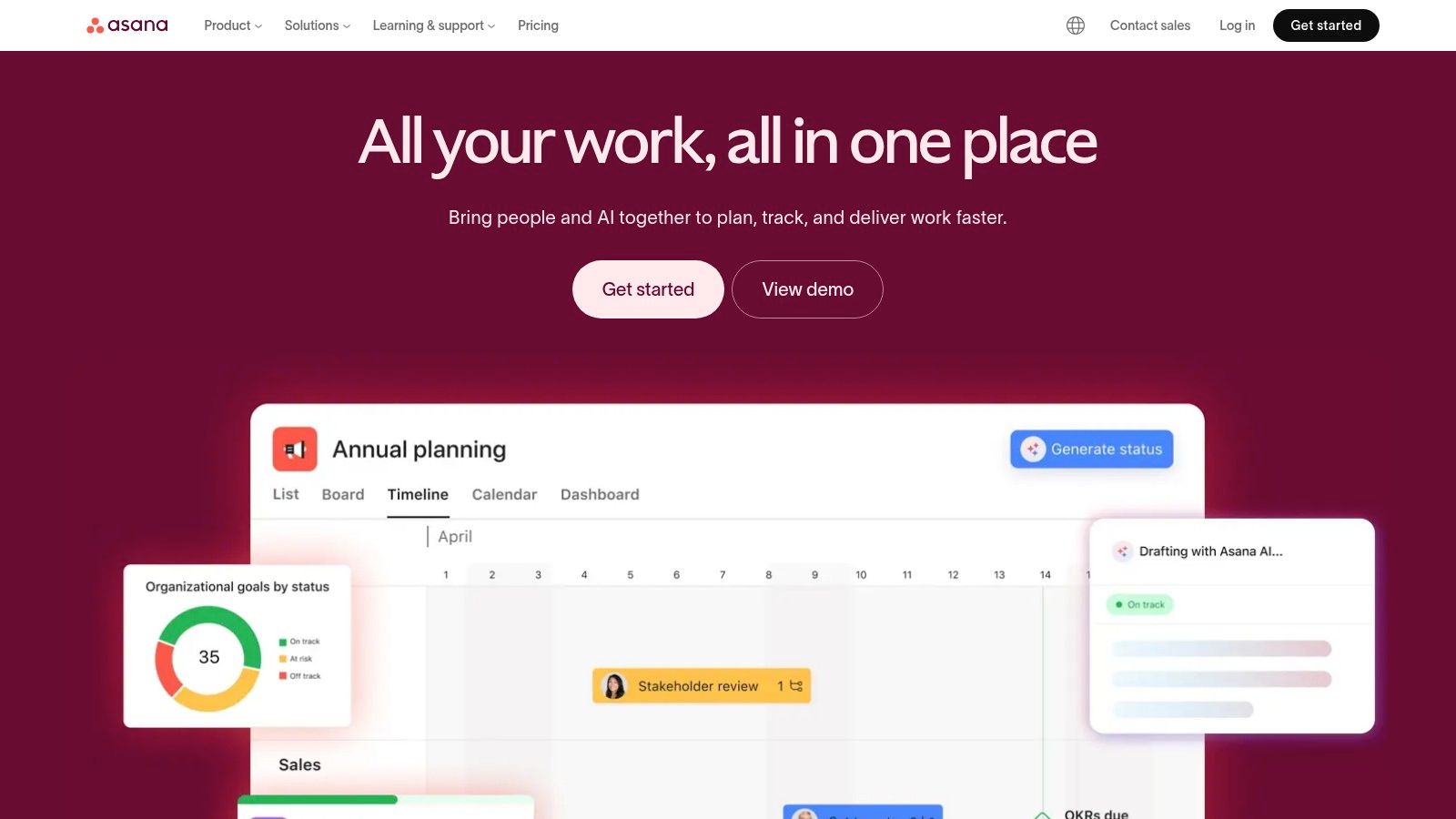
What truly differentiates Asana is its scalability and focus on cross-functional alignment. Its powerful automation engine, the Workflow Builder, reduces manual work by creating custom rules to assign tasks and update statuses. With robust reporting dashboards and portfolio management, leaders gain a high-level view of project progress and team workloads, making it a go-to for marketing, operations, and project management offices (PMOs).
Key Features & Use Case
Asana offers a solid free plan for individuals or small teams, but its true power is unlocked in the paid tiers. These introduce advanced features like Portfolios, Goals, and custom fields, which are crucial for managing complex, interconnected projects and aligning team efforts with company objectives. Its integrations, especially with Google Workspace and Slack, are deep and well-executed.
- Best For: Cross-functional teams and organizations needing a single platform to manage tasks, projects, and strategic goals.
- Pros: Excellent UI/UX with flexible project views, scales from simple task lists to complex portfolios, and offers strong administrative controls.
- Cons: Per-seat pricing can become expensive for large teams, and its most powerful features like Goals and Portfolios are locked behind higher-tier plans.
Website: https://asana.com
5. monday.com Work Management
monday.com positions itself as a "Work OS," a flexible platform that goes beyond traditional kanban board software. Its highly visual and colorful interface makes complex workflows accessible, allowing teams to manage everything from project timelines to sales pipelines in one place. The system is built on customizable boards that can be viewed as Kanban, Gantt, Calendar, or several other formats, offering unparalleled versatility.
What makes monday.com stand out is its deep customization and automation capabilities. Users can build no-code automations to handle routine tasks, like notifying a team member when a status changes or creating a new item based on a form submission. With over 200 integrations and a robust template library, teams can quickly adapt the platform to their specific operational needs, from CRM to service management.
Key Features & Use Case
monday.com's strength lies in its ability to consolidate diverse workstreams into a single, unified hub. Its dashboards provide high-level visibility for managers, while individual team members can focus on their assigned tasks. However, its pricing is based on seat packs with a minimum user count, which can be a barrier for very small teams.
- Best For: Teams seeking a highly customizable and scalable platform to manage multiple types of workflows beyond just projects.
- Pros: Approachable UI with powerful customization, broad use cases from projects to CRM, and a strong template library.
- Cons: Pricing is seat-pack based with minimum seats; some advanced features are gated to Pro/Enterprise tiers.
Website: https://monday.com/
6. ClickUp
ClickUp positions itself as the "one app to replace them all," and its approach to kanban board software reflects this ambition. It integrates Kanban boards into a comprehensive work hub that also includes native docs, goals, whiteboards, chat, and calendars. This all-in-one design appeals to teams looking to consolidate their tech stack and eliminate the need for multiple disparate tools, centralizing work into a single platform.
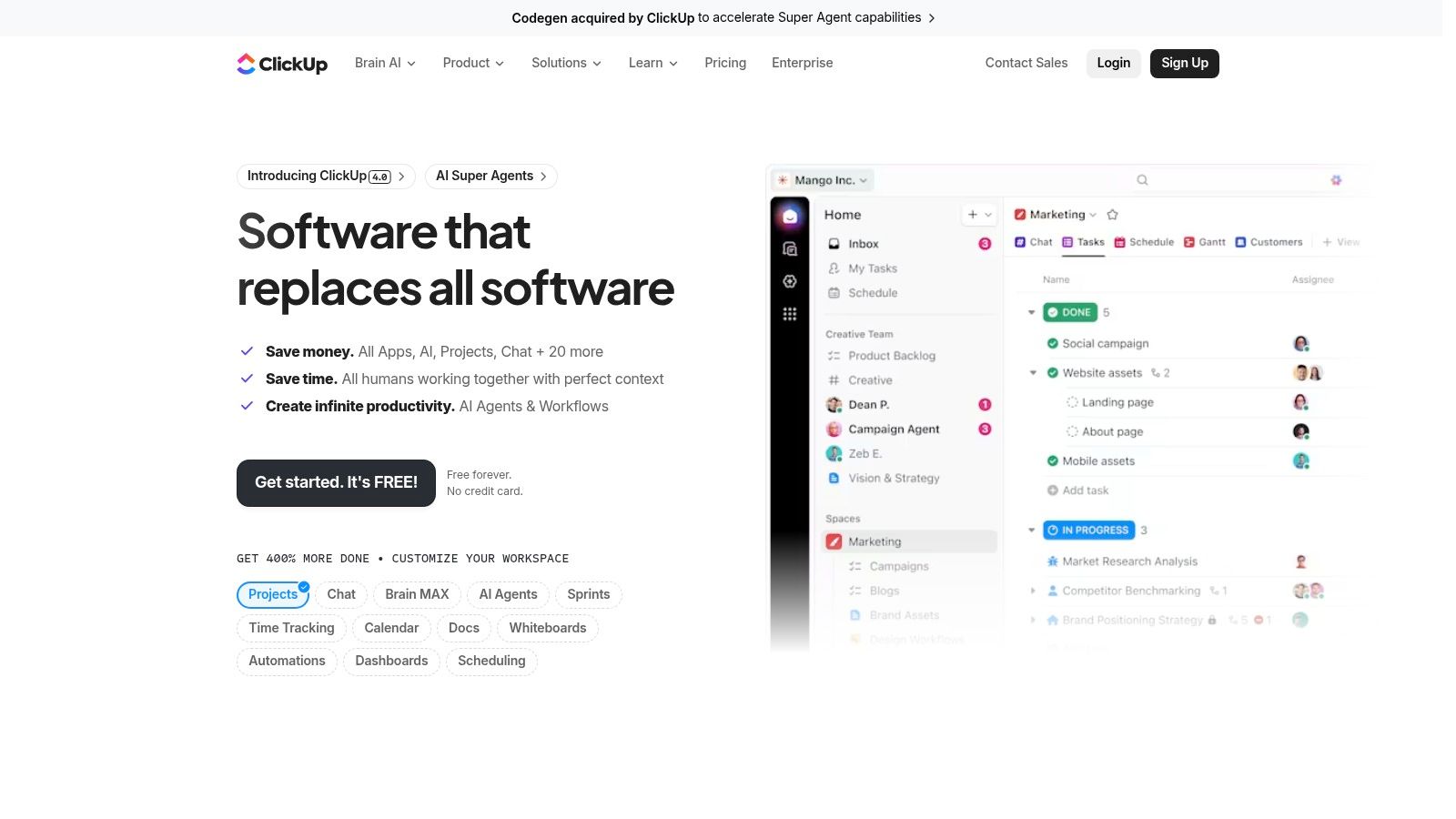
What makes ClickUp unique is its sheer customizability. Users can switch between multiple views, including Board, List, Gantt, and Calendar, for the same set of tasks. The platform's extensive custom fields, robust user permissions, and powerful automation engine allow teams to build highly specific workflows tailored to their exact processes, from sprint management to client onboarding.
Key Features & Use Case
ClickUp’s "Free Forever" plan is remarkably generous, offering unlimited tasks and members, making it a strong contender for teams on a budget. Paid plans unlock more advanced features like unlimited storage, advanced reporting, and enhanced security controls. The platform’s active development cadence means new features and improvements are released frequently, backed by 24/7 support.
- Best For: Teams that want a powerful, all-in-one productivity platform to manage complex projects and consolidate their tools.
- Pros: Generous feature set at a competitive price, centralizes docs, tasks, and dashboards, and has a very active development cycle.
- Cons: The depth and complexity can be overwhelming for new users; some advanced features require significant configuration time to set up properly.
Website: https://clickup.com
7. Notion
Notion is not just a task manager; it's a modular, all-in-one workspace where Kanban boards are one of many powerful database views. This unique approach allows teams to build a kanban board software experience directly alongside project wikis, documentation, and notes. Instead of separating tasks from their context, Notion integrates them, creating a single source of truth for any project or workflow.
The platform's strength lies in its flexibility. A simple to-do list can transform into a sophisticated Kanban board, a timeline, or a calendar with a few clicks. This modularity makes it perfect for teams whose processes are dynamic, blending document management with agile project tracking. Features like Notion AI further enhance productivity by summarizing meeting notes and generating action items directly within the workspace.
Key Features & Use Case
Notion’s database functionality allows for extensive customization of cards with unique properties, filters, and sorting rules, far beyond what many dedicated tools offer. Its generous free plan is excellent for individuals, while team plans unlock advanced collaboration and security features.
- Best For: Teams that need to deeply integrate their task management with extensive documentation and knowledge bases.
- Pros: Unmatched flexibility to combine documents and databases, highly customizable views, and a clean, minimalist interface.
- Cons: Can have a steeper learning curve than simpler tools; lacks the specialized reporting and time-tracking features found in dedicated project management software.
Website: https://www.notion.so
8. Airtable
Airtable transcends typical kanban board software by acting as a relational database with a powerful, user-friendly interface. While it offers an excellent Kanban view, its true strength lies in its ability to manage complex, interconnected data. You can build a database of tasks, projects, clients, and assets, and then create a Kanban board as just one of many ways to visualize and interact with that underlying information.
What makes Airtable unique is its flexibility. You can switch between Grid (spreadsheet), Calendar, Gantt, and Kanban views on the fly. Its Interface Designer allows you to build custom dashboards and lightweight internal apps for your team, while its robust automations and API access enable deep integrations with tools like Google Workspace and Slack, turning it into a central hub for business operations.
Key Features & Use Case
Airtable's free plan is generous for individual use, but teams will need paid tiers to access features like advanced permissions, increased record limits, and the full suite of automations and extensions. Careful planning of your base structure (your database) is crucial to avoid complexity down the line.
- Best For: Teams that need to manage complex, related data and want to build custom workflows or lightweight internal tools.
- Pros: Extremely customizable and flexible data model, multiple data views beyond just Kanban, and powerful interface and automation builders.
- Cons: Can have a steeper learning curve than simpler tools; requires upfront planning to structure data effectively.
Website: https://www.airtable.com/
9. Smartsheet
Smartsheet approaches project management from a familiar spreadsheet-like foundation, making it a powerful choice for enterprises that need robust control and data management. While its core is a grid, it offers a versatile kanban board software experience through its "Card View." This allows teams to visualize workflows and drag-and-drop tasks, similar to other dedicated Kanban tools, while retaining the powerful data handling capabilities of a spreadsheet.
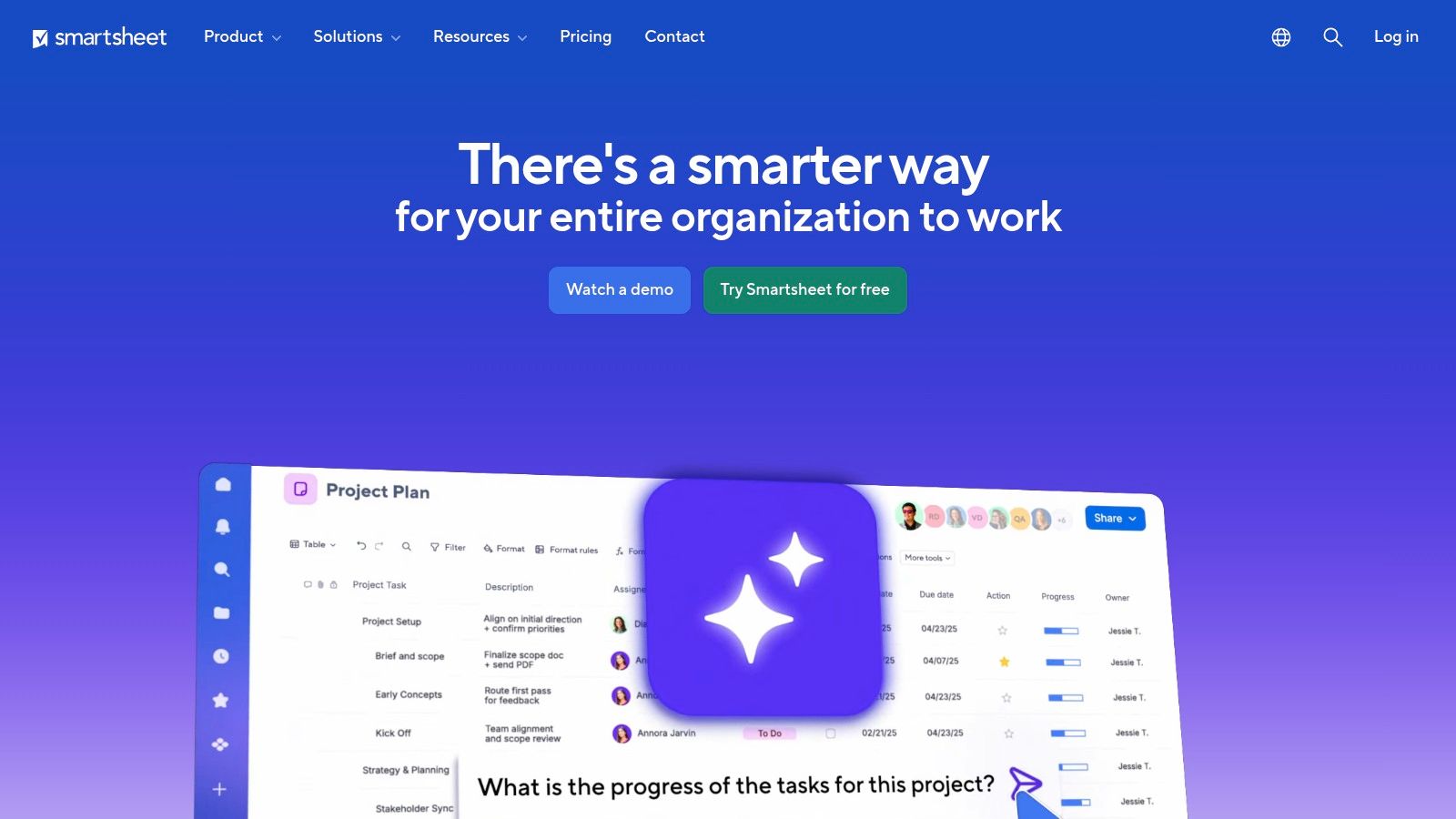
What truly sets Smartsheet apart is its ability to scale from a simple task board to a full-blown portfolio management solution. It excels at automation, detailed reporting, and resource management, offering features that go far beyond basic task tracking. Its enterprise-grade security, governance, and admin controls make it a secure and compliant option for large organizations.
Key Features & Use Case
Smartsheet's value grows significantly with its higher-tier plans, which unlock advanced portfolio and resource management add-ons, comprehensive dashboards, and extensive automation rules. The platform is designed for cross-departmental collaboration where data needs to flow seamlessly between project plans, budgets, and executive reports.
- Best For: Enterprises and large teams needing a highly customizable, data-driven work management platform with strong governance.
- Pros: Familiar spreadsheet paradigm with enterprise governance, scales well to program and portfolio management, and a rich add-on ecosystem.
- Cons: Best value is at Business/Enterprise tiers, and the user interface can feel heavier than more lightweight Kanban tools.
Website: https://www.smartsheet.com
10. Businessmap (formerly Kanbanize)
Businessmap, formerly known as Kanbanize, is an enterprise-grade agility platform designed specifically for scaling the Kanban method. Unlike more generalized tools, its core focus is on creating end-to-end flow visibility across entire organizations. This is achieved through multi-level portfolio Kanban boards that connect strategic initiatives directly to team-level execution, providing a powerful system for managing complex dependencies and workflows.
What truly sets Businessmap apart is its profound analytics engine. It goes far beyond basic task tracking, offering sophisticated flow metrics like cycle time, throughput, and automated bottleneck detection. This data-driven approach empowers teams to identify process inefficiencies and make informed decisions for continuous improvement, making it a premier choice for organizations serious about optimizing their value delivery pipelines.
Key Features & Use Case
Businessmap is built for large-scale implementation, offering features like timeline workflows, customizable board policies, and strict Work-in-Progress (WIP) limits. Its ability to manage multiple teams and projects from a single interconnected system makes it ideal for enterprise portfolio management. Pricing is primarily plan-based, with customized enterprise solutions requiring direct sales engagement.
- Best For: Large organizations and enterprises seeking to implement Kanban at scale for portfolio management and process optimization.
- Pros: Purpose-built for scaled Kanban, powerful analytics for continuous improvement, and robust enterprise features like SSO and flexible data residency.
- Cons: Can be complex for teams new to Kanban; the strong focus on flow-based work may require significant change management for teams using other methodologies.
Website: https://businessmap.io
11. MeisterTask
MeisterTask offers a visually clean and intuitive approach to kanban board software, designed for teams that need to adopt agile workflows quickly and efficiently. Its streamlined interface focuses on core Kanban principles, allowing users to move tasks through customizable project boards with minimal friction. The platform is built for clarity, presenting workflows in a way that is easy to understand at a glance.
What makes MeisterTask stand out is its emphasis on smart automations within a simple framework. Users can configure recurring tasks, automatically assign tasks to team members based on workflow stage, and integrate with tools like Slack, Zendesk, and Google Workspace. This focus on automating routine actions helps teams maintain momentum without getting bogged down in manual project administration.
Key Features & Use Case
MeisterTask provides a robust free "Basic" plan with unlimited tasks and projects for up to 3 users. Paid tiers like Pro and Business unlock powerful features, including the Timeline view for Gantt-style planning, advanced reporting, roles and permissions, and unlimited integrations. Its competitive pricing makes it an excellent choice for small to medium-sized businesses.
- Best For: SMBs and teams looking for a user-friendly, security-focused Kanban tool with powerful built-in automations.
- Pros: Highly intuitive interface, strong security compliance (ISO 27001, GDPR), and valuable automation features.
- Cons: The most powerful reporting and analytics are reserved for higher-tier Business and Enterprise plans; lacks the breadth of an all-in-one work suite.
Website: https://www.meistertask.com
12. Chrome Web Store (Kanban extensions)
For those deeply integrated into the Google ecosystem, the most effective kanban board software might not be a standalone platform but an extension within your browser. The Chrome Web Store offers a vast marketplace of Kanban-style extensions that layer task management directly over services like Gmail or function as lightweight, browser-based boards. This approach is perfect for individuals or teams who want to manage workflows without leaving their primary work environment.
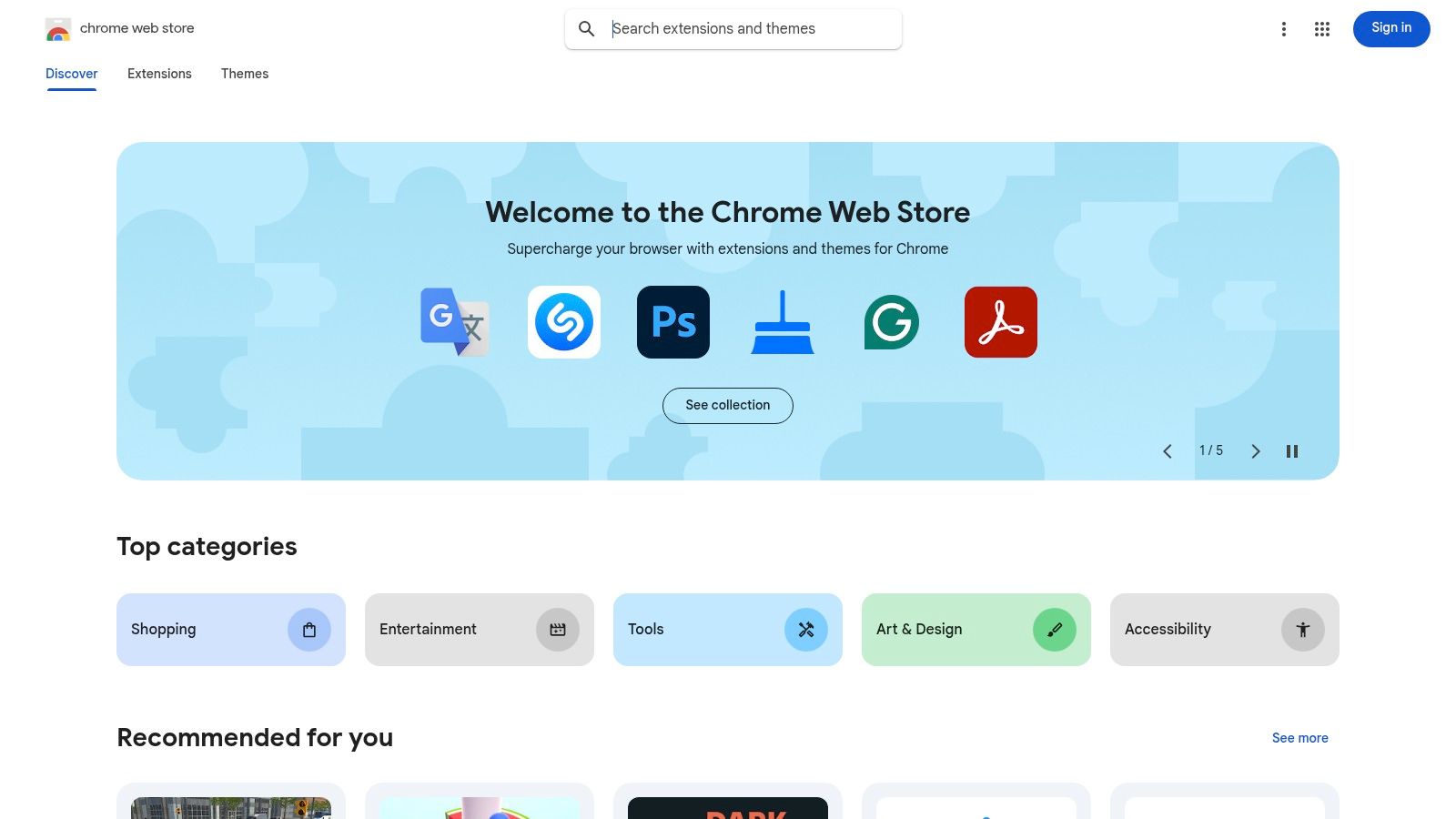
What makes this route unique is its immediacy and integration. With one-click installations, you can test various Kanban tools with minimal commitment. These extensions are often designed to complement Google Workspace, turning emails into tasks or adding project boards alongside your Google Calendar. In addition to dedicated Kanban solutions, you might find other useful utilities, such as the best Chrome extensions for productivity, which can streamline various tasks. You can also explore additional Chrome productivity extensions to further enhance your workflow.
Key Features & Use Case
The primary appeal is adding Kanban functionality directly into the browser, often for free or with a freemium model. Users can quickly evaluate tools based on reviews and update history. Enterprise admins can even deploy specific extensions across an organization using Chrome browser policies, ensuring consistency and security.
- Best For: Individuals and Google Workspace users wanting lightweight Kanban boards integrated directly into their browser and existing Google services.
- Pros: Fast to test and deploy, many free or low-cost options, and works natively alongside tools like Gmail, Drive, and Calendar.
- Cons: Feature depth is typically lighter than dedicated SaaS platforms; quality and support vary significantly between developers.
Website: https://chromewebstore.google.com
Top 12 Kanban Board Software Comparison
| Product | Core features | UX & Quality | Target audience | Price & Value | Unique selling point |
|---|---|---|---|---|---|
| Tooling Studio 🏆 | ✨ Kanban inside Gmail & Google Tasks; Sales CRM; shared boards; drag‑drop | ★4.6 (40+ reviews); near‑native, real‑time sync | 👥 Individuals, PMs, small–mid teams, sales reps in Google Workspace | 💰 Free personal; team $5/user/mo or $50/user/yr | ✨ Native Chrome extension that eliminates app‑switching |
| Trello | Card‑based Kanban; Power‑Ups; Butler automation | ★★★★☆ Popular, easy onboarding | 👥 Individuals → large teams for lightweight projects | 💰 Robust free tier; paid from ≈$5+/user/mo | ✨ Large template & integration ecosystem |
| Jira Software (Atlassian) | Configurable Kanban/Scrum; workflows; advanced reporting | ★★★★☆ Enterprise‑grade, steeper learning curve | 👥 Dev teams & enterprises | 💰 Free tier; paid for scale (cloud/datacenter) | ✨ Deep developer integrations & governance |
| Asana | Boards, Lists, Timeline/Gantt; Workflow Builder & automations | ★★★★☆ Polished UI; strong cross‑project reporting | 👥 Marketing, Ops, PMOs, cross‑functional teams | 💰 Free basic; paid tiers for advanced features | ✨ Easy view switching + robust reporting |
| monday.com Work Management | Work OS: Kanban/Timeline, automations, AI features | ★★★★☆ Visual, highly customizable | 👥 Ops, projects, CRM & enterprise teams | 💰 Seat‑based pricing; tiered features, min seats on some plans | ✨ Powerful templates and no‑code automations |
| ClickUp | Kanban, docs, goals, time tracking, automations | ★★★★☆ Feature‑dense; active development & support | 👥 Teams consolidating multiple tools into one hub | 💰 Free tier; competitively priced paid plans | ✨ Centralizes docs, tasks, chat, and goals |
| Notion | Databases with Board view; docs + wiki; templates | ★★★★☆ Flexible, docs‑centric UX | 👥 Teams blending documentation and task workflows | 💰 Free personal; team plans for collaboration | ✨ Combine knowledge bases with Kanban views |
| Airtable | Relational DB + Kanban/Grid/Interfaces; API & automations | ★★★★☆ Powerful data modeling | 👥 Ops, builders, teams building custom apps | 💰 Free limited; paid for larger bases & advanced features | ✨ Spreadsheet + DB with customizable interfaces |
| Smartsheet | Sheet paradigm with Board/Gantt; portfolio & resource mgmt | ★★★★☆ Enterprise‑focused, heavier UI | 👥 Enterprises, PMOs, program managers | 💰 Business/Enterprise pricing | ✨ Strong governance, reporting & portfolio tools |
| Businessmap (Kanbanize) | Multi‑level & portfolio Kanban; flow analytics; WIP limits | ★★★★☆ Purpose‑built for Kanban at scale | 👥 Enterprises practicing Kanban & continuous improvement | 💰 Plan‑based; enterprise sales engagement | ✨ Deep flow metrics, throughput & bottleneck detection |
| MeisterTask | Streamlined Kanban; automations; roles/permissions | ★★★★☆ Clean, low‑friction UX | 👥 SMBs and teams adopting Kanban quickly | 💰 Free tier; Business/Enterprise for advanced features | ✨ Intuitive UX with strong security certifications |
| Chrome Web Store (Kanban extensions) | One‑click Kanban installs; ratings & reviews; enterprise rollout | ★★★☆☆ Quality varies by extension; fast testing | 👥 Gmail/Chrome users seeking lightweight, in‑browser Kanban | 💰 Many free or freemium options; minimal signup | ✨ Quick way to add in‑browser Kanban without new SaaS signup |
Choosing the Right Board for Your Team's Flow
Selecting the ideal Kanban board software is not a one-size-fits-all decision. The journey from evaluating options to successful implementation hinges on understanding your team’s unique workflow, communication habits, and technological ecosystem. As we’ve explored, the market offers a diverse spectrum of solutions, from lightweight, intuitive boards to powerful, enterprise-grade platforms. Your primary goal should be to find a tool that aligns with your processes, not one that forces your team into a rigid, unfamiliar structure.
Recapping Your Top Kanban Options
Our deep dive into the top contenders reveals clear archetypes. For teams deeply integrated into Google Workspace, a native solution like Tooling Studio offers unparalleled convenience by bringing project management directly into your inbox. This eliminates the friction of context switching and keeps your team focused.
On the other hand, platforms like Trello and MeisterTask champion simplicity and are excellent entry points for teams new to the Kanban methodology. For those requiring more horsepower, all-in-one work management systems like Asana, monday.com, and ClickUp provide robust Kanban views alongside a suite of other project management tools, making them ideal for organizations managing complex, cross-functional initiatives. Meanwhile, specialized tools like Jira and Businessmap cater to specific methodologies like Agile development and Lean portfolio management, offering advanced analytics and process controls.
How to Make Your Final Decision
The best kanban board software is the one your team will actually use. To make the right choice, move beyond feature lists and focus on practical application. Here are the critical factors to guide your selection process:
- Integration is Key: How well does the tool fit into your existing software stack? For Google Workspace users, native integration is a massive productivity booster. Assess whether the tool connects seamlessly with your email, calendar, and cloud storage.
- Scalability and Complexity: Consider both your current needs and future growth. A simple board might suffice today, but will it support multiple projects, larger teams, and more complex workflows a year from now? Tools like Airtable and Smartsheet offer a high degree of customizability that can evolve with you.
- User Adoption: The most powerful tool is useless if your team finds it cumbersome. Prioritize a clean, intuitive user interface. Take advantage of free trials to let your team test the top two or three contenders in real-world scenarios.
- Beyond the Board: Evaluate the tool's capabilities for reporting, automation, and handling dependencies. These features are what transform a simple task board into a true workflow management engine.
Ultimately, choosing your Kanban software is an investment in your team's clarity, collaboration, and efficiency. By focusing on your core operational needs and prioritizing a tool that enhances your natural flow of work, you'll empower your team to not just manage tasks, but to master their projects and achieve their goals with greater focus and less friction.
Ready to streamline your workflow without leaving your inbox? Tooling Studio transforms Gmail into a powerful, collaborative workspace with integrated Kanban boards, pipelines, and project management tools. See how our native Google Workspace integration can boost your team's productivity by visiting Tooling Studio to start your free trial today.
 Download our Plugin