
Example of kanban: 10 Strategic Boards to Master Your Workflow in 2026
Discover an example of kanban with 10 powerful board ideas for sales, marketing, and development, plus tips to set up and optimize your workflow.
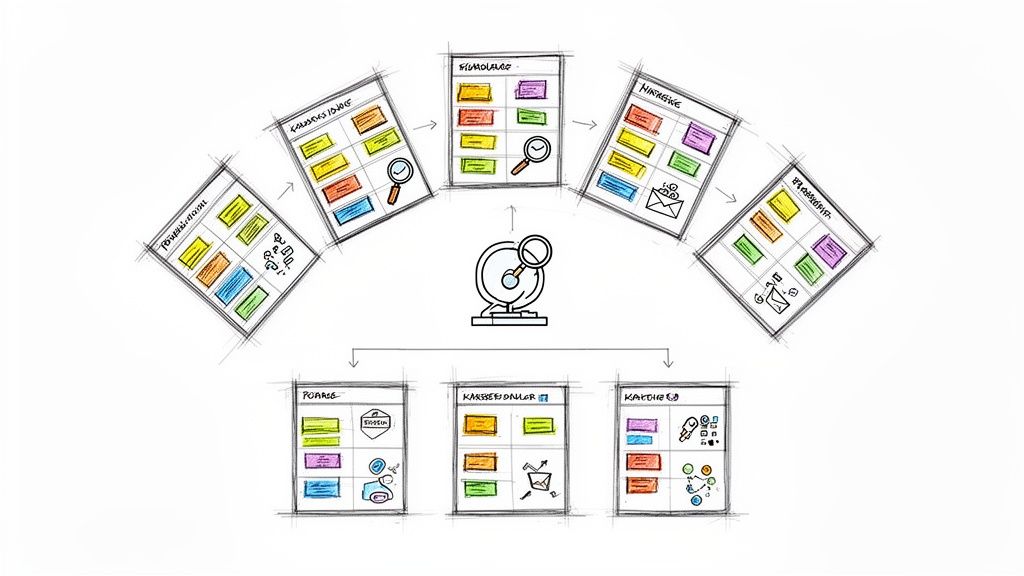
Kanban is more than a buzzword for moving tasks across a board; it's a powerful methodology for visualizing work, eliminating bottlenecks, and delivering value faster. While the concept is simple-visualize your workflow, limit work in progress, and optimize flow-its application is incredibly diverse. The true power lies in adapting its core principles to your specific needs, whether you're a project manager, a sales lead, or a freelancer managing tasks in Gmail.
This guide moves beyond theory to provide a deep dive into 10 distinct and practical examples of Kanban boards in action. We'll explore everything from managing complex agile software sprints and HR recruitment pipelines to transforming a chaotic inbox into a productivity powerhouse. Each example of a kanban board is a case study designed to give you a strategic blueprint for your own processes.
You won't find generic descriptions here. Instead, each example includes:
- Deep strategic analysis of the board’s structure and purpose.
- Specific tactical insights explaining why certain columns or limits are used.
- Actionable takeaways you can immediately apply to your own workflow.
Our goal is to equip you with replicable strategies and behind-the-scenes details, helping you build a Kanban board that not only tracks work but actively improves how you get it done. Let's explore how different teams and industries have mastered their workflows with this versatile framework.
1. Agile Software Development Sprints
The most classic and powerful example of kanban in action is within Agile software development sprints. This approach transforms a complex development cycle into a transparent, manageable workflow, helping teams deliver high-quality software predictably. It serves as a visual single source of truth for the entire team, from developers to product managers.
This method visualizes the entire sprint on a board with columns representing each stage of the development process. A typical setup includes columns such as To Do (Backlog), In Progress, Code Review, Testing, and Done. Tasks, often represented as user stories or bugs, move from left to right as they are completed. This visual progression makes it immediately clear where every piece of work stands.
Strategic Analysis & Breakdown
The core strength of using Kanban for sprints lies in its ability to enforce focus and expose systemic issues.
- Work-in-Progress (WIP) Limits: By setting a maximum number of tasks allowed in columns like "In Progress" or "Code Review," teams prevent individuals from becoming overloaded. This forces the team to collaborate on finishing existing work before starting new tasks, which dramatically improves flow and reduces cycle time.
- Bottleneck Identification: If tasks consistently pile up in the "Testing" column, it's a clear signal that the team has a testing bottleneck. This visual cue prompts immediate problem-solving, such as dedicating more resources to testing or automating parts of the QA process.
- Continuous Flow: Unlike stricter sprint methodologies, Kanban allows for a continuous flow of work. When a developer finishes a task, they can immediately pull the next highest priority item from the backlog, ensuring a sustainable and efficient pace.
Actionable Takeaways
To implement this effectively:
- Set Realistic WIP Limits: Start by setting WIP limits at 1.5 times the number of people working in a specific stage. For instance, if you have two developers, your "In Progress" limit could be three.
- Conduct Daily Stand-ups at the Board: Center your daily meetings around the Kanban board. Discuss what moved, what is blocked, and what will be worked on next.
- Use Swimlanes for Clarity: Create horizontal swimlanes to categorize work, such as "Features," "Bugs," and "Tech Debt," to better manage different work streams.
For a deeper dive into setting up your first board, you can explore this beginner's guide to Kanban tasks.
2. Email-Centric Task Management in Gmail
Another powerful example of kanban is managing tasks directly within your Gmail inbox. This approach converts a reactive email environment into a proactive, visual workflow, eliminating the constant context-switching between your communication hub and a separate task manager. It is particularly effective for teams that live in Google Workspace and need to turn incoming requests into actionable items.
This method transforms your inbox into a Kanban board, often using browser extensions or integrated tools. Emails become cards that move through custom columns like To Do (New Email), In Progress (Awaiting Reply), Follow-Up, and Done. Customer service teams can turn support tickets into trackable tasks, and sales teams can manage leads from initial inquiry to final close, all without leaving their email interface.
Strategic Analysis & Breakdown
The primary strength of this system is its ability to centralize work where it originates, creating a seamless flow from communication to action.
- Zero Context-Switching: By keeping task management within Gmail, teams drastically reduce the cognitive load and time lost toggling between applications. This keeps focus high and ensures important requests from emails are never missed or forgotten.
- Action-Oriented Communication: This method forces you to treat every important email as a task with a defined lifecycle. An email isn't just "read"; it’s a work item that must be moved to "Done," which instills a more disciplined and productive communication culture.
- Clear Ownership & Visibility: When an email is converted to a card and assigned to a team member in a shared inbox board, ownership becomes explicit. It’s immediately clear who is responsible for a client request or an internal query, preventing dropped balls.
Actionable Takeaways
To implement this effectively:
- Define Strict Column Policies: Create clear rules for what each column means. For example, "To Do" is for unassigned emails, while "In Progress" means an owner has been assigned and is actively working on a reply or action.
- Use Labels for Granularity: Supplement your Kanban columns with Gmail labels to categorize tasks by project, client, or priority (e.g., "Urgent," "Project X"). This allows for powerful filtering and sorting.
- Archive "Done" Items Regularly: To keep your board clean and focused, establish a routine (e.g., every Friday) to archive all emails from the "Done" column. This ensures your active workspace remains uncluttered.
To see how you can set up your own inbox board, you can read more about how to turn your Gmail into a Kanban board.
3. Sales Pipeline and Lead Management
Another highly effective example of kanban is its application to sales pipeline and lead management. This approach transforms the often chaotic sales process into a clear, visual funnel, empowering sales teams to track deals, manage relationships, and forecast revenue with greater accuracy. It acts as a dynamic CRM, providing a single view of every opportunity in the pipeline.
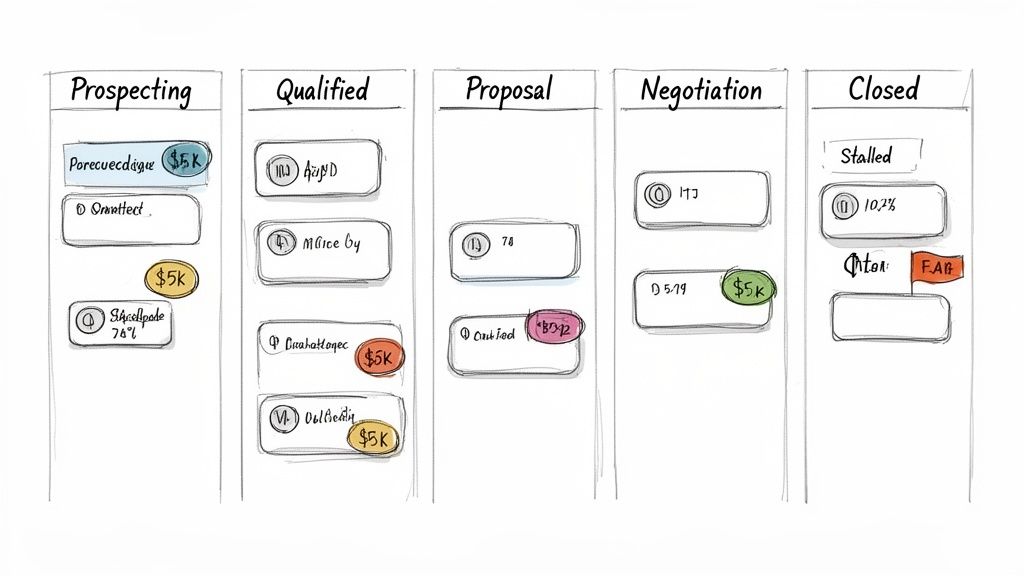
This method visualizes the entire sales cycle on a board, with columns representing key stages such as Prospecting, Qualified, Proposal Sent, Negotiation, and Closed (Won/Lost). Each card represents a specific lead or deal, moving from left to right as it progresses through the funnel. This visual journey makes it instantly clear where every deal stands and what next steps are required.
Strategic Analysis & Breakdown
The primary advantage of a Kanban sales pipeline is its ability to improve deal velocity and expose pipeline weaknesses.
- Pipeline Health Visibility: By visualizing all deals, managers can instantly spot where opportunities are stalling. If cards pile up in the "Negotiation" column, it may signal issues with pricing or contract terms, prompting a strategic review of the sales process.
- Enforced Accountability: Each card contains critical information like deal size, contact details, and the next follow-up date. This transparency ensures that no lead falls through the cracks and encourages sales representatives to proactively manage their opportunities.
- Accurate Forecasting: The number of cards and their estimated value in later-stage columns provide a real-time, data-driven basis for revenue forecasting. This is far more reliable than relying on spreadsheets or individual intuition.
Actionable Takeaways
To implement this sales system effectively:
- Map Your True Sales Cycle: Define your columns based on the actual stages your deals go through. Avoid generic templates and limit columns to 5-7 distinct, meaningful steps.
- Set WIP Limits on Stalled Deals: Apply a WIP limit to columns where deals tend to stagnate, such as "Proposal Sent." This forces the team to focus on following up and moving existing deals forward before engaging new prospects.
- Color-Code for Quick Insights: Use colors or tags to categorize deals by priority, potential value, or lead source. This allows for quick visual sorting and helps the team focus on high-value opportunities during sales meetings.
For more powerful strategies, explore these sales pipeline management tips.
4. Content Production and Editorial Workflow
A prime example of kanban for creative teams is managing a content production and editorial workflow. This system transforms the abstract process of content creation into a structured, visible pipeline, ensuring a steady flow of high-quality material from ideation to publication. It is particularly effective for marketing teams, news organizations, and agencies managing multi-channel content calendars.
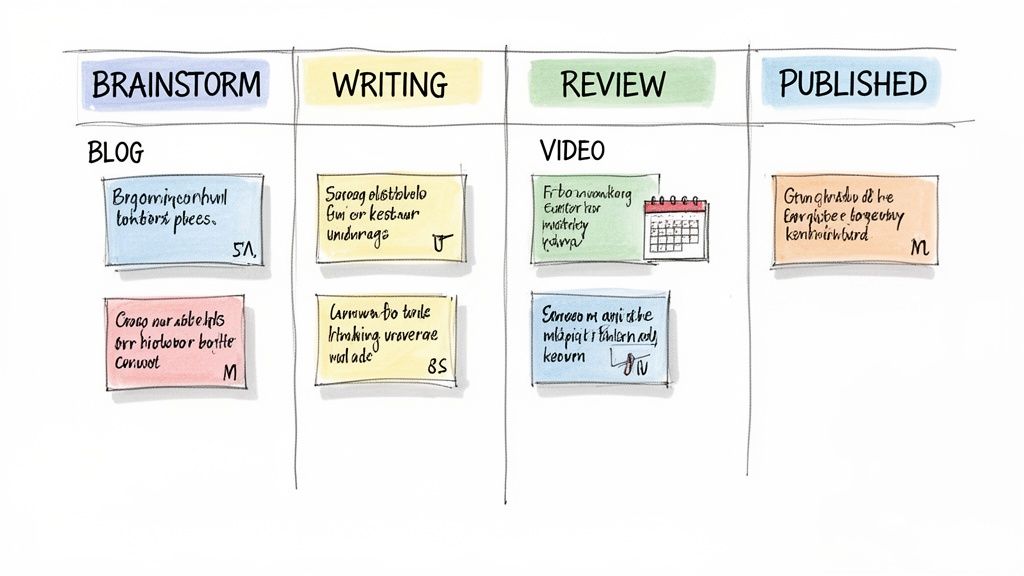
This approach maps the entire content lifecycle onto a board with columns like Ideation, Writing, Editorial Review, SEO Optimization, Scheduled, and Published. Each content piece, whether a blog post, video script, or social media update, becomes a card that moves sequentially through these stages. This provides a real-time snapshot of the entire production pipeline, making it easy to track progress and manage deadlines.
Strategic Analysis & Breakdown
The strategic value of a Kanban board in content production lies in its ability to balance creative output with operational efficiency and expose hidden constraints.
- Workload Balancing: By visualizing all active assignments, editors and managers can instantly see which writers or reviewers are at capacity. This prevents burnout and ensures a more equitable distribution of work, leading to better quality and consistency.
- Bottleneck Identification: If cards consistently stack up in the "Editorial Review" column, it highlights a chokepoint in the workflow. This visual data prompts the team to address the issue, perhaps by setting specific review turnaround times or assigning a dedicated editor.
- Capacity Planning: The board makes it easy to forecast content velocity. By tracking the average time a card spends in the workflow, teams can accurately predict how much content they can produce in a given month or quarter, improving strategic planning.
Actionable Takeaways
To implement this workflow effectively:
- Define Clear Column Exit Criteria: Specify what must be completed before a card can move to the next column. For example, a card cannot leave "Writing" until a peer review is complete.
- Use Swimlanes for Content Types: Organize the board with horizontal swimlanes for different content categories like "Blog Posts," "Videos," or "Social Media" to manage various streams simultaneously.
- Archive Published Content Regularly: To keep the board clean and focused on active work, move cards from the "Published" column to an archive on a weekly or bi-weekly basis.
5. Customer Support Ticket Triage and Resolution
Another powerful example of kanban is in managing customer support tickets. For SaaS companies or e-commerce businesses, a support queue can quickly become chaotic. A Kanban board transforms this high-volume, reactive environment into a clear, systematic workflow, ensuring no customer issue falls through the cracks and providing instant visibility into team performance.
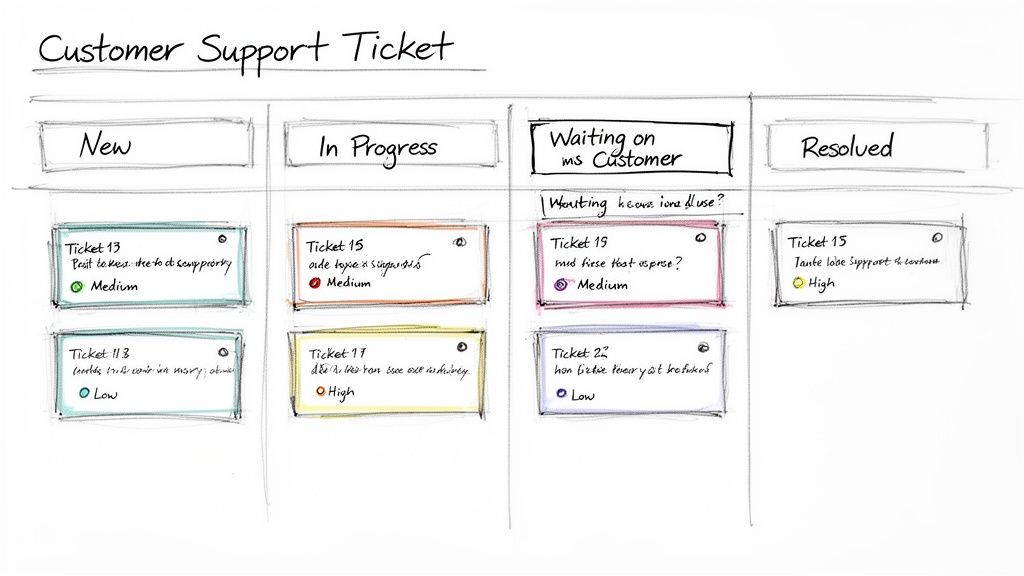
This method visualizes the entire ticket lifecycle on a board with columns representing each stage. A typical setup includes columns like New, Acknowledged, In Progress, Waiting on Customer, Resolved, and Closed. Support tickets move from left to right as they are addressed, giving the entire team a shared, real-time view of the support workload and individual ticket status.
Strategic Analysis & Breakdown
The primary strength of using Kanban for customer support lies in its ability to improve response times and prevent agent burnout by visualizing workloads.
- Work-in-Progress (WIP) Limits: By setting a maximum number of tickets an agent can handle simultaneously (e.g., 5 in the "In Progress" column), teams prevent context-switching and overload. This forces agents to resolve existing issues before pulling new ones, leading to faster resolution times and higher customer satisfaction.
- Bottleneck Identification: If tickets consistently accumulate in the "Waiting on Customer" column, it signals a potential communication breakdown or that customers need clearer instructions. This visual data prompts the team to improve their response templates or follow-up processes.
- Prioritization and SLAs: Using visual cues like colored labels for priority levels (e.g., red for "Urgent") allows agents to instantly identify and pull the most critical tickets first. This helps the team meet Service Level Agreements (SLAs) consistently.
Actionable Takeaways
To implement this effectively:
- Set Agent-Specific WIP Limits: Start by setting a WIP limit of 3 to 5 active tickets per support representative. Adjust this based on ticket complexity and agent experience.
- Color-Code by Priority: Use card colors or labels to signify priority (e.g., Urgent, High, Normal). This allows for quick visual scanning and ensures critical issues are addressed first.
- Manage Stale Tickets: Create a rule to automatically move tickets from "Waiting on Customer" to a follow-up queue or close them after a set period, like 72 hours, to keep the board clean and actionable.
6. Product Development and Feature Planning
A powerful example of kanban is its application in managing the entire product development lifecycle, from initial idea to public release. This system provides a high-level, strategic view that aligns product managers, designers, developers, and stakeholders. It turns abstract roadmaps into a tangible, trackable workflow that visualizes progress and clarifies priorities.
This method uses a Kanban board with columns representing key stages in the product pipeline. A common setup includes columns like Ideation/Backlog, UX/UI Design, In Development, QA & Testing, User Acceptance Testing (UAT), and Released. Feature cards move sequentially across the board, giving everyone a real-time status update on where each initiative stands, which is particularly effective for SaaS companies managing quarterly releases.
Strategic Analysis & Breakdown
The primary advantage of Kanban in product planning is its ability to foster strategic alignment and manage complex dependencies.
- Work-in-Progress (WIP) Limits: By setting a maximum number of features allowed in the "In Development" column (e.g., five), product managers force the organization to focus on completing work. This prevents the common pitfall of having dozens of partially finished features and no real value delivered to customers.
- Bottleneck Identification: If feature cards consistently stack up in the "QA & Testing" column, it's a clear indicator of a systemic bottleneck. This visual evidence prompts a strategic conversation about resource allocation, test automation, or improving the handoff process from development to QA.
- Continuous Flow: Unlike rigid, time-boxed frameworks, Kanban allows for a continuous flow of value. As soon as one feature is released, the team can pull the next highest-priority item from the backlog, ensuring a responsive and adaptable development process ideal for lean startup methodologies.
Actionable Takeaways
To implement this effectively:
- Define a 'Ready' and 'Done' State: Clearly document the criteria a feature must meet before it can enter a column and before it can leave. For instance, a feature is not "Ready for Development" until UX mockups and technical specifications are approved.
- Use Swimlanes for Parallel Work: Organize the board with horizontal swimlanes to manage different work streams, such as "Frontend," "Backend," and "Mobile," to visualize dependencies between teams.
- Link Related Cards: Use visual connectors or references within cards to link dependent tasks or sub-features. This helps teams understand how different pieces of work are related and avoids integration surprises late in the cycle.
7. Event Planning and Execution
An outstanding example of kanban in a non-technical field is for event planning and execution. This visual method helps teams, from corporate marketing to professional conference organizers, manage the immense complexity and numerous concurrent activities involved in bringing an event to life. It creates a centralized command center that tracks everything from initial concept to post-event analysis.
This approach visualizes the entire event lifecycle on a board, typically with columns like Initial Planning, Vendor Booking & Logistics, Pre-Event Marketing, Day-Of Execution, and Post-Event Wrap-Up. Individual tasks, such as "Secure Keynote Speaker" or "Finalize Catering Menu," are placed on cards and move across the board. This provides instant clarity on progress and ensures critical details are not forgotten in the chaos.
Strategic Analysis & Breakdown
Using Kanban for event planning excels at managing dependencies and maintaining momentum over a long timeline.
- Timeline Adherence: By mapping out phases visually, teams can easily see if they are on track. If cards are piling up in "Vendor Booking & Logistics" with the event date approaching, it’s an immediate red flag that a critical path is blocked.
- Stakeholder Coordination: Events involve many stakeholders: vendors, marketing, sales, and senior management. The Kanban board serves as a shared source of truth, keeping everyone aligned on progress and responsibilities without constant meetings and email chains.
- Risk Management: This method allows for proactive risk management. Teams can create a specific swimlane or add cards for contingency items, such as "Backup A/V Vendor" or "Inclement Weather Plan," ensuring they are prepared for potential disruptions.
Actionable Takeaways
To implement this effectively:
- Create Template Boards: For recurring events like annual sales kickoffs or quarterly webinars, build a template board. This saves significant setup time and ensures a consistent, proven process is followed each time.
- Assign Clear Ownership: Every major task card (e.g., venue, marketing, registration) should have a single, clearly designated owner to ensure accountability and streamline communication.
- Use Checklists on Cards: For complex tasks like "Venue Selection," use checklists within the card to break it down into smaller steps like "Research Venues," "Conduct Site Visits," and "Sign Contract."
8. HR Recruitment and Onboarding Pipeline
Managing the flow of talent is a perfect example of kanban being applied outside of technology. An HR recruitment and onboarding pipeline provides a powerful visual tool for tracking candidates and new hires, transforming a complex, multi-stage process into a clear and manageable workflow. It ensures transparency for hiring managers and the HR team, preventing qualified candidates from falling through the cracks.
This method visualizes the entire hiring and integration journey on a board. For recruitment, columns might include Application Received, Phone Screen, Interview Scheduled, Offer Extended, and Hired. Once a candidate is hired, they can be moved to a separate onboarding board with stages like Pre-Start, First Day, First Week, First Month, and Fully Onboarded. This provides a seamless, end-to-end view of the employee lifecycle.
Strategic Analysis & Breakdown
The primary advantage of using Kanban in HR is its ability to improve velocity, create a positive candidate experience, and standardize processes.
- Bottleneck Identification: If candidates frequently accumulate in the "Interview Scheduled" column, it's a clear sign of scheduling conflicts or unavailable interviewers. This visual cue allows HR to address the issue directly, perhaps by blocking dedicated interview time in calendars.
- Improving Candidate Experience: By setting time-based goals for each stage (e.g., respond to applications within 48 hours), Kanban helps maintain momentum. A smooth, predictable process reflects well on the company and keeps top candidates engaged.
- Data-Driven Process Improvement: The board provides clear data on conversion rates between stages and the total time-to-hire. This information is invaluable for refining the recruitment strategy and demonstrating the HR team's efficiency. To explore practical aspects of recruitment pipelines, you might consider resources such as Shorepod's hiring process information, which can provide insights into a company's approach to talent acquisition.
Actionable Takeaways
To implement this effectively:
- Use Swimlanes for Roles: Create separate horizontal swimlanes for each open position (e.g., "Senior Developer," "Marketing Manager"). This organizes the board and provides an at-a-glance view of progress for each role.
- Automate Task Generation: Set up automations so that when a candidate card moves to the "Hired" column, a new card is automatically created on the onboarding board with a pre-populated checklist of tasks.
- Hold Weekly Pipeline Reviews: Convene the hiring team to review the board weekly. Discuss candidates who are "stuck" in a stage for too long and collaboratively decide on the next steps to keep the process moving.
9. Project Budget and Expense Management
Another powerful example of kanban is applying its visual principles to track financial workflows like project budgets and expenses. This method provides finance teams, project managers, and distributed teams with unparalleled real-time visibility into the entire financial lifecycle, from initial budget requests to final payments. It transforms a typically opaque process into a transparent and predictable system.
The Kanban board visualizes the financial pipeline with columns representing key stages. A common setup includes Submitted, Pending Approval, Approved, Invoiced, and Paid. Individual expense claims, budget requests, or vendor invoices move across the board as cards. This visual flow makes it instantly clear where every dollar is in the approval and payment process, preventing delays and improving accountability.
Strategic Analysis & Breakdown
Using Kanban for financial management excels at creating clarity and control over spending, especially in project-based or distributed organizations.
- Approval Bottleneck Identification: When cards consistently accumulate in the "Pending Approval" column, it immediately signals a bottleneck. This visual cue prompts a review of the approval process, identifying whether specific managers are overloaded or if the workflow itself is inefficient.
- Enhanced Budget Adherence: By visualizing all spending requests in one place, project managers gain a clear, up-to-the-minute overview of expenditures against their budget. This transparency helps prevent overspending and allows for more strategic financial decisions throughout the project lifecycle.
- Streamlined Auditing and Reporting: The board acts as a living ledger. Each card can hold attached receipts, justifications, and approval comments, creating a complete audit trail that simplifies reporting for non-profits managing grants or agencies tracking client costs.
Actionable Takeaways
To effectively implement this financial Kanban system:
- Define Clear Approval Tiers: Document approval thresholds and assign specific approvers for different spending levels directly in your board's guidelines to eliminate confusion.
- Enforce Service Level Agreements (SLAs): Set time limits for stages, such as a 48-hour SLA for the "Pending Approval" column. Use card aging features to highlight items that are nearing or have breached this limit.
- Integrate with Financial Tools: For larger volumes, streamline the invoicing and payment stages by implementing an AP automation solution, which can connect directly to your workflow for maximum efficiency.
10. IT Infrastructure and Project Task Management
A crucial example of kanban is its application in managing IT infrastructure projects and daily operational tasks. For IT teams, from Google Workspace administrators to data center operators, Kanban provides a centralized command center to visualize complex workflows, track system upgrades, and manage incident response efficiently. This visual system brings order to the often-chaotic world of IT operations.
This method visualizes the entire lifecycle of IT tasks on a board with columns tailored to infrastructure work. A typical layout includes stages like Backlog, Design/Planning, Implementation, Testing/QA, Deployment, and Resolved/Monitoring. Tickets, representing everything from a server upgrade to a security patch, flow across the board, providing clear visibility into project status and potential conflicts.
Strategic Analysis & Breakdown
The primary advantage of using Kanban for IT infrastructure is gaining control over a high-stakes, multi-threaded environment.
- Conflict and Dependency Visibility: By mapping all planned changes and incident tickets on one board, teams can immediately see potential conflicts. For example, a planned database migration in the "Implementation" column can be paused if a critical security vulnerability ticket appears, preventing catastrophic overlap.
- Reduced Downtime: The board acts as a single source of truth during deployment windows. Daily stand-ups focused on the board ensure everyone knows what is being deployed, what the dependencies are, and who is responsible, minimizing errors that lead to system downtime.
- Standardized Processes: Using card templates for recurring tasks like monthly server patching or system backups ensures that critical steps are never missed. This standardization reduces human error and streamlines routine maintenance activities.
Actionable Takeaways
To implement this effectively:
- Separate Planned vs. Unplanned Work: Use swimlanes to create distinct horizontal lanes for "Planned Projects" and "Incident Response." This ensures urgent, unplanned work gets immediate attention without derailing long-term strategic projects.
- Visualize Change Freezes: Clearly mark and communicate change freeze windows on the board itself. This prevents accidental deployments during critical business periods like holidays or product launches.
- Link Dependent Tickets: Use your Kanban tool’s features to link related tickets. If a network upgrade impacts multiple application servers, linking the tickets visually clarifies the full impact radius of the change.
10 Kanban Use Cases Compared
| Use Case | 🔄 Implementation Complexity | ⚡ Resource Requirements | 📊 Expected Outcomes | 💡 Ideal Use Cases | ⭐ Key Advantages |
|---|---|---|---|---|---|
| Agile Software Development Sprints | Moderate–High — requires disciplined WIP, ceremonies | Cross-functional dev team, sprint tooling (Jira), analytics | Faster cycle time, quicker feedback loops, fewer bottlenecks | Feature teams running time-boxed iterations | Improves visibility and velocity ⭐ |
| Email-Centric Task Management in Gmail | Low–Moderate — simple setup but habit change needed | Google Workspace, Gmail integration, lightweight training | Reduced context-switching, preserved email context, faster response | Teams handling email-driven tasks (support, sales) | Keeps tasks native to email; low learning curve ⭐ |
| Sales Pipeline and Lead Management | Low–Moderate — map stages and deal metadata | CRM/contacts integration, sales reps, forecasting inputs | Clear pipeline visibility, improved forecasting, stall detection | SMB sales teams, lead tracking, deal management | Visualized funnel and accountability ⭐ |
| Content Production and Editorial Workflow | Moderate — many stages and review checkpoints | Writers, editors, scheduling tools, review checklists | Consistent publishing cadence, fewer review bottlenecks | Marketing, content agencies, editorial teams | Editorial calendar visibility; workload balance ⭐ |
| Customer Support Ticket Triage and Resolution | Moderate — SLA tracking and priority routing | Support agents, ticketing/email integration, SLAs | Faster acknowledgements, lower resolution time, transparent status | Small–mid support teams, help desks | Ensures coverage and SLA adherence ⭐ |
| Product Development and Feature Planning | High — complex dependencies and stakeholder alignment | Cross-functional teams, dependency tools, roadmap inputs | Aligned priorities, clearer release flow, fewer surprises | Product teams managing multiple features | Stakeholder transparency; roadmap execution ⭐ |
| Event Planning and Execution | Moderate — many concurrent logistics and timelines | Vendors, budget tracking, timeline tools, owners | Reduced last-minute issues, on-time delivery, coordinated vendors | Marketing/events, HR retreats, conferences | Timeline visibility and coordination ⭐ |
| HR Recruitment and Onboarding Pipeline | Moderate — privacy controls and integrations needed | Recruiters, interviewers, ATS integrations, onboarding checklists | Shorter time-to-hire, standardized onboarding, fewer lost candidates | Scaling startups, HR teams managing hires | Transparent pipeline and consistent onboarding ⭐ |
| Project Budget and Expense Management | Moderate–High — approval chains and controls | Finance approvers, accounting integrations, documentation | Faster approvals, budget visibility, audit trail | Consulting, agencies, project-based orgs | Prevents overruns and provides compliance trail ⭐ |
| IT Infrastructure and Project Task Management | High — complex dependencies and change management | Ops/DevOps, monitoring, deployment tooling, rollback plans | Fewer conflicts, lower MTTR, safer deployments | IT operations, cloud teams, security remediation | Change transparency and resilient deployments ⭐ |
From Example to Execution: Your Next Steps in Kanban
We have journeyed through a diverse landscape of workflows, from agile software sprints to HR recruitment pipelines and even project budget management. The ten case studies presented serve as a powerful testament to one central idea: Kanban is not a rigid doctrine but a highly adaptable framework for visualizing work, limiting work-in-progress, and maximizing flow. The power of a great Kanban board lies not in a specific template but in its ability to mirror and then optimize your team's unique operational reality. Each example of kanban we've explored underscores the universal principles of transparency and continuous improvement.
Across these varied applications, from sales lead management to IT project deployment, a few core strategic takeaways emerge. The most successful implementations are those that accurately map the actual steps in a process, not the idealized version. They use Work-In-Progress (WIP) limits not as restrictive rules but as strategic tools to identify bottlenecks and foster a culture of focused completion. The goal is to move from a "start-centric" mindset to a "finish-centric" one.
Synthesizing the Core Lessons
The true value of these examples is seeing the patterns. Whether it's a content team using a "Ready for Review" column or a customer support team implementing a "Triage" stage, the underlying principle is the same: breaking down complex processes into discrete, visible, and manageable stages. This clarity is what reduces cognitive overhead and empowers team members to make smarter decisions about what to work on next.
Think of the email-centric task management board. Its genius is in transforming a reactive environment (an overflowing inbox) into a proactive workflow. Similarly, the event planning board takes a chaotic, deadline-driven process and imposes a linear, predictable structure.
Key Insight: The most impactful Kanban boards are living systems. They are not set in stone but are constantly refined based on team feedback, performance metrics (like cycle time), and changing project requirements.
Your Actionable Path Forward
Viewing an example of kanban is just the first step. The real transformation begins when you apply these principles to your own environment. Here is a clear, step-by-step plan to move from inspiration to execution:
- Choose Your Pilot Process: Don't try to overhaul your entire organization at once. Select one specific, well-understood workflow that is causing friction, such as customer support ticketing or the content creation pipeline.
- Map the Current State: Gather your team and whiteboard the actual journey a work item takes from start to finish. Identify every handoff and every stage, no matter how small. This is your initial set of columns.
- Define Your Policies Explicitly: What does "Done" mean for each stage? Who is responsible for moving a card? What information must be on a card before it can enter the workflow? Write these rules down to ensure consistency.
- Implement and Visualize: Recreate this workflow on a digital Kanban board. If your team operates heavily within Google Workspace, integrating a tool directly into your existing ecosystem is critical for adoption.
- Establish WIP Limits: Start with conservative WIP limits for the columns where work tends to pile up (e.g., "In Review," "Awaiting Feedback"). A good starting point is often 1.5 times the number of people working in that stage.
- Commit to the Daily Stand-up: The daily meeting is the heartbeat of your Kanban system. Use this time to walk the board from right to left (focusing on what's closest to "Done") and address any blockers.
- Schedule Regular Retrospectives: Dedicate time every two to four weeks to discuss what’s working, what isn’t, and what can be improved. Use this feedback to evolve your board, adjust WIP limits, and refine your policies.
By following this structured approach, you ensure your Kanban implementation is a tailored solution built by your team, for your team. This creates a powerful sense of ownership and drives sustained improvement, turning a visual board into a high-performance engine for your entire workflow. The journey from a static example of kanban to a dynamic, value-generating system is an iterative one, and starting today is the most important step.
Ready to transform your own workflow from a cluttered inbox into a streamlined Kanban board? The examples in this article show what's possible, and Tooling Studio provides the tools to make it a reality directly within your Google Workspace. Build your first Kanban board right inside Gmail and start managing tasks with visual clarity by visiting Tooling Studio today.
 Download our Plugin