
Sales Funnel Optimization: Boost Conversions with Google Workspace
Boost sales funnel optimization with Google Workspace. Learn actionable steps to audit, refine, and automate your sales process.

Optimizing your sales funnel isn't a one-and-done project. It's the ongoing work of fine-tuning each stage of your sales process to boost conversions and, ultimately, grow your revenue. Think of it as a continuous cycle of analyzing how customers behave, spotting where they drop off, and then rolling out targeted fixes to keep them moving toward a purchase.
Why Your Sales Funnel Is Leaking Revenue
Let's be honest, a leaky sales funnel is a silent profit killer. It’s that nagging feeling you get when you know you're generating leads, but for some reason, they just aren't converting into paying customers. Revenue seems to vanish into thin air, leaving you with stalled deals and a pipeline that feels more like a sieve.
The real problem is that most businesses treat their funnel like a static, straight line. They set it up once and just assume prospects will follow the script. But modern buyers are anything but predictable. They jump between stages, do their own research on their own time, and have no problem ghosting a sales rep for weeks on end.
Diagnosing Common Pipeline Leaks
Most of the time, revenue leaks happen because of a few common friction points. A total lack of visibility is usually the biggest offender. When your sales process is scattered across random emails, messy spreadsheets, and a half-dozen disconnected apps, it’s flat-out impossible to see where your deals are actually getting stuck.
Other frequent culprits include:
- Delayed Follow-Up: Leads go cold fast. When your team's response time is slow, you're losing opportunities that were once hot. Without a clear system, promising leads just get buried in a busy inbox.
- Generic Communication: Sending the same one-size-fits-all message to everyone is a recipe for disengagement. If you're not addressing a prospect's specific pain points, they'll lose interest in a heartbeat.
- Poor Handoffs: The moment a lead moves from marketing to sales—or even between team members—is a huge risk. Critical information gets lost, forcing the prospect to repeat themselves and killing any momentum you had.
To give you a clearer picture of where things might be going wrong, here's a quick breakdown of the classic sales funnel stages. Use this to diagnose where your own process might be falling short.
Key Sales Funnel Stages and Their Primary Goals
| Funnel Stage | Primary Goal | Example Metric to Track |
|---|---|---|
| Awareness | Attract potential customers and make them aware of your brand. | Website Traffic, Social Media Reach |
| Interest | Engage prospects with content that addresses their needs. | Content Downloads, Email Open Rates |
| Consideration | Nurture leads by showcasing your solution's value. | Demo Requests, Free Trial Sign-ups |
| Intent/Evaluation | Help prospects decide if your solution is the right fit. | Pricing Page Visits, Sales Calls Booked |
| Purchase | Convert the lead into a paying customer. | Conversion Rate, Average Deal Size |
| Loyalty/Retention | Turn customers into repeat buyers and advocates. | Customer Lifetime Value (CLV), Churn Rate |
Looking at this table, can you immediately spot a stage where you're flying blind or consistently seeing prospects drop off? That’s your starting point.
The reality is that true sales funnel optimization is an ongoing process, not a project with an end date. It's about creating a transparent, adaptable system that evolves with your customers' needs.
The Power of Integrated Workflows
This is where framing your entire sales journey within your existing Google Workspace environment becomes a game-changer. Forget about adding yet another complicated, standalone CRM to your tech stack. By using integrated tools like Kanban boards directly inside Gmail, you turn a tool your team already lives in into a powerful command center for pipeline management.
This approach gives your team full visibility and control right where they work—their inbox.
To really zero in on where your funnel is underperforming, you need to be Leveraging sales funnel analytics. The data reveals a massive opportunity here: The average sales funnel conversion rate across industries is a pretty modest 2.35%. But top-performing businesses? They're hitting rates over 5.31%.
That's more than double the revenue from the exact same number of leads. It just goes to show how impactful a few smart optimizations can be.
Building a Visual Sales Pipeline in Gmail
You can't fix what you can't see. Before you even think about diving into complex analytics, the single most powerful thing you can do to optimize your sales funnel is to actually see it. We need to turn that abstract funnel into a tangible workflow, and the best place to do that is right inside Gmail, where you and your team are already living and breathing.
The whole idea is to transform your inbox from a chaotic, never-ending list of messages into an organized, living sales pipeline. By setting up a simple Kanban board with columns that mirror each stage of your customer's journey, you get instant clarity. It’s a simple visual trick that immediately tells you where every single deal really stands.
From Inbox Chaos to Pipeline Clarity
First things first, let's map out your sales stages. Every business is a little different, but a classic B2B pipeline usually breaks down into something like this:
- New Leads: The front door for all your incoming inquiries.
- Contacted: You've made that first move and reached out.
- Qualified: You've vetted them, and they're a legitimate good fit.
- Proposal Sent: The formal quote or proposal is in their hands.
- Negotiation: You're actively talking terms, pricing, and details.
- Closed-Won / Closed-Lost: The final handshake or the one that got away.
Once you have your columns set up, you can start turning individual emails into movable "cards" on your board. That email from a new prospect? It becomes a card in the 'New Leads' column. As you follow up, you just drag that card over to 'Contacted.' This simple action gives you a real-time, at-a-glance health check on your entire pipeline. If you’re looking for a practical walkthrough, our guide on how to turn emails into tasks using a Gmail Kanban board is a great place to start.
This visual process is the foundation for plugging any leaks in your funnel.
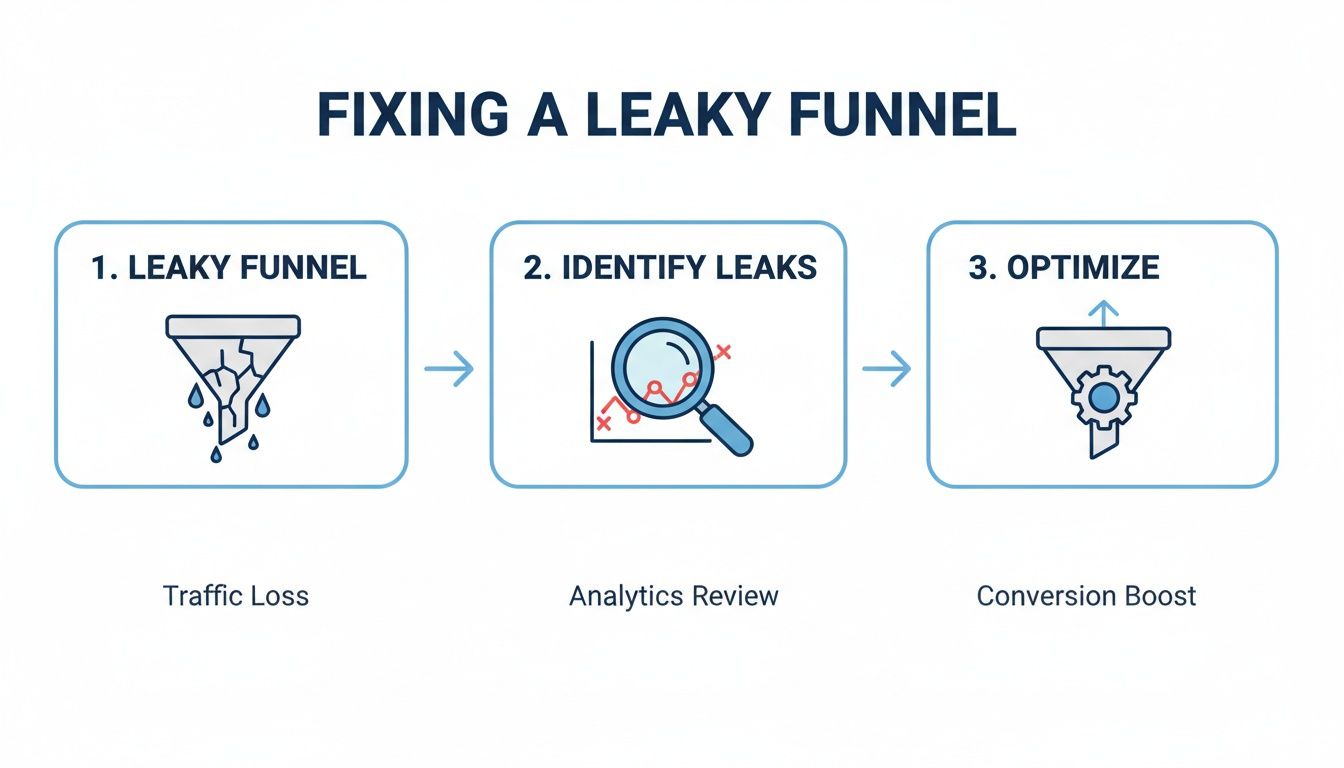
As the diagram shows, fixing a leaky funnel isn't one big action. It's a cycle: you have to see the problem, diagnose where the leaks are, and then make targeted improvements.
Auditing Your Workflow with Actionable Questions
With your visual pipeline up and running, you can finally perform a meaningful audit. This is where you start asking the hard questions at each stage to pinpoint the bottlenecks that are costing you real money.
By transforming your inbox into a visual sales pipeline, you stop managing emails and start managing opportunities. This shift in perspective is the foundation of effective sales funnel optimization.
Take a hard look at your 'Proposal Sent' column. Are cards piling up there, collecting digital dust? That's a huge red flag. It could mean your pricing is confusing, your proposals aren't hitting the mark, or your follow-up game is weak. Ask your team: How long, on average, does a lead stay in this stage? If it’s way longer than your target for that phase, you've just found a major leak that needs plugging.
Don't underestimate how critical this is. A shocking 68% of businesses haven't actually defined or measured their sales funnel. That oversight contributes to 23% of all revenue shortfalls. For B2B teams, where a good close rate for created opportunities hovers between 15-30%, flying blind just isn't an option.
Leveraging Visual Cues for Proactive Management
A visual pipeline does more than just track what's happened; it tells you what to do next.
Is your 'New Leads' column overflowing? That's a clear signal your team's response time is slipping. On the flip side, if the 'Qualified' column is looking a little sparse, it’s probably time to have a chat with marketing about lead generation strategies. The board doesn't lie.
For a deeper dive into the fundamentals of building an effective sales journey from the ground up, this guide on how to build a sales pipeline that converts is packed with practical advice. Creating this visual foundation is the first, most crucial step toward building a more efficient and profitable sales machine—all without ever leaving your Google Workspace.
Optimizing Your Top of Funnel Lead Capture
Getting quality leads in the door is where everything starts. To really nail sales funnel optimization, you have to go beyond the generic advice and dial into tactics that actually resonate with the Google Workspace crowd. Your top-of-funnel (TOFU) game isn't just about clicks; it's about connecting over shared frustrations—things like workflow chaos and drowning in a sea of apps.
The real goal is to build landing pages and lead magnets that speak their language. Instead of some vague ebook, think about offering a checklist titled "10 Gmail Filters to Automate Your Client Communication." It’s specific, it’s actionable, and it’s instantly valuable to someone who lives in their inbox. This solves a real problem and frames your solution as something that slots right into their existing world.
Crafting a High-Converting Lead Capture Experience
Your lead capture forms and calls to action (CTAs) are the gatekeepers to your funnel. A clunky, demanding form is one of the fastest ways to lose someone who's just dipping their toes in. People are protective of their info and have zero patience for friction.
To tighten this up, focus on clarity and value. Your CTAs need to be direct and highlight the benefit. Ditch the generic "Submit" and try something like "Get Your Free Checklist." That small tweak shifts the focus from what they're giving up (their email) to what they're getting.
Here are a few ways I’ve seen this work wonders:
- Keep Forms Minimal: Seriously, just ask for the essentials. A name and an email are usually plenty to start. You can always gather more info later as you build trust.
- Promise Immediate Value: Be crystal clear about what they'll get, and then deliver it instantly. If they sign up for a guide, the very next screen or email should give them access. No waiting.
- Test Your Language: Run A/B tests on your headlines, button colors, and CTA text. You'd be amazed how often "Start Organizing" will blow "Sign Up" out of the water.
The best lead capture experiences feel less like a transaction and more like the beginning of a helpful conversation. You're offering a solution to a small problem to earn the right to solve their bigger ones.
Connecting Marketing Directly to Your Sales Pipeline
Okay, this is where the real magic happens, especially for teams living in Google Workspace. The biggest failure I see in most top-of-funnel strategies is the handoff. A new lead fills out a form... and then what? It lands in an email notification, gets manually typed into a spreadsheet, or worse, just gets lost in the shuffle.
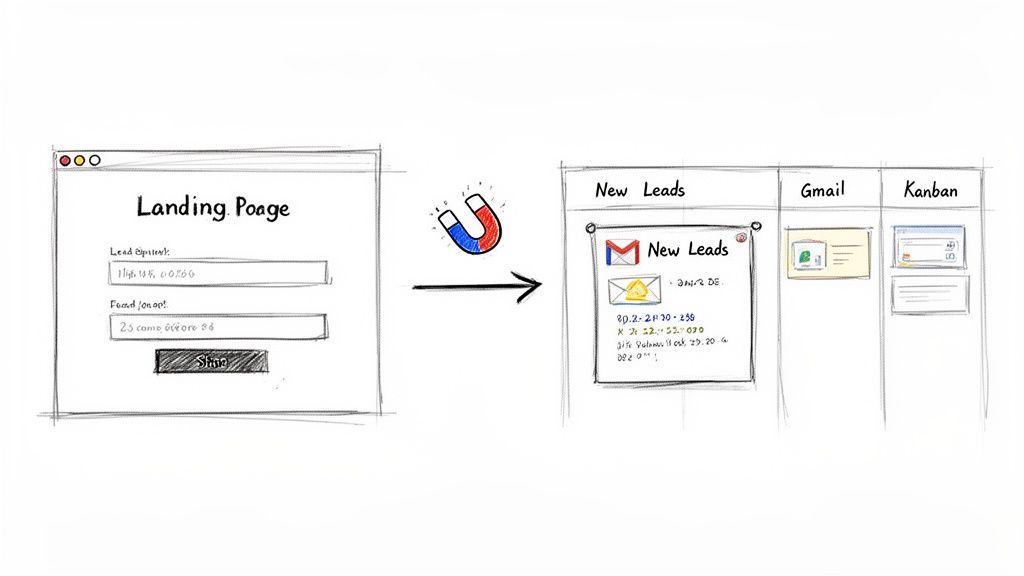
That's a textbook leaky funnel. With a properly integrated system, that risk vanishes. Imagine a prospect fills out a form on your site to download that guide we talked about. With a simple integration, that action can instantly create a new task card in the 'New Leads' column of your team's Kanban board, right inside Gmail.
This one automated step does a few critical things right away:
- Eliminates Lead Leakage: No lead is ever missed. It exists as a tangible task the second it enters your world.
- Provides Instant Visibility: The entire sales team sees the new lead in real-time. No more waiting for reports or checking another app.
- Assigns Immediate Ownership: The card can be auto-assigned to a team member, so everyone knows exactly who's responsible for that crucial first follow-up.
This seamless connection turns a passive marketing event into an active sales opportunity. It’s the first and most vital step in building a responsive sales machine. You're not just collecting contacts; you're kicking off a trackable, manageable workflow. All the lead details can be managed within Google Contacts, turning your address book into a surprisingly effective lightweight CRM. For a deeper dive, check out our guide on using Google Contacts as a simple CRM to keep your lead data clean and accessible.
By wiring your TOFU efforts directly into your sales pipeline, you make sure the momentum your marketing generates is never lost.
Nurturing Leads Through the Middle Funnel
Once a lead enters your world, the real work begins. The middle of the funnel (MOFU) is where most deals are either won or lost. It's that crucial, often messy, stage where a prospect's initial curiosity has to evolve into genuine trust and a clear understanding of your value.
This isn't about hard selling; it's about thoughtful nurturing. You're shifting the conversation from broad awareness to specific solutions, proving you've actually listened to their problems. The goal is simple: move a lead from just being "interested" to being "convinced" your solution is the one for them. Dropping the ball here is one of the quickest ways to leak revenue.
Combining Automation with Personalization
Effective nurturing is a delicate balance. You need the efficiency of automation to follow up at scale, but you also need that personal touch that makes a prospect feel seen and understood. Trying to juggle this from a standard inbox is a recipe for disaster—leads get missed, follow-ups are inconsistent, and you lose critical context.
This is where a visual workflow inside Gmail becomes your command center. Let's say a lead replies positively to your first email. You just drag their card from 'Contacted' to 'Qualified' on your Kanban board. That single action can kick off an automated, yet personalized, email sequence designed to educate them further.
Here's how that blend of automation and personal touch might play out:
- Automated Educational Content: Trigger a short email series sharing relevant case studies, a quick video tutorial, or a blog post that speaks directly to their industry's pain points.
- Personalized Check-ins: While that automation is running, you can focus your manual efforts on high-value, personal interactions. Think a quick, one-line email asking about a specific challenge they mentioned on your initial call.
- Task Reminders: Your Kanban card can have a due date, pinging you to personally follow up if you haven't heard back after the automated sequence finishes.
This hybrid approach ensures no one falls through the cracks. The system handles the consistent touches, freeing you up to be human and strategic. For a deeper dive into setting this up, check out our guide on effective email follow-up automation strategies.
The goal of middle-funnel nurturing is to be persistently helpful, not persistently annoying. By providing value at every touchpoint, you earn the right to ask for the next step, like a demo or a trial.
To help you decide which tactics to prioritize, here's a quick comparison of common nurturing strategies and how they fit within the Google Workspace ecosystem.
Lead Nurturing Tactic Comparison
| Tactic | Best For | Implementation Effort | Key Tooling Studio Feature |
|---|---|---|---|
| Drip Email Campaigns | Educating leads over time with case studies, testimonials, and feature highlights. | Low | Automated email sequences triggered by moving a card on the Kanban board. |
| Personalized Video Messages | High-value prospects who need a human touch to build trust and rapport quickly. | Medium | Task reminders on cards ensure you follow up personally at the perfect moment. |
| Webinar Invitations | Engaging a group of leads at once and demonstrating product value in a live setting. | Medium to High | Centralized contact info (via upcoming CRM integration) makes targeted invites easy. |
| Targeted Content Sharing | Sharing specific blog posts or whitepapers that address a lead's unique pain points. | Low | Notes and activity logs on cards provide the context needed for relevant sharing. |
Ultimately, a mix of these tactics will yield the best results. Start with low-effort, high-impact automation and layer in more personalized touches for your most promising leads.
Tracking Engagement and Intent
How do you know when a lead is ready to move forward? You watch for buying signals. These are the small actions that show a prospect is shifting from casual research to serious consideration. Inside Google Workspace, these signals are everywhere—if you know where to look.
Every email opened, link clicked, or reply sent is a data point. When you manage your pipeline from a shared board, these interactions become totally transparent. For example, if the activity log on a lead's card shows they've opened your pricing email three times in a day, that's a massive buying signal. It’s the perfect trigger for a timely, personal phone call.
The upcoming CRM integration with Google Contacts will make this even more powerful. All this engagement history—every email, note, and task—will be centrally logged against their contact record, accessible right from your inbox. This creates a unified source of truth, giving anyone on your team the complete history of a lead in seconds.
Orchestrating Team Handoffs and Actions
A clunky handoff is a momentum killer. The moment a lead is ready for a demo, the process of scheduling it and prepping the team needs to be flawless. This is another area where visual pipeline management really shines.
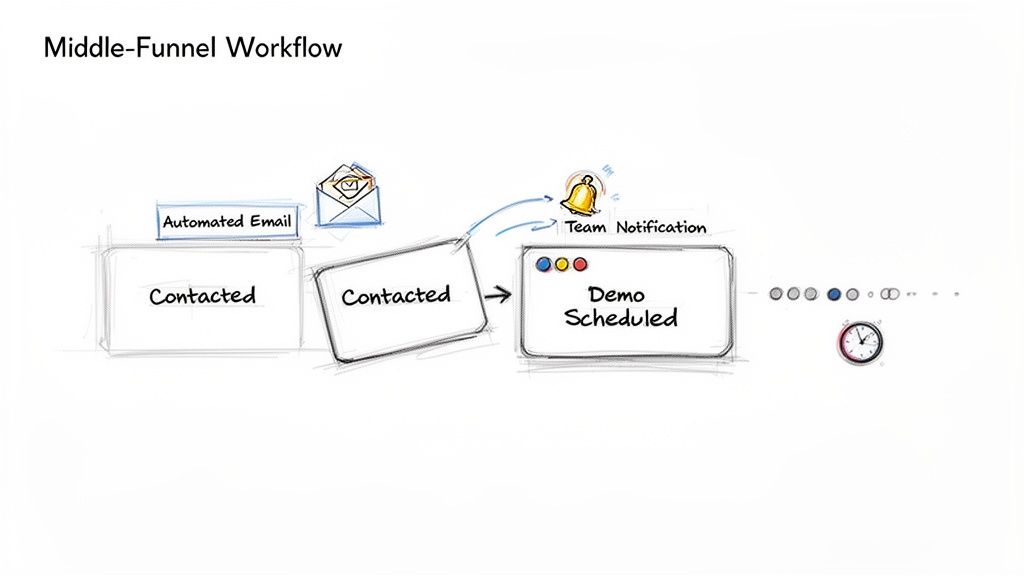
Dragging a lead's card from 'Qualified' to 'Demo Scheduled' can do a lot more than just update its status. It can trigger real-time notifications to the team members running the demo, automatically add the event to a shared Google Calendar, and even create a sub-task for the account executive to prepare a tailored presentation.
This simple, visual trigger system gets everyone on the same page instantly. It cuts out the back-and-forth emails and the risk of miscommunication, creating a smooth transition that feels professional and effortless to the prospect. This is a core part of successful sales funnel optimization—making complex internal processes invisible to the customer.
Closing Deals and Driving Customer Loyalty
Getting a prospect to the proposal stage feels like the home stretch, but this is where deals often stall. Real sales funnel optimization goes beyond getting a verbal "yes." It's about making those final steps—proposal, negotiation, and closing—as smooth and efficient as possible. This is where your visual pipeline becomes your most valuable asset.
Your Kanban board is more than just a tool for nurturing leads; it's your command center for closing them. When a lead is finally ready for a proposal, dragging their card into a 'Proposal Sent' column needs to be more than a simple status update. It should kick off a clear, trackable set of actions.
That simple drag-and-drop gives the entire team instant visibility into which deals are hot. More importantly, it creates a focused workspace dedicated to navigating those last crucial steps.
Streamlining the Final Steps to a Signature
In my experience, deals don't fall apart at this stage because of a lack of interest. They fall apart because of disorganization. A prospect asks for a revised quote, and the email gets lost. The legal team needs to review a clause, but the request is buried in a long thread. These little hiccups create friction and plant seeds of doubt.
This is easy to solve with your Kanban board. Just attach specific sub-tasks to each deal card once it hits the closing stages:
- Draft and Send Proposal: Assign this directly to the account executive with a non-negotiable due date.
- Follow-Up on Proposal: Set an automated reminder for two days after sending to guarantee a timely check-in.
- Schedule Negotiation Call: Create a task to get all the stakeholders on a call once the proposal has been reviewed.
- Send Final Contract: This is the last, critical step. Track it until you have the signature.
Every one of these tasks lives right there on the deal's card, creating a single source of truth. No more digging through your inbox for the latest contract version or wondering if someone followed up. It’s all visible, providing the clarity you need to push deals over the finish line.
The final stages of a sale are a test of your organizational agility. A clean, task-oriented closing process on your Kanban board builds confidence and shows the prospect you are professional and easy to work with—a great first impression for a long-term relationship.
Extending the Funnel Beyond the Sale
Getting that signature isn't the end of the line. It's the beginning of a whole new funnel focused on customer loyalty. So many businesses drop the ball right after a deal closes, creating a clunky onboarding experience that sours the relationship before it even starts.
The same principles of funnel optimization you use for acquisition work just as well for retention. A great way to handle this is by creating a separate 'Customer Onboarding' board. As soon as a deal card is moved to 'Closed-Won' on your sales board, your first action should be to create a new card for that client on the onboarding board.
This simple handoff ensures nothing gets lost between the sales team and the customer success or account management team. It prevents that dreaded feeling of abandonment that new customers often experience.
Building a Customer Onboarding Pipeline
This new board should have its own set of stages, all designed to create an amazing first impression and maximize customer lifetime value (CLV).
Your onboarding pipeline could have columns like these:
- Welcome & Kickoff: The initial welcome email is sent, and the kickoff call is on the calendar.
- Account Setup: All the technical setup and user invitations are complete.
- Training Session: Product training has been scheduled and successfully delivered.
- First Check-in: A 30-day check-in call is done to make sure they're getting value.
- Fully Onboarded: The customer is actively using the product and has been handed off to ongoing support.
When you treat the post-sale process with the same discipline as your pre-sale funnel, you build a system for success. You're not just closing a deal; you're building a long-term partner and a future advocate for your brand. This holistic view turns one-time sales into recurring revenue and powerful referrals.
Got Questions? We've Got Answers.
Even with the best game plan, a few questions always come up when you start tweaking your sales process. Optimizing your sales funnel is no exception, especially when you're doing it right inside a tool you already use every day, like Google Workspace. Here are some of the most common questions we get from teams making this shift.
Think of this as a quick-reference guide to help you build a smarter, more profitable sales machine without ever having to leave your inbox.
How Do I Know If My Optimization Efforts Are Actually Working?
Success isn't about one big, flashy number. It's about tracking the right key performance indicators (KPIs) at each stage of your funnel, which together tell the whole story. The best place to start is by looking at the conversion rates between the columns on your Kanban board.
For instance, what percentage of leads in your "New Leads" column make it to "Qualified"? From there, what's your close rate from "Proposal Sent" to "Closed-Won"? With a visual pipeline, you can literally count the cards moving from one stage to the next over a set period, giving you hard data to work with.
Another critical metric is your average sales cycle length. A well-optimized funnel doesn't just convert more—it converts faster. When you see deals flying through your pipeline in less time, you know your improvements are hitting the mark.
Ultimately, success is simple: you want higher conversion rates, a shorter sales cycle, and a clear, measurable bump in revenue. The data you get from your Kanban board is the proof in the pudding for all three.
What's the Single Biggest Mistake Businesses Make with Their Sales Funnel?
Without a doubt, the most common—and most expensive—mistake is the "set it and forget it" mindset. Too many businesses put in the initial effort to build a funnel and then just assume it'll work perfectly on its own forever. But a sales funnel is a living, breathing part of your business; it needs constant attention and refinement based on what's actually happening on the ground.
Another huge error is failing to get sales and marketing on the same page. The whole funnel grinds to a halt when these two teams are working in their own little bubbles. Marketing pumps out leads without a clue what makes someone "sales-ready," while the sales team complains about lead quality without giving any real, actionable feedback.
This is where a shared, transparent system like a Kanban board in Gmail is a game-changer. It forces alignment. When the marketing team can see exactly what happens to the leads they send over and sales can drop real-time notes on a lead's card, those communication gaps just disappear. The entire process becomes a well-oiled machine.
Can I Really Manage a Complex B2B Sales Funnel from My Inbox?
Absolutely. In fact, for those long, complex B2B sales cycles, managing everything from your primary communication hub is a massive advantage. B2B funnels are messy by nature—they involve countless touchpoints, multiple decision-makers, and deals that can drag on for months. The real complexity isn't the funnel itself; it's the chaos of trying to wrangle it across half a dozen different apps.
Think about it: you're juggling a separate CRM, a task manager, and an inbox that's constantly overflowing. That's where things get missed. That's how follow-ups get delayed and huge opportunities slip right through your fingers.
By embedding a Kanban board and, soon, full CRM functionality directly into Gmail, you're creating a single source of truth. Your inbox—the place where the conversations actually happen—becomes your pipeline command center. This approach doesn't add complexity; it simplifies it by bringing everything you need into one familiar place.
How Often Should I Be Reviewing and Tweaking My Sales Funnel?
Finding the right rhythm for reviews is crucial for continuous improvement. You don't want to over-engineer it, but you can't let it go stale either. A good rule of thumb is to do a high-level check-in monthly and a much deeper audit quarterly.
Monthly Check-in: Think of this as a quick health check. Focus on your main KPIs and glance over your Kanban board for any new bottlenecks. Are cards suddenly piling up in one particular column? That's your signal to dig in and make a few small, iterative adjustments.
Quarterly Audit: This is where you get strategic. Dive deep into your data. Analyze which lead sources are performing best, review feedback from recently closed deals (both won and lost), and take a hard look at the effectiveness of your email sequences and follow-up cadences.
This cadence—frequent small tweaks and less frequent deep dives—is far more effective than making massive, disruptive changes once a year. It keeps you agile and lets you respond to what the data is telling you in near real-time.
Ready to stop managing emails and start closing deals? Tooling Studio transforms your Gmail into a powerful, visual sales pipeline. Build your Kanban board, track opportunities, and get the clarity you need to optimize your funnel today.
 Download our Plugin