
How to Prioritize Tasks with Proven Frameworks
Learn how to prioritize tasks with Eisenhower, MoSCoW, and practical workflow habits that reduce chaos and improve focus.
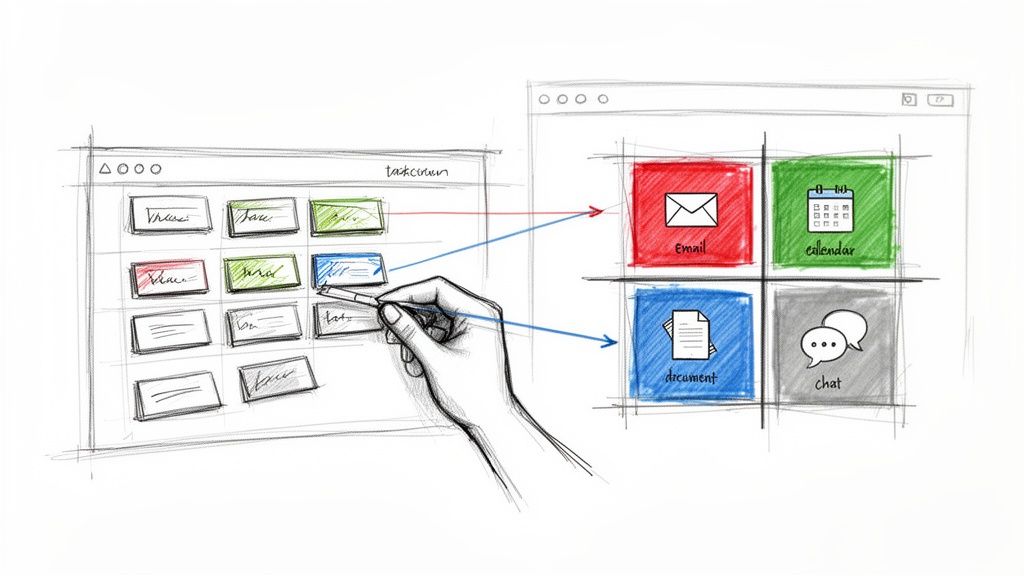
If you're constantly staring down an endless to-do list and a chaotic inbox, you're not alone. That feeling of drowning in tasks is a universal struggle, and it's a silent killer of productivity.
It’s not just a feeling, either. A recent comprehensive report found that a staggering 98.2% of professionals admit they have a hard time prioritizing tasks effectively. This is a massive drain on efficiency, costing people and their teams precious time every single day. You can dig into the full report to learn more about how these productivity trends are shaping modern work habits.
From Reactive Chaos to Proactive Control
The good news? Mastering prioritization isn't some innate talent reserved for the super-organized. It’s a skill anyone can learn.
It all starts with acknowledging the chaos and making a conscious choice to adopt a system. This single shift is what takes you from a reactive "firefighting" mode—where you’re just dealing with whatever pops up—to a proactive, goal-driven workflow.
So many of us live and breathe in platforms like Google Workspace, a place where emails, meetings, and tasks all merge into a relentless stream of demands. Without a clear system, it's dangerously easy to mistake the loudest request for the most important one.
This is where common productivity roadblocks pop up, and they can be brutal.
Here's a breakdown of the common challenges professionals face when task prioritization breaks down, along with their real-world consequences.
Common Prioritization Roadblocks and Their True Cost
| Challenge | Common Symptom | Impact on Productivity |
|---|---|---|
| Constant Context-Switching | Jumping between emails, chat messages, and unrelated tasks every few minutes. | Each switch drains mental energy, making it take longer to complete anything meaningful. Focus is completely shattered. |
| The "Urgency" Illusion | Treating every notification and email as a top priority. Your day is dictated by other people's agendas, not your own. | Important, long-term goals get pushed aside for minor, immediate requests. You end the day feeling busy but not accomplished. |
| Decision Fatigue | Spending more time and mental energy deciding what to do next than actually doing the work. | This leads to procrastination and burnout. By midday, your ability to make high-quality decisions is significantly reduced. |
These roadblocks are frustrating, but they’re also a clear sign that your current approach—or lack thereof—isn't working.
The core principle here isn't about working harder or longer. It's about channeling your energy into the right things at the right time. This deliberate focus is what separates the truly productive from the merely busy.
Bringing Structure into Your Workflow
This is where modern tools can make a world of difference, bringing order directly into the environments you already use.
For instance, an extension like Kanban Tasks embeds a visual, structured system right inside your Gmail inbox. Imagine turning those reactive emails into organized tasks on a shared board without ever having to leave your inbox.
By adopting a system like this, you create a single source of truth. It instantly clarifies what needs your attention now, what can wait, and what you can pass off to someone else. This transition from chaos to clarity is the real foundation for hitting your most important goals.
Choosing the Right Prioritization Framework
Knowing you need to prioritize is one thing; knowing how to do it is something else entirely. When you're drowning in a sea of tasks, you need a life raft. Thankfully, you don't have to invent a system from scratch. Several battle-tested frameworks exist to bring structure and clarity to your to-do list.
The trick is picking a framework that actually fits the way you work. Are you putting out fires all day? Planning a massive, long-term project? Or just trying to get a handle on your personal goals? Each scenario calls for a slightly different approach. Let's dig into three of the most practical methods I've seen work time and time again.
This decision tree gives you a great visual of how moving from that overwhelming to-do list to a proactive workflow really starts with just one choice: deciding to prioritize.
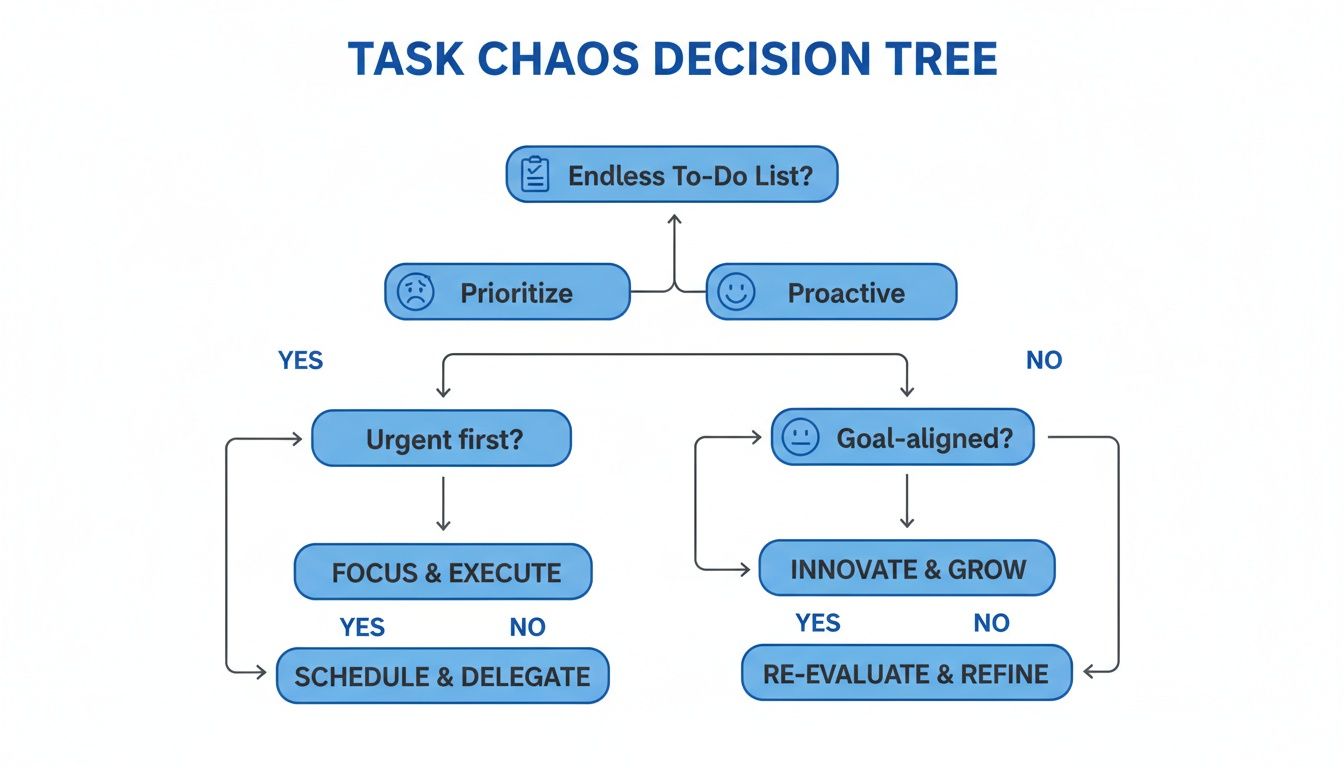
Ultimately, the goal is to shift from a state of constant stress to one of calm, focused control. That’s exactly what these frameworks are designed to do.
The Eisenhower Matrix: Sorting by Urgency and Importance
This is probably the most famous framework out there, and for good reason. The Eisenhower Matrix is a simple but powerful tool that forces you to sort tasks into four quadrants based on two criteria: urgency and importance. It helps you finally separate what feels urgent from what's actually important.
- Do First (Urgent and Important): These are the fires you have to put out. Think of a critical client request with a hard deadline or a project deliverable due by the end of the day. No questions asked, these get done first.
- Schedule (Important, Not Urgent): This is where real progress happens. Strategic planning, relationship-building, professional development—all the stuff that moves the needle long-term but doesn't have a screaming deadline attached. Block out time for these.
- Delegate (Urgent, Not Important): These are the interruptions that can completely derail your day. Someone needs a meeting booked, or a non-critical but time-sensitive email pops up. If someone else on your team can handle it, get it off your plate.
- Delete (Not Urgent, Not Important): The time-wasters. Mindless social media scrolling, unnecessary meetings, sorting through old emails. Be ruthless here and just eliminate them.
The magic of this matrix is its simplicity. It’s perfect for that daily triage moment when you sit down in the morning and need to quickly figure out where to focus your energy.
The ABCDE Method: Ranking by Value
Developed by productivity guru Brian Tracy, the ABCDE method is a dead-simple ranking system. Instead of just sorting tasks, you're forced to think about the consequences of doing (or not doing) them.
It's pretty straightforward:
- A Tasks: These are the big ones. Things you must do, with serious positive or negative consequences hanging in the balance.
- B Tasks: Things you should do. They're important, but the consequences are mild. The golden rule here? Never touch a B task if there’s an A task left undone.
- C Tasks: The "nice to do" items. Grabbing lunch with a coworker or finally organizing your desktop. There are no real consequences if you don't get to them.
- D Tasks: Anything you can Delegate. Hand it off to free up your time for those critical A tasks.
- E Tasks: Things you can Eliminate. Cut them from your workload completely and don't look back.
This method is fantastic for individual professionals trying to maximize their personal impact. It cuts through the noise and makes you confront the real value of what's on your list. If you find this approach useful, you might want to learn more about other prioritization techniques that build on similar principles.
The MoSCoW Method: Clarifying Project Requirements
The MoSCoW method is a staple in project management, particularly in the tech world, but its logic can be applied almost anywhere. It helps teams categorize requirements to make sure everyone agrees on what's absolutely essential for success.
MoSCoW is an acronym that stands for Must-Have, Should-Have, Could-Have, and Won't-Have. This clear language is brilliant for removing ambiguity and managing stakeholder expectations right from the start.
Imagine you're a project manager launching a new feature using a shared Google Tasks list. You could literally use the MoSCoW categories as your list titles:
- Must-Have: These are the core functionalities. If they're not there, the launch is a failure. Period.
- Should-Have: Important features that add a ton of value but aren't deal-breakers.
- Could-Have: "Nice to have" improvements that can be included if there’s enough time and resources.
- Won't-Have: Features that are explicitly out of scope for this round. This is huge for preventing scope creep.
Using MoSCoW transforms a vague project goal into a visual, collaborative plan. It ensures the whole team is pouring their energy into what truly matters most.
Putting Prioritization into Practice with Google Workspace
Frameworks and theories are great, but let's be honest—they're useless until you can actually apply them to your daily grind. For most of us, that's happening inside Google Workspace. The real trick is connecting a concept like the Eisenhower Matrix to the chaotic reality of an inbox that just won't quit. How do you turn that theory into action without adding yet another complicated tool to your stack?
This is where a visual system that plugs directly into your existing tools can be a total game-changer.
Let's picture Sarah, a team lead. She kicks off her morning with 30+ new emails, and every single one is a request, an update, or a new task in disguise. Instead of flagging them into a messy, endless list or just trying to remember it all, she uses a tool like the Kanban Tasks extension to bring some sanity to the chaos.
From Inbox Overload to a Clear Action Plan
Sarah's first move is to triage her inbox. She doesn't just read and reply. As she goes through her emails, she converts the actionable ones directly into tasks with a single click. Boom. Each new task pops up on a visual Kanban board right inside her Gmail, ready to be sorted. This simple step prevents crucial requests from getting buried and forgotten.
Her board is set up with columns that perfectly mirror the Eisenhower Matrix, which gives her an instant, intuitive way to sort everything coming in:
- Urgent & Important
- Schedule for Later
- Delegate
- Follow-Up
An email from her biggest client with a same-day deadline? That becomes a task card and gets dragged straight into the "Urgent & Important" column. A team member asking for feedback on a non-critical draft? That goes into "Schedule for Later." A routine admin question? She drops that into "Delegate" and assigns it to a teammate on the spot.
By creating a visual map of her priorities, Sarah is no longer just reacting to whatever email is newest. She’s making conscious calls about where each task belongs in the bigger picture. Her inbox goes from a source of stress to a centralized command center.
Here’s a quick sketch of what that looks like—a simple way to see what needs to be done, what can wait, and what's on someone else's plate.
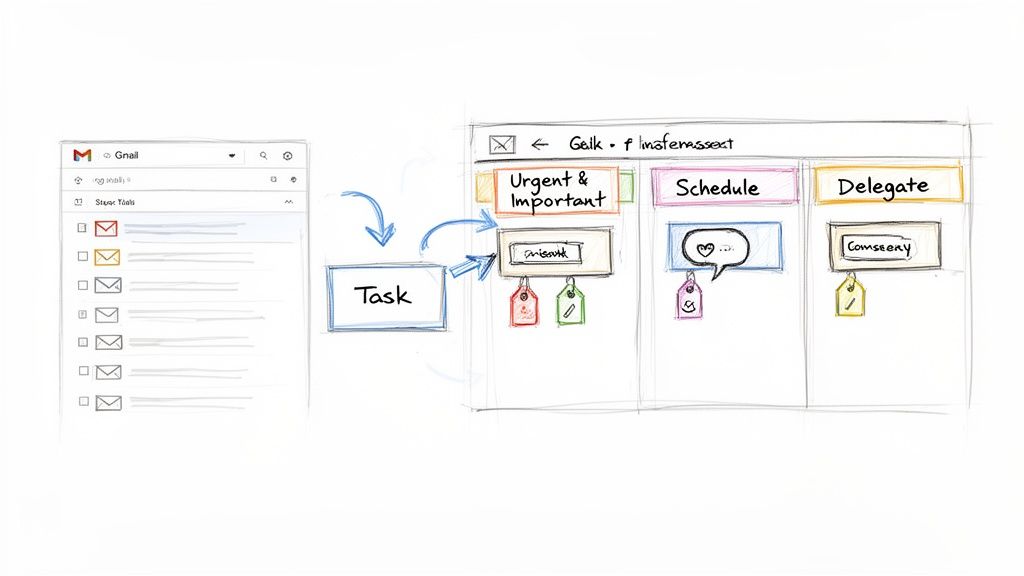
The real magic here is the seamless jump from communication to action. Tasks aren't just in a list; they're visually sorted, making it dead simple to see where everyone's focus should be.
Creating a Single Source of Truth
Smart prioritization isn't just about managing your own to-do list; it's about getting the whole team on the same page. When tasks are scattered across emails, random documents, and chat threads, you're just asking for confusion and wasted effort. A shared Kanban board inside Google Workspace fixes this by creating one single, accessible source of truth for the entire team.
Sarah levels up her team's clarity by using a few extra features on each task card:
- Tags: She adds tags like
ProjectAlphaorQ3Marketingto each card. This lets anyone filter the board in a second to see all tasks related to a specific project. It’s like getting a high-level project overview without having to bug anyone. - Comments and Attachments: Instead of kicking off yet another email chain, all the back-and-forth happens right on the task card. All the relevant files, feedback, and decisions live in one spot, creating a complete history for anyone who needs to catch up later.
By centralizing everything this way, Sarah slashes the amount of "work about work"—you know, those endless follow-up emails and status update meetings. Her team sees progress in real time, understands who's waiting on what, and stays aligned without ever leaving their inbox. If you want to dive deeper into this setup, you can learn more about integrating Kanban boards into Google Workspace for productivity.
And if you really want to build out your ecosystem, look into productivity apps that sync with Google Calendar to make your schedule management even smoother. This approach turns a bunch of separate apps into one cohesive system, making effective task prioritization a natural part of your digital environment.
Protecting Your Focus from Common Productivity Killers
Having a perfectly prioritized to-do list is one thing. Actually getting it done is another. Once you know what matters most, the real battle begins: defending your focus from the constant barrage of interruptions that define modern work.
These aren't just minor annoyances. They're productivity killers that can derail even the best-laid plans.
The true enemy here is context-switching. Every time a notification pings or a colleague drops by with a "quick question," your brain is forced to slam the brakes on a deep task and completely reorient itself. This mental gear-shifting comes at a steep cost.
Research shows that constant interruptions are productivity's arch-nemesis, forcing employees to take 27% more time to finish their work. This chaos leaves only 60% or less of the workday for actual, productive effort.
The ability to prioritize tasks effectively is directly tied to your ability to create and defend blocks of uninterrupted time. Without focus, your well-organized list remains just that—a list.
Defending Your Golden Hours
Most of us have a window of time during the day when we're at our sharpest. For many, this "golden hour" hits around 11 a.m., which is when the highest percentage of daily tasks typically get completed. Protecting this time is non-negotiable if you want to make real progress on your most important work.
This means you have to be intentional about creating an environment that supports deep focus. It’s about more than just putting on headphones; it involves setting clear boundaries and communicating them to your team. You can learn more about how to create a productive workspace that actively reduces distractions.
Here are a few actionable strategies to get you started:
- Schedule "Deep Work" Blocks: Treat your focus time like you would a critical meeting. Block it out on your calendar so colleagues can see you're unavailable and won't schedule over it.
- Use Status Indicators: Make the most of tools like Slack or Microsoft Teams. Set your status to "Do Not Disturb" or "Focusing" to send a clear signal that you shouldn't be interrupted for non-urgent matters.
- Batch Your Communication: Instead of reacting to emails and messages the second they arrive, set aside specific times during the day to process them all at once. This simple habit prevents reactive work from hijacking your entire schedule.
Using Visual Tools to Reduce Interruptions
A huge source of workplace interruptions comes from a simple lack of clarity. When team members don't know who is working on what or the status of a key task, they fall back on those disruptive "just checking in" messages.
This is where a shared visual board, like the one in Kanban Tasks, becomes an incredibly powerful tool for protecting everyone's focus.
When priorities and progress are transparent on a shared board that everyone can see, the need for constant status updates just melts away. A team member can simply glance at the board to see that a task has moved from "In Progress" to "In Review."
This real-time visibility reinforces who's responsible for what and empowers everyone to stay in the loop without breaking another person's concentration.
Building a Culture of Recognition and Improvement
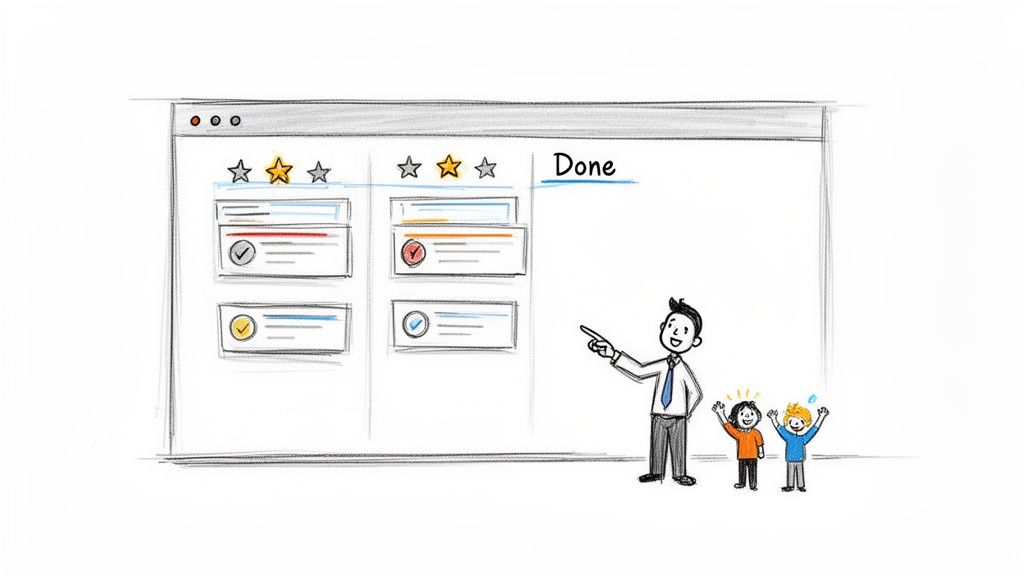
Getting a grip on prioritization frameworks is a fantastic start, but the real magic happens when those habits become second nature—not just for you, but for your entire team. Truly effective task management isn't just about ticking boxes; it blossoms in a culture where progress is seen, shared, and celebrated. It's about shifting from a dry, mechanical process to a genuinely rewarding team dynamic.
Let's be honest, nobody is born knowing how to prioritize. It's a skill, and like any skill, it gets sharper with practice and feedback. A wide-ranging review found that while our brains are wired to chase quick or rewarding tasks, it’s experience and open feedback that truly build efficiency.
The payoff for getting this right is enormous. By 2026, consistent employee recognition for completing high-priority work is expected to boost happiness by 82%, lift productivity by 31%, and slash turnover by a whopping 40%. You can learn more about how a structured system drives these results.
Turning Wins into Motivation
One of the simplest, yet most powerful, ways to nurture this culture is to use your existing tools to shine a light on success. If you're a manager, that shared Kanban Tasks board is more than just a project tracker. It’s your stage for recognition.
That “Done” column isn’t just a task graveyard; it’s a living history of your team’s achievements. So, use it! During your weekly syncs or daily stand-ups, make it a point to highlight what’s been accomplished.
- Spotlight Key Wins: Take a moment to call out a few important tasks that just moved to "Done." Explain why they mattered and how they push the team closer to its goals.
- Connect Effort to Impact: Don't just say what was done; explain its value. For example, "Big shout-out to Sarah for closing out the Q2 planning task. Because of that, we're kicking off the next project phase ahead of schedule."
- Encourage Peer Recognition: Create a space where team members feel comfortable celebrating each other’s wins. It builds camaraderie and reinforces shared goals.
This little ritual takes just a few minutes, but the return is huge. It reinforces why focusing on high-value work is so critical and shows every single person on the team that their contributions are seen and deeply valued.
When you celebrate what you want to see more of, you get more of it. Recognizing the completion of prioritized tasks turns a solitary to-do list into a shared journey toward a common goal, making everyone more invested in the process.
Frequently Asked Questions About Task Prioritization
Even with the best frameworks in your toolkit, questions always come up when the rubber meets the road. Putting prioritization theory into practice means wrestling with real-world curveballs, from last-minute fire drills to getting your team to actually use the new system.
Let's tackle a few of the most common ones I hear.
How Often Should I Re-evaluate My Priorities?
Think of prioritization as a living, breathing process, not something you set and forget. I’ve found the sweet spot is a quick review of your task list every single morning. This gives you a chance to adjust your plan based on anything that came in overnight.
For bigger projects, a weekly review is essential to make sure you're still aligned with the long-term goals. A flexible tool like a Kanban board is perfect for this. You can just drag and drop tasks to reflect the new reality in seconds.
What Is the Best Way to Handle Unexpected Urgent Tasks?
When a surprise "urgent" task lands on your desk, the most important thing you can do is pause. Don't just react. Take a breath and run it through a quick mental Eisenhower Matrix: Is this thing truly important, or is it just loud?
If it’s both urgent and important, then yes, it might need to bump something else off today's list. But if it’s just urgent and not that important? Your first instinct should be to delegate it or see if it can wait. This conscious pause is what keeps your entire day from getting hijacked by other people's emergencies.
The goal isn't to rigidly stick to a plan but to make intentional choices when plans inevitably change. A good system provides the clarity to adapt without losing sight of what truly matters.
How Can I Get My Team On Board with These Methods?
Getting your team to adopt a new way of working all comes down to two things: simplicity and integration.
Start with just one straightforward framework—the Eisenhower Matrix is a great entry point. Then, implement it with a shared tool that already lives where your team works every day, like using Kanban Tasks in Google Workspace.
This completely removes the friction of having to learn yet another new platform. If you lead by example and keep pointing out the benefits—less chaos, clearer direction, and more meaningful work getting done—people will get on board.
Ready to stop reacting and start prioritizing with a tool built for Google Workspace? See how Tooling Studio can bring clarity and control to your team’s workflow at https://tooling.studio.
 Download our Plugin