
Best Team Collaboration & Productivity Tools for 2026
Discover top team productivity tools for 2026, with a concise rundown of features, pricing, and how they boost collaboration and efficiency.
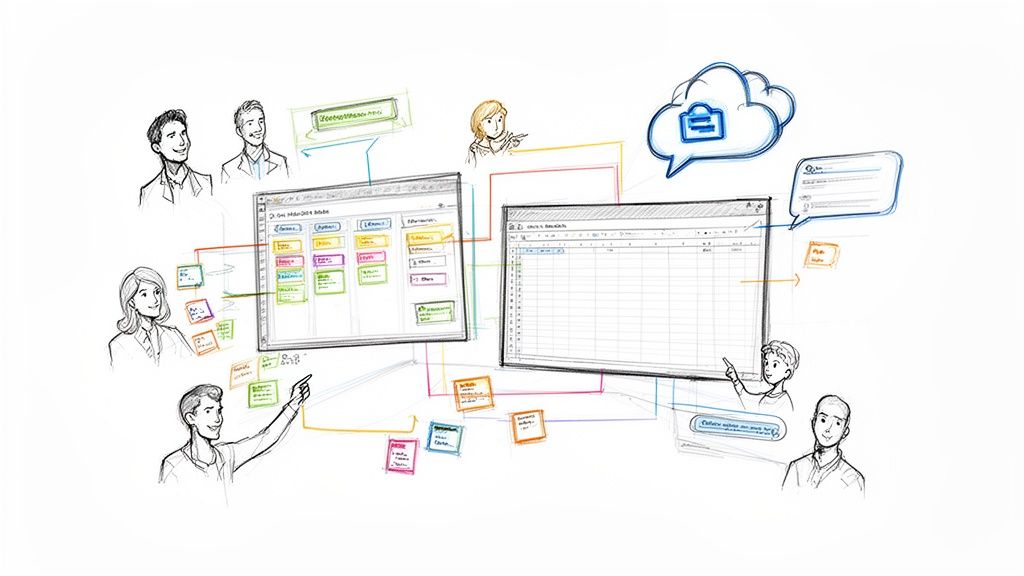
In today's fast-paced work environment, your team's biggest enemy isn't the clock, it's context switching. Juggling dozens of apps for communication, task management, and project tracking drains focus and fragments workflows, especially for teams operating within Google Workspace. The constant shuffle between Gmail, Drive, Slack, and a separate project tool creates friction, slowing progress and causing critical details to fall through the cracks. This constant toggling is a significant drain on efficiency, a problem the right team productivity tools are designed to solve.
This guide moves beyond generic lists to provide a detailed breakdown of the 12 best platforms and marketplaces to streamline your operations. We focus on tools that integrate seamlessly within the Google ecosystem, offering honest assessments of their features, ideal use cases, and limitations. Each entry includes direct links and screenshots to give you a clear, practical overview. Effectively implementing these platforms also requires clear communication protocols. For instance, teams that adopt a structured approach for technical issues, like using a proven bug report template, often see a dramatic reduction in back-and-forth and wasted time.
Our goal is to help you find the perfect solution to unify your workflow. Whether you're a project manager needing a powerful suite like Asana or a freelancer looking to manage tasks directly in Gmail, this curated resource will help you cut through the noise. You will discover how to centralize communication, manage projects more effectively, and ultimately empower your team to reclaim its focus and drive meaningful results without leaving their primary workspace.
1. Tooling Studio
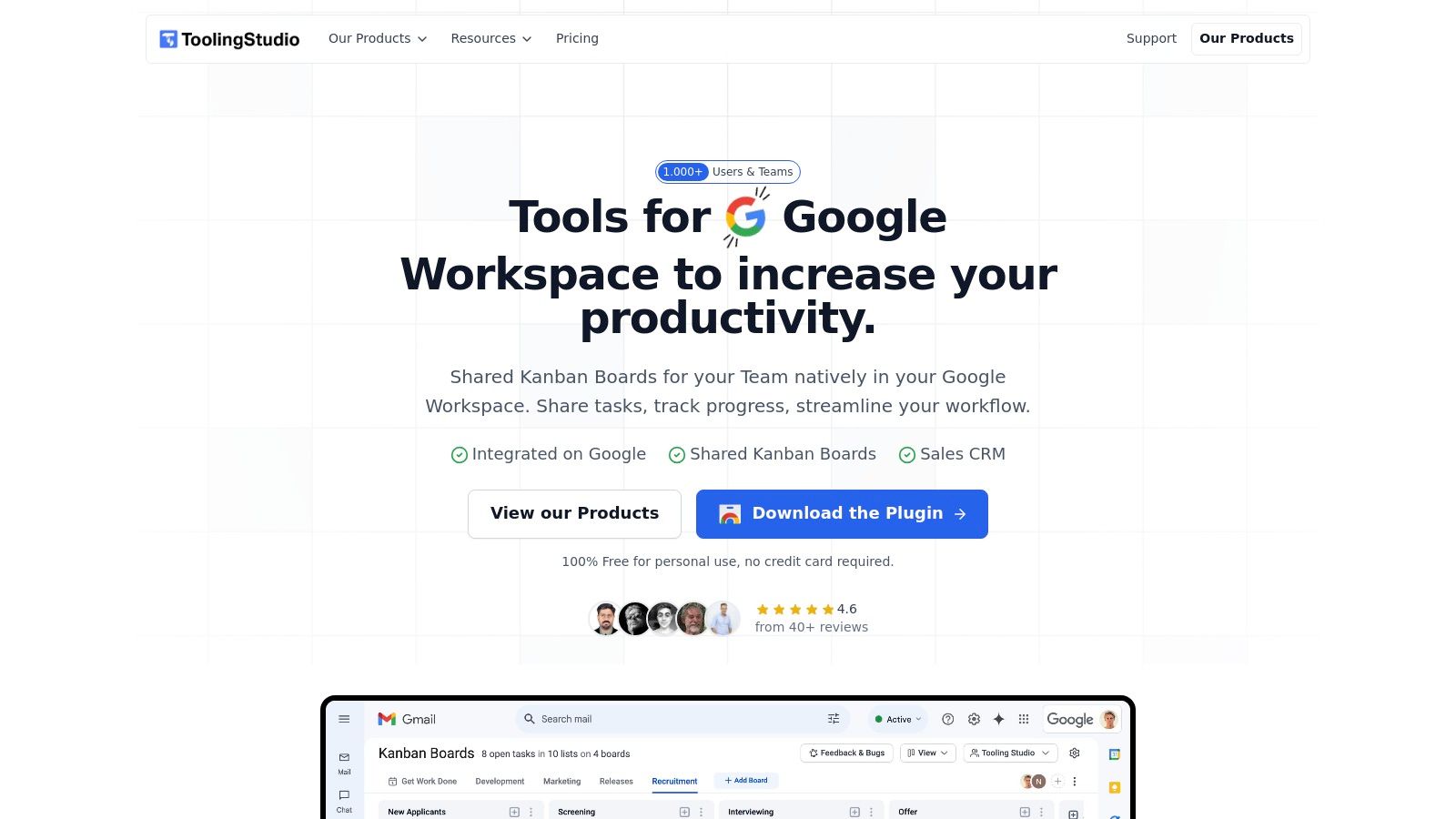
Tooling Studio stands out as a powerful suite of team productivity tools designed to eliminate the friction of context switching for teams deeply embedded in Google Workspace. Its core philosophy is to bring essential workflows directly into the Google environment, rather than forcing users to jump between applications. The platform achieves this through lightweight yet robust Chrome extensions that feel like a native part of Gmail, Google Tasks, and Google Contacts.
Its flagship products, Kanban Tasks and Sales CRM, overlay intuitive, collaborative interfaces onto the familiar Google UI. This unique, in-app integration is a significant differentiator, allowing users to manage complex projects and sales pipelines without ever leaving their inbox. For teams aiming to centralize operations and minimize workflow disruption, Tooling Studio presents a compelling and streamlined solution.
Key Features and Use Cases
Tooling Studio’s strength lies in its practical, deeply integrated feature set. It’s built for action-oriented teams who need immediate access to their work management tools.
Kanban Tasks for Gmail & Google Tasks: This extension transforms your inbox into a project management hub. You can instantly convert an email into a task on a shared Kanban board with a single click. The boards are feature-rich, supporting drag-and-drop functionality, task dependencies, comments, and file attachments, making it ideal for agile development teams, marketing campaign managers, and anyone coordinating multi-step projects.
Sales CRM for Google Contacts: Sales CRM enriches the native Google Contacts interface. It adds essential CRM capabilities like shared deal pipelines, custom fields, and contact tagging. A sales representative can manage their entire lead funnel, track interactions, and collaborate with teammates on deals directly within their contact list.
Real-Time Collaboration: All boards and pipelines are shareable and update in real time. This ensures that when a project manager assigns a task in Gmail, the team member sees the update instantly, fostering seamless alignment without the need for status meetings or follow-up emails.
Pricing and Availability
Tooling Studio uses a simple and accessible pricing model, making it a viable option for individuals and teams of all sizes.
Free Forever Plan: Both Kanban Tasks and Sales CRM are completely free for personal, individual use with no credit card required to sign up.
Team Plan: Unlocking team features (like shared boards and pipelines) costs US $5 per user, per product, per month. An annual subscription is available for US $50 per user, per year, offering a discount.
Guarantee: The platform offers a 30-day money-back guarantee on all paid plans.
Access: As Chrome extensions, the tools are available via the Chrome Web Store and are officially supported on Google Chrome.
Pros and Cons
| Pros | Cons |
|---|---|
| Truly Native Integration: Lives inside Gmail and Google Workspace, dramatically reducing app switching and boosting focus. | Browser and Mobile Limitations: Officially supported only on Google Chrome, with no dedicated mobile app available yet. |
| Generous Free Tier: The free-forever plan for personal use provides significant value for freelancers and individuals. | One-Way Sync: Data syncs from Google into Tooling Studio, but changes do not write back to Google Tasks or Contacts. |
| Affordable & Simple Pricing: Clear, per-user pricing makes it easy to scale without complex tiers or hidden fees. | Sales CRM: Sales CRM is newly released and some advanced features like forecasting continue to evolve. |
| Active Development: A public roadmap and regular updates show a strong commitment to user feedback and product improvement. |
Website: https://tooling.studio
2. Google Workspace Marketplace
The Google Workspace Marketplace isn't a single tool but an essential ecosystem for any team embedded in Google's suite. It serves as an official storefront where you can find hundreds of third-party team productivity tools designed specifically to integrate with Gmail, Drive, Calendar, and Docs. This centralized hub allows you to extend the functionality of the apps your team already uses daily, creating a more unified and powerful workflow without leaving your inbox or documents.
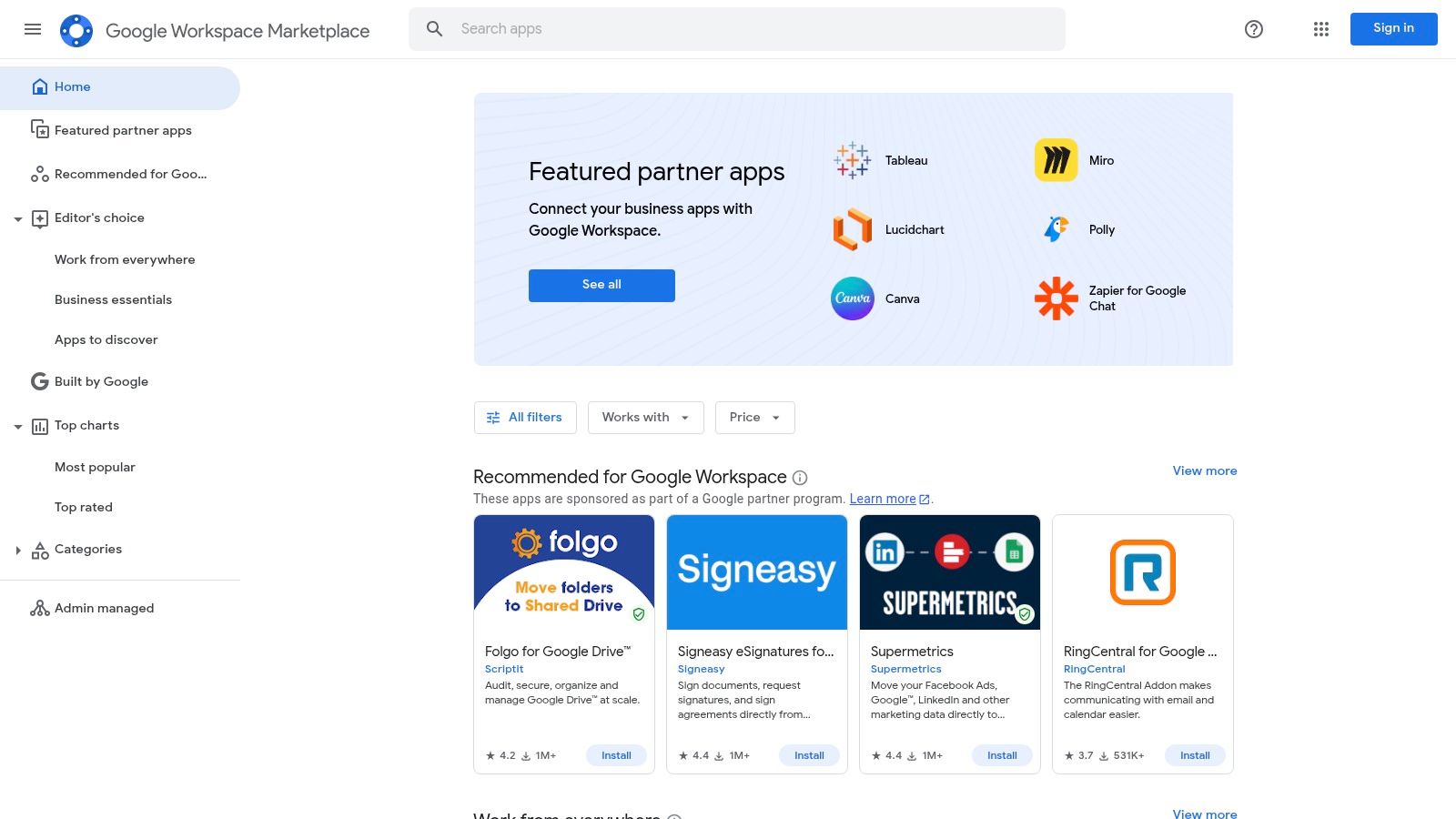
What makes the Marketplace invaluable is its focus on security and administrative control. Admins can vet, approve, and deploy applications across the entire organization with a single click, ensuring compliance and managing licenses from one dashboard. This solves a major headache for IT teams concerned with shadow IT and data security. You can discover a wide range of powerful Google Workspace productivity tools to enhance everything from project management to CRM.
Key Considerations
Deep Integration: Apps here offer native integrations, like adding a task manager directly into your Gmail sidebar or linking a CRM to Google Contacts.
Security Vetting: Google's review process provides a baseline of security and reliability, reducing the risk associated with unvetted third-party apps.
Variable Quality: While curated, the quality of applications can vary. It's crucial to read recent reviews and check install counts before committing.
Pricing: Access to the Marketplace is free, but individual apps have their own pricing models, ranging from free to subscription-based.
Website: https://workspace.google.com/marketplace
3. Chrome Web Store (Productivity Collection)
While not a standalone app, the Chrome Web Store’s curated "Productivity" collection is a powerful resource for teams that live in the browser. It functions as a massive marketplace for browser extensions that add new capabilities directly into your workflow, enhancing everything from task management and time tracking to note-taking and CRM. This approach allows for quick, incremental productivity gains without adopting an entirely new platform.
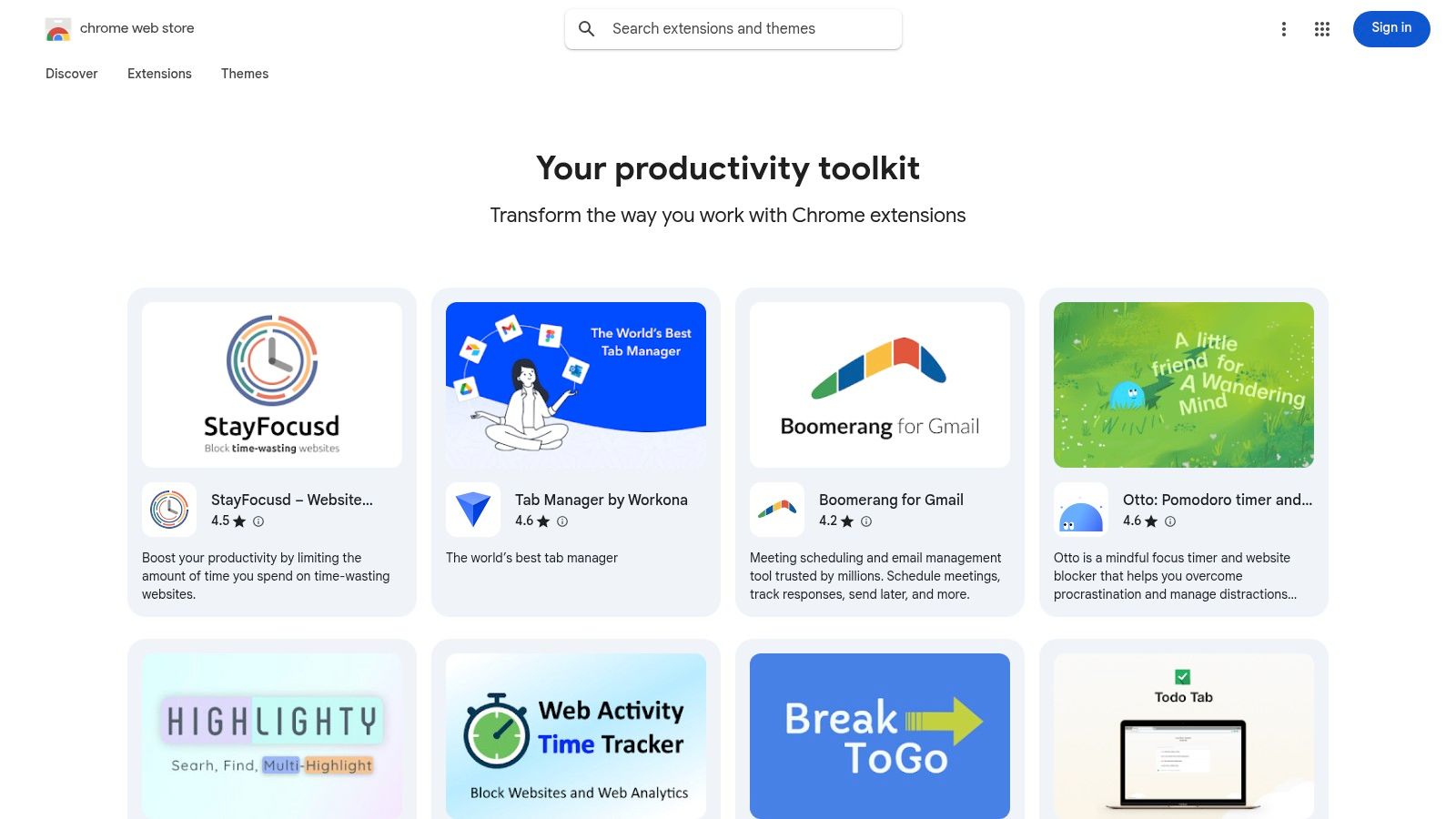
The primary advantage is the immediate activation and ease of use. Installing an extension takes seconds, allowing teams to trial new team productivity tools with minimal friction. For organizations, Chrome Enterprise offers administrative controls to pre-approve, block, or force-install specific extensions, providing a layer of governance over what tools employees can use. This makes it a flexible yet controllable way to discover some of the best productivity extensions for Chrome and customize your team's browser experience.
Key Considerations
Huge Selection: Offers a vast library of extensions, with many free or freemium options available for teams on a budget.
Low Friction: Extensions are easy to install, trial, and remove, encouraging experimentation to find the perfect fit.
Extension Sprawl: Without management, teams can accumulate too many extensions, leading to overlapping functionality, browser slowdowns, or distractions.
Security Vetting: It's critical for admins to review the data access and permission scopes of each extension to ensure they meet company security policies.
Pricing: Access to the store is free, but individual extensions have their own pricing, typically ranging from free to subscription-based models.
Website: https://chromewebstore.google.com/collection/productivity
4. Asana
Asana is an end-to-end project and work management platform designed for teams needing deep visibility into tasks, projects, and high-level company goals. It excels at connecting the day-to-day work of individuals to the strategic objectives of the entire organization. By offering multiple views like lists, boards, timelines, and calendars, it allows team members to manage their work in the format that suits them best, making it a versatile addition to any collection of team productivity tools.
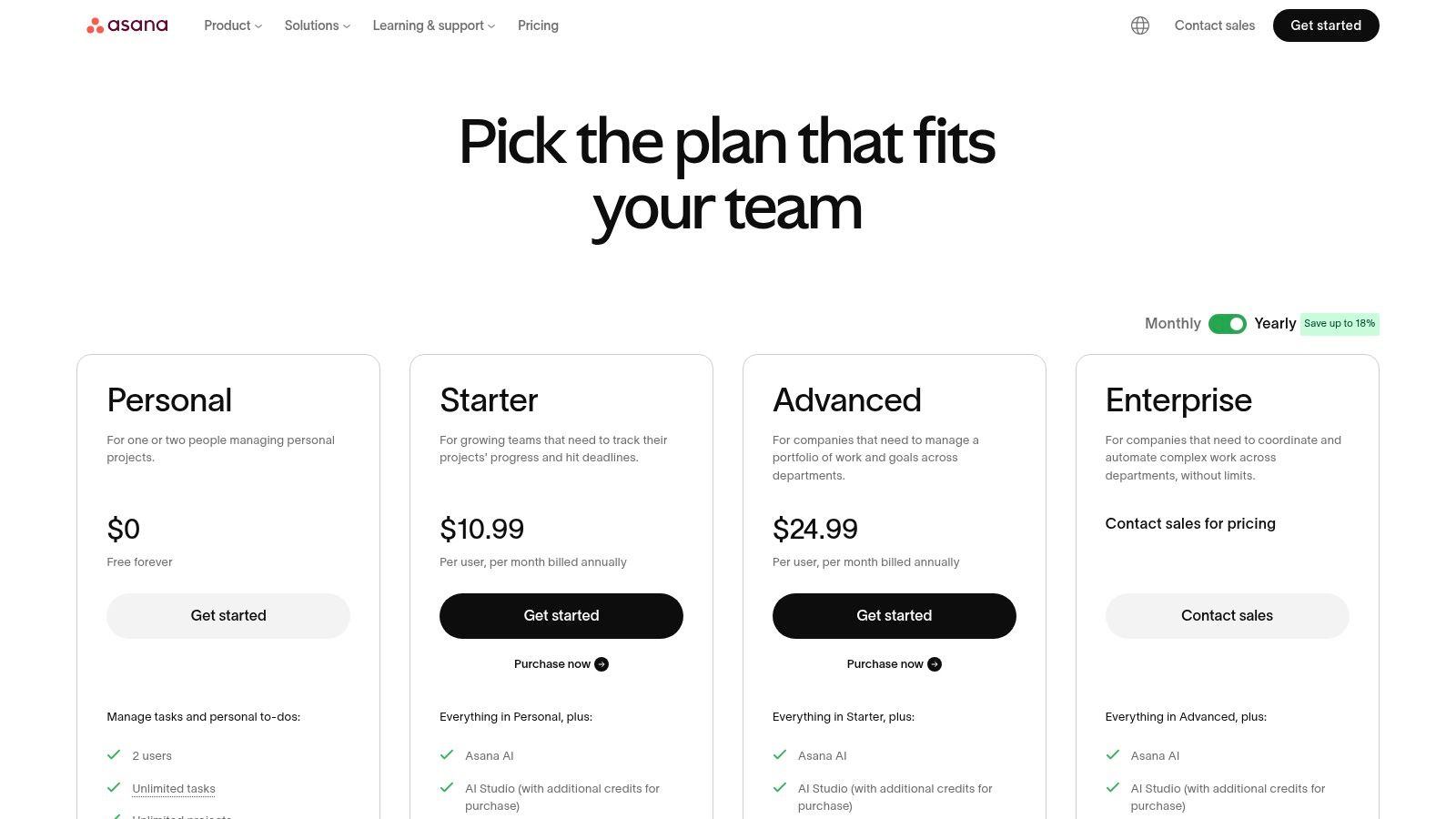
What truly sets Asana apart are its portfolio and workload management features, which give managers a bird's-eye view of team capacity and project progress across multiple initiatives. The platform’s robust automation capabilities, powered by a no-code Workflow Builder, help eliminate manual, repetitive tasks, freeing up teams to focus on more impactful work. Its strong integration with Google Workspace allows users to create tasks from emails in Gmail, attach files from Google Drive, and sync deadlines with Google Calendar, creating a seamless workflow between platforms.
Key Considerations
Multiple Views: Teams can visualize work using boards, lists, calendar, and timeline/Gantt views to suit different project needs.
Advanced Reporting: Features like Goals, portfolios, and workload management provide powerful insights for leadership and project managers.
Scalability: Asana scales effectively from small teams to large enterprises with sophisticated administrative controls and security features.
Learning Curve: The extensive feature set, particularly advanced functions like Portfolios and Goals, can be overwhelming for new users and may require dedicated training.
Pricing: While a free basic plan exists, core features like timelines, custom fields, and advanced automations are on paid tiers, which can become costly at scale.
Website: https://asana.com/pricing
5. Trello by Atlassian
Trello is a cornerstone among team productivity tools, celebrated for its visually intuitive Kanban board system. It excels at lightweight project coordination and shared task tracking through a simple drag-and-drop interface of cards and lists. This approach makes it incredibly easy for teams to visualize workflows, assign tasks, and monitor progress without the steep learning curve associated with more complex project management software.
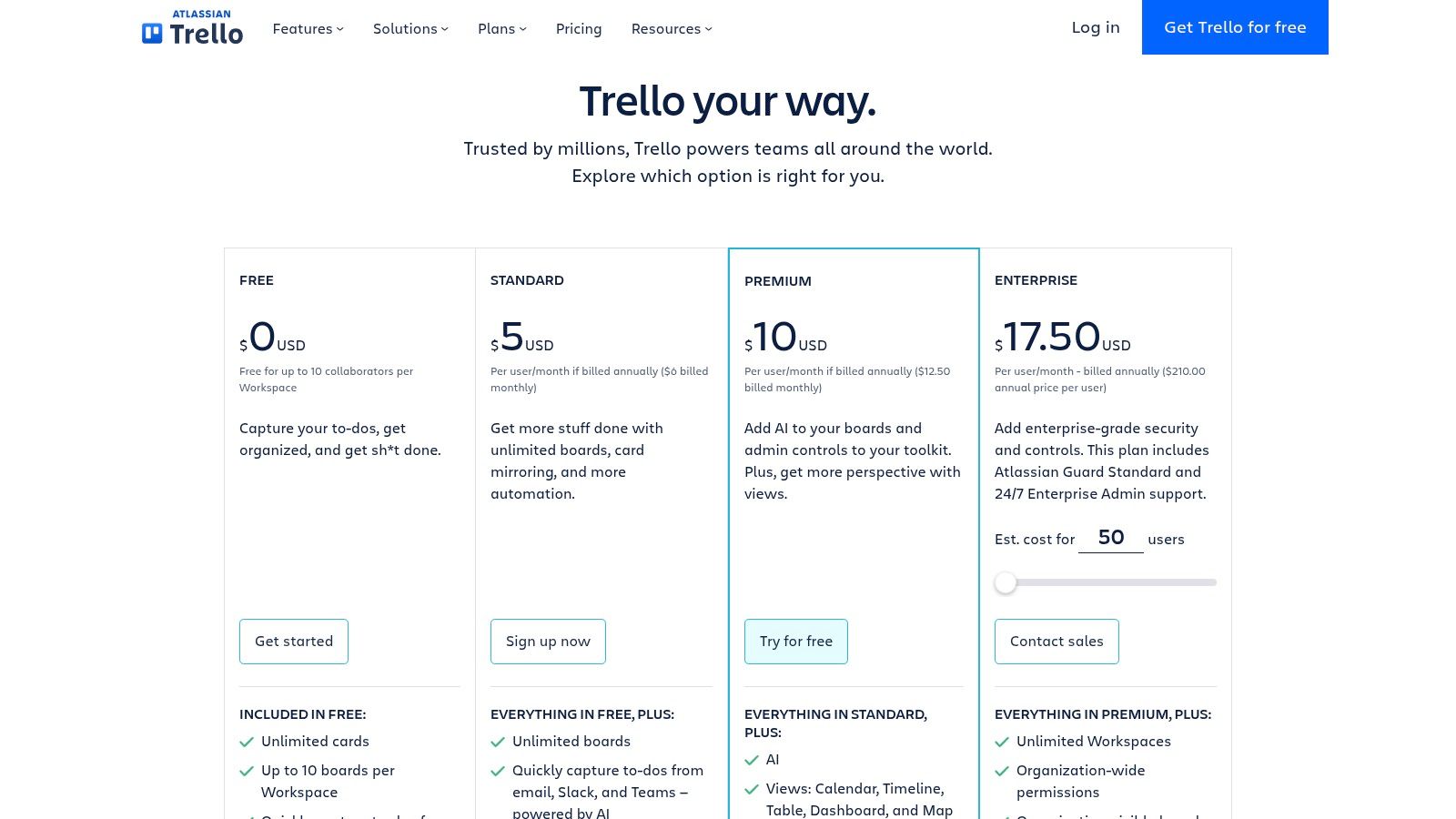
What makes Trello powerful for teams is its flexibility and robust automation capabilities. Using Butler, users can automate routine actions like moving cards, assigning members, and setting due dates, which saves significant time. Furthermore, its Power-Ups feature allows for deep integration with other essential apps, including Google Drive and Slack, transforming a simple board into a centralized command center for any project. For those seeking a similar Kanban experience directly within their Google ecosystem, you can explore Trello alternatives that offer tighter integration.
Key Considerations
Visual Workflow Management: Its core strength is the Kanban board, which provides a clear, at-a-glance view of task status and team workload.
User-Friendly Onboarding: New team members can understand and start using Trello in minutes, making it ideal for fast-paced environments.
Potential for Clutter: Without established conventions or regular maintenance, boards with many cards can quickly become disorganized and difficult to navigate.
Pricing: Trello offers a generous free tier, with paid plans (Standard, Premium, Enterprise) unlocking advanced features like unlimited automations, multiple board views, and enhanced security controls.
Website: https://trello.com/pricing
6. monday.com
monday.com has evolved from a project management tool into a comprehensive Work Operating System (Work OS). It offers a highly visual and flexible platform where teams can build custom workflows for nearly any process, from marketing campaigns and CRM to software development and service management. Its core strength lies in its modularity; teams can start with a simple task board and scale up to complex, interconnected dashboards that provide a high-level overview of all business operations.
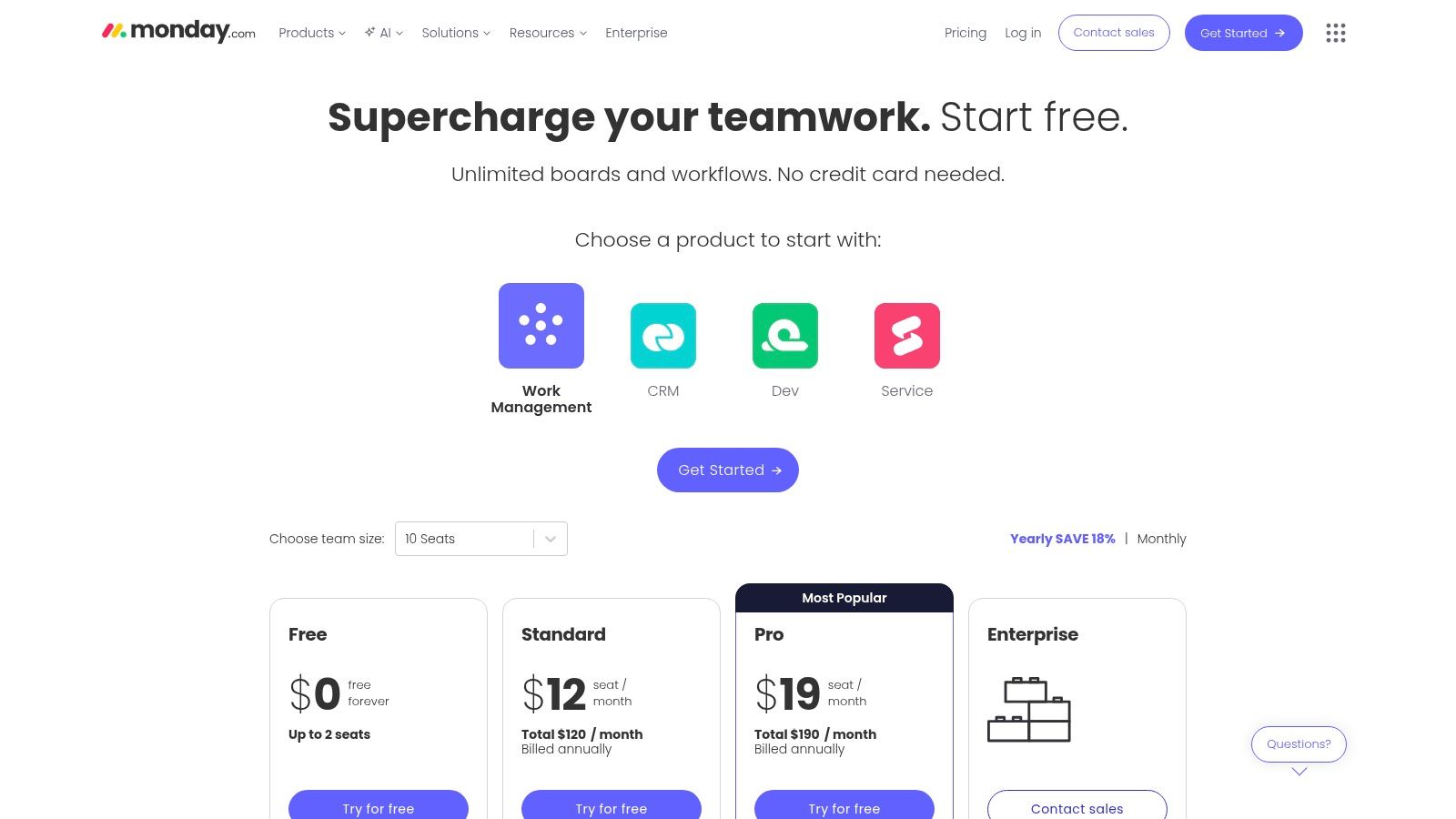
What sets monday.com apart is its user-friendly approach to automation and integration. Teams can set up "if this, then that" automation recipes without writing any code, saving significant time on repetitive tasks. With over 200 integrations, including a robust connection with Google Workspace, it acts as a central hub for cross-team collaboration. This makes it one of the most adaptable team productivity tools for organizations that need a single source of truth for diverse departmental functions.
Key Considerations
Visual Workflows: Offers multiple board views like Kanban, Gantt, timeline, and calendar, allowing teams to visualize data in the way that makes the most sense for them.
High Versatility: Versatile templates and product-specific SKUs (Work Management, Sales CRM, Dev) allow for rapid configuration without heavy administrative overhead.
Seat Minimums: Pricing plans often require a minimum number of seats (typically 3), which can be a barrier for very small teams or solo users.
Gated Features: Many of the most powerful features, such as advanced automations and integrations, are reserved for higher-priced Pro and Enterprise tiers.
Website: https://monday.com/pricing
7. Notion
Notion has evolved from a simple note-taking app into an all-in-one workspace that can function as a team's central operating system. It uniquely blends documents, wikis, databases, and lightweight project management into a single, highly flexible environment. This adaptability allows teams to build custom workflows for everything from content calendars and engineering roadmaps to comprehensive internal knowledge bases, making it one of the most versatile team productivity tools available.
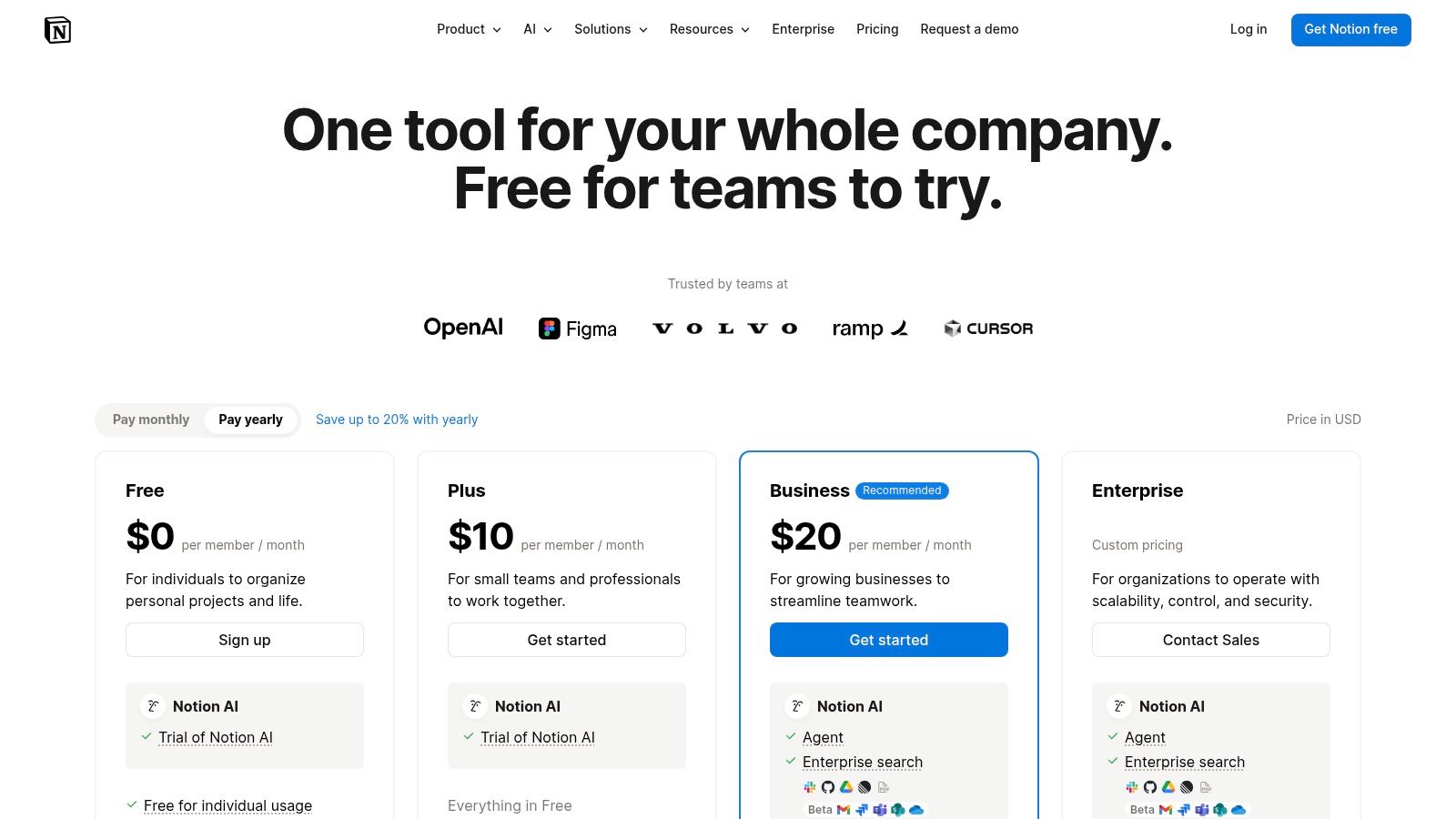
What sets Notion apart is its use of relational databases within free-form pages. A team can create a master task database and then create filtered views of it on different pages, like a personal dashboard or a project-specific hub. With features like Teamspaces for granular permissions and a growing AI assistant for content creation and summarization, Notion empowers teams to consolidate information that would otherwise be scattered across multiple applications, fostering transparency and reducing tool fatigue.
Key Considerations
High Customizability: Its block-based system allows you to build nearly any kind of document, tracker, or database your team needs.
Knowledge Management: Excels as a central wiki or knowledge repository, with powerful linking and collaborative editing features.
Potential for Sprawl: Without a well-defined structure and clear ownership, a Notion workspace can quickly become disorganized and difficult to navigate.
Pricing: Offers a generous free tier for individuals. Paid plans (Plus, Business, Enterprise) add features like unlimited blocks for teams, advanced permissions, and SAML SSO.
Website: https://www.notion.com/pricing
8. ClickUp
ClickUp positions itself as the "one app to replace them all," an ambitious goal it backs with an extensive suite of project management and team productivity tools. It combines tasks, documents, chat, goals, whiteboards, and more into a single, unified workspace. This all-in-one approach is designed to eliminate the need for juggling multiple applications, providing a single source of truth for teams to plan, track, and manage any type of work. Its core strength lies in its extreme customizability, allowing teams to tailor workflows to their exact needs.
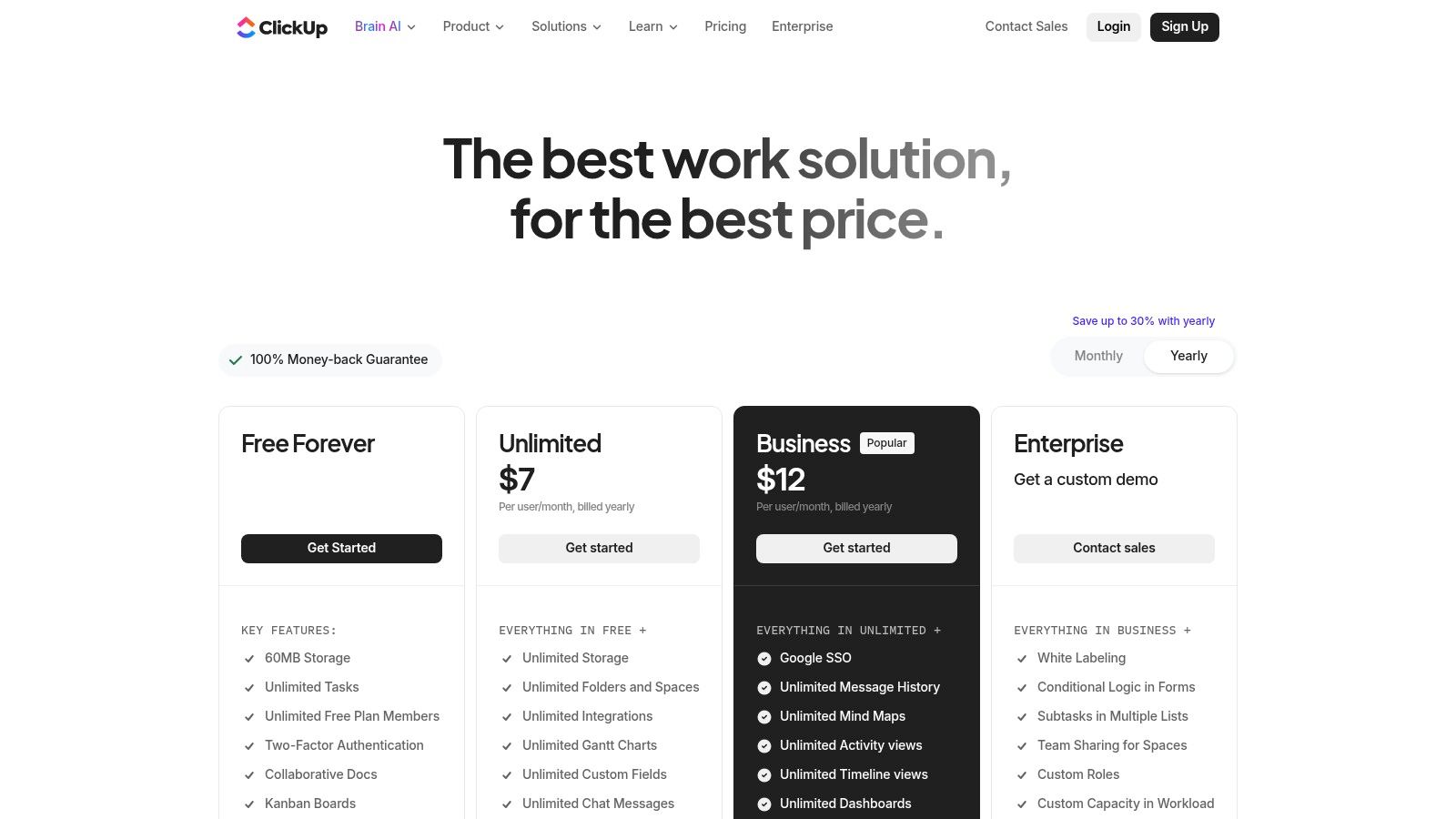
The platform is built on a hierarchical structure (Workspaces > Spaces > Folders > Lists > Tasks) that provides granular control over organization and permissions. This makes it scalable for both small teams and large enterprises. With features like multiple project views (List, Board, Gantt, Calendar), robust automations, native time tracking, and even an AI assistant, ClickUp offers a powerful toolkit for consolidating team efforts and reducing software spending.
Key Considerations
All-in-One Functionality: Its broad feature set, including Docs, Whiteboards, and Goal tracking, can replace several specialized tools, reducing tool sprawl.
Extreme Customization: The ability to create custom fields, statuses, and views allows for highly specific workflow management, but it also creates a steep learning curve.
Potential Overwhelm: The sheer number of features and settings can be overwhelming for new users and requires a dedicated effort to configure and onboard teams properly.
Pricing: ClickUp offers a generous Free Forever plan for personal use, with paid plans starting at $7 per member/month that unlock more advanced features like unlimited storage and integrations.
Website: https://clickup.com/pricing
9. Smartsheet
Smartsheet is a powerful work execution platform that merges the familiar interface of a spreadsheet with robust project management capabilities. It’s an ideal choice for teams, particularly Project Management Offices (PMOs), that are accustomed to grid-based planning but require advanced features like automation, reporting, and resource management. The platform allows users to manage projects, automate workflows, and gain real-time visibility into work, all within a scalable and secure environment.
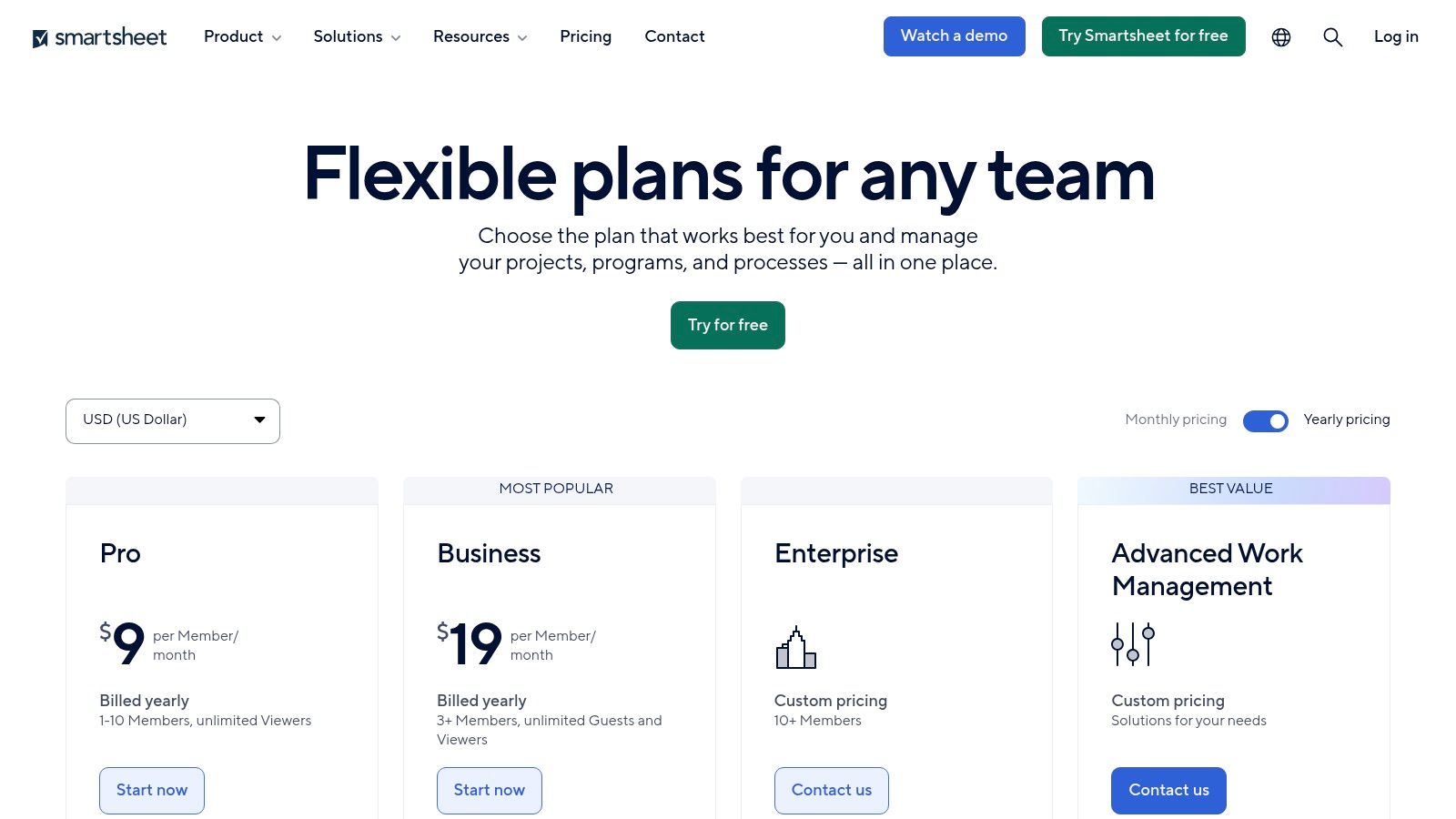
What sets Smartsheet apart is its ability to scale from simple task lists to complex, enterprise-wide portfolio management. While its core is the grid view, it also offers Gantt, calendar, and card views to suit different project needs. For organizations managing large-scale programs, premium add-ons like Control Center and Data Shuttle provide unparalleled governance and data integration capabilities, making it a top-tier choice among team productivity tools for structured, data-driven work.
Key Considerations
Familiar Interface: The spreadsheet-style paradigm significantly lowers the learning curve for new users, facilitating quicker adoption across teams.
Powerful Reporting: Smartsheet excels at creating dynamic dashboards and reports that pull real-time data from multiple sheets, providing clear visibility for stakeholders.
Scalability: The platform grows with your needs, from basic plans to enterprise-grade solutions with advanced security, administration, and premium connectors.
Add-On Costs: While the core product is powerful, many advanced features and integrations for systems like Salesforce or Jira require purchasing separate, premium add-ons.
Website: https://www.smartsheet.com/pricing
10. Slack
Slack has evolved from a simple chat app into a comprehensive digital headquarters, making it one of the most indispensable team productivity tools available. It centralizes all communication into organized channels, moving conversations out of cluttered email inboxes and into context-specific threads. This structure allows teams to discuss projects, share files, and make decisions in a searchable, transparent environment, ensuring everyone stays aligned without constant meetings.
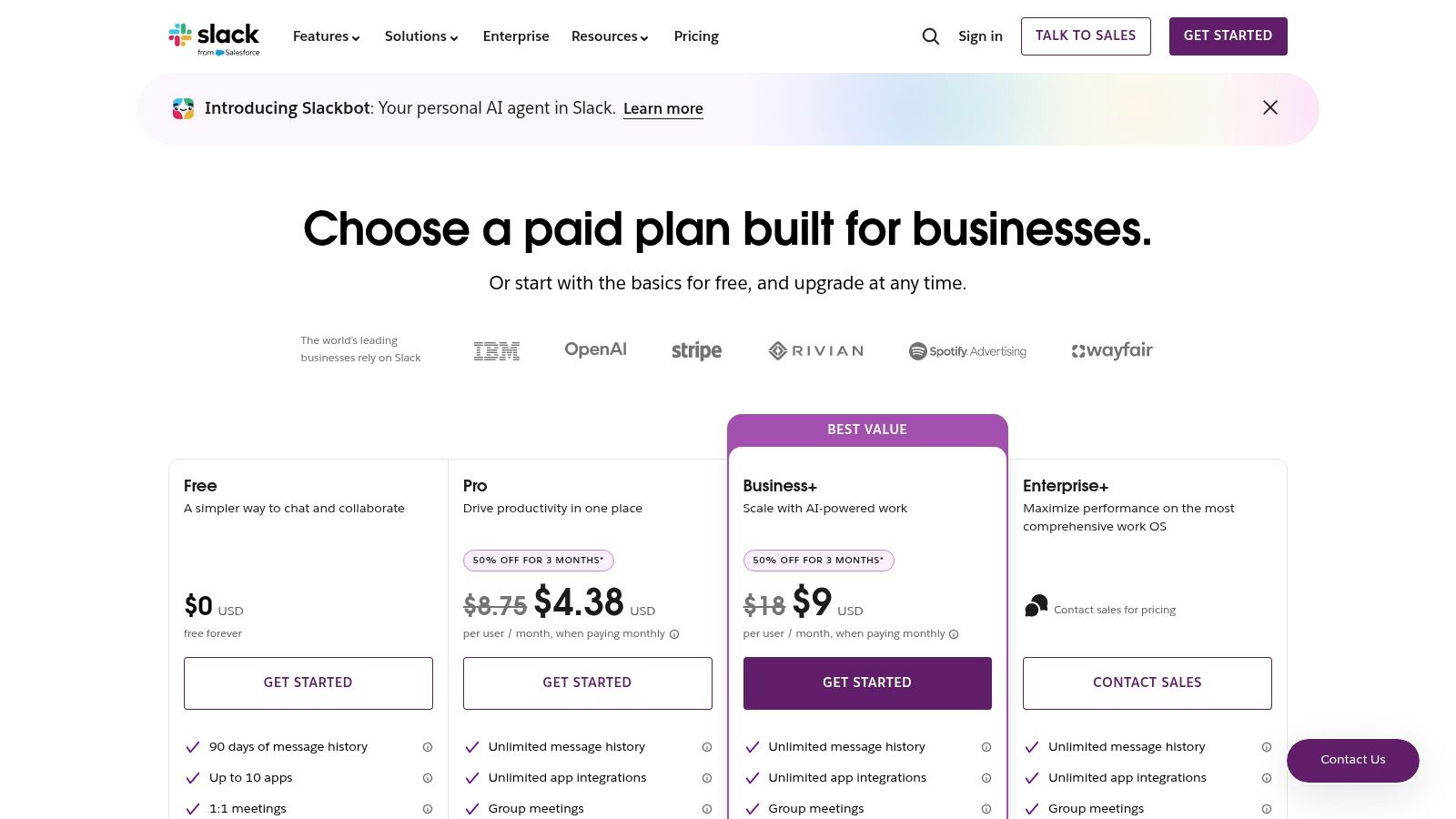
What truly sets Slack apart is its powerful integration ecosystem and emerging AI capabilities. With over 2,600 apps, you can connect tools like Google Drive, Asana, and Jira directly into your workflow, receiving notifications and taking action without switching tabs. Its built-in AI features on paid plans can summarize long threads, recap channels, and improve search, turning unstructured conversations into actionable insights and saving significant time.
Key Considerations
Deep Integration: The vast app directory allows you to automate workflows, like creating a Trello card from a message or getting Google Calendar alerts directly in a channel.
Communication Modes: Supports asynchronous text, real-time voice/video "Huddles," and threaded conversations, accommodating various collaboration styles.
Noise and Distraction: Without strong channel management and notification discipline, Slack can become overwhelming and counterproductive for focused work.
Pricing: A free plan exists with limitations. Paid plans unlock unlimited message history, more integrations, and advanced features like Slack AI, with costs that scale per user.
Website: https://slack.com/pricing
11. Microsoft Marketplace
For organizations invested in the Microsoft 365 ecosystem, the Microsoft Marketplace is the definitive source for extending the platform’s capabilities. This unified storefront combines AppSource and the Azure Marketplace, offering thousands of solutions designed to integrate seamlessly with Teams, Outlook, and the broader Microsoft 365 suite. It allows teams to discover, try, and deploy certified applications, transforming their existing software into a more powerful, customized productivity hub.
The primary advantage of the Marketplace lies in its governance and streamlined procurement. IT administrators can manage app permissions and deployments directly within their Microsoft 365 tenant, ensuring security and compliance across the organization. This centralized control is crucial for finding team productivity tools that meet corporate standards without slowing down adoption. From project management add-ins for Teams to advanced analytics tools for SharePoint, the Marketplace provides vetted solutions to enhance collaboration.
Key Considerations
Native Integration: Apps are built to work natively within Microsoft 365, enabling features like adding tasks from Outlook emails or launching an app directly within a Teams channel.
Streamlined Procurement: Integrated discovery and purchase flows simplify licensing and deployment for IT, reducing administrative overhead.
Overwhelming Selection: The vast catalog can be difficult to navigate; it’s essential to use filters and read reviews to find the right tool.
Pricing: Access to the marketplace is free, but the apps themselves vary, with many requiring specific Microsoft 365 subscription tiers for full functionality.
Website: https://www.microsoft.com/en-us/marketplace
12. G2 – Collaboration & Productivity category
G2 is not a productivity tool itself, but rather an indispensable marketplace for discovering, comparing, and validating them. Its Collaboration & Productivity category serves as a massive, user-review-driven database where you can evaluate hundreds of team productivity tools based on real-world feedback. This platform allows you to move beyond marketing claims and see how software actually performs for teams similar to yours.
The real power of G2 lies in its comparison grids and granular filtering. You can directly compare up to four products side-by-side, analyzing ratings on specific features like ease of use, quality of support, and ease of setup. This process is crucial for shortlisting options before committing to demos or trials, saving significant time and reducing the risk of a poor investment. The platform also offers category reports and "Best of" lists, which highlight market leaders and emerging solutions.
Key Considerations
Unbiased User Reviews: The large volume of reviews from verified users provides authentic insights into a tool's strengths and weaknesses.
Granular Comparison: Filters allow you to segment by company size, industry, and user satisfaction scores to find the most relevant feedback.
Discovery Engine: It's an excellent resource for finding alternatives to popular tools you may be considering, often uncovering niche solutions with better features or pricing.
Potential for Bias: While helpful, always read reviews critically. Some may be incentivized, so focus on detailed, balanced feedback rather than just the star rating.
Website: https://www.g2.com/categories/collaboration-productivity
Top 12 Team Productivity Tools Comparison
| Product | Core features ✨ | UX & quality ★ | Price & value 💰 | Target audience 👥 | Standout USP 🏆 |
|---|---|---|---|---|---|
| Tooling Studio 🏆 | In‑Gmail Kanban, Google Tasks/Contacts overlays, real‑time sharing, comments, tags, attachments | ★ 4.6/5 (40+ reviews) — near‑native Google UI | 💰 Free for personal; Team $5/user/mo or $50/user/yr | 👥 Individuals, SMBs, sales teams, PMs who live in Google Workspace | 🏆 True native Google Workspace integration; convert emails → tasks; low‑friction in‑inbox workflows |
| Google Workspace Marketplace | One‑click install, admin deployment, app categories, ratings/reviews | ★★★★ — enterprise vetting & admin controls | 💰 Apps range free → enterprise licensed | 👥 Google Workspace admins & domain teams | Centralized, admin‑managed app distribution & compliance |
| Chrome Web Store (Productivity) | Curated productivity extensions, fast install, cross‑platform | ★★★★ — instant trialability; quality varies by publisher | 💰 Mostly free/freemium extensions | 👥 Browser‑centric users & ChromeOS teams | Quick installs and wide extension ecosystem for browser productivity |
| Asana | Boards, lists, timeline/Gantt, automations, portfolios, integrations | ★★★★ — mature PM UX with strong reporting | 💰 Freemium → per‑user paid tiers (scales with features) | 👥 Cross‑functional teams, PMOs, enterprise projects | Robust portfolio views, automations and enterprise controls |
| Trello by Atlassian | Visual Kanban boards, cards, checklists, Power‑Ups, Butler automations | ★★★★ — extremely easy to adopt | 💰 Freemium; paid for Power‑Ups & advanced automation | 👥 Small teams, marketing, ops, lightweight workflows | Simple, fast Kanban onboarding and huge integration ecosystem |
| monday.com | Modular boards, timeline/Gantt, automations, templates, integrations | ★★★★ — versatile visual Work OS | 💰 Paid tiers; some SKUs & min seat requirements | 👥 Dept heads, ops, CRM teams needing config flexibility | All‑in‑one configurable Work OS for multiple departments |
| Notion | Pages + relational DBs, teamspaces, templates, Notion AI | ★★★★ — highly customizable knowledge + work hub | 💰 Freemium; good value at Plus/Business tiers | 👥 Teams doing knowledge mgmt, docs + light project tracking | Flexible team OS combining docs, DBs and collaborative editing |
| ClickUp | Tasks, docs, whiteboards, goals, automations, time tracking | ★★★★ — broad feature set; rapid iteration | 💰 Freemium → competitive paid tiers | 👥 SMBs & scaling teams replacing multiple point tools | Consolidates many apps (tasks, docs, goals) into one platform |
| Smartsheet | Grid/Gantt/board views, dashboards, automations, enterprise add‑ons | ★★★★ — spreadsheet paradigm familiar to PMOs | 💰 Paid enterprise pricing; add‑ons for advanced features | 👥 PMOs, program managers, enterprise reporting teams | Spreadsheet/scale focus with enterprise add‑ons and governance |
| Slack | Channels, DMs, huddles, extensive integrations, AI features | ★★★★ — central comms hub with rich integrations | 💰 Freemium; paid per‑user tiers for advanced features | 👥 Organizations focused on real‑time team communication | Ubiquitous team communications & large app marketplace |
| Microsoft Marketplace | Discovery & procurement for Teams/365 apps, tenant deploys | ★★★★ — streamlined procurement & compliance | 💰 Listings vary; integrated purchase flows for M365 | 👥 Microsoft‑first enterprises & IT procurement | Seamless procurement & deployment into Microsoft 365/Teams |
| G2 – Collaboration & Productivity | Review grids, filters, head‑to‑head comparisons, category pages | ★★★★ — large volume of real‑world reviews | 💰 Free to browse; vendor pricing on vendor pages | 👥 Buyers shortlisting software, procurement teams | User‑driven discovery & comparative insights to validate choices |
Choosing the Right Tool for a More Focused Future
Navigating the vast landscape of team productivity tools can feel overwhelming, but the journey to a more efficient workflow doesn't require adopting every new platform. As we've explored, from comprehensive project management hubs like Asana and monday.com to specialized marketplaces like the Google Workspace Marketplace and Chrome Web Store, the goal is not to find a single, mythical "perfect" tool. Instead, the objective is to build a strategic, integrated tech stack that aligns with your team's unique operational habits and solves its most pressing challenges.
The most critical takeaway is the power of context. The best tools meet your team where they already work. For the millions of businesses embedded in Google Workspace, this means prioritizing solutions that seamlessly integrate with Gmail, Google Drive, and Calendar. This is where the true value of tools that live inside your existing ecosystem becomes apparent; they reduce the cognitive load of constant app-switching and minimize the friction that sabotages productivity.
Synthesizing Your Options: From Marketplaces to Integrated Solutions
We've covered a wide array of options, each serving a distinct purpose. Marketplaces like G2 and the Microsoft Marketplace offer a bird's-eye view, allowing you to compare features and read peer reviews, which is an invaluable first step. Platforms such as Notion, ClickUp, and Smartsheet provide powerful, customizable canvases for complex project tracking and knowledge management, ideal for teams needing a centralized source of truth.
However, for teams whose primary communication and collaboration hub is their inbox, these larger platforms can sometimes introduce more complexity than they solve. The real productivity gains often come from optimizing the very environment where work originates. Instead of pulling team members out of their email to update a task in a separate system, the most effective team productivity tools bring the system to them.
A Practical Framework for Selection and Implementation
Choosing the right tool is less about a feature-for-feature comparison and more about a deep understanding of your team's pain points. Before you commit to a platform, follow this simple framework:
Identify the Core Bottleneck: Is your team's primary issue disorganized communication (consider Slack), a lack of project visibility (look at Trello or Asana), or tasks getting lost in a chaotic inbox (an integrated tool like Tooling Studio is a strong candidate)? Pinpoint the single biggest problem you need to solve.
Evaluate Integration Depth: Don't just look for a "Google Workspace integration" checkbox. Ask how deep it goes. Does it simply sync notifications, or does it allow for genuine task and project management directly within Gmail or Google Drive? True integration saves clicks, time, and mental energy.
Start with a Pilot Program: Never implement a new tool company-wide from day one. Select a small, representative team to test the solution for a few weeks. Gather honest feedback on its usability, impact on their workflow, and any unforeseen challenges.
Prioritize User Experience (UX): A powerful tool with a clunky interface will always lose to a simpler tool that is intuitive and easy to adopt. If your team finds a tool frustrating to use, they simply won't use it, and you'll get zero return on your investment.
By focusing on solving a specific problem with a user-friendly, deeply integrated solution, you can build a more focused and productive future for your team. The ultimate goal is to equip them with team productivity tools that feel like a natural extension of their workflow, not another cumbersome obligation.
Ready to transform your Google Workspace into a powerful, centralized hub for project management? Tooling Studio brings task management directly into your inbox and cloud storage, eliminating the need to switch between apps to stay organized. Explore Tooling Studio and see how a truly integrated workflow can unlock your team's full potential.
 Download our Plugin