
How to Manage Multiple Projects Without Burning Out
Learn how to manage multiple projects with a unified workflow. Discover proven strategies for prioritizing tasks and boosting team productivity.
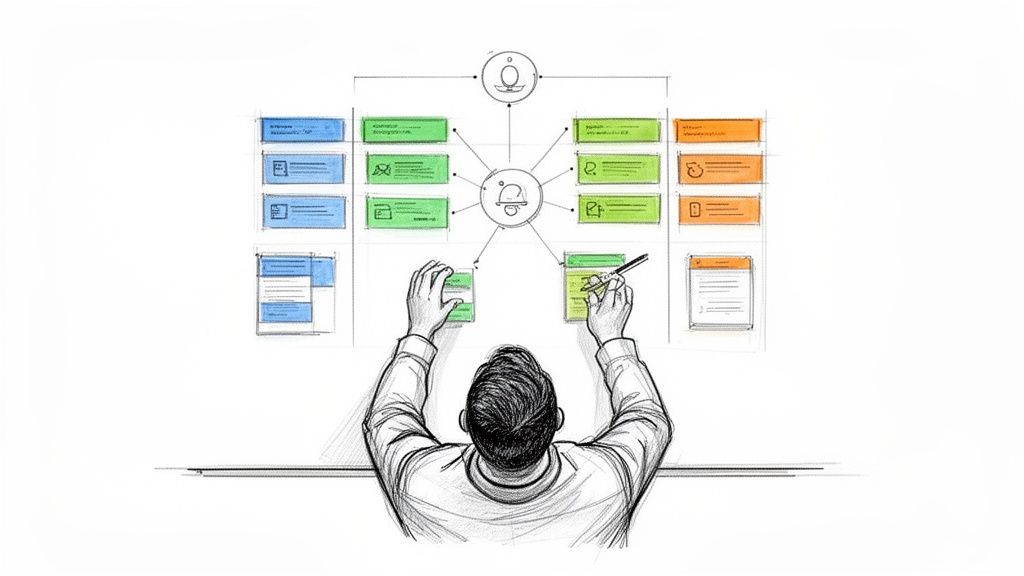
Trying to manage multiple projects without a single, unified system is like trying to conduct an orchestra where every musician is playing from a different sheet of music. It’s chaos. The key is to get everything—and everyone—on the same page by visualizing all your work in one central place.
A shared Kanban board, for example, lets you track progress, set priorities, and keep communication lines clear. It’s the difference between managing projects and just herding cats. This approach is what stops critical details from getting buried in endless email chains and disconnected spreadsheets.
The Real Cost of Juggling Too Many Tools
If you're running a team, this probably sounds painfully familiar. Your dev team lives and breathes in one specialized app for their sprints. The Q4 marketing campaigns are mapped out in another. And the new client onboarding process? That’s a wild mix of shared spreadsheets, Google Docs, and a Slack channel that never sleeps. Each system is its own little island.
This kind of fragmentation isn’t just a minor annoyance; it’s a massive drain on your team's energy and focus. The constant jumping between apps, known as "context-switching," forces your brain to hit the reset button over and over. Research shows that even a small interruption can throw off your concentration for more than 20 minutes. Add that up over a day, and the lost time is staggering.
The Hidden Costs of a Disconnected Workflow
When project information is scattered to the wind, communication is the first casualty. A crucial update dropped in a Slack message never makes it to the project board. Feedback sent in an email gets completely overlooked. It’s a domino effect of delays, misunderstandings, and work that has to be done twice.
Suddenly, deadlines start slipping. It's not because your team isn't working hard—it's because they're working against the grain, fighting a system that’s fundamentally inefficient.
This constant struggle inevitably leads to burnout. Team members are exhausted from the mental gymnastics of trying to remember where everything is, and you, as the manager, lose the bird's-eye view you need to make smart, strategic decisions.
The real challenge in managing multiple projects isn't the workload itself. It's the absence of a single source of truth. Without it, you’re just managing chaos.
Reclaiming Control with a Central Command Center
The answer isn't to throw another new tool into the mix. It's to simplify and consolidate your workflow right inside the ecosystem your team already knows and uses every single day: Google Workspace. Think of it as building a central command center where every single project—from marketing to development to client services—is visible and under control.
This strategy completely changes the game by giving you:
- Total Visibility: See the real-time status of every task across all projects with a single glance.
- Reduced Friction: Your team doesn't have to learn yet another piece of software. They can stay right where the work happens.
- Improved Accountability: When ownership and deadlines are crystal clear and all in one place, nothing falls through the cracks.
By building this one unified system, you can finally shift from frantically putting out fires to proactively managing your projects. This guide will walk you through exactly how to build that command center, turning your scattered efforts into a focused, powerful operation.
Build Your Project Command Center in Gmail
Your inbox is already the center of your professional universe. So why are you letting critical tasks get buried under a mountain of emails? It's time to stop the chaotic scramble for information and transform Gmail into a powerful project hub.
With Kanban Tasks, you can build a visual, centralized command center right where you already work. This simple shift gives you a single, clear view of everything your team is working on, moving you away from burnout and into a state of flow.
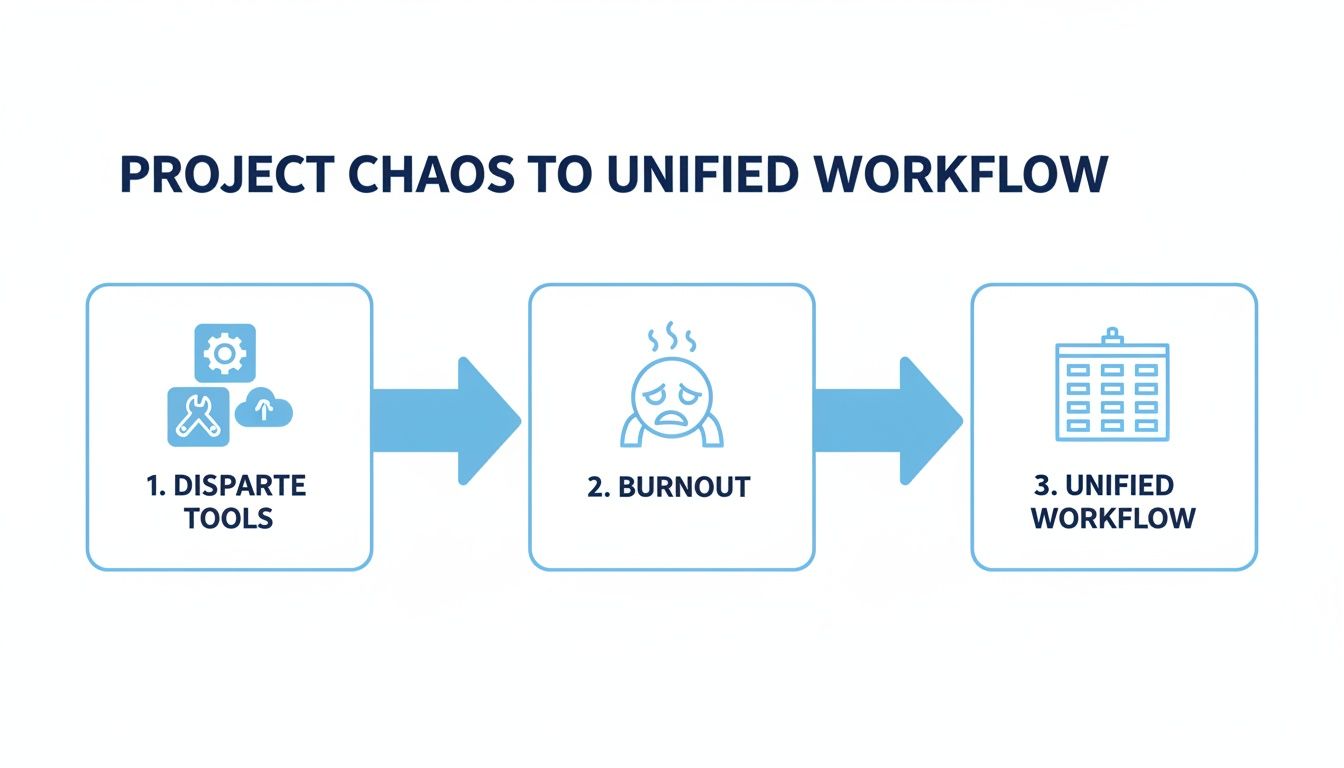
This is the path from fragmented systems and team exhaustion to a cohesive, clear workflow that finally brings order to your projects.
Create a Dedicated Board for Each Initiative
First things first: resist the urge to lump everything into one giant "master" board. That's a fast track to overwhelm. The real power comes from creating separate, dedicated Kanban boards for each major project or initiative you're juggling.
Think of each board as its own self-contained mission control. For instance, you could set up:
- A "Q3 Marketing Campaigns" board to track everything from ad creative to social media scheduling.
- A "New Feature Launch" board for your dev team, mapping out sprints, bug fixes, and user testing.
- A "Client Onboarding" board to standardize the process for every new customer, making sure no step ever gets missed.
This separation is the key to maintaining clarity. It lets you zoom in on the nitty-gritty details of one project or zoom out to see the bigger picture across all your efforts.
Structure Your Boards for Action
Once you have your boards, the next step is to give them structure with columns that mirror your actual workflow. A simple, time-tested setup that works for most teams looks like this:
- To Do: This is your backlog. Every new task, idea, or request lands here, waiting to be picked up.
- In Progress: As soon as someone starts actively working on a task, they drag it here. This simple action provides instant visibility into what's being tackled right now.
- Awaiting Feedback: This column is a game-changer for breaking through bottlenecks. When a task is waiting for approval from a client or another stakeholder, it has a home here. No more "what's the status of that?" emails.
- Done: There’s nothing more satisfying than dragging a card here. It creates a clear, visual record of accomplishment for the whole team to see.
This isn't just a to-do list; it's a dynamic, visual representation of your team's progress. You can see work flowing from left to right, giving you an immediate, high-level overview of every moving part in a single glance.
By building this command center, you're not just organizing tasks—you're creating a shared language for your team. Everyone knows the status of a project simply by looking at the board.
The demand for this kind of visual organization is exploding. The project management software market is projected to hit $8.82 billion with a 15.7% compound annual growth rate through 2030, and the PMI forecasts a need for 25 million new project professionals by 2030. Mastering an efficient system isn't just a nice-to-have anymore; it's essential.
With this setup, you can turn any email into an actionable task, assign it to a team member with a clear due date, and track everything from start to finish without ever leaving your inbox. It’s a foundational step in learning how to manage multiple projects effectively, and you can even apply these same principles to other parts of your business, like we cover in our guide to building a CRM inside Gmail.
Prioritize What Matters Across Every Project
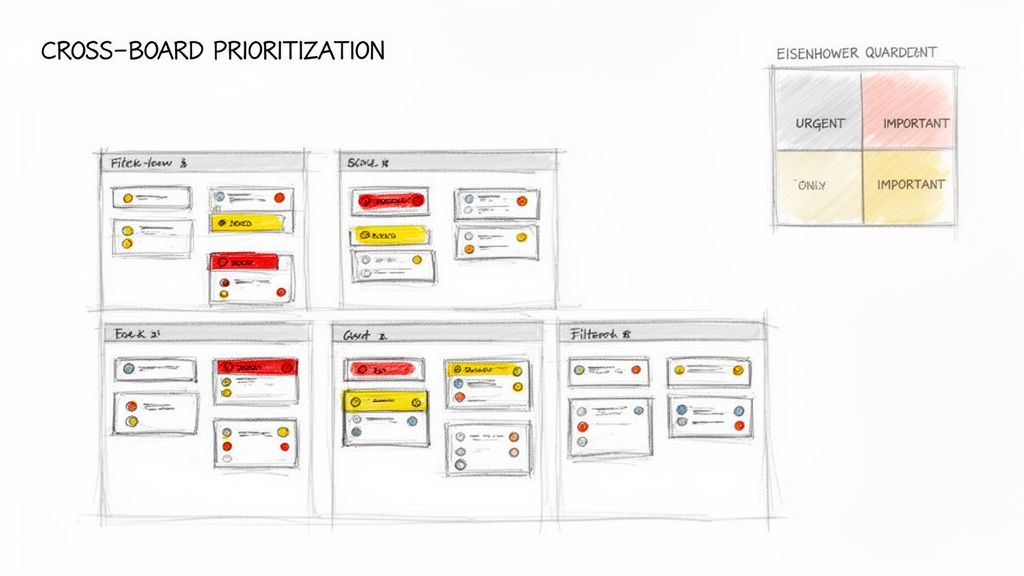
So, you’ve wrangled all your projects into a central command center. That’s a huge win. But a new challenge quickly pops up. You’re no longer asking, "Where is everything?" but "What on earth do I work on next?" When every task from every project is staring you in the face, they all start to feel equally important.
This is exactly where a simple to-do list breaks down. You need a real system for prioritization that cuts across all your boards, giving you a bird's-eye view of your entire workload. Without it, you’ll find your team burning their best energy on low-impact work while the truly critical deadlines creep closer and closer.
Adopting a Prioritization Framework
Instead of just going with your gut, a formal prioritization framework gives you a repeatable, logical way to make decisions. Two of the best methods that fit perfectly into a visual Kanban system are the Eisenhower Matrix and the MoSCoW method.
The Eisenhower Matrix is genius because it’s so simple. It forces you to sort every single task by asking just two questions:
- Is it urgent? Does it need my attention right now?
- Is it important? Does it move us closer to our long-term goals?
This gives you four clear buckets: Do First (Urgent & Important), Schedule (Important, Not Urgent), Delegate (Urgent, Not Important), and Eliminate (Neither). This framework is a lifesaver for teams who need to cut through the daily noise and focus on what actually drives progress.
The goal isn’t just to be busy; it’s to be effective. A clear prioritization model ensures your team’s efforts are consistently aligned with the most impactful work.
Translating Frameworks into Action with Kanban
The real magic happens when you bring these frameworks to life with visual cues on your Kanban boards. With a tool like Kanban Tasks, you can use color-coded tags to assign a priority to every card, no matter which project board it’s on.
Let's stick with the Eisenhower Matrix for a second:
- Red Tag: Urgent & Important (Do Now)
- Yellow Tag: Important, Not Urgent (Schedule)
- Blue Tag: Urgent, Not Important (Delegate)
Picture this: your dev team has a critical bug fix on the "New Feature" board. Meanwhile, the marketing team has a final review for a major ad campaign on their "Q3 Campaigns" board. Both tasks get tagged red for 'Urgent & Important'.
Now, instead of flipping between boards trying to compare, you can apply a single filter to see every red-tagged card from all projects in one unified view. Suddenly, you have an instant, cross-functional "must-do" list. Once you have this clarity, you can start managing competing priorities with neuroscience-backed focus to ensure you're truly working on what matters most.
Choosing Your Prioritization Framework
Different projects and teams need different approaches. A quick-sorting method like Eisenhower is great for operational tasks, while MoSCoW shines for product development. Here's a quick comparison to help you choose the right fit.
| Framework | Best For | Example Application in Kanban Tasks |
|---|---|---|
| Eisenhower Matrix | Daily task management and teams dealing with constant incoming requests. | Use Red, Yellow, and Blue tags to visually categorize tasks as "Do," "Schedule," or "Delegate." |
| MoSCoW Method | Product development, feature planning, and projects with clear deliverables and stakeholder input. | Tag cards with Must-Have, Should-Have, and Could-Have to clarify scope and development focus. |
| Value vs. Effort | Teams trying to maximize impact with limited resources; great for product backlogs. | Create two sets of tags: one for Value (High, Med, Low) and one for Effort (High, Med, Low). Filter for High-Value/Low-Effort tasks to find quick wins. |
Ultimately, the best framework is the one your team will actually use. Don't be afraid to experiment to find what sticks.
The MoSCoW Method for Feature-Driven Projects
For projects built around product development or specific deliverables, the MoSCoW method offers another powerful way to prioritize. It helps get everyone on the same page by sorting tasks into four categories:
- Must-Have: Absolutely non-negotiable. The project fails without these.
- Should-Have: Important, but not vital for launch.
- Could-Have: "Nice-to-have" features to include if time allows.
- Won't-Have: Items that are officially out of scope for this round.
This method is fantastic for managing stakeholder expectations and preventing scope creep. By tagging each task card with a 'Must-Have' or 'Should-Have' label, the entire team understands the hierarchy. Development effort stays focused on the core requirements first, a crucial skill for anyone managing multiple complex projects.
For a deeper dive, check out our guide on other prioritization techniques to find the perfect system for your team's workflow.
Establish a Weekly Review to Maintain Momentum
Look, having a perfectly organized set of Kanban boards is a fantastic start, but it's only half the battle. A system is only as good as the rhythm you build around it. Without a consistent checkpoint, even the best-laid plans will slowly drift into chaos as new priorities pop up and old tasks get buried.
This is where the weekly review becomes your non-negotiable strategic ritual. It's the dedicated time you carve out to step back from the day-to-day grind, look at the big picture across all your projects, and make sure your team’s momentum is actually heading in the right direction. This isn't just another meeting—it's the proactive habit that stops small issues from blowing up into major roadblocks.
The Purpose of a Strategic Checkpoint
The weekly review transforms project management from a reactive, fire-fighting exercise into something proactive and strategic. It’s a structured moment to celebrate what’s been done, pinpoint what’s stuck, and align on what matters most for the week ahead.
Think of it as the regular maintenance your project engine needs to keep running smoothly. By making this a consistent practice, you create a culture of transparency and accountability. Everyone knows what’s been accomplished, what's holding things up, and what's next on the docket.
Crafting Your Weekly Review Agenda
To keep your review focused and effective, you need a clear, repeatable agenda. With your shared Kanban boards as the centerpiece, you can structure the meeting around a simple flow that covers the past, present, and future.
A solid agenda should always hit these three points:
- Review the 'Done' Column: Always start on a positive note. Acknowledge and celebrate the wins from the past week. This isn't just feel-good fluff; it reinforces a sense of progress and keeps the team motivated.
- Analyze Bottlenecks: Next, shift your focus to the 'Blocked' or 'Awaiting Feedback' columns. This is where you put your heads together to solve problems. A task that’s been sitting here for more than a few days is a huge red flag that needs immediate attention.
- Plan the Week Ahead: Finally, look at the 'To Do' column and collaboratively decide which tasks to pull into 'In Progress'. This single step ensures everyone is aligned on the most critical priorities for the coming week.
A great system doesn’t run on autopilot. The weekly review is the human touch that provides direction, solves problems, and maintains forward momentum, turning good intentions into tangible results.
Performing a Cross-Project Dependency Check
One of the most critical functions of the weekly review is spotting potential collisions between projects before they happen. When you’re juggling multiple initiatives, a delay in one can create a nasty ripple effect across others. This is where a cross-project check becomes invaluable.
During your review, specifically ask this question: "Does anything in Project A's 'In Progress' column depend on a task that's still buried in Project B's backlog?" Seeing all your boards together makes these dependencies much easier to spot. This simple check helps you manage resources and adjust timelines proactively, rather than getting caught by surprise down the road.
Studies show that AI-enhanced software, a market expected to hit $7.4 billion by 2029, can help automate workflows, but the human element of a strategic review is still irreplaceable. My own experience shows that dedicating just 20% of weekly planning time to these cross-project reviews using visual boards helps dramatically reduce the project failure rate, which can be as high as 37% in complex environments.
This kind of strategic oversight is a core discipline in mastering how to manage multiple projects effectively. It's also a key principle in many productivity frameworks. If you're interested in digging deeper, our guide on The Ultimate Guide to Getting Things Done (GTD) explores similar concepts of using regular reviews to stay on track.
Scale Your Workflow for Team and Sales Pipelines
A truly effective project management system does more than just tidy up your personal to-do list. When you get it right, it scales into a full-blown operating system for your entire team. By moving beyond solo boards, you can establish a single source of truth that finally kills off those confusing, endless email chains for good.
This is where individual productivity really blossoms into genuine team collaboration. With shared Kanban boards, in-task comments, and integrated Google Drive files, every moving part of a project has a home—one central, accessible place for everyone.
Unifying Team Communication
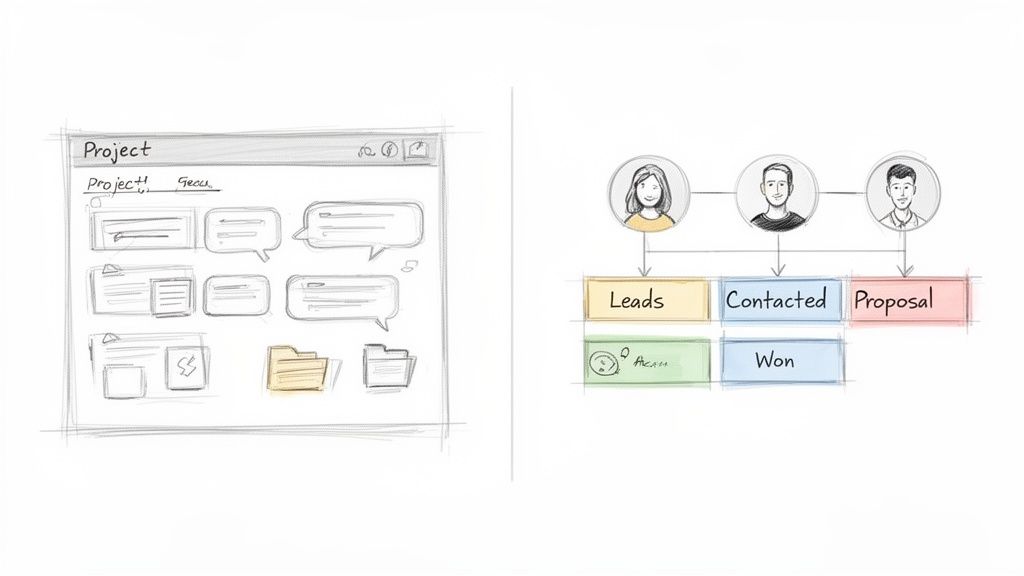
Let’s walk through a common scenario. A designer attaches a new mockup directly to a task card. The project lead gets an instant notification, clicks to open the file, and drops feedback right there in the comments. The copywriter sees the comment pop up and immediately updates the corresponding Google Doc, which is—you guessed it—also attached to the same card.
The entire conversation happens in context, right where the work lives. No more lost emails, no digging around for the latest file version, and no more pinging someone with, "Hey, did you see my feedback?" The board becomes a living, breathing record of the project's journey, which brings clarity and saves everyone a ton of time.
When your team's conversations and files are tied directly to the tasks they relate to, you eliminate the friction of context-switching. This builds a transparent workflow where everyone is aligned, and accountability is built right into the system.
Getting this right is no longer just a "nice-to-have." The demand for skilled project professionals is exploding; globally, we'll need 25 million new pros by 2030 to keep up. If you're curious about the numbers, you can read the full research on the project management talent gap from the Project Management Institute.
Extending Kanban to Your Sales Pipeline
The real magic of this visual approach clicks into place when you start applying it beyond typical projects. A sales pipeline, when you think about it, is just another project. It has a start, a middle, and an end, with the goal of moving a lead from "just curious" to "closed deal." The same Kanban principles work beautifully here.
Instead of project phases, your columns represent the stages in your sales cycle. Suddenly, you have a powerful, visual way to manage relationships and track every single opportunity.
A typical sales board might be structured like this:
- New Leads: Every fresh inquiry and prospect lands here first.
- Contact Made: You've reached out and started a conversation.
- Needs Analysis: The discovery phase, where you dig into the client's pain points.
- Proposal Sent: You've delivered a formal offer.
- Negotiation: Time to talk terms and hammer out the final details.
- Closed Won / Closed Lost: The final outcome.
This setup gives you a bird's-eye view of your entire pipeline. You can instantly see where your deals are, spot bottlenecks (like too many prospects stuck in "Proposal Sent"), and start forecasting revenue with much more confidence.
Integrating Sales and Project Management
This is where the whole unified workflow really starts to sing. Sales CRM from Tooling Studio is designed around these very principles, integrating directly with your Google Contacts. It lets you manage leads and deals using the same slick Kanban interface you already use for your other projects.
This seamless connection creates a tight operational loop between closing a deal and delivering the work.
- A deal is closed: A card gets dragged into the "Closed Won" column on your sales board.
- A project is triggered: That action automatically creates a brand new card on the "Client Onboarding" project board.
- The project team takes over: The project manager gets notified and can see all the client details carried over from the sales process, ready to go.
This completely eliminates clumsy manual handoffs. It ensures a smooth transition from sales to delivery, which makes for a better experience for both your team and your brand-new client. By adopting a single, intuitive method for both projects and sales, you're building a unified system that supports your entire business. Mastering this is key to learning how to manage multiple projects and scale your operations without the chaos.
Common Questions About Managing Multiple Projects
Switching to a new system for juggling projects always brings up a few questions. Even with the best plan, you’ll hit practical hurdles when you move from theory to the daily grind. This section is all about tackling the most common issues I see teams and individuals run into when they're trying to build a unified workflow.
The idea here is to give you quick, no-fluff answers that will help you sidestep these common problems, lock in the core ideas of this guide, and keep your momentum going. Let's get into some real-world solutions.
How Do You Handle Dependencies Between Different Project Boards?
This is a classic. When a task on your "Marketing Campaign" board can't move forward until something on the "Product Development" board is finished, how do you make that connection obvious so nothing falls through the cracks? The trick is to create a clear, visual link that everyone on the team can see and understand instantly.
The most effective way I've found is to combine a specific tag with a direct link. You can create a universal tag, like #Dependency, that you use across every single board. That makes it easy to spot. Then, inside the task card itself, you just add a comment that links directly to the task that's holding things up.
For instance, a card for "Launch Ad Campaign" might have a comment that says: "Blocked by: [Link to 'Finalize Ad Creatives' card on the dev board]". This gives you an immediate, clickable path between the two connected tasks.
For a bigger picture view, some teams even create a dedicated "Master Dependencies" column on a central dashboard. This lets them track all cross-project blockers in one place, making sure no critical dependency gets overlooked during the weekly review. It’s a simple method, but it guarantees everyone understands how tasks relate, even if they live on separate boards.
What Is the Best Way to Get My Team Onboard?
Rolling out any new system can hit a wall of resistance if you don't handle it the right way. The secret to getting your team to adopt a new tool isn't about forcing rules on them; it’s about showing them, quickly, how it makes their lives undeniably easier.
My advice? Start small. Pilot the system with a single, lower-stakes project. This takes the pressure off and lets everyone learn the ropes without worrying about messing up something critical. Hold a short kickoff meeting to explain the "why" behind the change—less email noise, clearer priorities, fewer pointless status meetings—and then walk them through the simple drag-and-drop workflow.
To keep things consistent from day one, create a template board with your standard columns (To Do, In Progress, Done) and priority tags already set up. But the most important part is that you have to lead by example. From that moment on, use the Kanban board for all of your task assignments and project updates. When your team sees you’re all in, they're much more likely to follow. A gradual rollout focused on clear, immediate wins is the surest way to get genuine buy-in.
Can This System Work for Solo Freelancers?
Absolutely. In fact, for a freelancer, this kind of visual system is arguably even more important. You might not be dealing with team collaboration, but you're juggling something just as complex: multiple clients, each with their own deadlines, expectations, and communication styles. For a solo pro, this system isn't just a team alignment tool—it's a powerful engine for personal focus and clarity.
As a freelancer, you can set up separate Kanban boards for each client or for different types of services, like 'Client A Projects,' 'Client B Retainer,' and 'Internal Business Marketing.' This structure helps you visually wall off your commitments, making it incredibly easy to see your entire workload at a glance. It helps you accurately figure out your bandwidth, manage client expectations without guessing, and avoid that classic freelancer trap of overcommitting.
For a freelancer, a Kanban system isn't just about organizing tasks; it's about protecting your time and focus. It transforms a chaotic list of client demands into a manageable, visual workflow, giving you the clarity needed to deliver high-quality work consistently.
Using due dates and priority tags becomes a vital self-management tool, helping you professionally navigate competing demands without the cost or complexity of big, enterprise-level software. For a deeper dive into this crucial skill, you can find more great strategies by mastering how to manage multiple projects effectively.
Ready to stop juggling tools and build your project command center right inside Gmail? With Tooling Studio's Kanban Tasks, you can create shared boards, assign tasks, and track progress visually without ever leaving your inbox. Try Kanban Tasks for free and unify your workflow today.
 Download our Plugin