
The 12 Best Gmail Productivity Tools in 2026
Discover the 12 top Gmail productivity tools to streamline your workflow. Top Chrome extensions for task management, CRM, email automation.
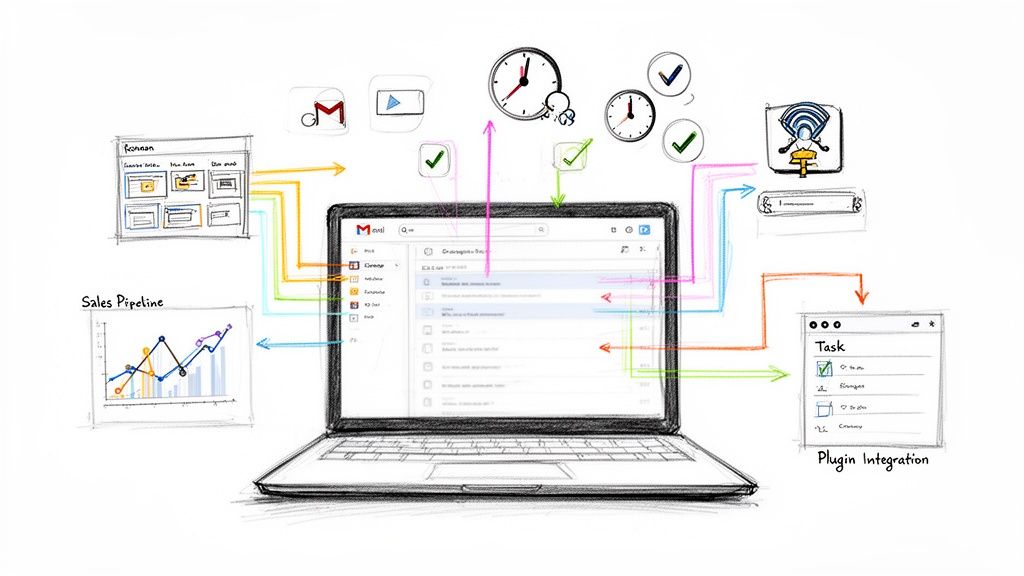
Your inbox is more than just a place to receive messages; it's a command center for projects, client communications, and internal tasks. Yet, for many project managers and team leads, it often feels more like a source of chaos than control. If you spend hours sifting through emails, manually tracking follow-ups, or switching between tabs to manage your to-do list, your current workflow is holding you back. This constant context-switching drains mental energy and kills efficiency, turning a powerful tool into a significant bottleneck.
This guide cuts through the noise to deliver a curated list of the best Gmail productivity tools designed to transform your inbox into a streamlined work hub. We will dive deep into powerful extensions that can manage tasks, track sales pipelines, and automate outreach directly within the Gmail interface. To truly reclaim your time and enhance productivity, understanding the fundamentals of workflow automation is key, and these tools are the practical application of its principles.
Inside, you will find a detailed breakdown of each tool, complete with screenshots, direct links, and practical use cases for teams and individuals. We analyze key features, pricing, and potential limitations to help you select the right solution for your specific needs, whether you're a freelancer, a growing sales team, or an established business seeking a more integrated system within Google Workspace.
1. Tooling Studio
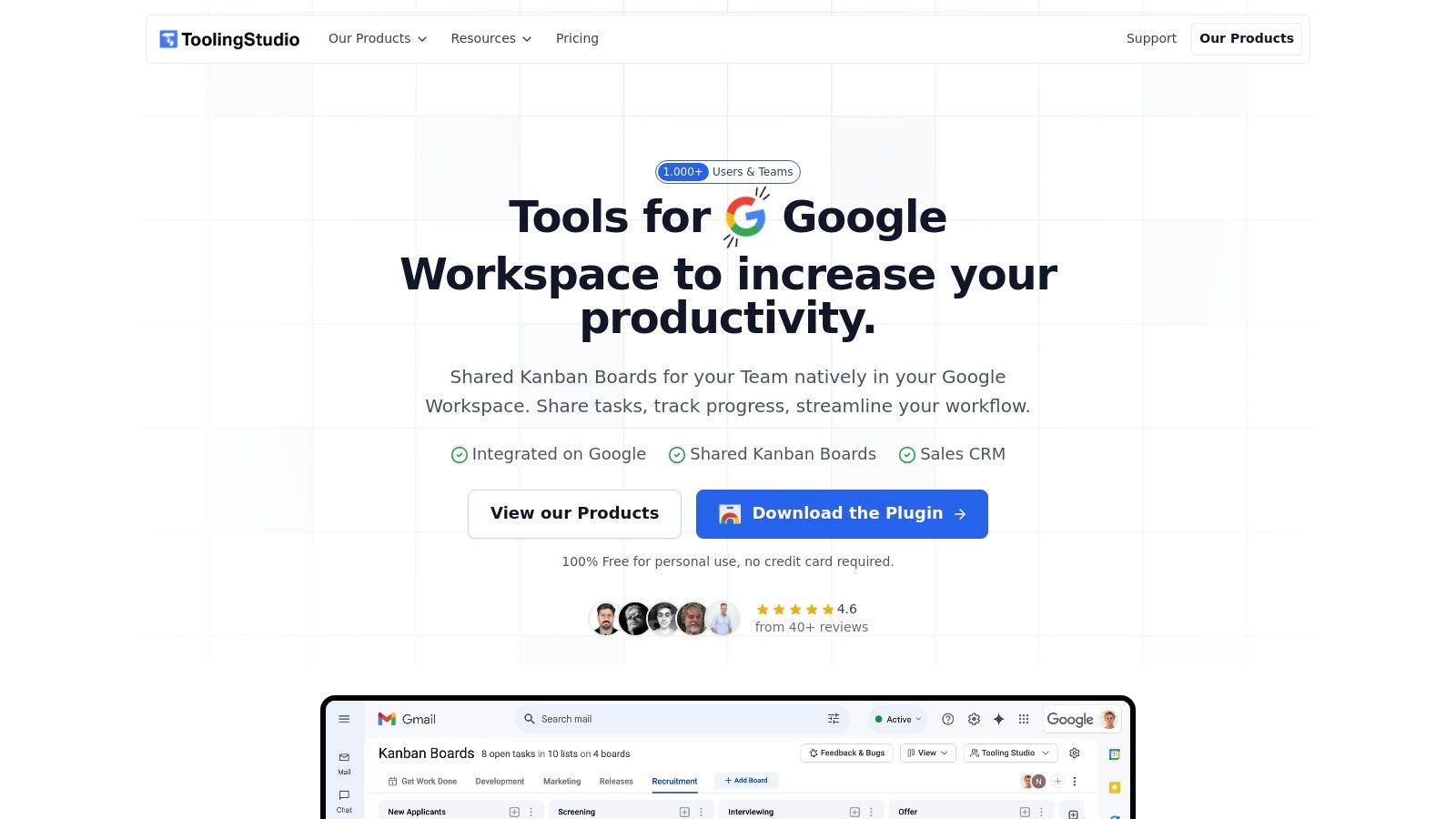
Tooling Studio stands out as a premier suite of Gmail productivity tools for teams deeply embedded in the Google Workspace ecosystem. Its core strength lies in its truly native integration. Instead of forcing you to jump between your inbox and a separate project management app, it overlays a powerful Kanban board directly inside Gmail and Google Tasks. This allows you to convert emails into actionable tasks with a single click and manage project workflows without ever leaving your inbox, fundamentally reducing context switching and boosting focus.
Key Strengths & Use Cases
What makes Tooling Studio exceptional is its focus on a lightweight, near-native experience. The interface is clean and intuitive, feeling like a natural extension of Google's own tools rather than a clunky add-on. For small to medium-sized teams, the real-time shared boards are a game-changer for collaborative project management, while Sales CRM brings the same unified experience to lead and pipeline tracking within Google Contacts.
Best For: Individuals, SMBs, and sales teams who live in Google Workspace and need a simple, integrated system for task, project, and customer management.
Key Features: Native Kanban boards in Gmail, one-click email-to-task conversion, real-time collaboration on shared boards, and a Sales CRM.
Pricing: Offers a generous free-forever plan for personal use. Team plans are affordably priced at $5 per user/month per product, with a 30-day money-back guarantee.
Limitations: Currently optimized for Google Chrome, with a dedicated mobile and standalone app planned for the future. The sync from Google is one-way, and advanced CRM reporting continues to evolve.
Website: https://tooling.studio
2. Google Workspace Marketplace
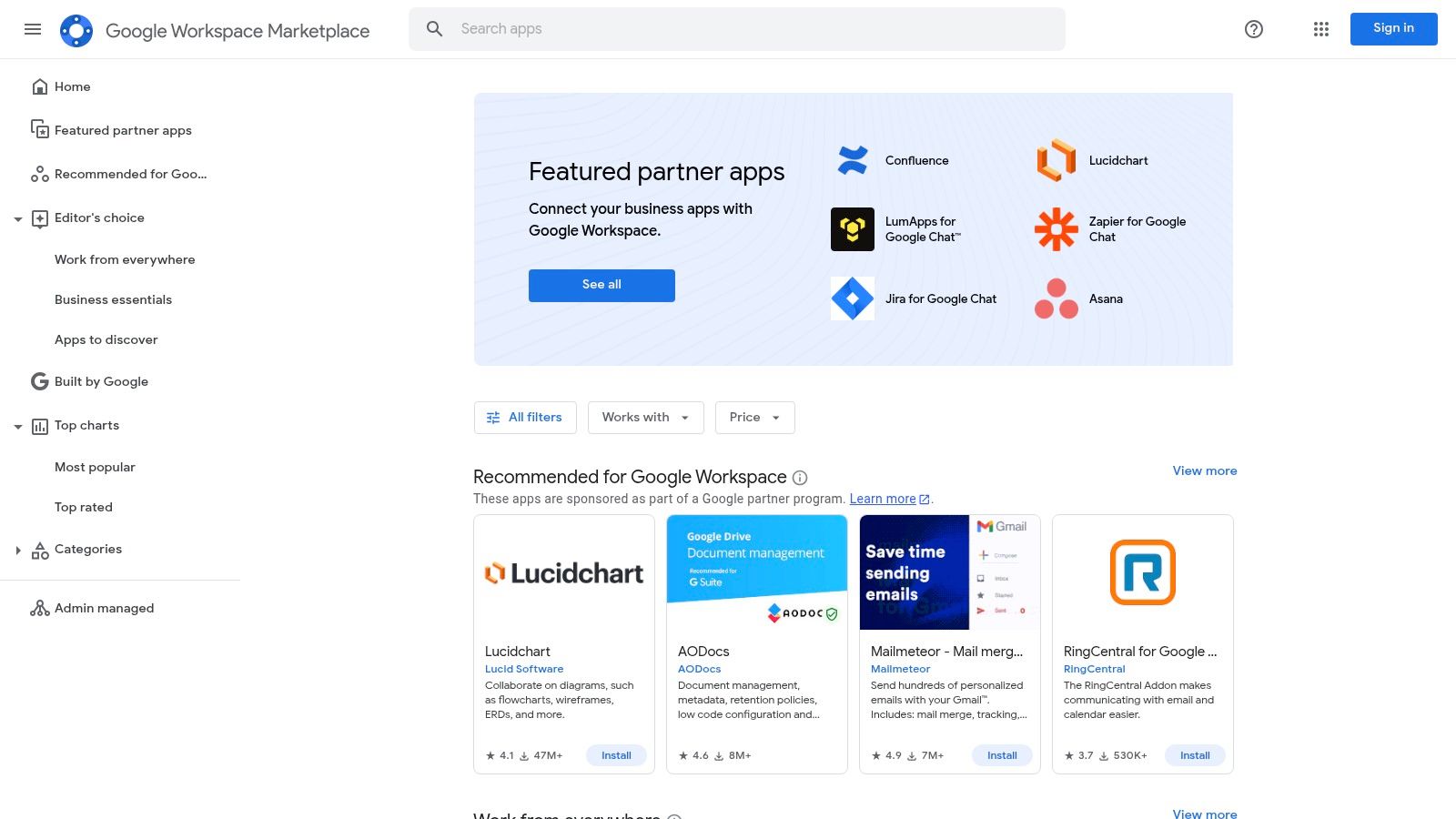
The Google Workspace Marketplace is the official, centralized hub for finding and installing third-party applications that integrate directly with Gmail and other Google apps. Think of it as Google’s own app store, specifically for tools that enhance your workflow. It's the most secure and direct starting point for discovering a wide range of vetted Gmail productivity tools, from CRMs to e-signature services.
Its primary advantage is the trust factor; every application listed has undergone a Google review process. This ensures a baseline of security and compatibility. The platform simplifies deployment with single-sign-on (SSO) using your Google account and allows administrators to manage domain-wide installations and permissions centrally.
Key Features and User Experience
Seamless Integration: A dedicated “Works with Gmail” category lets you filter for add-ons that appear directly in your Gmail sidebar, providing a native, cohesive experience.
Admin Control: Workspace administrators can install apps for entire teams or organizational units, ensuring consistent tool access and security oversight.
User-Driven Reviews: Genuine usage statistics and user ratings provide social proof, helping you gauge an add-on's popularity and effectiveness before installing.
While most add-ons are free to install, they often have their own subscription models. The Marketplace’s main limitation is that corporate admin policies can sometimes create delays for individual users needing approval to install a new tool.
3. Chrome Web Store – “Works with Gmail” collection
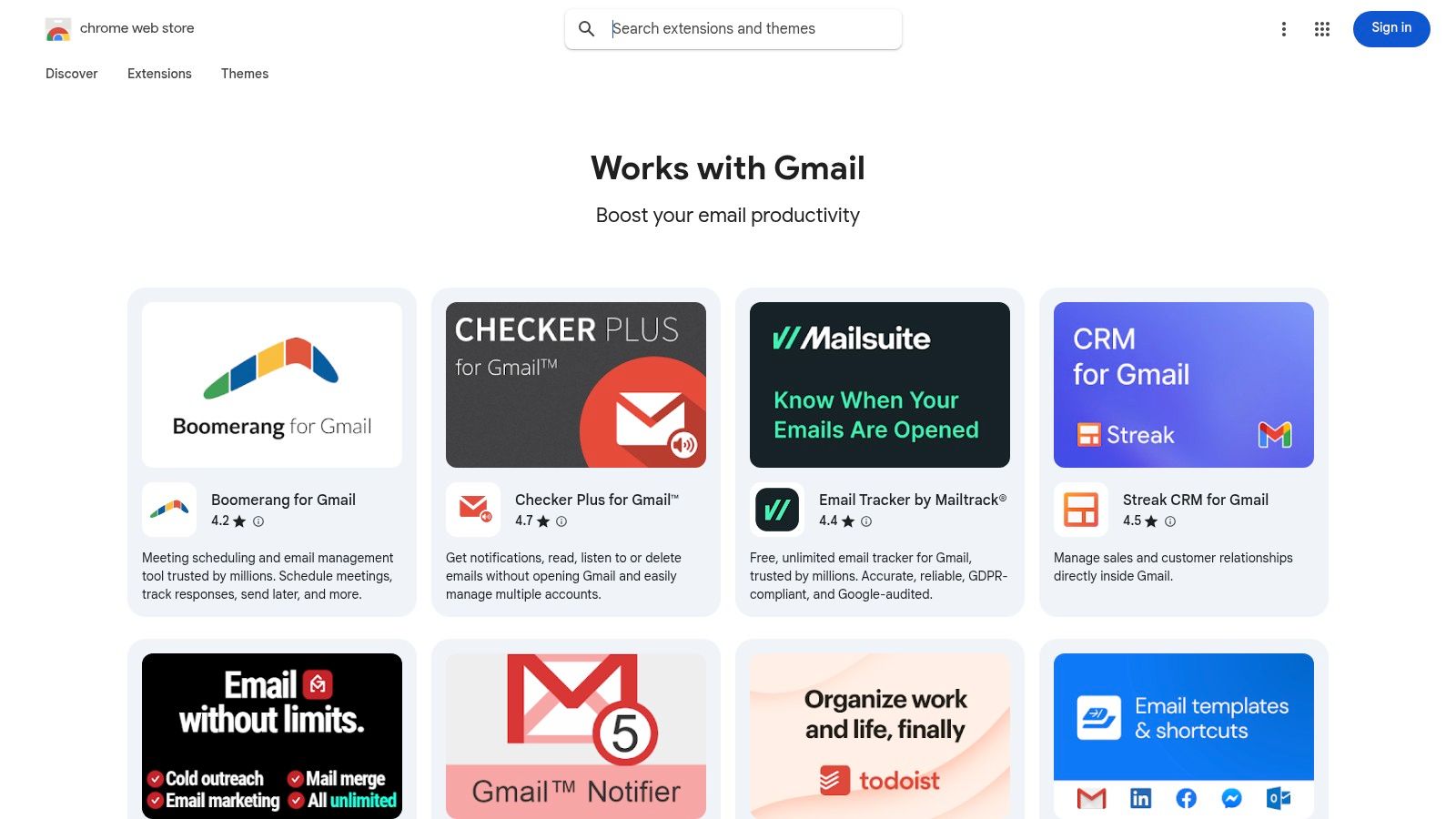
The Chrome Web Store is Google’s official catalog for browser extensions, serving as a primary source for tools that modify and enhance your Gmail experience directly within Chrome. It’s the go-to platform for users who want to add features like email tracking, scheduling, and shared inboxes through browser-level enhancements. The store curates a specific “Works with Gmail” collection, making it easy to find dedicated Gmail productivity tools.
The main advantage is the sheer breadth of options and the ease of installation. One-click installs allow for quick trials, and extensions update automatically, ensuring you always have the latest version. User reviews and "Featured" badges from Google provide strong credibility signals, helping you vet tools before committing.
Key Features and User Experience
Dedicated Collections: The "Works with Gmail" and "Productivity" categories streamline the search for relevant extensions, saving time and effort.
Permission Transparency: Before installation, the store clearly details what data and permissions an extension requires, giving users control over their privacy.
User-Driven Curation: Extensive reviews, ratings, and active user counts offer powerful social proof, making it easier to identify high-quality, reliable tools.
Most extensions are free to install but may operate on a freemium or subscription model for advanced features. The primary limitation is that these tools are browser-dependent, meaning they only function within Chrome or other Chromium-based browsers. Additionally, corporate IT policies can sometimes block the installation of unapproved extensions.
4. Streak
Streak is a CRM and productivity suite that transforms your Gmail inbox into a fully functional workflow management tool. It's designed for teams in sales, customer success, and hiring who want to manage their processes without ever leaving Gmail. This deep integration allows you to track deals, support tickets, or hiring candidates directly alongside your email conversations.
Its core strength lies in its ability to overlay customizable pipelines onto your inbox, turning chaotic email threads into structured stages. For those leveraging Gmail as a central hub for sales and customer interactions, understanding various CRM tools for lead management, such as Streak, can seamlessly enhance your workflow. The platform also offers a suite of email power tools, making it one of the most comprehensive Gmail productivity tools available.
Key Features and User Experience
Native Pipelines: Build and share visual pipelines directly within your Gmail interface, allowing your team to track progress on deals or projects in real-time.
Email Power Tools: Includes high-volume mail merge capabilities, email tracking (opens and clicks), and reusable snippets to speed up your outreach.
Built-in Automations: Create rules to automatically move deals through pipeline stages, send follow-up emails, or assign tasks based on triggers.
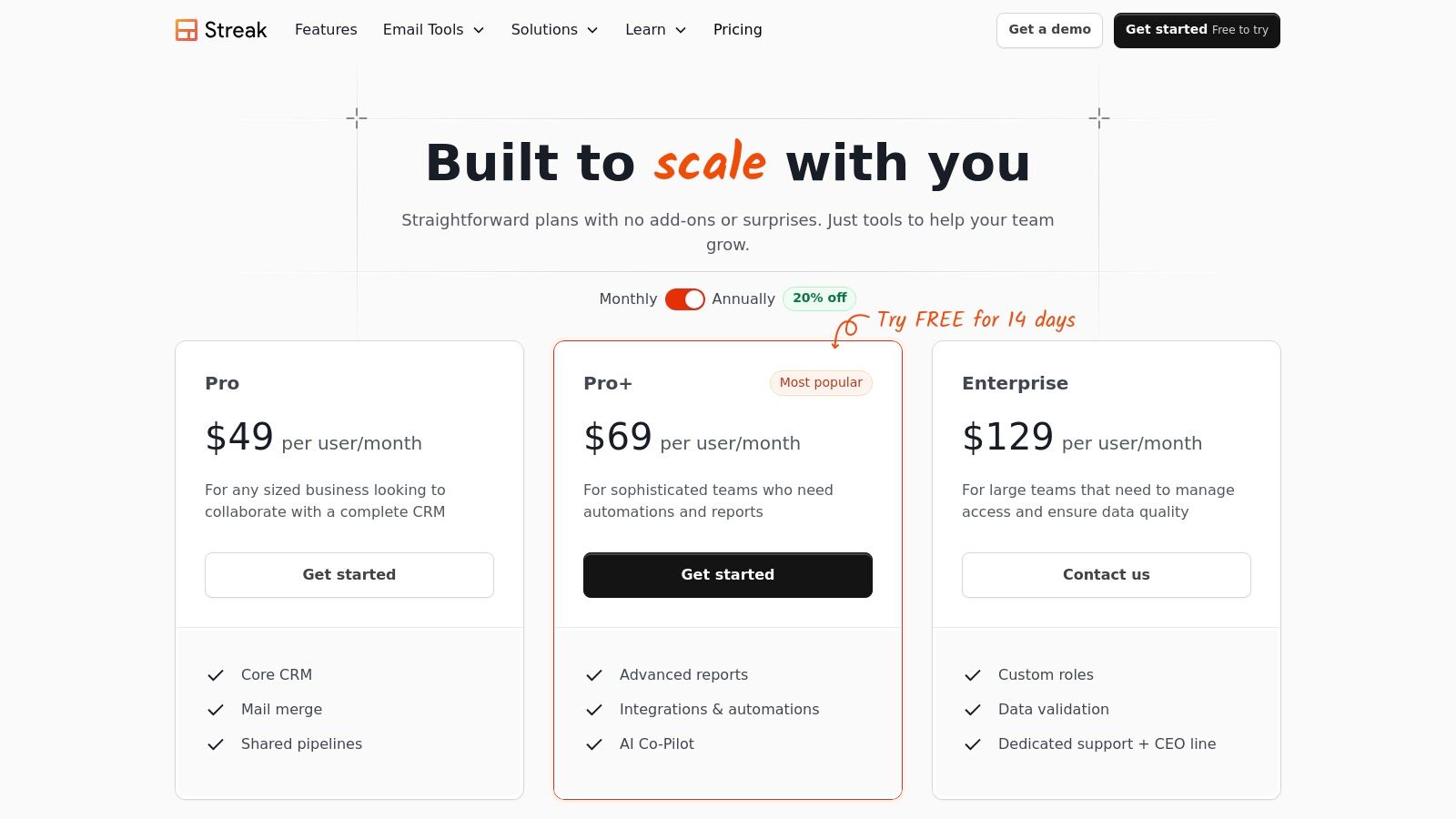
Streak offers a robust free plan for individual use, but its most powerful collaboration features are reserved for paid tiers (starting from $49/user/month). A potential limitation is that all team members must be on the same subscription plan, which can be costly for larger teams. To explore how this works in practice, you can learn more about how to integrate a CRM inside Gmail.
- Website: https://www.streak.com/pricing
5. Mixmax
Mixmax is a powerful sales engagement platform that embeds directly into your Gmail interface, transforming it into a command center for outbound communication. It’s designed for sales teams and professionals who need robust automation and analytics without switching between multiple applications. This tool excels at providing deep insights into recipient engagement, making it one of the most data-driven Gmail productivity tools available.
The platform's strength lies in its comprehensive feature set, combining email tracking, automated sequences, one-click meeting scheduling, and advanced personalization. Its focus on security, evidenced by its SOC 2 Type II compliance, provides an added layer of trust for businesses handling sensitive customer data.
Key Features and User Experience
Engagement Automation: Build multi-stage email sequences with automated follow-ups that stop once a recipient replies or books a meeting.
Advanced Tracking: Get real-time notifications for opens, clicks, and downloads, with detailed analytics on template and sequence performance.
Seamless Scheduling: Share your availability directly in an email, allowing contacts to book meetings with a single click, eliminating back-and-forth coordination.
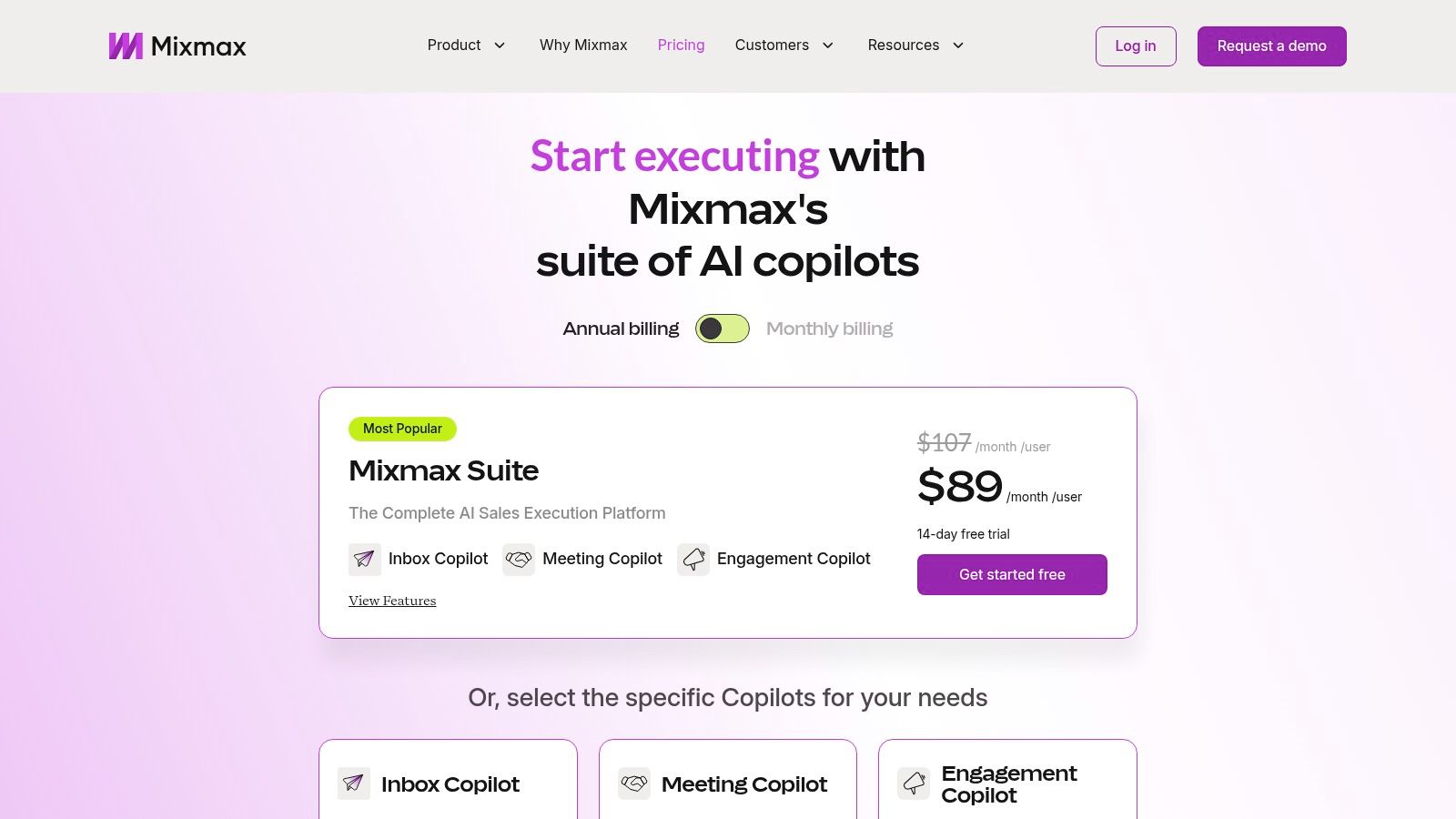
While Mixmax offers a generous free tier for basic tracking and templates, its most powerful features like CRM integration (Salesforce, HubSpot) and advanced analytics are reserved for paid plans. The modular "Copilot" pricing offers flexibility, but getting the full suite requires a significant investment. Its core strength remains with Gmail, with more limited functionality for Outlook users.
- Website: https://www.mixmax.com/pricing
6. Right Inbox
Right Inbox is a lightweight and powerful Gmail extension designed to add essential productivity features directly into your native Gmail interface. It focuses on core email management functions like scheduling, tracking, and follow-ups, making it one of the most practical Gmail productivity tools for sales professionals, recruiters, and small business owners who need efficiency without a complex CRM.
Its strength lies in its simplicity and direct integration. By adding features like "Send Later," "Reminders," and "Templates" right next to the standard Gmail "Send" button, it streamlines workflows and minimizes the need to switch between different applications. The user experience is intuitive, requiring minimal onboarding to master its capabilities.
Key Features and User Experience
Email Scheduling and Reminders: Schedule emails to send at the perfect time and set reminders to follow up on important conversations if you don't receive a reply.
Templates and Signatures: Create and insert email templates with a single click to save time on repetitive messages, and manage multiple email signatures for different contexts.
Sequences and Mail Merge: Automate follow-up campaigns and send personalized mass emails directly from Gmail, complete with open and click tracking.
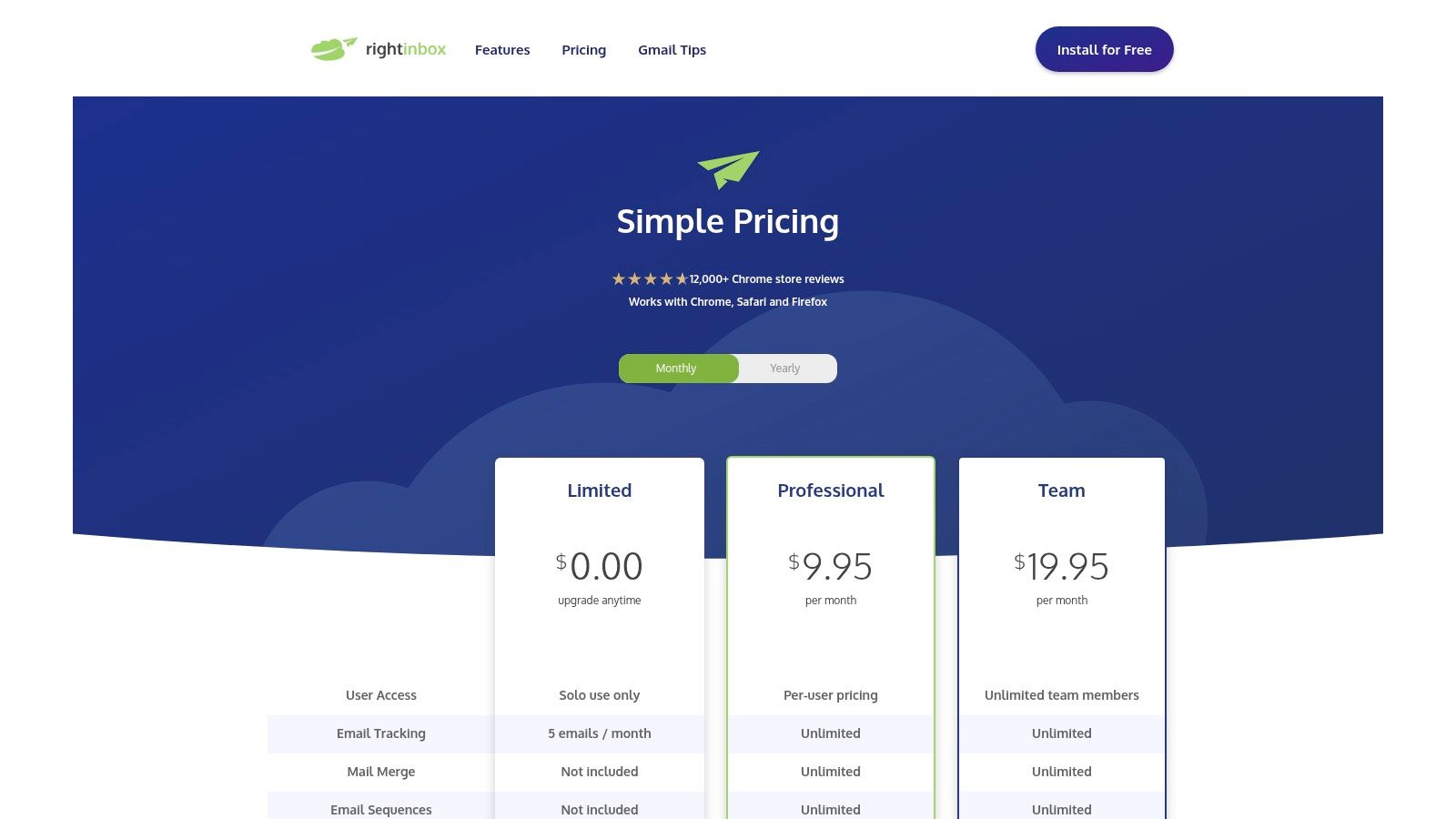
While Right Inbox excels at individual productivity, its feature depth is narrower than full sales-engagement suites, and its collaboration tools are limited. A free plan is available for light use, with paid tiers unlocking higher limits on features like tracking and sequences.
- Website: https://www.rightinbox.com/pricing
7. Boomerang for Gmail
Boomerang is one of the most established Gmail productivity tools, focused on helping users regain control over their inbox and manage email timing effectively. It allows you to schedule emails to be sent later, receive reminders if you don't get a reply, and even pause your inbox to focus on other tasks without distraction. Its long-standing reliability and simple interface make it a favorite for individuals looking to enhance their email workflow.
The platform excels at managing follow-ups and improving communication quality. Its core value lies in its set-and-forget reminder system, ensuring important conversations never slip through the cracks. The "Respondable" feature even provides real-time, AI-powered feedback on your email's tone and clarity, helping you write more effective messages.
Key Features and User Experience
Send Later & Reminders: Schedule emails for the perfect time or bring a message back to your inbox if no one replies, automating your follow-up process.
Inbox Pause: Temporarily stop new emails from appearing in your inbox, allowing you to focus deeply without interruptions.
Respondable Guidance: Get AI-driven insights on your email's likelihood of receiving a response, with suggestions on subject length, word count, and tone.
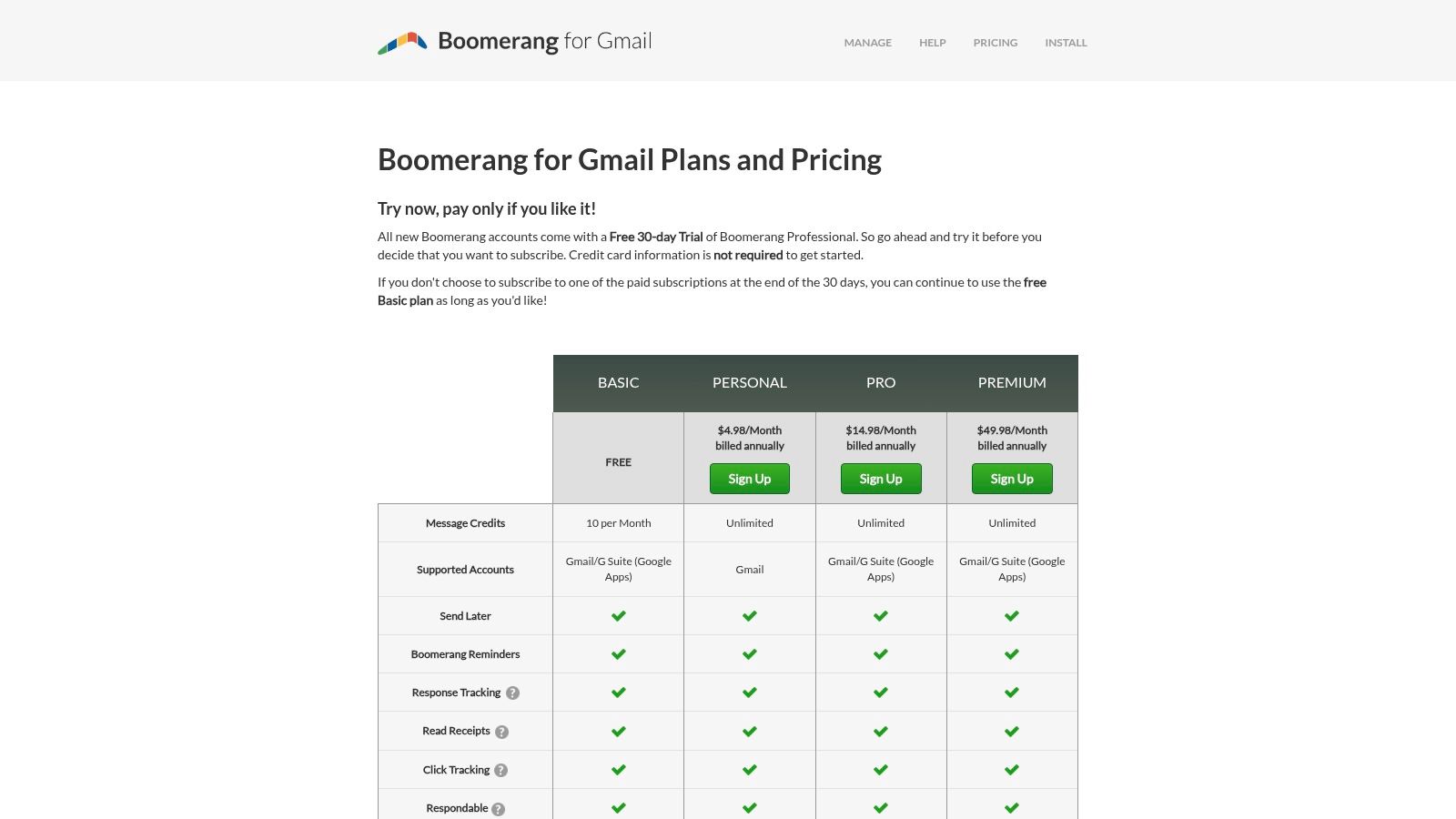
While it's a mature and easy-to-adopt tool with a free basic tier, its email tracking capabilities are less advanced than dedicated sales platforms. For teams needing extensive collaboration features, Boomerang may need to be supplemented with other tools.
8. Sortd for Gmail
Sortd reimagines the Gmail interface by transforming your inbox into a flexible set of Kanban-style boards. This Trello-like workspace lives directly inside Gmail, allowing you to drag and drop emails into customizable columns like "To-Do," "Follow Up," or "In Progress." It’s a powerful visual solution for anyone who finds their linear inbox overwhelming and wants to manage tasks, sales pipelines, or project workflows without leaving their email client.
Its key differentiator is the deep, native integration that makes emails feel like movable tasks. Instead of just labeling an email, you're physically moving it through a workflow you designed. This approach makes it one of the most intuitive Gmail productivity tools for users who think visually and need to track processes from start to finish. For more on this workflow style, you can explore how a Google Kanban board can organize your tasks.
Key Features and User Experience
Drag-and-Drop Workflow: Convert emails into tasks on a Kanban board directly within your Gmail view for seamless organization.
Shared Inboxes and Boards: Teams can collaborate on shared inboxes (like support@ or sales@) and manage email-driven work together on a unified board.
Contextual Notes and Reminders: Add private notes, tasks, and follow-up reminders directly to emails, keeping all context in one place.
While Sortd excels at visual organization, its mobile app acts more as a companion than a full replacement for the Gmail app. It is available via a Chrome extension and a Gmail add-on, with paid plans starting at $8 per user/month.
- Website: https://www.sortd.com/pricing
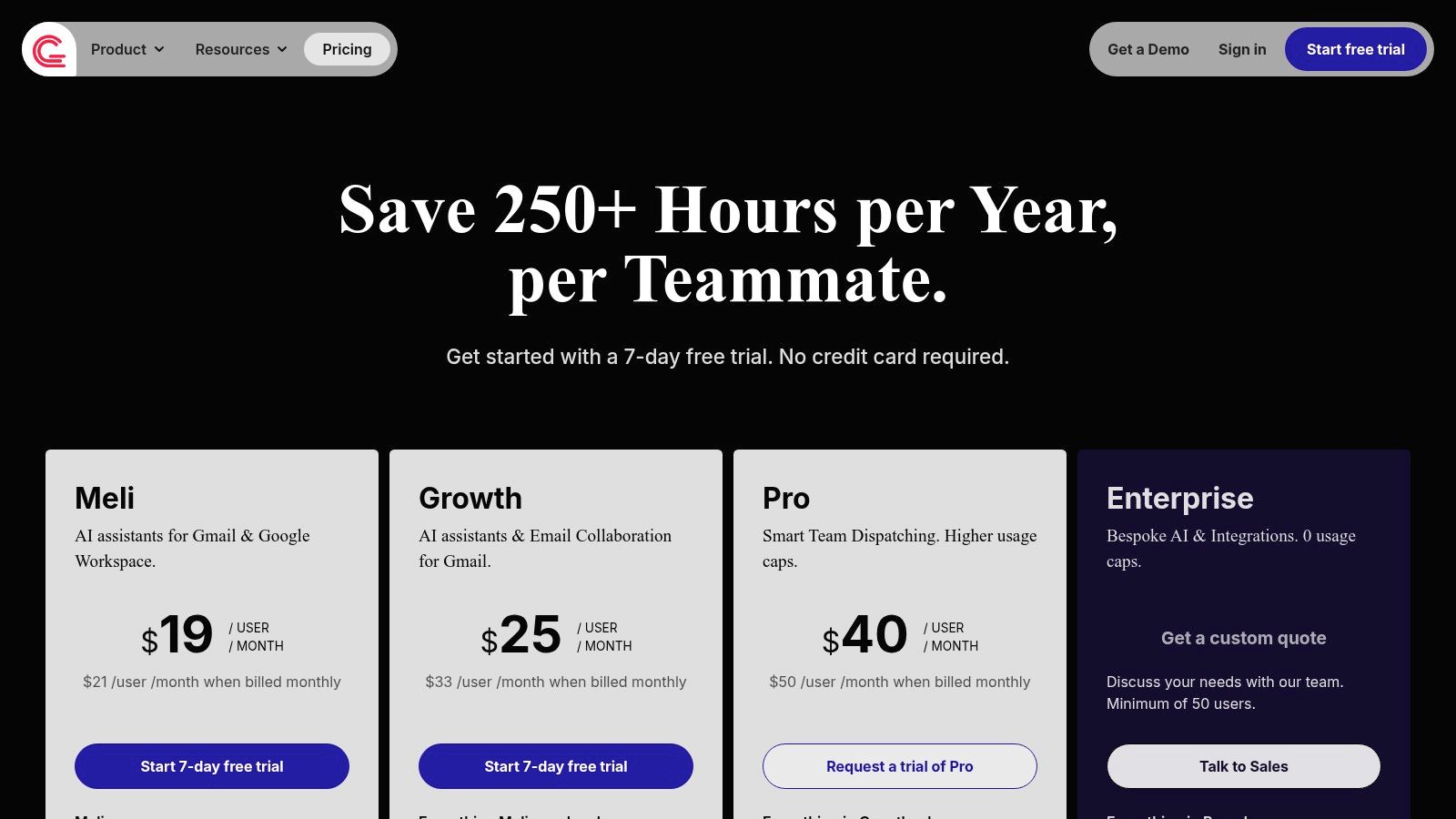
9. Gmelius
Gmelius transforms Gmail from a personal email client into a powerful, collaborative team workspace. It's designed for teams that manage shared inboxes like support@ or sales@ directly within their existing Gmail interface, eliminating the need for external helpdesk software. This platform excels at turning email conversations into actionable tasks with clear ownership, due dates, and real-time visibility.
Its core strength lies in its deep, native integration that adds shared labels, email assignment, and internal notes right beside your messages. This makes it one of the most comprehensive Gmail productivity tools for operational teams looking to streamline communication and automate workflows without leaving their inbox.
Key Features and User Experience
Shared Inboxes & Labels: Manage group emails collaboratively with features like collision detection to prevent duplicate replies and shared drafts for team review.
Email Assignment & Automation: Assign emails to specific team members like tasks and create "if-then" automation rules to distribute incoming messages based on keywords or sender.
Performance Analytics: Track team performance with metrics on email volume, response times, and resolution rates, providing insights to optimize workflows.
The primary limitation is that all team members must subscribe to the same paid plan. While powerful, its most advanced AI and analytics features are reserved for higher-tier subscriptions, which may be a consideration for smaller teams.
- Website: https://gmelius.com/pricing
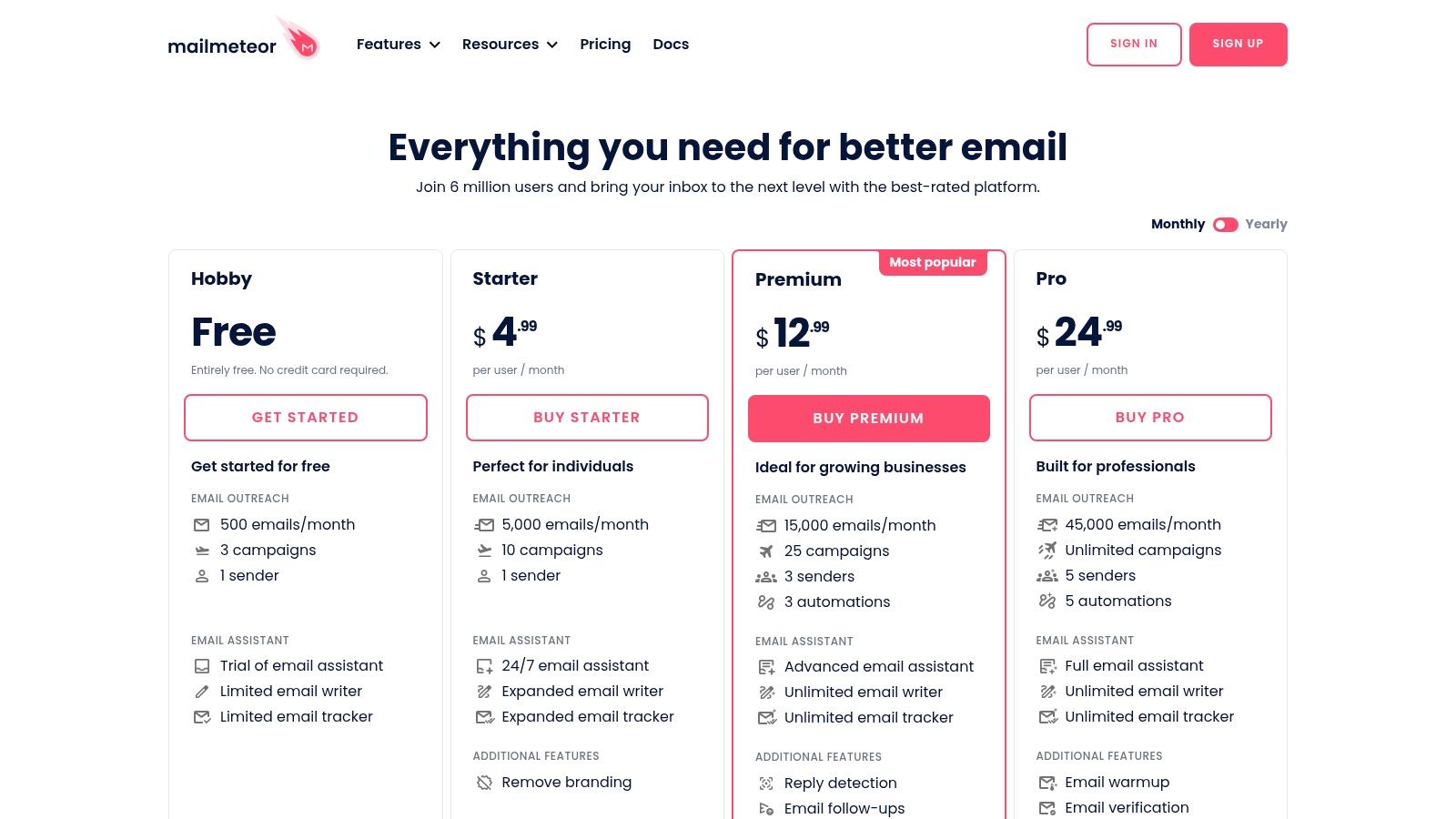
10. Mailmeteor
Mailmeteor is a highly-rated mail merge platform designed specifically for sending personalized mass emails directly from your Gmail account. It shines by leveraging Google Sheets as its data source, making it an intuitive choice for SMBs, sales teams, and operational staff already embedded in the Google Workspace ecosystem. The platform helps you scale your outreach without sacrificing the personalization that drives engagement, making it one of the most efficient Gmail productivity tools for campaigns.
Its core strength lies in its simplicity and deep integration with Google. By pulling data from a spreadsheet, Mailmeteor lets you insert custom fields like names, company details, or appointment times into your email templates effortlessly. This turns a generic broadcast into a collection of individualized messages, tracked in real-time.
Key Features and User Experience
Native Google Integration: Works as a Gmail extension, a Google Sheets add-on, and a web dashboard, allowing you to manage campaigns from your preferred interface.
Real-Time Tracking: Get instant notifications and detailed reports on who has opened, clicked, or replied to your emails, helping you refine your outreach strategy.
Campaign Management: Features include email scheduling, sending from aliases, adding personalized attachments, and access to a library of pre-built templates.
Mailmeteor is praised for its generous free tier and affordable paid plans, offering a low barrier to entry. However, its focus on streamlined mail merges means it lacks the advanced automation sequences and in-depth analytics found in dedicated email service providers (ESPs), and users are still subject to Google’s daily sending limits.
- Website: https://mailmeteor.com/pricing
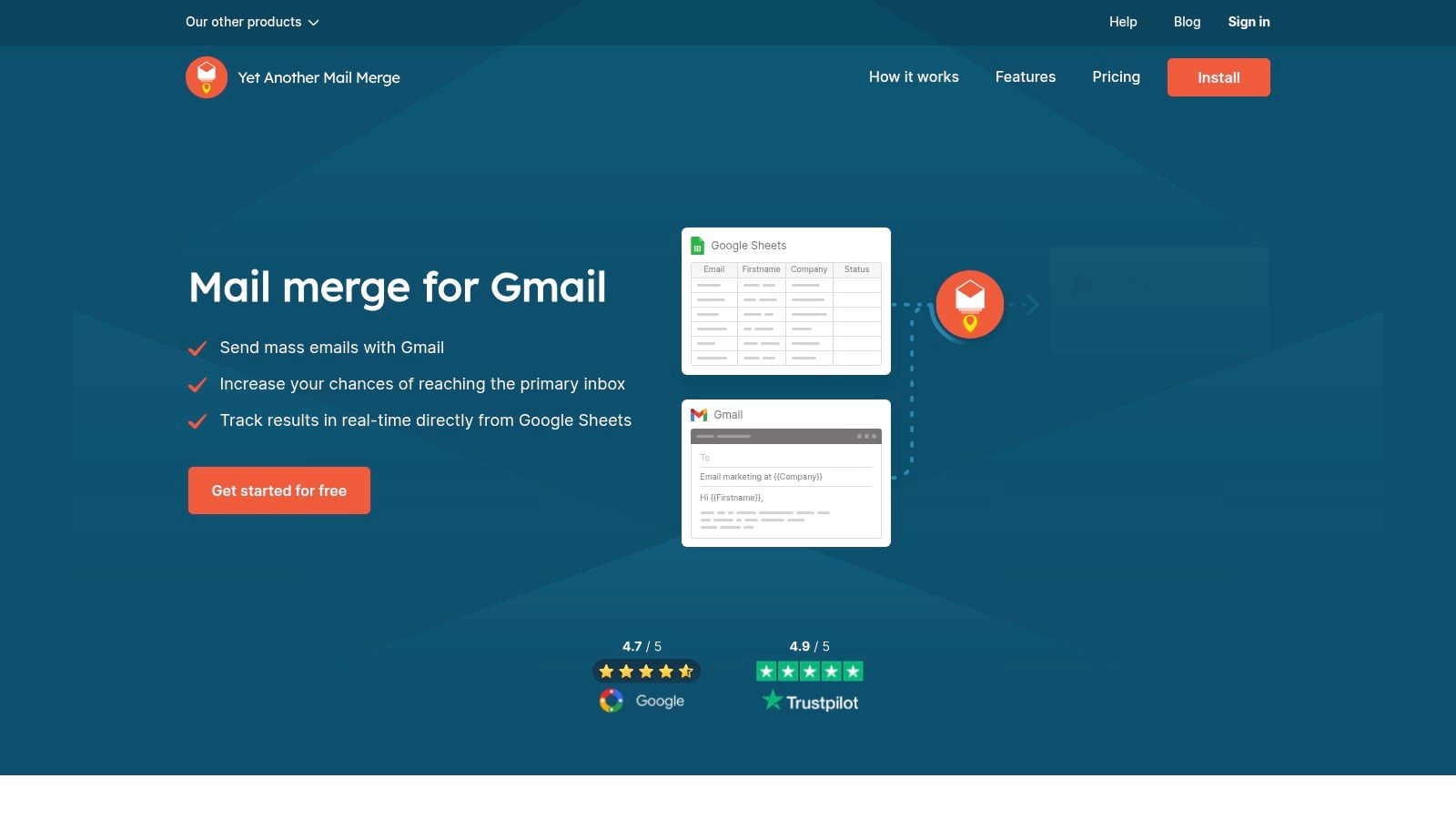
11. Yet Another Mail Merge (YAMM)
Yet Another Mail Merge (YAMM) is a powerful add-on that bridges Google Sheets and Gmail, enabling personalized mass email campaigns directly from your inbox. It transforms a simple spreadsheet into a dynamic mailing list, allowing you to send customized messages to hundreds of contacts at once. YAMM is a go-to choice for sending event invitations, internal announcements, or targeted sales outreach without leaving the Google ecosystem.
The tool’s strength lies in its simplicity and direct integration with Google Sheets, a familiar environment for most users. It provides clear, real-time tracking for opens, clicks, and bounces directly within your spreadsheet, offering immediate insights into campaign performance. This makes it an essential and approachable Gmail productivity tool for anyone needing basic mail merge functionality.
Key Features and User Experience
Google Sheets Integration: Draft contacts and personalization fields (like
{{First Name}}) in a sheet, and YAMM pulls the data to create unique emails for each recipient.Live Tracking: Monitor engagement with color-coded status updates (e.g., OPENED, CLICKED, BOUNCED) added to your sending sheet automatically.
Clear Quota Management: YAMM clearly communicates sending limits based on your Google account type (e.g., up to 1,500 recipients per 24 hours on a paid Google Workspace plan).
While its learning curve is gentle for Sheets users, the free tier is quite limited in volume and lacks scheduling features. Success with YAMM also depends on adhering to Google’s sending limits and properly warming up your email account to avoid deliverability issues.
- Website: https://yamm.com/
12. Mailsuite (formerly Mailtrack)
Mailsuite, widely known by its former name Mailtrack, is one of the most popular and straightforward email tracking solutions available for Gmail. It focuses on doing one thing exceptionally well: telling you when your emails have been opened. This lightweight tool provides real-time notifications and simple checkmark indicators directly in your inbox, making it one of the easiest Gmail productivity tools for individuals who need quick engagement insights without a complex system.
Its primary advantage is simplicity and speed. Installation is fast, the learning curve is minimal, and the core tracking feature is available for free, making it highly accessible. For sales professionals, freelancers, or anyone needing to confirm receipt and interest, Mailsuite offers immediate value by removing the guesswork from email follow-ups.

Key Features and User Experience
Real-Time Tracking: Get instant desktop notifications and see double checkmarks (similar to WhatsApp) next to sent emails to confirm they have been read.
Link and Document Tracking: Paid plans expand functionality to track when recipients click links or open attached PDFs, providing deeper engagement metrics.
Simple Campaigns: Send personalized emails to small lists (up to 200 contacts) and track the overall open rate from a simple dashboard.
The free plan is very generous with unlimited basic tracking but includes Mailsuite branding in your signature. Upgrading to a paid plan removes this branding and unlocks advanced features like link tracking and detailed reports. While effective for individuals, some users have noted occasional reliability or customer support issues.
- Website: https://mailsuite.com/en/pricing
Top 12 Gmail Productivity Tools Comparison
| Product | Core features | UX / Quality (★) | Pricing & Value (💰) | Target audience (👥) | Key differentiator (✨) |
|---|---|---|---|---|---|
| Tooling Studio 🏆 | Kanban in Gmail, Google Tasks sync, CRM, drag‑drop boards | ★★★★☆ (4.6) — near‑native, real‑time boards | 💰 Free personal; $5/user/mo or $50/user/yr — simple per‑product pricing | 👥 Individuals, SMB teams, enterprises | ✨ True native Google Workspace integration; minimal app‑switching; secure auth |
| Google Workspace Marketplace | Curated Workspace add‑ons; admin/domain installs | ★★★☆☆ (varies) — Google‑vetted apps | 💰 Varies by app; centralized billing & admin | 👥 IT admins, orgs seeking vetted add‑ons | ✨ Centralized, Google‑trusted marketplace & domain deployment |
| Chrome Web Store — “Works with Gmail” | Chrome extension catalog; one‑click installs & updates | ★★★☆☆ (varies) — reviews & permission transparency | 💰 Varies (freemium/paid); auto updates | 👥 Chrome users wanting browser extensions | ✨ Largest breadth of Gmail‑focused extensions |
| Streak | Gmail‑native CRM: pipelines, mail merge, automations, AI | ★★★★☆ — polished Gmail UX | 💰 Free tier; Pro+/Enterprise for top features | 👥 Sales, CS, hiring teams in Gmail | ✨ Full CRM inside Gmail with pipelines & AI co‑pilot |
| Mixmax | Sequences, tracking, scheduling, AI compose, analytics | ★★★★☆ — strong analytics & automation | 💰 Tiered by Copilot/bundle; free basics | 👥 Outbound sales & engagement teams | ✨ Modular "Copilots" + advanced engagement analytics |
| Right Inbox | Send‑later, sequences, templates, tracking, reminders | ★★★☆☆ — simple, fast onboarding | 💰 Competitive small‑team pricing; freemium | 👥 Solo professionals & small teams | ✨ Lightweight, cross‑browser Gmail productivity |
| Boomerang for Gmail | Send‑later, reminders, Inbox Pause, Respondable | ★★★★☆ — mature & reliable | 💰 Free basic; 30‑day Pro trial | 👥 Individuals & small teams | ✨ Established follow‑up tools + writing guidance |
| Sortd for Gmail | Kanban boards, shared inboxes, day planner, tracking | ★★★★☆ — visual Trello‑like workflow | 💰 Freemium; paid team plans | 👥 Teams needing visual pipelines in Gmail | ✨ Trello‑style boards embedded in Gmail |
| Gmelius | Shared inboxes, automation, SLAs, AI dispatch, analytics | ★★★★☆ — enterprise collaboration | 💰 Team/Enterprise plans; per‑user tiers | 👥 Support/ops teams and growing orgs | ✨ Deep team workflow + AI dispatch & SLAs |
| Mailmeteor | Sheets→Gmail mail‑merge, scheduling, tracking | ★★★★☆ — smooth Sheets/Gmail flow | 💰 Low entry price; generous free sends | 👥 SMB outreach & ops teams | ✨ Native Sheets integration for personalized campaigns |
| Yet Another Mail Merge (YAMM) | Sheets mail‑merge, open/click tracking, team plans | ★★★☆☆ — veteran mail‑merge tool | 💰 Free with quotas; paid for higher limits | 👥 Internal comms, outreach via Sheets | ✨ Clear quota docs & simple Sheets setup |
| Mailsuite (Mailtrack) | Open/link tracking, doc/PDF tracking, signatures | ★★★☆☆ — fast to deploy | 💰 Affordable paid; free basic with branding | 👥 Individuals wanting engagement insights | ✨ Unlimited basic tracking + document tracking options |
Choosing the Right Tools for Your Gmail Workflow
Navigating the vast ecosystem of Gmail productivity tools can feel like both a blessing and a curse. While the sheer number of options guarantees a solution for nearly every workflow bottleneck, the challenge lies in pinpointing the right one for your specific needs. As we've explored, the path to inbox mastery isn't about installing every extension available; it's about making a strategic selection that aligns with your core objectives, whether that's sales outreach, project management, or streamlined team collaboration.
The tools we've detailed, from comprehensive platforms like Gmelius and Streak to specialized solutions like Mailmeteor and Boomerang, all share a common goal: to transform your inbox from a passive repository of messages into an active, intelligent command center. They prove that Gmail can be more than just a communication tool; it can be the central hub where tasks are managed, deals are closed, and projects are driven forward.
Key Takeaways for Selecting Your Productivity Stack
Your journey to a more efficient inbox begins with a clear understanding of your pain points. Before committing to a tool, consider the following:
Define Your Primary Use Case: Are you a project manager needing to turn emails into actionable tasks? A sales lead looking for a lightweight CRM? Or a freelancer who needs to schedule emails and track opens? A tool like Sortd is ideal for visual task management, while Mixmax excels in sales engagement. Be honest about your primary need.
Evaluate Integration Depth: How well does a potential tool fit into your existing workflow? Consider its integration not just with Gmail, but with other Google Workspace apps like Calendar, Drive, and Sheets. A deeply integrated solution prevents the friction of context switching and creates a more unified experience.
Consider Team vs. Individual Needs: Solutions like Gmelius are built for shared inboxes and team collaboration, offering features that an individual might not need. Conversely, tools like Right Inbox are perfectly suited for individual professionals looking to enhance their personal productivity without the complexity of team features.
Actionable Next Steps to Enhance Your Gmail
To move from information to implementation, start small. Don't attempt to overhaul your entire workflow overnight. Instead, identify your single biggest inbox-related frustration and find the tool that best solves it.
Start with a Free Trial: Nearly every tool on this list offers a free version or a trial period. Use this opportunity to test the core features in a real-world setting. See how it feels to use the tool day-to-day.
Focus on One Core Feature: If you choose a multifaceted tool, focus on mastering one feature first. For example, if you adopt Tooling Studio, begin by using its Kanban board to manage email-based tasks before exploring its Sales CRM features.
Gather Feedback (If Applicable): If you're a team lead, involve your team in the selection process. A tool is only effective if it's adopted, and early buy-in is crucial for successful implementation.
Ultimately, the best Gmail productivity tools are the ones that feel like a natural extension of your workflow, saving you time and mental energy so you can focus on the work that truly matters. By thoughtfully assessing your needs and taking a methodical approach to adoption, you can build a powerful, personalized productivity system right inside the familiar interface of your inbox.
Ready to transform your Gmail into a unified workspace for tasks, projects, and client relationships? Tooling Studio offers a deeply integrated Kanban board and an Sales CRM built directly for Google Workspace, eliminating app-switching and centralizing your workflow. Start organizing your inbox and streamlining your projects by exploring Tooling Studio today.
Manage contacts, deals, and follow-ups inside Google Workspace
Tooling Studio Sales CRM gives Gmail and Google Contacts teams a lightweight pipeline: contacts, organizations, deals, notes, tags, custom fields, owners, and shared follow-up work without a heavy CRM rollout.