
Boost Productivity With Kanban Boards Online
Discover how kanban boards online can transform chaotic projects into streamlined workflows and boost your productivity in this practical guide.
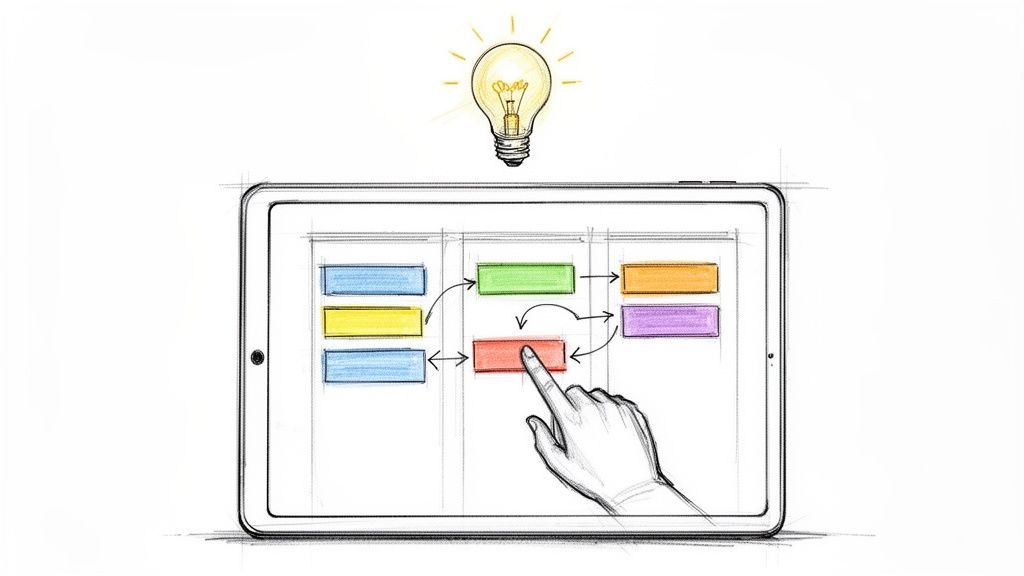
Online Kanban boards are digital tools that bring your workflow to life, helping you and your team see tasks move from "To Do" to "Done." They ditch confusing to-do lists for an interactive, real-time map of all the work in play. This visual approach makes it instantly obvious what everyone is working on, where bottlenecks are starting to form, and what needs attention next.
What Are Online Kanban Boards and How Do They Work?
Imagine trying to run a busy restaurant kitchen with nothing but a spoken list of orders. It would be pure chaos. Chefs would scramble to remember what to cook, servers would get confused about which dish goes where, and some orders would inevitably get lost in the shuffle. The whole system would collapse because there’s no single, shared view of the work.
This is exactly what happens in so many teams. Projects stall, deadlines get missed, and communication breaks down because work is buried in endless email threads, scattered spreadsheets, and messy personal to-do lists. Online Kanban boards solve this by creating a central, visual hub for every single task. Here's a super simple online Kanban board tool for all your task management needs.
Transforming Chaos into Predictable Flow
At its heart, a Kanban board turns abstract tasks into tangible items that travel through a defined process. Let's go back to that restaurant kitchen for a second. A Kanban system would look something like this:
To Do: New orders come in on tickets and are lined up. This is your backlog.
In Progress (Prep): A chef grabs a ticket and starts prepping the ingredients.
In Progress (Cooking): The dish is now on the stove, actively being cooked.
Done (Ready to Serve): The finished meal is placed under a heat lamp, waiting for a server to deliver it.
Each ticket (or "card") moves from one column to the next, giving the entire kitchen staff immediate clarity on what's happening. The head chef can instantly see if the "Prep" station is getting overwhelmed and can jump in to help before it becomes a major bottleneck. This is the core function of an online Kanban board—it makes the entire workflow visible so you can actually manage it.
The real power here is in the simplicity. By mapping out your process visually, you can immediately spot where things are getting stuck. It’s a key reason why visual task management works so well for modern teams.
A Kanban board is more than just a task tracker; it's a dynamic system for managing flow. Its primary goal is not just to see what work is being done, but to optimize how that work gets done, ensuring a smooth and predictable pace of delivery.
The Four Core Principles of Kanban
Digital Kanban boards are built on four foundational ideas that guide this whole process of getting better and more efficient. Understanding them helps explain why the method is so effective for managing complex work without burning out the team.
Here's a quick look at the foundational principles that make online Kanban boards a powerhouse for managing workflow.
| Kanban Principle | What It Means for Your Team |
|---|---|
| Visualize the Workflow | You make all work items visible, creating a shared understanding of the team's process and current tasks. |
| Limit Work in Progress (WIP) | You set a maximum number of tasks allowed in each stage, preventing multitasking and promoting focus on finishing work. |
| Manage Flow | You monitor how work moves through the system, identifying and resolving bottlenecks to keep tasks flowing smoothly. |
| Improve Collaboratively | The team uses the board and its data to discuss process improvements, making small, incremental changes over time. |
These principles aren't just rules to follow; they're the engine that drives continuous improvement, helping teams move from being reactive to being proactive and efficient.
The Anatomy of an Effective Online Kanban Board
If you want to really get the hang of online Kanban boards, you first need to understand what makes them tick. It’s all about a few core components working together to keep your workflow smooth and stop those frustrating bottlenecks before they start.
Think of it like the dashboard in your car. When a warning light flashes, you know exactly what needs attention before the engine overheats. An online Kanban board does the same for your projects.
The whole system is built on three key pillars: Visual Cards, Columns, and Work-in-Progress (WIP) Limits. When you see how these three interact, you unlock a powerful way to boost your team’s focus and get more done.
Visual Cards: The Heart of the Board
Visual Cards are the fundamental building blocks of any online Kanban board. Each card represents a single task or piece of work.
It’s basically a supercharged digital Post-it note. You can add a title, a detailed description, assign it to someone, set a due date, and even attach files or leave comments. All the important info for a task is bundled up in one easy-to-see place.
These cards act as visual cues, pulling everyone's attention to what needs to be done. From there, they begin their journey across the board through a series of columns that map out your team's process.
Columns: Mapping Your Workflow
Columns are the different stages of your workflow, like stations on an assembly line. Each one represents a distinct step your tasks go through from start to finish.
A classic, simple setup is To-Do, In Progress, and Done. But you can—and should—customize it to match how your team actually works. You might add columns like Review, Testing, or Ready for Launch.
To-Do: This is your backlog—all the new ideas and tasks waiting to be started.
In Progress: This shows what the team is actively working on right now.
Review: A common stage for work that needs a second pair of eyes or formal approval.
Done: The finish line! Completed tasks land here, giving you a clear record of your accomplishments.
This visual layout is brilliant because it instantly shows you where work is getting stuck. If you see a dozen cards piled up in the "Review" column, you’ve just found your bottleneck.
WIP Limits: The Secret to Staying Focused
This is where the magic really happens. Work-in-Progress (WIP) limits are rules that cap how many cards can be in a column at any one time. By setting a maximum, you force the team to focus on finishing work before starting new work.
It sounds simple, but it’s a game-changer. For instance, a marketing team might set a WIP limit of three on their "Drafting Content" column. This stops them from starting ten articles and finishing none, ensuring a steady, high-quality output.
Limiting work in progress is like narrowing a funnel to make sure water flows through steadily without overflowing. It keeps work moving smoothly from one stage to the next.
For more complex workflows, like in software development, teams often use a Commitment Point. This is the moment a task is officially pulled from the backlog and enters the active workflow. It creates a clear signal that work has begun, preventing people from grabbing tasks before they're truly ready.
This diagram shows how these elements come together to create a simple, visual flow.
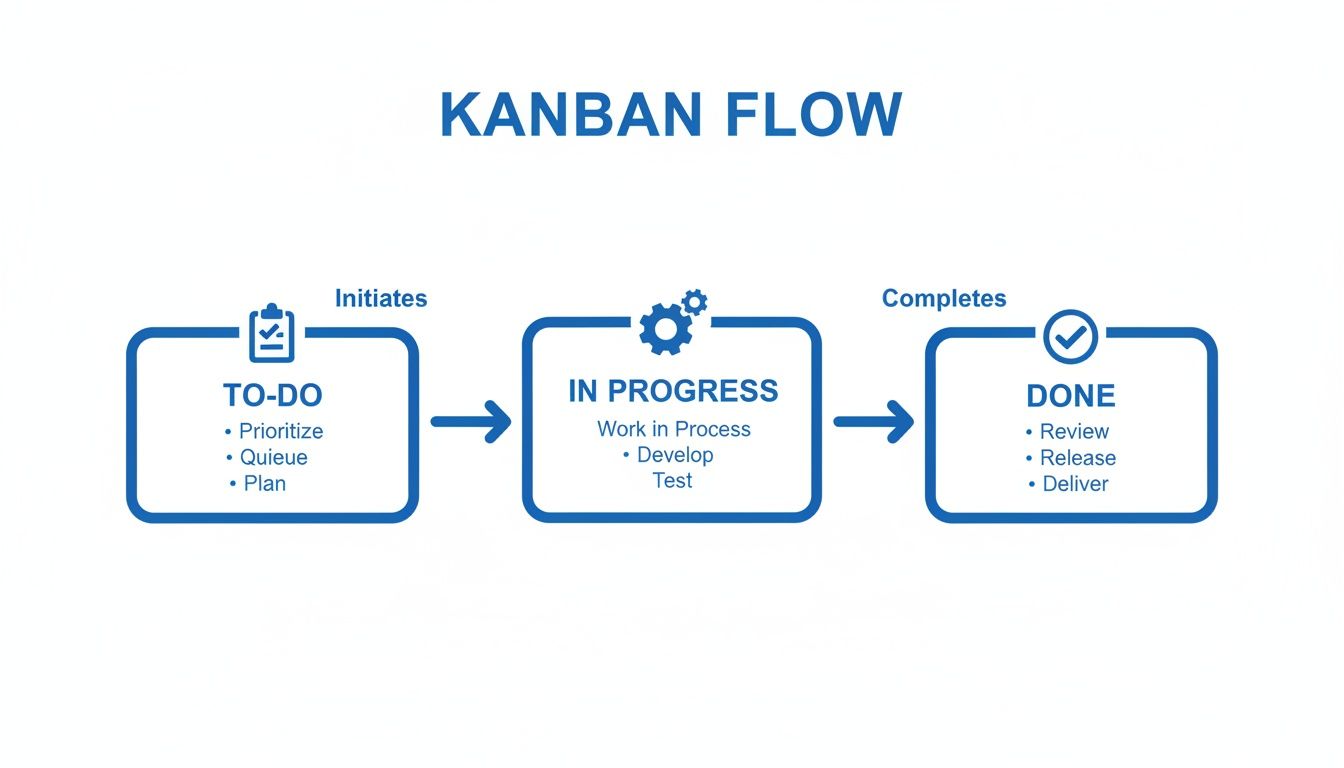
As you can see, the cards move from one stage to the next, creating a rhythm that helps the team regulate its own pace.
How It All Works Together
When you combine Visual Cards, Columns, and WIP Limits, you get a self-regulating system that keeps your team aligned and prevents them from feeling overwhelmed.
Cards move through the defined stages in a predictable way.
WIP limits tell you when a column is at capacity, signaling the team to help clear it.
The columns make it obvious where to focus next.
Team members pull new work only when they have the capacity.
One marketing team I know put a WIP limit on their social media campaigns during a busy season. The result? They hit more deadlines and saw a 30% drop in missed due dates in just one quarter.
Another software team I worked with defined a clear Commitment Point for their development process. They cut their average task completion time by 25% because everyone knew exactly when the clock started ticking.
Together, these simple parts turn your online Kanban board into a dynamic dashboard for driving focus and creating a sustainable workflow.
The Real-World Benefits of Using a Digital Kanban System
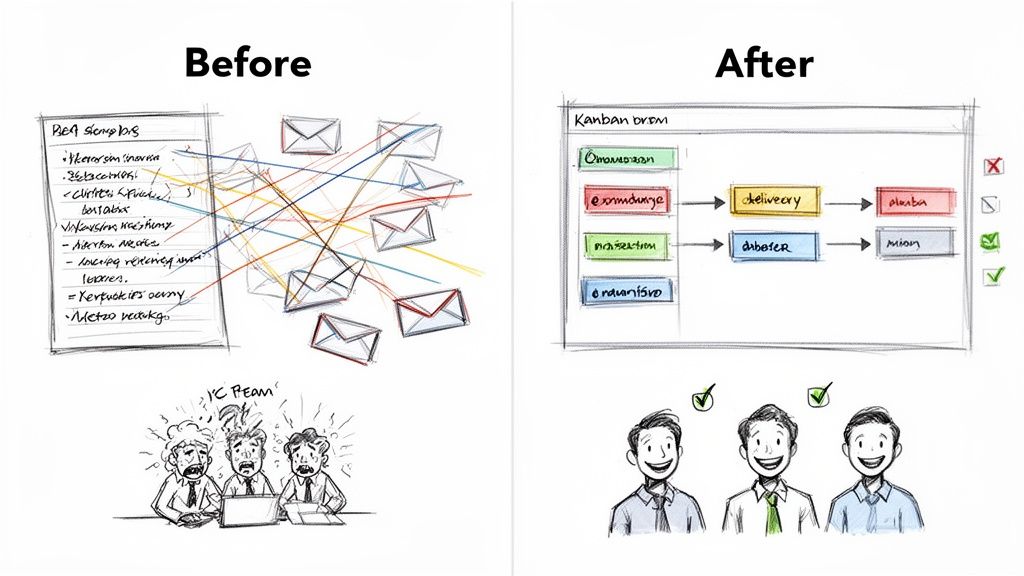
Picture a project team completely swamped with work. Their days are a chaotic mess of back-to-back status meetings, endless email threads with buried attachments, and people constantly asking, "Hey, what's the status of this?" Deadlines get missed all the time, not because people aren't working hard, but because nobody has any clarity. No one has a real handle on who's doing what, where tasks are getting stuck, or what the team can actually take on. This isn't a hypothetical—it's the frustrating reality for tons of teams before they discover kanban boards online.
Bringing in a digital Kanban system is like flipping a switch in a dark room. All of a sudden, the entire workflow is lit up for everyone to see. That abstract cloud of "work" becomes a tangible, organized process. This visual clarity is one of the most immediate and powerful benefits, cutting through the confusion and creating a single source of truth for the whole team.
Achieve Radical Workflow Transparency
With an online Kanban board, every task is a card and every step of your process is a column. This simple structure makes the status of every single work item instantly visible to everyone, from managers to the people doing the work.
This kind of transparency has a few huge effects:
It Kills Needless Status Meetings: When anyone can see the progress of a task in real-time, the need for those constant check-in meetings just melts away.
It Empowers the Team: Everyone sees the big picture. They understand exactly how their individual tasks contribute to the team's bigger goals.
It Shines a Spotlight on Bottlenecks: If cards start piling up in the "Review" column, it's an immediate visual cue that something's wrong and needs attention.
A digital Kanban system fosters a culture of shared ownership. When the workflow is transparent, accountability becomes a natural byproduct, as everyone can see the flow of value from start to finish.
This shift toward visual management is making waves. The global Kanban software market, valued at USD 327.5 million in 2023, is projected to hit USD 1,521.8 million by 2032, driven by teams everywhere embracing agile principles. You can dig into the numbers in this in-depth market analysis on Allied Market Research.
Predictable Delivery and Improved Focus
One of the biggest struggles for any team is figuring out when work will actually be done. Online Kanban boards help solve this by creating a much smoother, more predictable flow. By using Work-in-Progress (WIP) limits, teams are forced to stop the harmful habit of multitasking and instead focus on getting tasks across the finish line before starting new ones.
This focused approach naturally leads to shorter cycle times, that's the time it takes for a task to move from "In Progress" to "Done." As the team gets better at managing this flow, their delivery becomes more consistent and predictable. This allows project managers to give stakeholders more reliable timelines, which builds trust and lowers stress for everyone involved. It's a lot like how automating and streamlining workflows in sales can transform a process; digital Kanban systems do the same by optimizing how work gets done.
Enhanced Team Morale and Continuous Improvement
Finally, a well-managed Kanban system can do wonders for team morale. Instead of feeling buried under a massive, undefined pile of work, team members can pull new tasks from the backlog at a sustainable pace. Seeing those cards move steadily into the "Done" column provides a powerful, visual sense of accomplishment and momentum.
Better yet, the board itself becomes a tool for continuous improvement. Teams can analyze the flow of work, talk about what's causing bottlenecks, and experiment with small process tweaks to get better over time. This creates a proactive, problem-solving culture where the team is empowered to own and refine its own way of working, leading to happier people and better results.
How Different Teams Make Kanban Boards Their Own
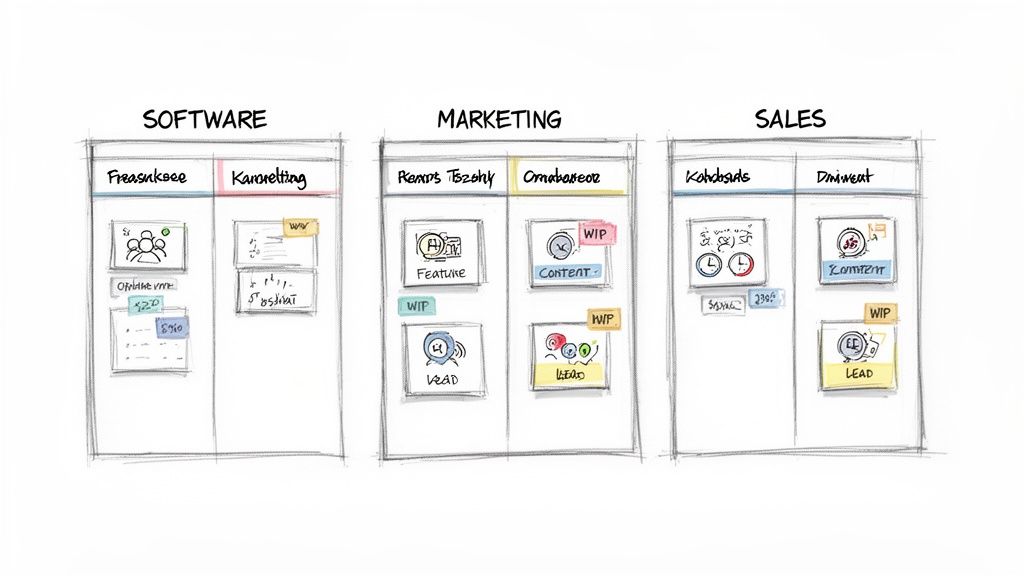
The real magic of an online kanban board isn't some rigid, out-of-the-box template. Far from it. Its true strength is in its incredible flexibility. Think of a Kanban board as a set of LEGOs; different teams can grab the pieces they need to build a system that perfectly mirrors their own unique workflow, language, and measures of success.
What works for a software team pushing code to production would be a complete mess for a marketing team trying to manage a content calendar. By tweaking the columns, card details, and what "done" actually means, each department can turn a generic board into a fine-tuned command center for its specific job. This is exactly why the system has become so popular across all kinds of industries.
For Software Development Teams
A software team’s world is technical and highly sequential. The goal is to move a feature from a bright idea to a live deployment, and their Kanban board is built to reflect that structured, multi-stage journey, with columns designed to catch issues and ensure quality at every turn.
A typical dev team board might have columns like:
Backlog: A prioritized list of all upcoming features, user stories, and bug fixes.
Ready for Dev: Items that are fully fleshed out and ready for an engineer to grab.
In Development: The active coding phase. WIP limits here are essential to stop context-switching dead in its tracks.
Code Review: The work is done but needs a second pair of eyes before it moves on.
Testing/QA: The feature is now in a staging environment for some serious quality assurance testing.
Ready for Deployment: It passed all the tests and is just waiting for the next release window.
Live/Done: The code is out in the wild, being used by real customers.
Flip over their cards, and you'll see technical details like branch names, links to Figma mockups, and user story acceptance criteria. The metrics they live by are cycle time (how long a task takes from start to finish) and lead time (the total time from the initial request to final delivery).
For Marketing Teams
Marketing teams, on the other hand, operate in a much more fluid, campaign-driven world. Their Kanban board isn't so much a linear production line as it is a way to juggle parallel creative projects with a bunch of different stakeholders.
You'll often see a marketing board that looks something like this:
Ideas/Backlog: A sandbox for brainstorming campaign concepts, blog post ideas, and social media stunts.
Planning/Briefing: An idea gets the green light, and the team starts building the project brief and defining goals.
Content Creation: Writers are writing, designers are designing, and video producers are producing.
Internal Review: The first draft is up for feedback from the key players.
Scheduled: Final content is approved and plugged into the content calendar for launch.
Published/Live: The campaign is out there, and the team shifts its focus to monitoring performance.
Marketing cards are usually packed with things like target keywords, audience personas, campaign goals, and links to creative assets. Success isn't about deployment speed; it's measured by metrics like campaign engagement, lead generation, or content reach. For more inspiration on setting up boards for creative and business teams, check out our guide on using Kanban for non-technical teams, simplifying project tracking.
For Sales Teams
For a sales team, the Kanban board becomes a living, breathing sales pipeline. It’s a visual way to track leads as they move through the customer journey. Each card is a potential deal, and each column represents a clear stage in the sales process, giving everyone an instant snapshot of the pipeline's health.
A sales Kanban board makes the pipeline tangible. It turns abstract sales stages into a dynamic and interactive workflow, helping reps see exactly where each deal stands and what action is needed next to move it forward.
A classic sales pipeline on a Kanban board might have these columns:
New Leads: Fresh prospects that have just entered the funnel.
Contacted: A sales rep has reached out and made initial contact.
Discovery Call Scheduled: A meeting is on the books to dig into the prospect's needs.
Proposal Sent: A formal proposal or quote has been delivered.
Negotiation: The prospect is reviewing the offer, and terms are being discussed.
Closed-Won / Closed-Lost: The final verdict on the deal.
This visual, hands-on approach is fueling serious growth. The Kanban software market is expected to jump from USD 1.42 billion in 2025 to USD 3.10 billion by 2034. It's no wonder, especially when you see that an impressive 41% of organizations are already using Kanban across ten or more teams.
Choosing the Right Kanban Tool for Google Workspace
Picking the right online Kanban board isn't about finding the one with the longest feature list. The best tool is always the one your team will actually use, and that often boils down to how neatly it slides into your existing daily routines. For the millions of teams who practically live inside Google Workspace, this decision is a big deal.
The wrong tool just adds another app to juggle, another password to forget, and another reason to break your focus. This constant context switching absolutely kills productivity. The right tool, on the other hand, feels like a natural extension of the environment you already know, weaving itself into your workflow so seamlessly that managing tasks feels effortless.
This is exactly why native integration is the single most important factor when you're looking for a Kanban solution for your Google-based team. You want something that turns your Gmail inbox or Google Tasks into a command center, not another app that yanks you out of it.
Prioritize Native Integration Above All Else
Flipping back and forth between different apps is a massive drain on your team's focus and efficiency. This "context switching" forces your brain to recalibrate every single time you jump from your inbox to a separate project management tool, eating up precious time and mental energy.
A truly integrated Kanban tool makes this problem disappear by bringing your boards directly into Google Workspace. Instead of opening yet another tab, you’re managing tasks, assigning cards, and visualizing your entire workflow right from your inbox. This is the killer advantage of solutions built specifically for the Google ecosystem.
Think about the immediate benefits:
Zero Context Switching: Manage everything without ever leaving Gmail. Your team stays focused, in the zone, and far more productive.
Faster Adoption: When a tool feels like it's already part of an application your team uses all day, every day, the learning curve practically vanishes.
Centralized Communication: Comments, updates, and assignments all happen right where the work starts—usually in an email—which creates a single, reliable source of truth.
Evaluate Core Collaboration Features
Once you've zeroed in on tools with deep Google Workspace integration, it's time to look at how well they handle teamwork. A great online Kanban board should be a buzzing hub for collaboration, not just a glorified personal to-do list.
Look for features that make it dead simple for your team to communicate and stay in sync. The ability to assign tasks to multiple people, drop comments directly onto cards, and attach relevant files from Google Drive are non-negotiable. Real-time updates are also a must, ensuring everyone sees the latest status of a task the second it changes.
The goal is to find a system that makes collaboration feel intuitive. The board itself should tell the story of your project's progress so clearly that you can cut down on all those endless status update meetings.
This need for collaborative efficiency is driving massive market growth. The global Kanban tools market hit a value of USD 276.94 million in 2024 and is expected to skyrocket to USD 1,041 million by 2032. This boom is mostly fueled by the demand for agile, cloud-based platforms that bring team workflows together. You can dive deeper into this explosive market growth on congruencemarketinsights.com.
Look for Simplicity and Ease of Use
Finally, the user experience can make or break any tool. A cluttered interface or a confusing setup process is a guaranteed way to discourage your team from ever using it, no matter how powerful the features are. The best kanban boards online are clean, intuitive, and a breeze to navigate.
The ideal tool has a drag-and-drop interface that feels natural and responsive. Customization should be straightforward, letting you quickly tweak the board's columns and card templates to match your team's unique process. If you want to dig deeper into what makes a digital board truly effective, you might find our detailed breakdown of an online Kanban board helpful.
While evaluating different options, you might come across platforms that offer a wider suite of features, like the Dooza Platform, which could be an interesting choice. But for teams deeply embedded in the Google ecosystem, a specialized, tightly integrated solution will almost always deliver the most frictionless experience.
By focusing on these three pillars: native integration, strong collaboration, and an intuitive user experience, you can find a Kanban tool that doesn't just organize your work, but actually makes your team better at what they do inside Google Workspace.
Common Questions About Online Kanban Boards
As teams start dipping their toes into the world of visual workflow management, a few practical questions always pop up. It makes sense. Moving from a simple to-do list to a dynamic system like kanban boards online can feel like a big leap.
To help clear things up, we've rounded up the most common questions and answered them in plain English. This should give you the confidence you need to decide if it's the right move for your team.
What Is the Main Difference Between Kanban and Scrum?
People often lump Kanban and Scrum together, but the real difference comes down to their rhythm. Think of Scrum as a series of planned, high-intensity sprints, like running a set of 100-meter dashes. You commit to a specific amount of work and have to get it all done within a fixed window, usually two to four weeks.
Kanban, on the other hand, is all about continuous flow. It’s more like a relay race where the baton is passed as soon as a teammate has the capacity to take it. There's no fixed schedule; tasks are simply pulled into the workflow whenever the team is ready for more.
The key takeaway is this: Scrum focuses on completing a batch of work within a timebox, while Kanban focuses on optimizing the continuous flow of individual work items.
This makes Kanban incredibly flexible. If your team's priorities shift on a dime, you can pull in new tasks without having to blow up an entire sprint plan.
Can I Use a Kanban Board for Personal Task Management?
Absolutely! The same principles that make Kanban a powerhouse for teams work wonders for personal productivity. Honestly, it can be a total game-changer for juggling your own goals and to-do lists.
A simple board with three columns: 'To Do,' 'In Progress,' and 'Done', can bring beautiful clarity to a chaotic list of tasks. Visualizing your work and, more importantly, limiting what you’re trying to do at once is a discipline that works just as well for one person as it does for a team of twenty.
Just think of the possibilities:
Household Chores: Finally get a handle on everything from grocery shopping to that nagging home repair project.
Personal Goals: Break down big ambitions like "learn a new skill" into small, manageable steps you can actually track.
Side Projects: Give your freelance work or passion project the professional pipeline it deserves.
Using a digital tool that hooks into your email is especially powerful here. You can turn messages into tasks in a single click and see your progress without constantly switching between apps.
How Can I Convince My Team to Adopt a Kanban Board?
This is a classic challenge. The secret is to start small and solve a real problem. Don't try to push for a company-wide mandate right out of the gate. Instead, find a small, willing team and propose a pilot project. Frame it as a low-risk experiment to fix a specific, nagging pain point.
You could say something like, "Our content pipeline feels chaotic, and we keep missing deadlines. What if we try an online Kanban board for just one month to see if we can get a better handle on it?" Make sure you pick a tool with a low learning curve that fits into the software they already use. That alone will dramatically boost your chances of getting them on board.
Once that first team starts seeing results—fewer bottlenecks, clearer communication, more predictable delivery—other teams will start to get curious. Success is the most persuasive argument you can make, and a great pilot turns early adopters into your biggest advocates.
Are Physical or Digital Kanban Boards Better?
For just about any modern business team, digital boards are the clear winner. Sure, a physical whiteboard covered in sticky notes can be a great visual centerpiece for a team that's in the same room, every single day.
But in today's world, their limitations are massive. Physical boards are useless for remote or hybrid team members. They offer zero automation, can't provide any historical data for analysis, and you can't integrate them with other critical tools like email or cloud storage.
Online Kanban boards give you all the visual goodness plus a ton of other advantages that are pretty much non-negotiable now:
Real-time collaboration for teams spread across different locations.
Historical data for spotting trends and improving your process over time.
Powerful integrations with the apps your team already lives in.
Access from anywhere, on any device.
These features make digital boards the only practical, scalable choice for businesses that need to stay connected and move quickly.
Ready to bring clarity and focus to your team's workflow? With Tooling Studio, you can integrate a powerful Kanban board directly into your Gmail and Google Tasks. Stop switching between apps and start managing your projects where your work actually happens. Get started with Tooling Studio today and see how a truly integrated Kanban system can transform your productivity.
 Download our Plugin