
Kanban Board Online A Guide to Visual Workflow Mastery
Discover how a kanban board online can transform your team's workflow. Learn key principles, essential features, and how to choose the right tool.
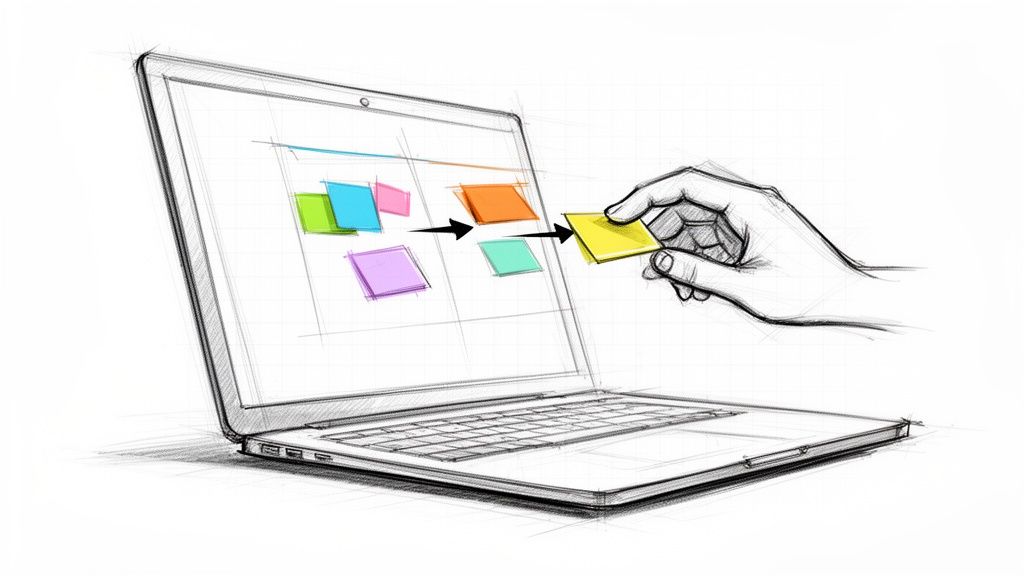
If you've ever tried to manage a project with scattered to-do lists and endless email chains, you know how quickly things can descend into chaos. Now, imagine your team's entire project laid out visually on a shared whiteboard. Every task is clear, every step is visible, and work flows smoothly from left to right.
That’s the simple but powerful idea behind an online Kanban board. It’s a tool that transforms an abstract workflow into a tangible, interactive system that everyone on the team can see and understand.
What Is an Online Kanban Board and Why It Works
At its core, a Kanban board is a visual project management tool that helps teams see their work, track progress, and spot bottlenecks. It acts as a single source of truth, giving you instant answers to critical questions like, "Who's working on what?" and "What's coming up next?"
This isn't just a glorified checklist. It's a dynamic system that brings order to your workflow, whether your team is in the same room or spread across the globe.
The Core Components Demystified
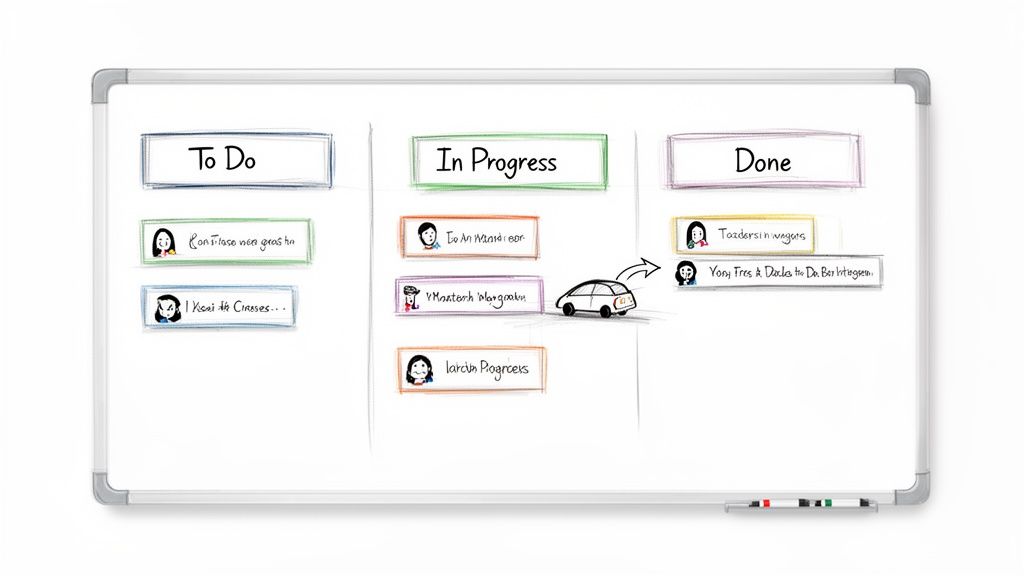
Every online Kanban board is built from three simple elements. Once you understand these building blocks, you'll see why this method is so effective for managing complex projects and keeping teams aligned.
- The Board: Think of this as the project's home. It’s the container for every single task, from the initial idea all the way to completion. A team might have different boards for different projects, like one for a new marketing campaign and another for a software update.
- The Columns (or Lists): These are the vertical lanes that represent the stages of your workflow. A basic setup is "To Do," "In Progress," and "Done," but you can customize them to fit your process perfectly. You could have columns like "Backlog," "Design," "Testing," and "Launched."
- The Cards: Each card is a single task. It holds all the crucial details: the task description, who it's assigned to, the due date, and any files or comments needed to get the job done.
Bringing Clarity to Collaboration
The real magic happens when you put these three pieces together. As a card moves from one column to the next, its progress is instantly visible to the whole team. Suddenly, you don't need all those status update meetings—the board tells the story for you.
This visual approach makes it incredibly intuitive. Anyone can glance at the board and immediately understand the state of the project, pinpointing where work is flowing smoothly and where it’s starting to pile up. It’s a game-changer when it comes to mastering project management collaboration, especially for creative and fast-moving teams.
A Kanban board is an instant sense-making device. It requires zero explanation to understand. However, its primary advantage is also its biggest flaw. It’s easy to be fooled by Kanban’s hidden sophistication.
This clarity has fueled its popularity far beyond its manufacturing roots. The global Kanban software market, valued at around USD 281.6 million, is projected to hit USD 918.53 million by 2033. That’s a compound annual growth rate of 18.4%, a clear signal of just how valuable this simple system is in the modern workplace.
The Four Core Principles That Drive Kanban Success
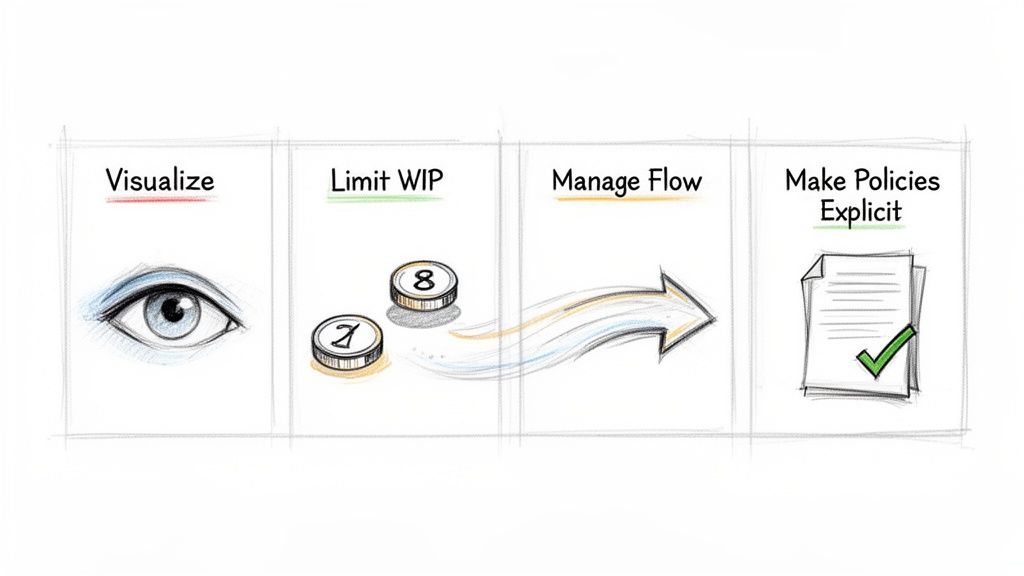
An online Kanban board is far more than just a digital to-do list. It’s a powerful system built on four core principles that work together, turning a simple visual tool into an engine for efficiency, focus, and continuous improvement. Grasping these ideas is the real key to unlocking everything Kanban can do for your team.
And it's no secret how effective these concepts are. The global adoption of Kanban software is telling, with Western Europe making up 30% of the market, North America 25%, and Asia-Pacific 20%. This isn't just a trend; it shows how seriously organizations in these regions are using these principles to get their workflows right. You can dig into more data on Kanban market share and its growth to see the full picture.
Principle 1: Visualize the Workflow
The very first and most fundamental principle is to visualize your work. This isn't just about listing tasks; it's about mapping out every single step of your process into distinct columns on a board. Instead of tasks hiding in spreadsheets or getting lost in email chains, they become tangible cards that everyone can see.
Think about a marketing team's process. The columns might be something like "Ideas," "Writing," "Design," "Review," and "Published." As a card for a new blog post moves across these columns, its status is crystal clear to the entire team—no status meeting required.
This visual clarity is the bedrock for everything else. It instantly shines a light on hidden bottlenecks and gives the whole team a shared, living picture of how work actually gets done.
Principle 2: Limit Work in Progress
Once you can see your workflow, the next move is to limit Work in Progress (WIP). This might be the most powerful—and counterintuitive—principle in Kanban. It’s all about setting a hard cap on the number of tasks allowed in any "in-progress" column at one time.
For example, if the "Review" column has a WIP limit of three, no one can pull a new task into that stage until one of the existing three is finished and moved out. This one simple rule prevents people and teams from drowning in half-finished work.
Limiting WIP forces completion. It shifts the team’s focus from starting new work to finishing existing work, which is the only way you actually deliver value.
By killing multitasking, WIP limits sharpen focus, cut down on the mental cost of context-switching, and dramatically shrink the time it takes for any single task to get from start to finish. It’s the secret to getting more done by doing less at once.
Principle 3: Manage and Improve Flow
With your work visible and your WIP under control, the next goal is to manage the flow. Flow is just the smooth, steady movement of tasks across your board. The objective here is to make that movement as predictable and efficient as possible.
This means you start watching the board to see where work gets stuck or slows down. Is the "Testing" column always crammed full at its WIP limit? Bingo, that's a bottleneck. Managing flow is all about tackling these problems—maybe by shifting resources or tweaking a process step—to keep work moving seamlessly.
The ultimate goal is a system where tasks glide from "To Do" to "Done" without long pauses, leading to faster delivery and far more predictable outcomes.
Principle 4: Make Process Policies Explicit
The final principle is to make your process policies explicit. In other words, everyone on the team needs to know the rules of the game. This involves clearly defining what each column means and what criteria a task has to meet before it can move to the next stage.
- Definition of "Done": What does it mean for a task in the "Design" column to be truly finished? A completed mockup? An approved wireframe? Spell it out.
- Pull Criteria: Who is allowed to pull a new task into the "In Progress" column, and when?
- WIP Limits: Are the limits for each column clearly posted and respected by everyone on the team?
Making these rules explicit gets rid of guesswork and ensures everyone works the same way. It empowers team members to make decisions on their own while staying perfectly aligned with the process, creating a culture of shared ownership and constant improvement.
What Makes a Great Online Kanban Board?
Picking an online Kanban board isn't just about finding a digital to-do list. It's about finding a real partner for your team's workflow—a tool that fits how you actually work. While plenty of apps offer the basics, the magic is in the details. A truly modern Kanban board should feel like a natural extension of your team, not another clunky piece of software you have to wrestle with every day.
The best tools get out of your way. When you're looking at options, think past just dragging cards around. What you really want are features that give you clarity, control, and the power to get things done without constantly switching between apps.
The Must-Have Core Features
Before we even get to the fancy stuff, any online Kanban board worth its salt has to nail the fundamentals. These are the building blocks that make the whole Kanban method click in a digital space.
- An Intuitive Drag-and-Drop Interface: This is the heart and soul of a visual workflow. Moving a task from "In Progress" to "Review" needs to be as simple as, well, dragging and dropping it. If the interface is clumsy, your team won't use it. End of story.
- Customizable Columns and Workflows: Your team's process is unique, and your board should reflect that. A great tool lets you create, rename, and shuffle columns to perfectly map out your workflow, whether it’s a simple "To Do, Doing, Done" or a more complex beast like "Backlog → Design → Development → QA → Launch."
- Rich, Detailed Task Cards: A Kanban card has to be more than a sticky note with a title. You need the ability to add assignees, set due dates, create checklists, leave comments, and attach files. This turns each card into a single source of truth, keeping all the important context right where it belongs.
Without these three, you've got little more than a digital bulletin board. They provide the basic structure you need to see your work and actually manage it.
Advanced Features That Really Move the Needle
Once the basics are locked in, the next layer of features is what separates the good tools from the great ones. These are the capabilities that save time, bring important information to the surface, and automate the boring stuff so your team can focus on what matters.
Here’s what to look for:
- Work-in-Progress (WIP) Limits: This is a core Kanban principle for a reason. WIP limits stop bottlenecks before they start by capping the number of tasks allowed in any single column. A modern tool should let you set these limits and give you a clear visual warning when a column is full, which gently nudges the team to finish work before starting something new.
- Powerful Filtering and Search: As your board grows, finding what you need can feel like searching for a needle in a haystack. The ability to instantly filter the board by person, due date, tag, or keyword is crucial. It lets everyone zero in on their own tasks without getting lost in the noise.
- Automations and Rules: Imagine a task automatically moving to "Review" the moment the final checklist item is ticked off. Or a team member getting tagged the second a card lands in their column. Automations handle these small, repetitive actions, cutting down on manual work and making sure your process is always followed.
A truly effective Kanban board doesn't just show you your workflow; it actively participates in it. By automating routine steps and providing clear visual cues, the tool helps guide the team toward a smoother, more predictable flow of work.
The Game-Changer: Deep Google Workspace Integration
For any team living and breathing in the Google ecosystem, there’s one feature that trumps almost all others: deep, native integration. A standalone Kanban app forces you into a constant cycle of context switching—jumping from your email to your project board, then back to a doc, then back to your email. We all know this kills productivity and drains focus.
This is where a look at different tool philosophies becomes important. Standalone tools offer depth but create silos. Integrated tools, on the other hand, build a unified workspace where communication and task management happen in the same place.
Key Feature Comparison for Kanban Tools
A look at essential features in modern online Kanban boards, highlighting the real-world advantages of integrated vs. standalone solutions.
| Feature | Standalone Kanban App | Integrated Kanban (e.g., Tooling Studio) |
|---|---|---|
| Email to Task Creation | Often requires forwarding emails to a special address or using a third-party connector. | Create a task directly from an email with a single click, preserving context without leaving your inbox. |
| File and Doc Management | Requires manually uploading or linking to files stored elsewhere, like on Google Drive. | Natively attaches Google Docs, Sheets, and Drive files to tasks. Everything stays connected automatically. |
| Notifications & Updates | Sends notifications to a separate app or email, adding another layer of distraction. | Updates and comments happen right within Gmail or Google Tasks, keeping communication and action in one place. |
| Central Hub for Work | Acts as a separate destination you have to remember to check throughout the day. | Transforms your existing tools (like Gmail) into the central hub, bringing the work to where you already are. |
| Learning Curve & Adoption | Requires the team to learn and adopt a completely new piece of software. | Leverages familiar interfaces like Google Tasks, making it incredibly intuitive for teams already using Google. |
A tool like Tooling Studio’s Kanban Tasks, which lives right inside Gmail and Google Tasks, completely sidesteps the context-switching problem. It turns your inbox from a source of chaos into your project command center. This approach doesn't just add a feature; it fundamentally changes how your team gets work done, making them more connected and efficient.
Choosing the Right Kanban Tool for Your Google Workspace Team
When your team lives and breathes in the Google ecosystem, picking an online Kanban board is more than just adding another app to the mix. You're looking for something that feels like a natural extension of your existing workflow—not another login to remember or browser tab to juggle.
The real goal is to find a tool that boosts efficiency by slotting right into the way you already work. A Kanban board that genuinely enhances your Google Workspace will see higher adoption and deliver productivity gains almost immediately because it becomes part of your team's daily muscle memory.
Prioritize Deep Google Integration
This is the most important factor, hands down. You need to look past superficial connections, like a simple calendar sync, and find a tool that integrates deeply with your core Google apps. A tool that truly lives and breathes within your Google environment is what eliminates the friction.
Here are the non-negotiables:
- Native Gmail and Google Tasks Functionality: Can you turn an email into a task with a single click, without ever leaving your inbox? A truly integrated tool brings the Kanban board to you.
- Google Account Single Sign-On (SSO): Your team doesn't need another username and password. Using Google accounts for access isn't just a convenience; it's a security essential that makes onboarding a breeze.
- Direct Google Drive Access: Attaching files from your computer is a clunky, outdated process. The right tool lets you link Google Docs, Sheets, and Slides directly to tasks, keeping all your project assets connected and current.
For teams already invested in Google Workspace, finding tools that sync well is key. For example, platforms like ClickUp often provide integrations that can help connect different parts of your workflow.
Evaluate the User Experience and Learning Curve
A powerful tool is useless if your team finds it too complex or intimidating. The user interface (UI) and overall experience (UX) should feel familiar, complementing Google’s clean, intuitive design. This drastically shortens the learning curve and encourages everyone to jump right in.
A Kanban board is an instant sense-making device. It requires zero explanation to understand. When choosing a digital version, that same intuitive feel is paramount. The tool should get out of the way and let the work shine through.
When you’re trying out a new tool, ask yourself: does this feel natural right away? If the layout is cluttered or you can’t figure out how to navigate, it’s going to create resistance. The best solutions, like Tooling Studio’s Kanban Tasks, use the same design language as Google, making it feel like a feature that was always meant to be there. You can learn more in our detailed guide on the benefits of a dedicated online Kanban board.
This infographic breaks down the core features every effective Kanban tool needs.
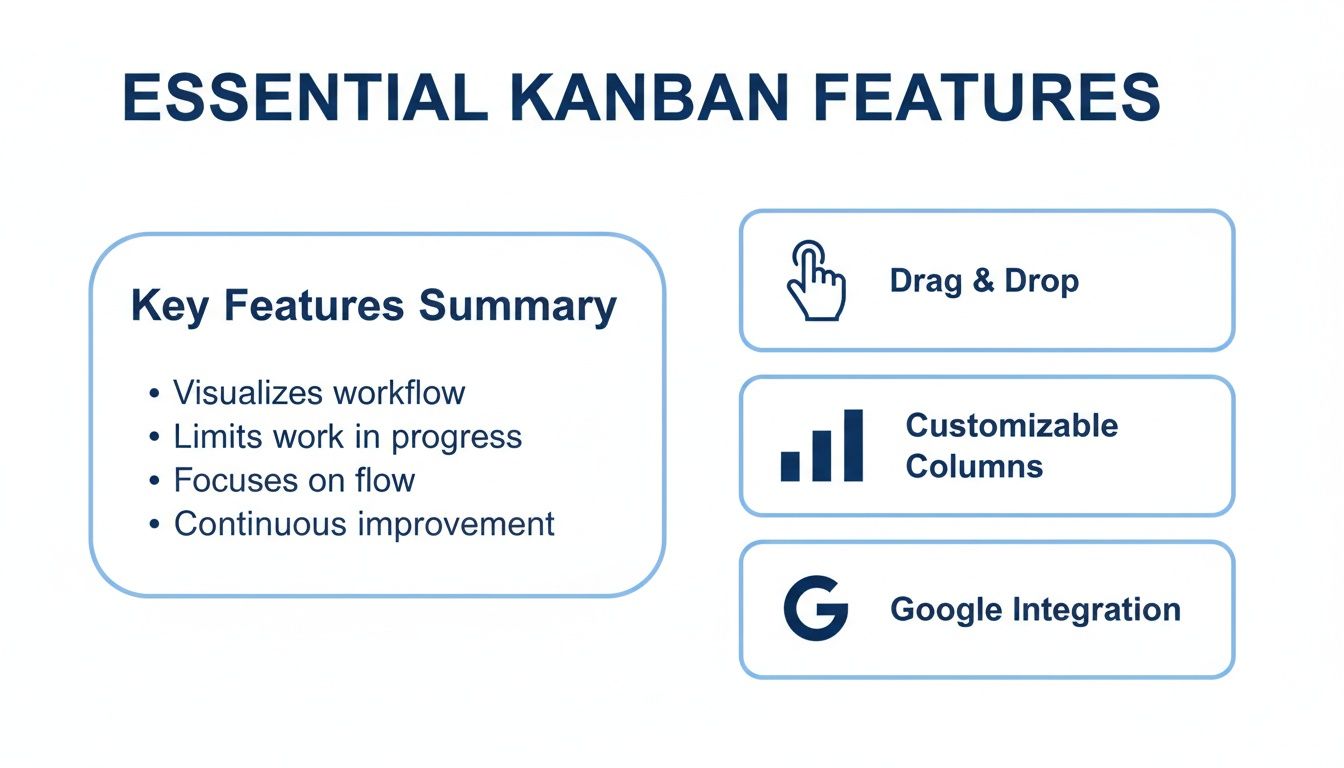
These are the building blocks of a productive visual workflow: simple drag-and-drop functionality, customizable columns, and, of course, that deep Google integration.
Ensure It Solves Your Core Problems
Finally, step back from the feature list and ask a simple question: does this tool actually solve our team's biggest problems? Is your main challenge a lack of visibility into who’s doing what? Is communication scattered across dozens of email threads and chat messages?
Your chosen tool should be a direct answer to those pain points. A board that centralizes task management and conversations right inside Gmail, for instance, tackles both issues at once. It makes progress visible to everyone and keeps all task-related discussions attached to the work itself. By picking a tool built specifically for the Google environment, you're not just getting another app; you're getting a solution designed to fix the unique challenges of working in that ecosystem. You're turning your existing tools into a powerful, unified command center for all your projects.
Your First Kanban Board: A Step-By-Step Setup Guide
Okay, let's move from theory to action. This is where the real magic of an online Kanban board happens. Setting up your first board isn't rocket science, and this guide breaks it down into four straightforward steps. The goal is to get you a working system that brings clarity to your team right away.
We're going to build a board that mirrors how your team actually works, not how a textbook says you should. The best systems always start simple and grow with you.
Step 1: Map Your Workflow into Columns
The columns are the backbone of your Kanban board. Each one represents a distinct stage your work moves through. The key is to skip the generic templates and map out the real steps a task takes from start to finish. This makes the board a true reflection of your process.
For most teams, starting simple is the way to go:
- Backlog/Ideas: This is your parking lot for all future tasks that haven't been prioritized yet.
- To Do (or Ready): These are the approved tasks, ready for someone to grab and start working on.
- In Progress: This column shows what the team is actively focused on right now.
- In Review (or QA): Work that's finished and waiting for a second pair of eyes or formal approval goes here.
- Done: The finish line. All completed tasks land in this column.
Remember, this is just a starting point. A content team might add an "Editing" column, while a development team could need "Testing" and "Deployment" stages. Make it your own.
Step 2: Craft Clear and Actionable Task Cards
Each card on your board is a single piece of work. If the cards are vague, your workflow will grind to a halt. A card titled "Marketing" is pretty useless. A great task card, on the other hand, is specific and gives you all the context you need to get the job done.
Think of each card as a mini-project brief. It should have:
- A clear, action-oriented title (e.g., "Draft Blog Post on Kanban Setup").
- A short description of the task and what "done" looks like.
- The person assigned to the task.
- A realistic due date.
- Any attachments needed, like Google Docs or design files.
Here’s an example of what a well-organized board with detailed cards looks like in Tooling Studio's Kanban Tasks, which plugs right into Google Workspace.
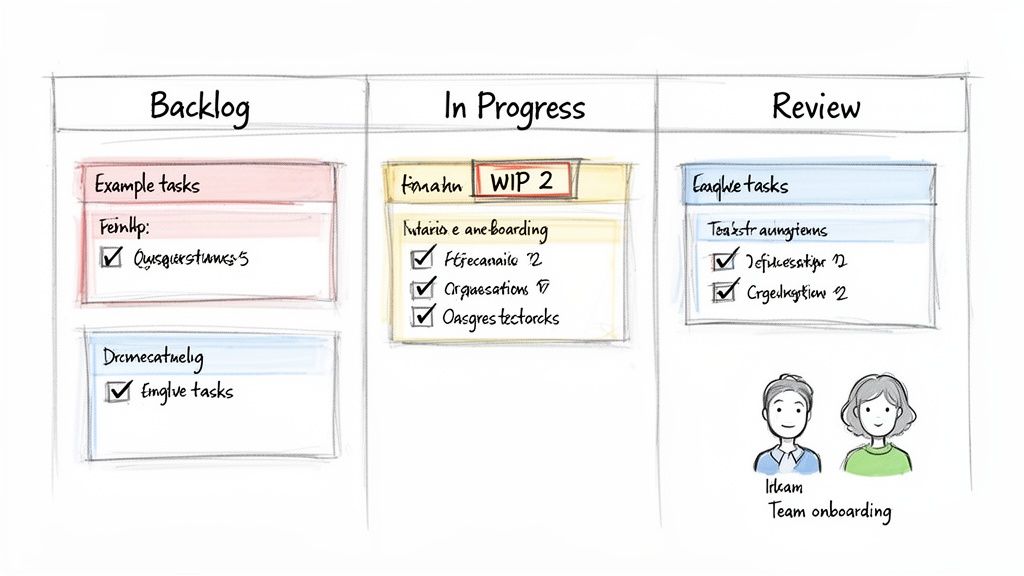
This kind of visual layout makes it immediately obvious who’s doing what and where everything stands, all without leaving the familiar Google environment.
Step 3: Set Practical Work in Progress Limits
This step might just be the most powerful one for boosting your team's focus and getting more done. A Work in Progress (WIP) limit is a simple rule that caps the number of cards allowed in a column at any one time. For example, you could set a WIP limit of 3 on your "In Progress" column.
The whole point of a WIP limit is to stop your team from starting too much work and instead encourage them to finish tasks. It's the secret to moving faster by doing less at once.
When a column hits its WIP limit, no new tasks can be pulled in until something moves out. This one constraint kills multitasking, shines a spotlight on bottlenecks, and builds a team culture around completion.
Step 4: Onboard Your Team and Establish a Rhythm
A tool is only as good as the team that uses it. The last step is to get everyone on board and set up a simple routine for checking in. Because a tool like Kanban Tasks lives inside Gmail and Google Tasks, there’s almost no learning curve.
- Hold a Kickoff Session: Walk the team through the board. Explain what each column means and show them how to create and manage their cards.
- Start a Daily Stand-up: Spend 10-15 minutes each morning looking at the board together. Each person can quickly share what they finished, what they're doing today, and if anything is blocking them.
- Encourage Ownership: Let team members move their own cards across the board as they complete work. This keeps everyone engaged and the board accurate.
By taking these four steps, you'll create a powerful visual system that brings transparency and focus to your team’s work. The trick is to just get started, watch how work flows, and keep tweaking the board to make it even better.
How Tooling Studio Transforms Your Google Workspace
If your team lives and breathes in the Google ecosystem, you’ve probably felt the frustration of finding the right kanban board online. Most tools are standalone, forcing you into a constant, productivity-killing shuffle between your inbox, your project board, and your documents. This endless toggling isn't just annoying—it creates friction and drains focus, turning a tool meant to help you into another obstacle.
There has to be a better way. Instead of bolting on another separate app, the best solution should feel like it was always part of your workflow. It shouldn't disrupt your habits; it should make them better.
Eliminate Context Switching Entirely
We designed Tooling Studio’s Kanban Tasks with one core idea: your work should happen right where your conversations do. It’s a simple but powerful Kanban board that lives directly inside Gmail and Google Tasks. This isn't just a basic integration that periodically syncs data; it's a completely embedded experience.
Picture this: an important email lands in your inbox with a new task. Instead of opening another tab, you can turn that email into a task card and add it to your team's board in a single click. Every bit of communication, every file, and every deadline stays connected. Your inbox transforms from a source of chaos into your project command center.
This native approach makes a huge difference. Workplace productivity studies repeatedly show that even small interruptions from switching apps can eat up 40% of an employee's productive time. By getting rid of that friction, Tooling Studio keeps your team focused and in their flow.
Centralize Your Team’s Workflow
The real magic of a purpose-built tool is how it brings everything together. With Kanban Tasks, your Google Workspace becomes the single source of truth for every project. No more ambiguity and no more "just checking in" meetings. Everyone on the team can see the entire workflow without ever leaving the tools they already know.
- Shared Boards in Google Tasks: Create and share boards for any project—from marketing campaigns to product launches—all from the familiar Google Tasks interface.
- Drag-and-Drop Simplicity: Moving tasks between columns is as easy as clicking and dragging, giving the entire team instant visual updates on project progress.
- Seamless Collaboration: Add comments, attach Google Drive files, and assign tasks to team members right on the cards. All project-related chatter stays in one place.
When you bring the Kanban board into the tools your team already uses every single day, you get rid of the biggest hurdle to adoption. The learning curve is almost non-existent, and the productivity boost is immediate.
For teams committed to Google Workspace, the search for the right online Kanban board ends here. A tool that enhances the platform you already count on is the smartest choice you can make. It doesn't just add a new feature; it unlocks a more efficient, focused, and collaborative way of working. Discover how you can embed a native Kanban board directly in your Google Workspace and finally put an end to app-switching for good.
Got Questions About Online Kanban Boards?
When teams first look into using an online Kanban board, a few common questions always pop up. Let's clear the air on some of them.
Is Kanban Just for Software Teams?
Not a chance. While Kanban definitely made a name for itself in the tech world, its core ideas are incredibly versatile. Marketing teams use it to track content from idea to publication, HR departments visualize their entire hiring pipeline, and sales teams manage leads as they move toward closing.
If you have a process with clear stages, you can map it on a Kanban board.
The real magic of Kanban is how intuitive it is. A board is an instant sense-making device. You don't need a manual to understand what's happening, which is exactly why it works so well for just about any team or workflow.
What’s the Difference Between Scrum and Kanban?
The biggest difference comes down to structure and rhythm. Scrum works in fixed-length cycles called "sprints," where the team commits to a specific chunk of work upfront and focuses on that until the sprint ends.
Kanban, on the other hand, is all about continuous flow. There are no prescribed timeboxes. The goal is simply to move individual tasks from start to finish as smoothly as possible. This makes it a great fit for teams whose priorities can change quickly.
How Can I Convince My Team to Try a Kanban Board?
My advice? Start small and sell the immediate wins. Don't frame it as a massive process overhaul. Instead, pitch it as a simple experiment to cut down on confusion and make everyone's progress visible.
A huge selling point is the promise of fewer status update meetings—the board itself becomes the single source of truth for who is working on what. And if you can introduce a tool that lives inside a platform they already use every day, like Gmail, you’ll find there’s almost no resistance at all.
Ready to bring that kind of clarity to your team's workflow without adding yet another app to the mix? Try Tooling Studio. See for yourself how a native Kanban board inside your Google Workspace can change the game. Get started at https://tooling.studio.
 Download our Plugin