
How to Streamline Business Processes Like a Pro
Discover how to streamline business processes with real-world strategies. Uncover bottlenecks, leverage smart tools, and boost your team's efficiency today.
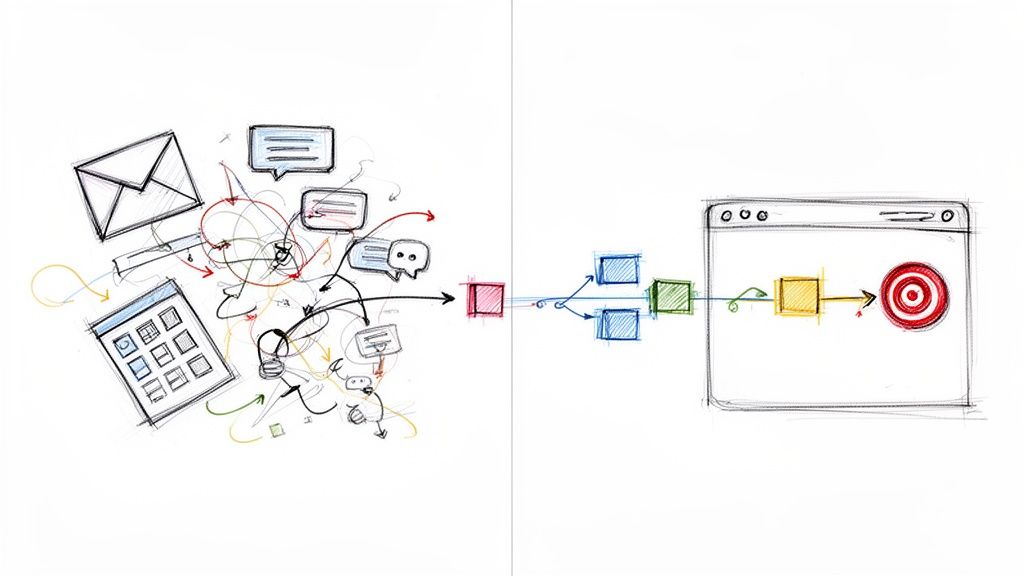
When we talk about streamlining business processes, we're really talking about getting rid of the fluff. It’s about taking a hard look at your daily workflows and figuring out how to make them faster, cheaper, and just plain better. This means cutting out the tasks that don’t add value, automating the boring stuff, and making sure everyone on your team is on the same page.
The whole point is to achieve better results with fewer resources.
The Hidden Costs of Disjointed Workflows

Let's be real—messy workflows aren't just an inconvenience. They’re a constant, low-grade drag on your entire operation. This friction grinds down team morale, pushes back deadlines, and eventually, it starts to wear on your customers. It's a silent killer of growth.
I’ve seen it happen time and again in growing businesses. Critical client info gets scattered to the winds. A lead's details are buried in one person's inbox, project notes are stuck in a forgotten spreadsheet, and task assignments vanish into a black hole of chat messages. This chaos forces your team to spend their days hunting for information instead of actually getting work done.
The Real-World Impact of Friction
This kind of disjointed reality isn't just frustrating; it has tangible consequences that ripple across the entire organization. When a simple handoff from sales to operations requires a flurry of emails and follow-ups, everything slows to a crawl.
- Productivity Tanks: Your team ends up burning valuable hours on things that don't move the needle, like searching for files or re-entering data.
- Morale Nosedives: Constantly hitting roadblocks and dealing with confusing processes is a surefire recipe for burnout and disengagement.
- Customer Experience Suffers: When your internal systems are a mess, it shows. Customers get hit with delays, mixed messages, and inconsistent service.
The push to fix these issues isn't just anecdotal. The data is clear: 62% of companies admit to having at least three major process bottlenecks that could be fixed with automation. Better yet, companies that get on board with workflow automation see lead quantity jump by 80% and conversions by 75%. It's a straight line from operational efficiency to business growth. You can dive deeper into these workflow automation statistics yourself.
Streamlining isn't just a corporate buzzword; it’s a fundamental strategy for survival and growth. It's about creating an environment where your team can do their best work with the least amount of resistance.
By making small, smart changes—especially within an ecosystem your team already knows, like Google Workspace—you can start chipping away at these hidden costs. The goal is to build a cohesive system that actually supports your team, turning that operational friction into a real competitive advantage. And that's exactly what this guide will help you do.
Map Your First Process
You can't fix what you can't see. Before you can dream of streamlining anything, you have to get an honest, unfiltered look at how work actually gets done right now. This is where process mapping comes in, and it's simpler than it sounds. We're not talking about complicated technical diagrams here.
The goal is clarity, not perfection. Forget the fancy software for a minute. Your best tools at this stage are a whiteboard, a pack of sticky notes, and—most importantly—the people who do the work every single day. Their insights are gold because they know all the little workarounds and hidden steps that never make it into the official handbook.
How to Get Started
Pick one process to start with, preferably one that feels a bit clunky or has a high impact on your business. For a lot of agencies, client onboarding is a perfect candidate. The steps are usually scattered across different people and platforms, making it ripe for a closer look.
Get everyone involved in that process into a room together, from sales to project management. Then, walk through it step-by-step.
- Find the Start and End Points: What's the very first trigger? Maybe it's a signed contract landing in a specific Gmail inbox. What's the final step that means it's "done"? A successful project kickoff call? Get specific.
- Document Every Single Action: List out everything that happens in between. Don't skip the small stuff. This means noting down sending the welcome email, creating the shared Google Drive folder, scheduling the kickoff call, and bugging the client for necessary account access.
- Spot the Decision Points: Where does the path split? For example, "Does the client need a new account set up?" These forks in the road are crucial because they show you where the real complexity is hiding.
When you do this as a team, it forces everyone to stop working off assumptions and start dealing with reality.
By getting this down visually, you create a single source of truth. It’s the essential 'before' picture you'll need to measure any future improvements against.
Once your map is up on the whiteboard, the friction points practically jump out at you. In our client onboarding example, you might realize that waiting for client login credentials consistently holds up the entire project for 3-5 business days. That's a huge delay that a simple process map makes impossible to ignore.
To get a baseline for success, attach a few simple Key Performance Indicators (KPIs) to your map. For onboarding, a great KPI is Client Response Time or Time to Kickoff. Measuring this before you change a thing gives you a hard number to beat, turning a vague goal like "be more efficient" into something you can actually track and achieve.
Finding and Fixing Your Process Bottlenecks
Okay, you’ve mapped out your process. Now the real work begins. With that map in hand, you can stop just documenting what is and start designing what could be. This is where you put on your detective hat and hunt for the friction points—those hidden speed bumps that drain your team's time and energy.
These culprits are often hiding in plain sight. Think about the mind-numbing manual data entry that happens every time client details move from a Gmail thread to a Google Sheet. Or consider the approval delays buried in endless email chains, where a single decision can stall an entire project for days. When you don't have a single source of truth, chaos becomes the default setting.
Asking the Right Questions
To pinpoint these problem areas, you have to scrutinize your process map with a critical eye. Start by asking a few targeted questions that cut right to the core of the operational drag. This helps you systematically figure out where your workflow is breaking down.
- Where do handoffs consistently fail? These are the moments when a task moves from one person or department to another, and they're notorious spots for information to get lost in translation.
- Which tasks are just repetitive copy-paste jobs? These are prime candidates for automation. Freeing up your team from this kind of work lets them focus on things that actually require their brainpower.
- What steps cause the most confusion or frustration? Your team’s direct feedback is gold here. They know exactly which parts of the process are clunky or just plain don't make sense.
This visual below shows a simplified client onboarding flow, but it perfectly illustrates how mapping is the essential first step toward making real improvements.
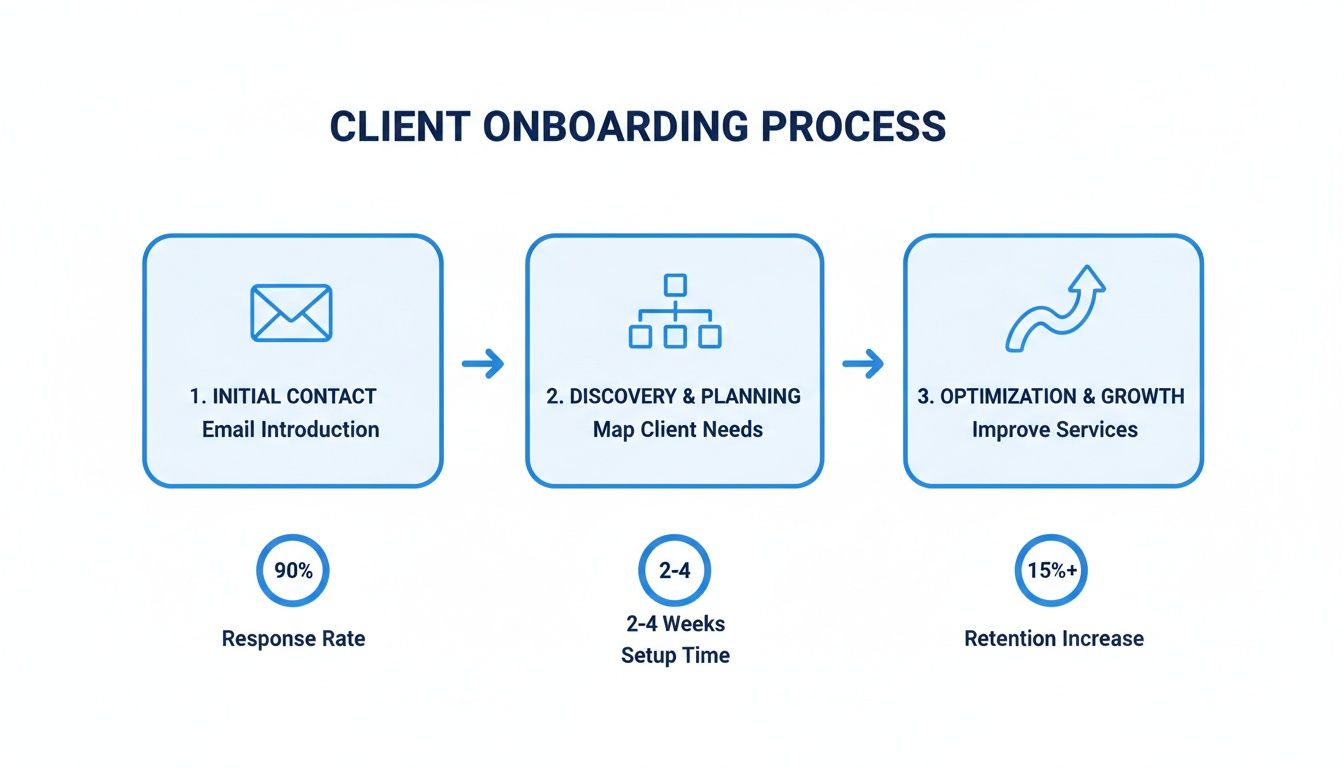
When you can see the entire journey—from that first email to the final project handoff—you can spot exactly where the delays happen. That gives you a clear path to fix them.
I once worked with a support team whose main bottleneck was tracking customer tickets through a shared inbox. It was pure chaos. Requests were constantly being missed, customers were getting angry, and the team was completely stressed out. Once they mapped their process, the mess was undeniable, and it forced them to finally find a better solution.
This kind of breakthrough is becoming more and more common, especially as intelligent automation gets easier to implement. In fact, nearly six in ten companies (59%) have already started using it in some capacity. What's driving them? The top reasons are boosting product quality (58%) and productivity (49%)—which directly solve the kinds of bottlenecks we're talking about. For teams on the ground, this means real results, as automation can slash errors by up to 70%.
Take a look at this table to see some of the most common bottlenecks we see and how to solve them, especially within a Google Workspace environment.
Common Business Process Bottlenecks and Their Solutions
| Common Bottleneck | Impact on Business | Streamlined Solution |
|---|---|---|
| Manual Data Entry | High error rates, wasted employee time, and slow data processing. For instance, manually copying contact details from Gmail to Google Sheets. | Use an extension like Sheet Automation to automatically pull data from Gmail into Google Sheets, eliminating typos and saving hours. |
| Approval Delays | Projects stall waiting for sign-offs via email, causing missed deadlines and frustrated stakeholders. | Implement a centralized task manager like Kanban Tasks where approvals are a specific stage on a board. This gives everyone visibility and sends automatic notifications. |
| Disorganized Communication | Important information gets lost in long email threads or scattered across different chat apps, leading to confusion and repeated questions. | Create dedicated Google Chat spaces for specific projects or teams. Use an extension to turn key messages into tasks directly from the chat window. |
| Repetitive Reporting | Manually compiling weekly or monthly reports from various sources is time-consuming and prone to inconsistencies. | Set up automated dashboards in Google Sheets using tools that connect directly to your data sources. Reports can then update in real-time without any manual work. |
Solving these issues does more than just speed things up. When you find and fix these friction points, you’re building a more resilient, effective, and frankly, less frustrating operation for everyone involved.
If you're ready to dig deeper, check out our guide on how to improve workflow efficiency for more practical tips.
Unifying Your Workflow with Integrated Tools
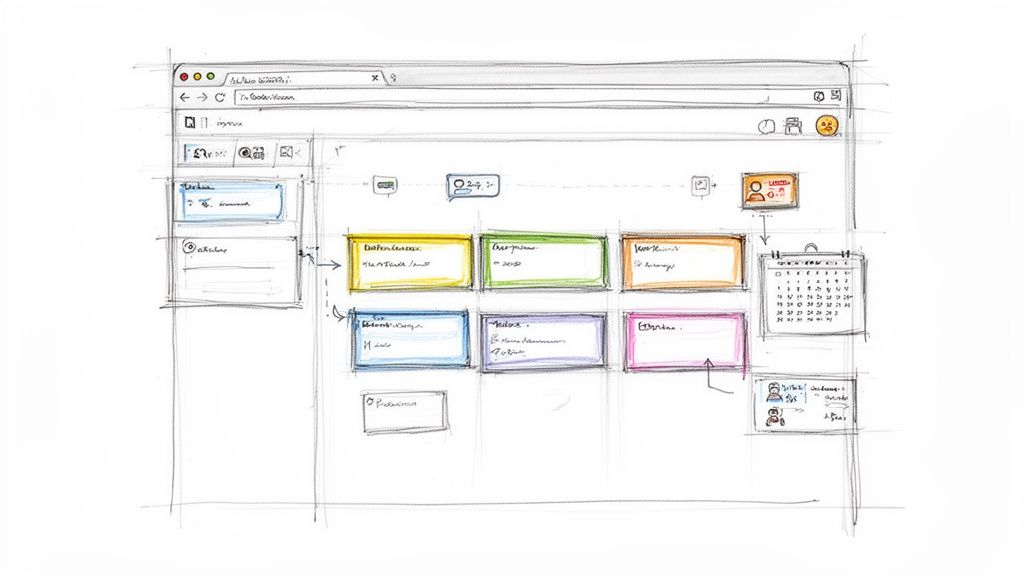
Once you've pinpointed the friction in your workflows, the next step is finding a fix. The common impulse is to grab a new, shiny app for every little problem. But this often just piles on more complexity. Suddenly, your team is juggling another new interface and constantly switching tabs—the very context switching we’re trying to kill.
A much smarter strategy is to pick tools that plug directly into the platforms your team already uses every day. For millions of businesses, that central hub is Google Workspace. By adding functionality inside Gmail, Google Drive, or Google Contacts, you keep your team locked in, slash the learning curve, and maintain momentum. This idea of native integration is the real secret to making work flow smoothly.
Transforming Your Inbox from Chaos to Control
Think about the inbox of a typical project manager. It's a mess of client updates, internal questions, and tasks that need action, all jumbled together. The old-school solution? Manually copy-pasting details from an email into a separate project management tool. That’s a classic workflow bottleneck right there.
This is where an integrated tool like Tooling Studio’s Kanban Tasks completely changes the game. Instead of forcing you to leave your inbox to manage work, it brings a visual, shareable Kanban board right into your Gmail and Google Tasks interface.
- Turn Emails into Actionable Tasks: An email from a client is no longer just a message. With a single click, it becomes a task card on your project board.
- Visualize Your Entire Workflow: You can see every project stage—from "To Do" to "In Progress" to "Complete"—without ever leaving your inbox.
- Collaborate in Context: Assign tasks and track progress right where the conversation is happening.
This simple shift gets rid of the constant jumping between email and a project management app. It saves time and, more importantly, ensures nothing falls through the cracks. It’s a perfect example of streamlining by meeting your team where they already work.
“The best tools don’t force you to change your habits; they enhance them. By embedding functionality within familiar environments, you reduce friction and accelerate adoption, allowing your team to focus on the work itself, not the tool.”
Centralizing Sales Within Your Existing Contacts
This same principle applies to other crucial business functions, like sales. For many small businesses, trying to manage leads in a spreadsheet while handling all communication in Gmail creates a major disconnect. Information gets stuck in silos, follow-ups get missed, and good opportunities slip away.
Now, imagine a tool that turns your simple Google Contacts into a living, breathing sales pipeline. That’s the idea behind an integrated Sales CRM. Instead of a static address book, you could track leads, manage deals, and log every customer interaction right inside the Google environment you already know.
This approach is part of a bigger shift in how companies are thinking about automation. The data is clear: workflow automation delivers a huge ROI, with 75% of executives calling it a competitive advantage. It's really no surprise that 94% of enterprises now prefer unified platforms to solve their process headaches.
By choosing tools that enhance your existing ecosystem, you’re not just adding a new feature—you’re building a more connected and efficient foundation for your entire operation. If you’re a small business looking to make a big impact with smarter workflows, be sure to check out our detailed guide on workflow automation for small business.
Creating a Culture of Continuous Improvement
Getting a new, streamlined process up and running is a huge win, but it’s really just the starting line. The most successful organizations I've worked with treat process improvement not as a one-off project, but as a fundamental shift in how they operate. The real magic happens when you build a culture where everyone feels empowered to find smarter, better ways to get things done.
After all, without measuring the impact, any changes you make are just guesswork. You have to circle back to those Key Performance Indicators (KPIs) you set up during the process mapping phase. Are you actually seeing a real, quantifiable improvement?
Measuring the True Impact
The metrics you track need to connect directly to the problems you were trying to solve. This isn't just about feeling more productive; it's about proving it with cold, hard data.
- Project Turnaround Times: How long does it take to get from A to Z now? If you optimized client onboarding, you should be tracking the exact number of days from a signed contract to project kickoff.
- Error Rates: Are fewer mistakes slipping through the cracks? A good process that reduces manual data entry should lead to a measurable drop in errors on reports or in client accounts.
- Sales Cycle Length: If you streamlined your sales process, measure the average time it takes for a lead to move through the pipeline. A shorter cycle means you're generating revenue faster.
These hard numbers give you undeniable proof of what’s working. For instance, after helping a client support team implement a shared Kanban board right inside their Gmail, we saw their average ticket resolution time drop by 35% in the first month alone. That kind of data turns a successful project into a powerful case study for rolling out more improvements.
Building a Powerful Feedback Loop
Data tells you what happened, but it’s your team on the front lines who can tell you why. Creating a system for ongoing feedback is absolutely critical to weaving continuous improvement into your company’s DNA. The people doing the work every day are the ones who see the small points of friction that high-level analytics might miss.
Make it incredibly easy—and safe—for them to share what they see. This could be something as simple as a dedicated Slack channel for process ideas or adding it as a quick, standing item in weekly team meetings.
The ultimate takeaway is that truly efficient organizations are always curious, adaptable, and looking for a smarter way to get things done. When your team feels ownership over the processes they use every day, they become active partners in spotting the next opportunity.
This approach lines up perfectly with the core principles of lean thinking, which is all about eliminating waste and empowering teams to make small, iterative changes. You can dive deeper into our guide to understand what is lean methodology and how its concepts can fuel your continuous improvement efforts. The goal is to build a system where small, smart adjustments are happening all the time, driven by the people who know the work best.
Common Questions About Streamlining Workflows
Even with a solid game plan, digging into process improvement always brings up a few questions. Let's tackle some of the most common ones we hear from teams who are just getting started. Answering these upfront can make the whole transition feel a lot smoother.
Where Should a Small Team Start?
For small teams, the answer is almost always the same: start with whatever is causing the most daily headaches. Don't try to boil the ocean and fix everything at once. Pick one high-friction spot where a quick win will make everyone's day better.
Usually, the biggest culprits are client communication or internal task management. Just think about what happens when a new sales lead comes in or when someone needs a simple project update. If you're like most teams, that information is probably scattered across a dozen emails, chat messages, and random docs.
The fastest way to score a win is with a simple, integrated tool—like a Kanban board that lives right inside your Gmail. It gives everyone a single source of truth without forcing them to learn a whole new, complicated system.
This approach builds immediate momentum. When your team sees a real benefit on day one, they'll be much more excited about what's next.
How Do I Get My Team On Board with New Processes?
Team buy-in is everything. You can have the best plan in the world, but if your team isn't on board, it’s dead on arrival.
The trick is to involve them from the very beginning. Ask them to help you map out the current process and point out their biggest frustrations. When people feel like they're part of creating the solution, they become its biggest advocates.
When you introduce a new tool or workflow, frame it around how it makes their jobs easier. Focus on the benefits that matter to them:
- Less boring manual work and repetitive data entry.
- Fewer interruptions and less bouncing between tabs.
- More time to focus on the interesting, creative parts of their job.
Choosing tools that feel intuitive and fit into the software they already use, like extensions for Google Workspace, makes adoption a breeze. And don't forget to lead by example and celebrate the early wins to show everyone that the new way is working.
Can I Do This Without an Expensive Software Budget?
Absolutely. Making your workflows better is about the method, not the price tag on the software. Some of the most effective solutions are surprisingly affordable, especially when you use lightweight extensions that add specific features to tools you're already paying for, like Google Workspace.
This is a much smarter move than sinking a ton of money into a massive, all-in-one enterprise platform. Why pay for a dozen features you’ll never touch? Instead, you can solve a high-impact problem with a focused tool.
Adding a visual task board or a simple CRM directly into your Google environment can give you huge gains in automation and organization for a tiny fraction of the cost.
How Often Should We Review and Update Our Processes?
As a general rule, it's a good idea to formally review your most important processes at least once or twice a year. But you should also do a check-in anytime your business goes through a big change—maybe you've launched a new service, restructured a team, or brought on a major new piece of technology.
Honestly, the best approach is to build a culture where anyone can suggest an improvement at any time. The goal isn't to do a massive, disruptive overhaul every few years. It’s about making small, steady improvements all the time.
Ready to stop switching tabs and start getting work done right inside Google Workspace? Tooling Studio offers powerful Chrome extensions that bring your tasks, projects, and sales pipelines directly into your inbox. See how our tools can bring your workflow together at https://tooling.studio.
 Download our Plugin