
12 Best Productivity Chrome Extensions for Your Workflow
Find Chrome extensions for Gmail tasks, writing, tabs, notes, and time tracking. Start with Kanban Tasks to turn emails into visible work.
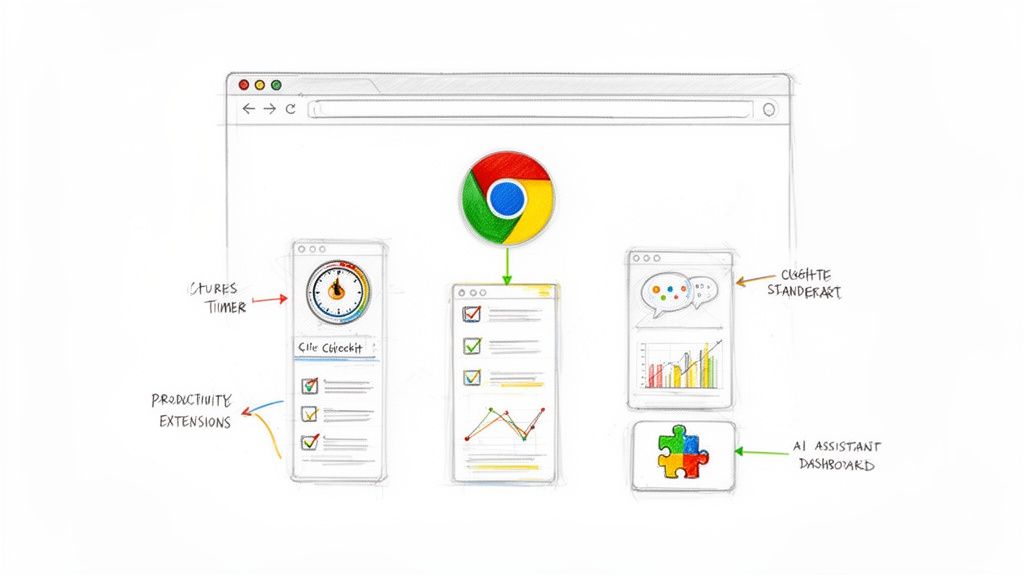
The best productivity Chrome extension solves a repeated problem in your working day. For work that starts in Gmail, start with Kanban Tasks by Tooling Studio: turn a message into a task, give it a stage and a due date, and use shared boards when the team needs to work together.
This list groups extensions by the job they do. Use it to build a small set of tools with clear roles.
Productivity Chrome extensions at a glance
| Extension | Main role |
|---|---|
| Kanban Tasks by Tooling Studio | Gmail tasks and shared team boards |
| Todoist | Capture tasks while browsing |
| Grammarly | Check writing in the browser |
| Text Blaze | Insert reusable text snippets |
| OneTab | Save open tabs as a list |
| Workona | Organize tabs into workspaces |
| Notion Web Clipper | Save web pages to Notion |
| Google Keep | Save notes and links |
| Clockify | Track time from the browser |
| Loom | Record screen explanations |
| Scribe | Capture process instructions |
| StayFocusd | Limit time on distracting sites |
1. Kanban Tasks by Tooling Studio
Kanban Tasks adds task boards inside Gmail and Google Workspace. Create a task from an email, keep a link to the original message, and add a due date, checklist, comments, and attachments.
Use personal boards for your own work. Use shared boards and assignments when colleagues need to see progress and take responsibility for the next action. A Gantt view shows dated tasks across a timeline, and Get Work Done brings due work together.
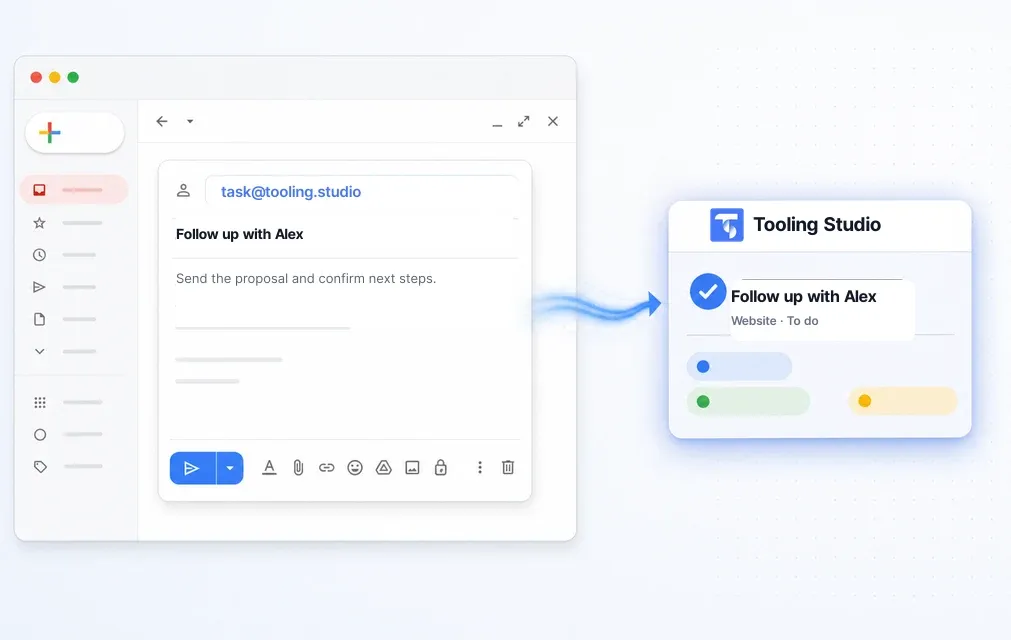
A practical first board has four lists: To do, In progress, Waiting, and Done. Add three real email requests, give each one a next action, and move the tasks as work changes.
Personal use is free. Teams costs $5 per user per month or $50 per user per year. Install Kanban Tasks or open the web app.
For customer relationships, Sales CRM adds contacts, organizations, and visual deal pipelines inside Gmail. Time connects time tracking with your tasks and client work.
2. Todoist: capture a browsing task
Todoist for Chrome lets you add tasks while browsing. Give the saved item an action title so that it is clear why you need to return to the page.
For example, save Review supplier proposal rather than leaving the proposal open among unrelated tabs.
3. Grammarly: review browser writing
Grammarly for Chrome provides writing suggestions in supported text fields. Use a final review to check that the message still says what you mean, including names, dates, prices, and commitments.
A writing assistant can support the draft. You remain responsible for the message you send.
4. Text Blaze: reuse approved wording
Text Blaze inserts saved snippets through shortcuts. Use snippets for repeated explanations, meeting instructions, or standard replies.
Keep variables such as the customer's name and delivery date visible so that you can check them before sending. Review shared snippets when your product or process changes.
5. OneTab: collect open tabs
OneTab saves tabs into a list that you can reopen. Give the collection a clear purpose, such as Campaign research or Supplier review.
Close the research loop by recording the decision or next action on your task board. A saved list is useful when you know why you will return to it.
6. Workona: group browser work
Workona organizes tabs and resources into workspaces. Use one workspace for an active project and keep the working brief and task board easy to find.
Review the saved resources when the project ends so that the next workspace starts with current information.
7. Notion Web Clipper: save reference pages
Notion Web Clipper saves web pages to Notion. Add a short note about why the page matters and put it in the right destination.
For shared research, agree on the same destination so that colleagues can find the saved material.
8. Google Keep: capture a quick note
The Google Keep Chrome extension saves useful page links and notes to Keep. Use labels to group related material.
Turn notes that need action into tasks with a clear next step. Keep reference material separate from work that someone must complete.
9. Clockify: record time in the browser
Clockify's browser extension provides time tracking from Chrome. Use a consistent project and task description so that the resulting time entries are useful during review.
For a workflow connected to Tooling Studio tasks and CRM records, explore Time.
10. Loom: explain a screen
Loom for Chrome records screen explanations. Start the recording with the point you want the viewer to understand, then show the relevant steps.
Attach the recording link to the task and state the expected next action. Check the recording's sharing settings before you send the link.
11. Scribe: document a process
Scribe captures process steps for instructions. Review the output, remove private information, and confirm that the steps still work before sharing it with the team.
Keep the procedure linked to the repeated task or onboarding checklist where people will use it.
12. StayFocusd: set browsing limits
StayFocusd limits access to selected sites. Choose a focused work period and a small set of distractions to restrict.
Pair the limit with a clear task. A defined next action makes it easier to use the focused time well.
Other extensions in a focused workflow
Sortd is another Gmail workflow extension. Toggl Track covers browser time tracking, and 1Password provides access to saved credentials in the browser.
Keep one main place for active tasks and team status. For Gmail work, Kanban Tasks gives you the board, email capture, task details, and shared ownership in the same workflow.
Build a small extension setup that you use
Start with the task you repeat most often. Install the tool that helps with that task, then use it through a normal working week before adding another.
For a Gmail-based team, a practical setup is Kanban Tasks for work, a writing tool for messages, and a reference tool for saved research. Add other extensions only when they have a clear role.
Review the publisher and requested permissions before installation. Remove extensions you no longer use, and check your organization's extension policy when using a managed work account.
Make your first Gmail workflow visible
Open three emails that need action. Create a task for each, choose its board and list, and add the due date. On a shared board, assign the owner and keep the task current as work moves forward.
Install Kanban Tasks for Gmail or follow the Gmail Kanban setup guide. Personal use is free.
Turn Gmail into the productivity extension your team actually uses
Install Tooling Studio to turn emails into tasks, organize work on shared Kanban boards, and keep customer follow-ups visible without leaving Google Workspace. Personal use is free.