# Add Task to Google Calendar Easily | Boost Your Productivity
> Learn how to add task to Google Calendar effortlessly. Discover expert tips to streamline your schedule and stay organized across devices.
- Canonical HTML: [https://tooling.studio/blog/add-task-to-google-calendar](https://tooling.studio/blog/add-task-to-google-calendar)
- Markdown version: [https://tooling.studio/blog/add-task-to-google-calendar.md](https://tooling.studio/blog/add-task-to-google-calendar.md)
- Author: Ryan Martinez
- Published: 2025-05-14T07:46:24.30608
- Updated: 2025-05-14T07:46:25.454534
- Topic: General
## Tasks vs. Events: Finding Your Perfect Google Calendar Mix
Adding tasks to [Google Calendar](https://calendar.google.com/) is a crucial productivity skill. However, understanding *when* to use a task versus an event is equally important. Tasks and events play distinct roles within your Google Calendar system. Events represent scheduled appointments or activities with a specific time and duration, such as meetings or doctor's appointments.
Tasks, on the other hand, are for to-do items without a dedicated time slot. Think "Draft project proposal" or "Grocery shopping." This distinction is key to a clear and actionable calendar.
Imagine your calendar cluttered with every small to-do item as an hour-long event. It quickly becomes overwhelming and visually confusing. For example, "Call Mom" as an event implies blocking out a specific hour. As a task, it's a simple reminder to call sometime during the day.
### Visualizing the Difference
The visual representation of tasks and events reinforces this distinction. Events create blocks of time, visually segmenting your day. Tasks reside in a separate list, keeping your daily schedule clear while providing persistent reminders.
This visual separation offers psychological benefits. Separating flexible tasks from fixed commitments reduces **decision fatigue** and creates a more manageable workflow.
### Choosing the Right Tool for the Job
Understanding the strengths of each feature helps **maximize your productivity**. Use events for anything requiring a designated time slot. Add a task for everything else.
This simple strategy ensures a clear reflection of your commitments and frees up mental space. Streamline task management by connecting tasks to your leave management system. This ensures resource availability and prevents bottlenecks. You can learn more at [Boost Productivity with Employee Leave Management System](https://www.leavewizard.com/boost-productivity-with-employee-leave-management-system/). This integration optimizes your workflow and prevents conflicts between scheduled time off and assigned tasks.
### Leveraging the Google Ecosystem
Adding tasks to Google Calendar is powerful, especially within the [Google Workspace](https://workspace.google.com/) ecosystem. As of 2025, Google Workspace boasts approximately **3 billion active monthly users** worldwide. Find more detailed statistics here.
This widespread adoption highlights the platform's functionality and integration capabilities. This massive user base allows seamless sharing of calendars and tasks, facilitating collaboration and streamlined communication. The interplay between Google Calendar, Tasks, and other Workspace apps creates powerful synergy. This helps manage projects, track progress, and achieve goals, whether you're an individual or part of a larger organization.
## Desktop Mastery: Adding Tasks to Google Calendar
Adding tasks to your Google Calendar on your desktop is simple and offers several different approaches. Whether you're just starting out or you're a Google Calendar expert, these techniques can help you improve your workflow.
### The Fundamentals of Adding Tasks
The easiest way to add a task is by clicking the "Create" button in the top left corner of your Google Calendar and selecting "Task." This opens a window where you can enter the task name, add details, set a due date, and assign it to a specific list. For example, if your task is to "Finalize presentation slides," you could add notes about key talking points, set the due date for the day before the presentation, and add it to your "Work Projects" list.
### Keyboard Shortcuts For Efficiency
If you’re looking to save time, keyboard shortcuts can dramatically speed up task creation. Pressing "c" on your keyboard will open the event creation window. Then, simply select the "Task" tab to quickly enter the task details. You can also use the "q" shortcut for "Quick Add" to create a task with just a few keystrokes. These shortcuts save valuable time, especially if you manage many tasks.
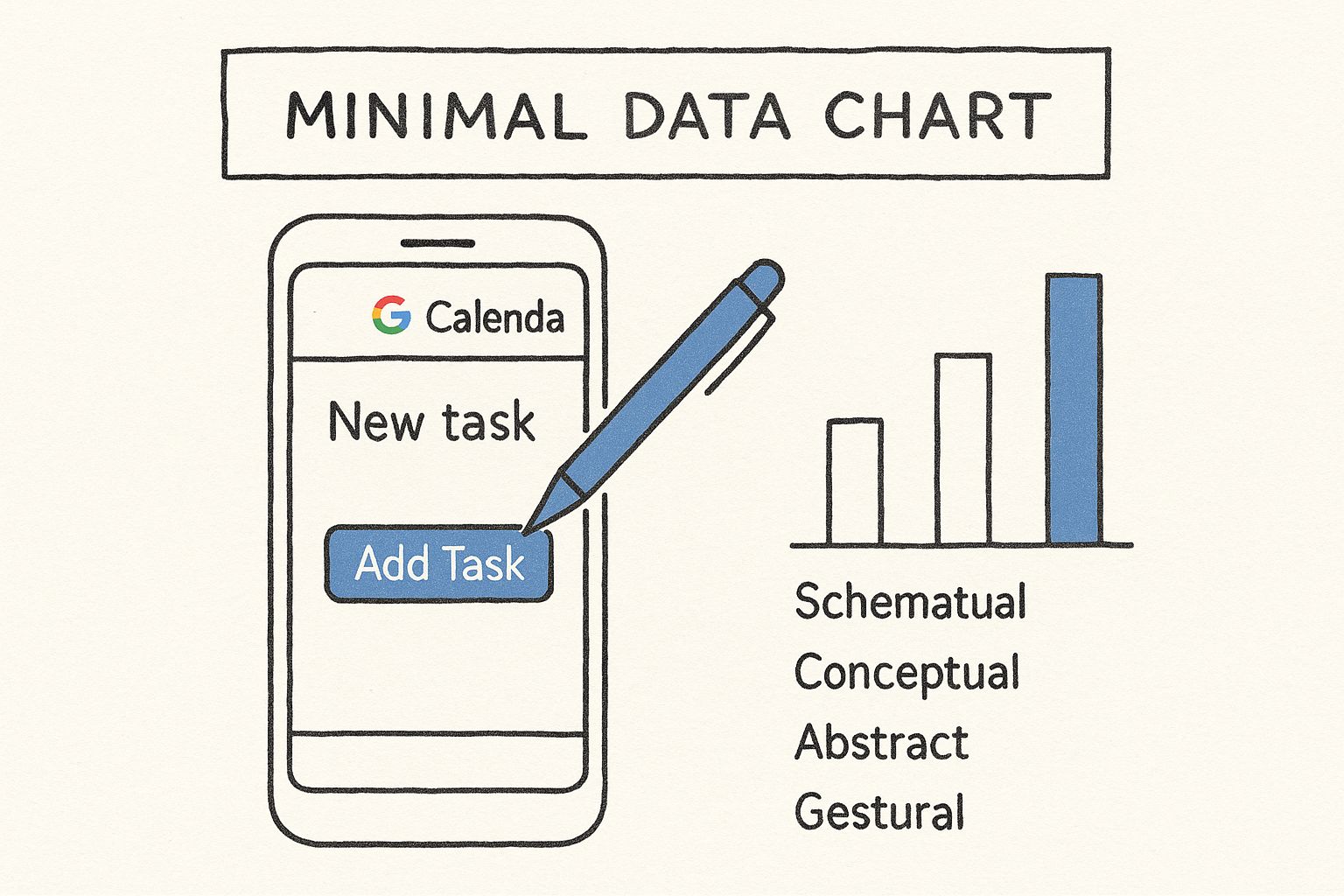
This simple illustration shows the process of adding a task on a smartphone, highlighting the "Add Task" button. It emphasizes how easy it is to add tasks to Google Calendar on desktop or mobile.
### Color-Coding and Organization
Using Google Calendar's color-coding system helps you organize your tasks visually. Assigning different colors to different task lists, like "Personal," "Work," and "Household," allows you to quickly see what kind of task you’re looking at. This visual clarity helps you prioritize and manage your time better. Google Calendar itself has an interesting history, launching in April 2006 and officially exiting beta in July 2009. [Learn more about Google Calendar’s evolution here.](https://en.wikipedia.org/wiki/Google_Calendar)
### Transforming Emails into Actionable Tasks
Google Calendar integrates with [Gmail](https://www.google.com/gmail/) allowing you to turn emails into actionable tasks. By simply dragging an email from your inbox to your calendar, you can create a task linked directly to that email. This keeps all the relevant information easily accessible and eliminates the need to constantly switch between applications. When deciding between creating tasks or events, think about how other systems can integrate; for instance, you can [Connect Outlook Automatic Replies with Jira](https://www.resolution.de/post/outlook-automatic-replies-out-of-office/).
### Advanced Task Management Techniques
Beyond the basics, Google Calendar offers features for more sophisticated task management. **Recurring tasks** simplify routine responsibilities. For example, if you have a weekly team meeting, setting a recurring task makes sure it is automatically added to your calendar every week. You can also set **task reminders** to avoid missing important deadlines. For more productivity tips, check out our guide on [How to master Google Tasks using Kanban view](https://tooling.studio/blog/mastering-google-tasks-how-to-use-kanban-view-on-your-desktop). This approach streamlines your workflow and helps you stay organized.
The following table summarizes some common ways to add tasks on desktop browsers:
Desktop Methods to Add Tasks to Google Calendar
A comparison of different methods to add tasks to Google Calendar from desktop browsers.
| Method | Steps Required | Best For | Special Features |
|---|---|---|---|
| Clicking the "Create" button | 1. Click "Create"
2. Select "Task"
3. Enter task details | Quick task entry | Simple and intuitive |
| Keyboard shortcut "c" | 1. Press "c"
2. Select "Task" tab
3. Enter task details | Fast task creation | Efficient for frequent task additions |
| Quick Add (keyboard shortcut "q") | 1. Press "q"
2. Type task details | Adding tasks on the go | Minimalist and speedy |
| Dragging emails from Gmail | 1. Open Gmail and Google Calendar
2. Drag email to calendar | Creating tasks from emails | Links task directly to email content |
This table provides a quick overview of the different methods you can use to add tasks to Google Calendar from your desktop. Each method offers a slightly different approach, so you can choose the one that best fits your workflow. Using keyboard shortcuts can significantly improve your efficiency.
## On-the-Go Task Management: The Mobile Calendar Approach
Managing your tasks doesn't have to be tied to your desktop. Your mobile device offers a powerful set of tools within [Google Calendar](https://calendar.google.com/) for adding and managing tasks, keeping you organized wherever you are. This mobile-first approach has distinct advantages, letting you capture tasks as they pop up, even away from your computer.
### Adding Tasks From Your Phone
Adding a task to Google Calendar on your mobile is simple. Open the Google Calendar app and tap the "+" button. Select "Task" to enter details like the title, due date, and any notes. For quick entries, use **voice input** instead of typing. This is especially helpful when you're on the go and need to quickly jot down a task.
### Mobile-Specific Features: Gestures and Notifications
Mobile devices offer unique features that enhance task management. **Swipe gestures** allow for quick rescheduling or completion of tasks, avoiding tedious menu navigation. Customize your notifications for timely reminders, prompting action at the right moment. For instance, set a reminder to "Pick up dry cleaning" when you're near the cleaners.
### Staying Synced: Desktop and Mobile Harmony
A major benefit of using Google Calendar for task management is the **seamless synchronization** between desktop and mobile devices. Any change made on one device instantly reflects on the other. This avoids missed tasks and ensures consistency across your workflow, wherever you are.
### Leveraging the Google Tasks App
The dedicated Google Tasks app complements the Calendar interface, offering a focused space for managing your to-do list. While Calendar is great for time-bound events, the Tasks app excels at organizing and prioritizing your broader to-dos. Both apps work together seamlessly, letting you view and manage tasks in either interface. The Tasks app is also key for offline task management, ensuring you can manage your to-dos even with **limited connectivity**.
### Privacy Considerations
While Google Calendar offers robust features, it's important to consider privacy implications. The platform currently lacks end-to-end encryption, meaning Google can access event and task details. Learn more at [Discover more insights about Google Calendar privacy](https://proton.me/blog/is-google-calendar-private). This lack of encryption can increase data vulnerability and may result in sharing with third parties under certain legal conditions.
### Maintaining Consistency: Best Practices
For effective mobile task management, use clear naming conventions for your tasks. Create descriptive titles and add relevant details for clarity. Prioritize tasks by importance and urgency, using features like due dates and reminders. Regularly review and update your task list to stay current and focused. Combining these best practices with Google Calendar's mobile capabilities will keep you organized and productive on the go.

## Beyond Basics: Advanced Task Features You're Missing
Adding a task to [Google Calendar](https://calendar.google.com) is more than just jotting down to-dos. It's about building a system that works for you. Let's explore some advanced features that can transform your basic task list into a powerful productivity hub.
### Custom Task Categorization
Don't settle for default task lists. Implement custom categories that align with your unique work style. For example, instead of a generic "Work" list, create separate lists for "Project A," "Client Meetings," and "Marketing Tasks." This granular approach allows for better organization and clearer prioritization. It's like organizing your files into specific folders instead of piling everything onto your desktop.
### Visual Priority System
Transform your task list into a visual roadmap. Use **color-coding** to instantly identify high-priority tasks. For example, code urgent tasks in red, important but non-urgent tasks in yellow, and routine tasks in green. This visual system guides your daily decisions, ensuring you focus on what truly matters.
### Dependency Chains for Complex Projects
For complex projects, create **dependency chains** between tasks. This feature links tasks, establishing a clear order of operations. For instance, "Finalize presentation slides" can be linked as a prerequisite to "Practice presentation delivery." This approach helps you visualize project workflows and ensures every step is accounted for.
### Google Workspace Integration for Seamless Workflows
Google Calendar's power multiplies when integrated with other Google applications. Link tasks directly to emails in [Gmail](https://mail.google.com/), attach relevant documents from [Google Drive](https://drive.google.com/), and even create tasks from within [Google Docs](https://docs.google.com/). This seamless integration eliminates duplicate entry and streamlines your workflows.
To take your workflow visualization further, consider exploring Kanban boards within Google Tasks. Check out this guide on [mastering Google Tasks using Kanban view](https://tooling.studio/blog/mastering-google-tasks-how-to-use-kanban-view-on-your-desktop) for a deeper dive into this technique.
### Task Analytics for Continuous Improvement
By analyzing your completed tasks, you can identify productivity patterns and refine your system. For instance, if you consistently underestimate the time required for certain task types, you can adjust your future estimations. This iterative process allows your task management system to evolve and adapt to your needs. This **continuous improvement** is key for maximum effectiveness.
To further illustrate the advanced features available in various task management platforms, let's compare Google Calendar with dedicated task apps like Todoist, Microsoft To Do, and Apple Reminders.
The following table, "Advanced Task Features Comparison," analyzes these platforms side-by-side. It highlights the strengths and weaknesses of each in terms of advanced features, helping you choose the best tool for your needs.
Advanced Task Features Comparison
Analysis of advanced task management features in Google Calendar versus dedicated task apps
| Feature | Google Calendar | Todoist | Microsoft To Do | Apple Reminders |
|---|---|---|---|---|
| Custom Task Categorization (e.g., projects, contexts) | Supported through multiple task lists | Robust support with projects, sub-projects, and labels | Supported through lists and folders | Basic list organization |
| Visual Priority System (e.g., color-coding, flags) | Limited color-coding options | Customizable labels and priorities (4 levels) | Color-coding and importance flags | Basic flag for priority |
| Dependency Chains/Subtasks | Not directly supported | Subtasks and dependencies (using natural language processing) | Subtasks, but limited dependency management | Subtasks, but no dependencies |
| Integrations (e.g., email, file storage) | Strong integration within Google Workspace | Wide range of integrations via Zapier and other platforms | Integrates with other Microsoft apps and services | Integrates within Apple ecosystem |
| Task Analytics/Reporting | Basic task completion tracking | Detailed productivity tracking and reports | Limited task completion tracking | No built-in analytics |
This comparison reveals that while Google Calendar offers solid basic task management within the Google ecosystem, dedicated task apps like Todoist provide more robust features for advanced task management, such as dependency chains and in-depth analytics. However, the best choice depends on your specific needs and workflow. If you primarily use Google Workspace and need basic task management with calendar integration, Google Calendar is a good option. If you require more advanced features like dependency tracking or robust reporting, a dedicated task app might be a better fit.
## Creating Your Calendar Task Ecosystem
Adding tasks to [Google Calendar](https://calendar.google.com) is a powerful first step toward greater productivity. But true efficiency comes from integrating your calendar with the other digital tools you use daily. Think of your calendar as the central hub, connecting the spokes of your various work platforms. This interconnected system is what we call a **calendar task ecosystem**.
### Connecting Google Calendar With Other Platforms
Successful professionals understand the importance of a unified workflow. Instead of manually transferring information between platforms, they connect their tools to eliminate duplicate entry and ensure nothing gets missed. Imagine automatically generating Calendar tasks from emails, messages, and project updates. This interconnectedness is key to a truly efficient system.
You can achieve this connectivity through native Google integrations and third-party bridges like **Zapier**. [Zapier](https://zapier.com/) can connect Google Calendar to thousands of apps, automating workflows between platforms that don't natively connect. This opens a world of possibilities for streamlining tasks. You might be interested in: [How to master Kanban for tasks and boost your team’s productivity](https://tooling.studio/blog/kanban-tasks-guide-boost-team-productivity). This guide delves into effective visual task management, complementing your calendar ecosystem.
### Integrating With Popular Project Management Tools
Let's explore specific integration patterns with popular platforms. Connecting Google Calendar with **Todoist**, **Asana**, **Trello**, and **Notion** can dramatically improve your workflow. Each platform has unique strengths and weaknesses regarding integration complexity and productivity benefits.
* **Todoist**: Known for its simplicity and natural language processing, [Todoist](https://todoist.com/) integrates smoothly with Google Calendar, allowing you to sync due dates and project deadlines.
* **Asana**: Geared towards team collaboration, [Asana’s](https://asana.com/) integration with Google Calendar helps keep projects on track by visualizing deadlines and milestones within your calendar view.
* **Trello**: With its visual Kanban board approach, [Trello’s](https://trello.com/) integration allows you to see task progress directly within your calendar, offering a broader project overview.
* **Notion**: While not a dedicated project management tool, [Notion’s](https://www.notion.so/) flexibility allows for custom integrations with Google Calendar, making it adaptable to various workflows.
### Maintaining a Single Source of Truth
Even with multiple tools, maintaining a **single source of truth** is crucial. This means designating one platform as the primary record for all task-related information. While other tools might offer supplementary views, all updates should flow back to this central source. This avoids confusion and ensures data consistency.
### Customized Notifications for Optimal Focus
Finally, consider how notifications behave across your ecosystem. Avoid **notification overload** by customizing alerts from each platform. Prioritize essential notifications and filter out less important updates. This keeps you focused on the tasks that truly matter, maximizing your productivity within your newly integrated calendar task ecosystem.
## Task Management Strategies That Actually Work
Adding a task to [Google Calendar](https://calendar.google.com) is just the first step. True productivity comes from implementing effective task management strategies. Let's explore some proven systems used by productivity experts. These techniques are designed to work even during high-pressure periods.
### Time Blocking: Making The Most Of Your Calendar
**Time blocking** involves scheduling specific blocks of time for particular tasks or types of work. This technique optimizes Google Calendar's interface by visually segmenting your day. Think of it as reserving conference rooms for different meetings; you're allocating specific time slots for specific activities.
* **Assign realistic durations**: Avoid over-scheduling. Accurately estimate how long tasks will actually take.
* **Buffer for the unexpected**: Incorporate short breaks and buffer time for unforeseen interruptions. This prevents delays from derailing your entire schedule.
* **Prioritize important tasks**: Allocate your peak focus hours to your most crucial work. This ensures your most valuable contributions happen when you're at your best.
### Priority Coding: Instant Visual Cues
A visual **priority system** transforms your calendar into a roadmap. Assign colors to tasks based on their urgency and importance. This allows for instant identification of critical items, guiding your daily decisions.
* **Red for urgent**: Use red for tasks requiring immediate attention.
* **Yellow for important**: Designate yellow for important, but not urgent, tasks.
* **Green for routine**: Assign green for routine tasks.
This visual system helps you prioritize and manage your tasks effectively. Read also: [Boost Your Efficiency: Top 10 Productivity Tips for Google Workspace Users](https://tooling.studio/blog/boost-your-efficiency-top-10-productivity-tips-for-google-workspace-users) for more practical strategies.
### Review Cycles: Preventing Tasks From Slipping Through The Cracks
Regular reviews are essential for a productive task management system. Just like regular car maintenance prevents major breakdowns, consistent review cycles keep you on top of your tasks.
* **Daily review**: At the end of each day, review completed tasks and plan for the next day. This helps you adjust priorities and stay organized.
* **Weekly review**: Conduct a more thorough weekly review to assess progress on larger goals and adjust your long-term plan. This gives you a broader perspective on your overall productivity.
* **Monthly review**: Take time each month to evaluate your system's effectiveness and identify any areas for improvement. This keeps your task management strategy aligned with your objectives.
### Adapting To Different Work Styles
These strategies are adaptable to various professional needs. Executives, freelancers, and researchers can all benefit by tailoring these frameworks to their specific demands. For example, a freelancer might use time blocking for client work, marketing, and administrative tasks. An executive could use it for meetings, project planning, and strategic thinking.
### Overcoming Common Challenges
Even with the best strategies, challenges will arise. **Over-scheduling**, **notification fatigue**, and **task abandonment** are common pitfalls. Be mindful of these potential problems and proactively implement solutions to build sustainable productivity habits. Setting realistic task durations helps prevent over-scheduling. Customizing notification settings minimizes distractions. Regular reviews ensure tasks are updated and prevent abandonment.
By understanding these common failure points and adopting strategies to address them, you can build a robust and effective task management system within Google Calendar.
Ready to take your Google Calendar task management to the next level? [Tooling Studio](https://tooling.studio) offers powerful Chrome extensions designed to enhance your productivity within the Google Workspace environment. Visit Tooling Studio today to learn more.